
ClickUp
VerifiedAll-in-one productivity platform for tasks, docs, goals, and team collaboration
 See all screenshots
 - Deployment Cloud Based
- Starting price Free
- Free trial Available
- Best for Freelancers, Startups, SMEs
What is ClickUp?
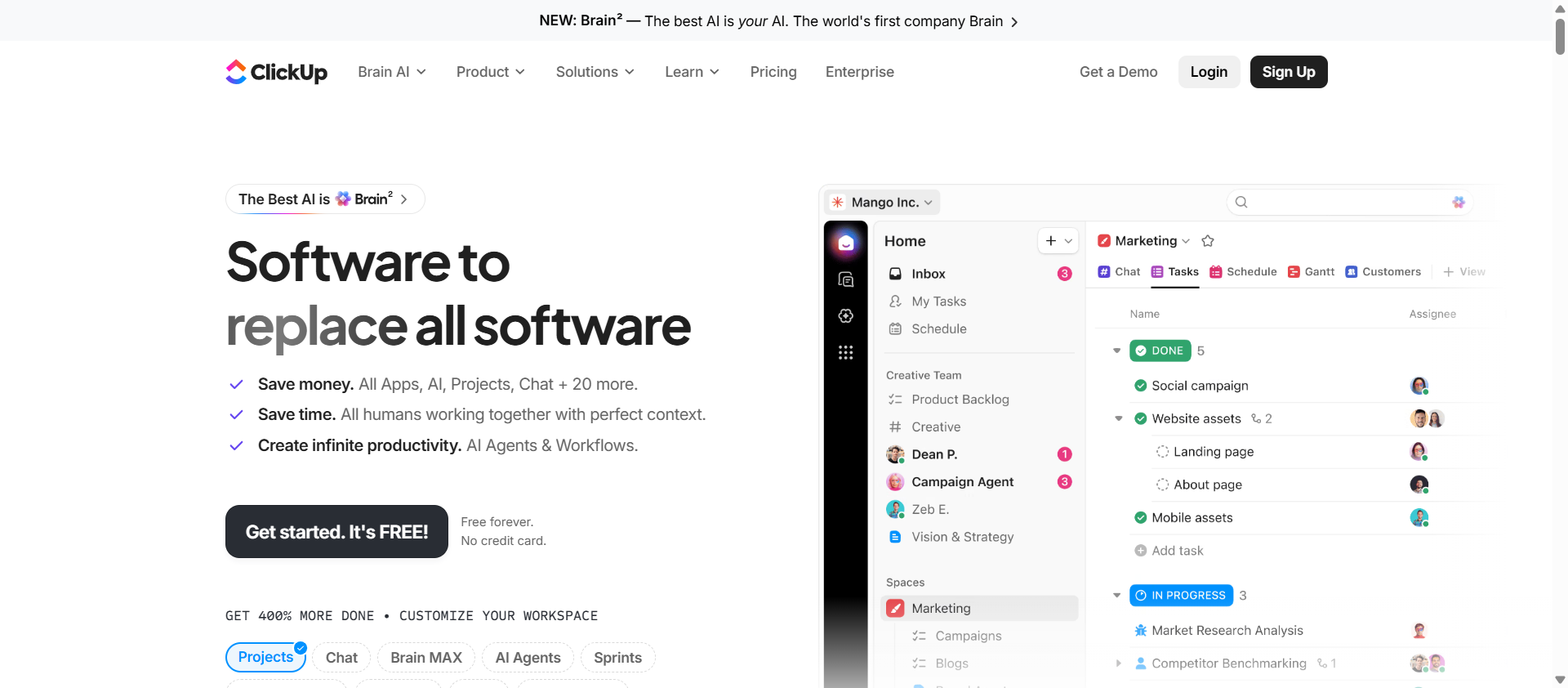
ClickUp is an all-in-one productivity platform that combines task management, documents, whiteboards, goals, and time tracking in a single workspace. It offers more than fifteen ways to view work including List, Board, Gantt, Calendar, and Mind Map, along with automations, custom fields, and native chat, aiming to replace multiple separate tools with one connected system.
ClickUp is used by individuals, startups, and large enterprises alike, with a Free Forever plan and paid Unlimited, Business, and Enterprise tiers priced per user per month. It connects with more than a thousand third-party tools including Slack, Google Workspace, and GitHub, and offers optional AI add-ons for writing, automation, and workspace-wide search on top of any plan.
Key Features of ClickUp
ClickUp lists 10 documented features, including 15+ task views including List, Board, Gantt, and Calendar, ClickUp Docs for real-time collaborative documents and Whiteboards for brainstorming and planning. The list below covers what the product does rather than how it is marketed.
- 15+ task views including List, Board, Gantt, and Calendar
- ClickUp Docs for real-time collaborative documents
- Whiteboards for brainstorming and planning
- Goals and OKR tracking
- Time tracking
- Automations
- Custom fields and custom statuses
- Native chat
- 1,000+ integrations including Slack and GitHub
- Optional AI add-ons for writing and automation
ClickUp Pricing
ClickUp lists 3 plans, starting free and running to $19.
Free Forever
Free
per user/month
Free forever tier listed alongside the paid plans in the full feature comparison.
Unlimited
$10
per user/month billed monthly
Monthly billed rate shown here for consistency; the same tier is $7 per user per month when billed yearly.
Business
$19
per user/month billed monthly
Monthly billed rate shown here for consistency; the same tier is $12 per user per month when billed yearly, and it adds unlimited dashboards and more.
ClickUp Specifications
ClickUp is available on web app, Windows and macOS and has iOS and Android apps. It offers an API, has a free trial and has a free plan.
- Deployment
- Cloud Based
- Billing cycle
- Monthly
- Desktop
- Web App
- Windows
- macOS
- Mobile
- iOS
- Android
- Languages
- English
- Built for
- Freelancers
- Startups
- SMEs
- Agencies
- Enterprises
- Support
- Live Support
- Tickets
- Training
- Integrations
- Slack, Google Workspace, Microsoft Office, Zoom, GitHub, Figma, Zapier, HubSpot
- Public API
- Yes
- Free trial
- Yes
- Free plan
- Yes
- Runs in browser
- Yes
- Customisable
- Yes
- Website
- clickup.com
ClickUp Videos
ClickUp Screenshots
ClickUp Comparisons



ClickUp Reviews
No reviews yet
Used ClickUp? Share your experience and help other buyers decide.
ClickUp FAQs
Alternatives to ClickUp
Other Bug Tracking Software recorded on the same fields.