HR software comes in two groups: core systems (HRIS, HCM and HRMS) that hold employee records and run the workforce lifecycle, and specialized tools built for one job, such as recruiting, scheduling, payroll, benefits, learning or engagement. Most businesses start with one core system and add specialized HR software only where it falls short. This guide explains each type, what it covers and how to choose between them.
What HR Software Is
HR software, often sold as a Human Resources Management System (HRMS), is a digital platform that stores employee data and automates HR work, from hiring and onboarding to performance reviews and payroll. It gives HR one source of truth for records, replaces spreadsheets for routine tasks and produces reports leaders can act on.
If you want the basics first, read what HR software is and does. The rest of this page is about the types and which one fits.
The Evolution of HR Management Systems
HR systems have moved through five stages:
- 1960s to 1970s: HR processes ran on paper and file cabinets.
- 1980s to 1990s: Basic Human Resource Information Systems (HRIS) stored employee data digitally.
- 2000s: Web-based HRMS products added more features and access from any browser.
- 2010s: Cloud-based Human Capital Management (HCM) platforms offered scalable, integrated HR suites.
- 2020s: AI features such as resume screening, chatbots and predictive analytics now appear in many products, though quality varies by vendor.
Core HR Software Types
Human Resource Information Systems (HRIS)
An HRIS (Human Resource Information System) is the system of record: it manages employee data and basic HR functions.
Key features:
- Employee database management
- Time and attendance tracking
- Benefits administration
- Basic reporting and analytics
Human Capital Management (HCM)
An HCM (Human Capital Management) system goes beyond records to manage the whole employee lifecycle, from hiring to development.
Key features:
- Talent acquisition and onboarding
- Performance management
- Learning and development
- Workforce planning and analytics
Human Resource Management Systems (HRMS)
An HRMS (Human Resource Management System) combines HRIS and HCM features, usually with payroll. Vendors use the three labels loosely, so judge a product by its feature list, not its name.
Key features:
- Core HR functions (HRIS features)
- Strategic workforce management (HCM features)
- Payroll processing
- Compliance management
HRIS, HCM and HRMS compared
| Type | Main focus | Usually suits |
|---|---|---|
| HRIS | Employee records, time off, benefits data, basic reports | Small teams that need one clean system of record |
| HCM | Hiring, performance, learning and workforce planning | Growing companies with a talent strategy |
| HRMS | Core HR plus payroll and compliance tooling | Teams that want records and pay from one vendor |
Specialized HR Software Types
Specialized tools handle one HR job in more depth than a core system usually does. These are the types you’ll meet most often.
Recruitment and Applicant Tracking Systems
Applicant tracking systems (ATS) manage hiring from job posting to candidate selection.
Key features:
- Job posting management
- Resume parsing and screening
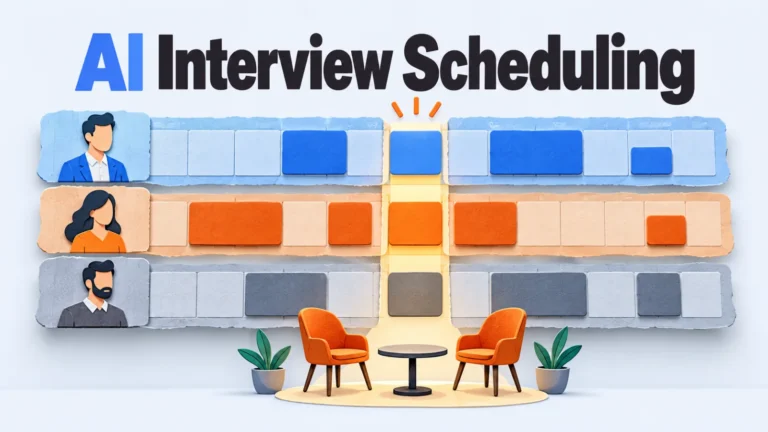
- Interview scheduling
- Candidate communication
- Applicant tracking and reporting
Employee Scheduling Software
Employee scheduling software suits businesses with shift-based workers, such as retail, restaurants and healthcare, where coverage changes weekly.
Key features:
- Shift planning and management
- Time-off requests
- Labor cost forecasting
- Mobile accessibility for employees
Time and Attendance Software
Time and attendance software records when employees work, which feeds payroll and supports wage-and-hour compliance.
Key features:
- Clock-in/out functionality
- Leave management
- Overtime tracking
- Integration with payroll systems
Benefits Administration Software
Benefits administration software manages enrollment and carrier details for employee benefits programs.
Key features:
- Benefits enrollment and management
- Health insurance administration
- Retirement plan management
- Compliance tracking
Compensation Management Software
Compensation management software helps HR plan salary structures and review pay fairly.
Key features:
- Salary structure planning
- Pay equity analysis
- Bonus and incentive management
- Total rewards statements
Payroll Software and Services
Payroll software calculates wages, withholds taxes and pays employees on schedule. Check whether tax filing is built in or handled by a separate service.
Key features:
- Wage calculation
- Tax filing
- Direct deposit management
- Reporting and analytics
Learning Management Systems (LMS)
A learning management system (LMS) delivers and tracks employee training through online courses.
Key features:
- Course creation and management
- Learning path customization
- Progress tracking
- Certifications management
Employee Monitoring Software
Employee monitoring software tracks activity and productivity, mostly for remote teams. It carries the most legal and trust risk of any type here: some US states require employers to notify staff about electronic monitoring, so check state law before you roll it out.
Key features:
- Time tracking
- Application and website usage monitoring
- Productivity analytics
- Screen capture capabilities
Performance Management Software
Performance management software supports ongoing reviews and goal tracking. Which review format it supports matters, so see performance appraisal methods before you shortlist.
Key features:
- Goal setting and tracking
- 360-degree feedback
- Performance review automation
- Development planning
Employee Engagement Software
Employee engagement software measures and improves workplace culture and satisfaction.
Key features:
- Pulse surveys
- Recognition and rewards programs
- Internal communication tools
- Engagement analytics
How to Choose the Right HR Software Type
The right type depends on your headcount, how fast you’re hiring and which HR job hurts most today. Work through these factors:
- Company size and growth: Smaller businesses can start with a basic HRIS. Larger or fast-growing ones often need an HCM or HRMS.
- Industry-specific needs: Shift work, certifications or union rules may call for specialized scheduling, time tracking or learning tools.
- Budget: Costs vary widely. Compare setup fees and recurring subscription fees. Our HR software pricing guide explains how vendors charge.
- Integrations: Confirm the software connects with your accounting, payroll and productivity tools.
- Ease of use: Both HR staff and employees should be able to use it without training sessions for basic tasks.
- Scalability: Pick a product that can add modules or users as you grow.
- Compliance: Verify it supports the local, state and federal rules that apply to you.
- Support and training: Ask what onboarding help the vendor provides and how it handles support requests.
A simple decision rule: if you have under one HR person’s worth of work and your pain is records and time off, buy an HRIS. If you’re hiring, reviewing and training at the same time, buy an HCM or HRMS. If one function is the only real problem, such as shift scheduling or applicant tracking, buy that specialized tool and connect it to what you already use. Before you commit, read how HR software implementation works and compare capabilities in the HR software features guide.
Where HR Software Is Heading
Vendors are investing mostly in automation and analytics. Three directions are already visible in current products:
- AI and machine learning: Resume screening, chat assistants and review summaries are appearing in many products. Some US jurisdictions, such as New York City, regulate automated hiring tools, so ask vendors how they handle bias audits.
- Predictive analytics: Turnover and workforce-planning forecasts help HR act before problems grow.
- Employee experience: Self-service mobile access for pay, time off and benefits is becoming a baseline expectation.
Start With One Core System
Pick the core type first (HRIS, HCM or HRMS), then add a specialized tool only where it leaves a real gap. Buying many tools at once creates integration work and duplicate employee records.
Write down your three biggest HR time sinks this week and match each to a type above. That list is your shortlist brief. For the business case, see the benefits of HR software.
Frequently asked questions
What are the main types of HR software?
The main types are core systems (HRIS, HCM and HRMS) and specialized tools. Specialized tools cover applicant tracking, scheduling, time and attendance, benefits, compensation, payroll, learning, monitoring, performance and engagement.
What is the difference between HRIS, HCM and HRMS?
An HRIS focuses on employee records and basic HR tasks. An HCM adds talent functions such as performance, learning and workforce planning. An HRMS usually combines both and adds payroll, though vendors use the terms loosely.
Which HR software type should a small business start with?
Most small businesses start with an HRIS or a small-business HRMS that includes payroll and time off. Add an applicant tracking or scheduling tool only when hiring or shift planning becomes a real bottleneck.
Can specialized HR tools replace a core HR system?
Not well. Specialized tools do one job in depth but don’t act as a single employee record. They work best connected to a core system so employee data stays in one place.
Add SocialAtoZ as a preferred source
See us more often in your Google results.