
Trello
VerifiedVisual Kanban boards for organizing tasks, projects and team workflows
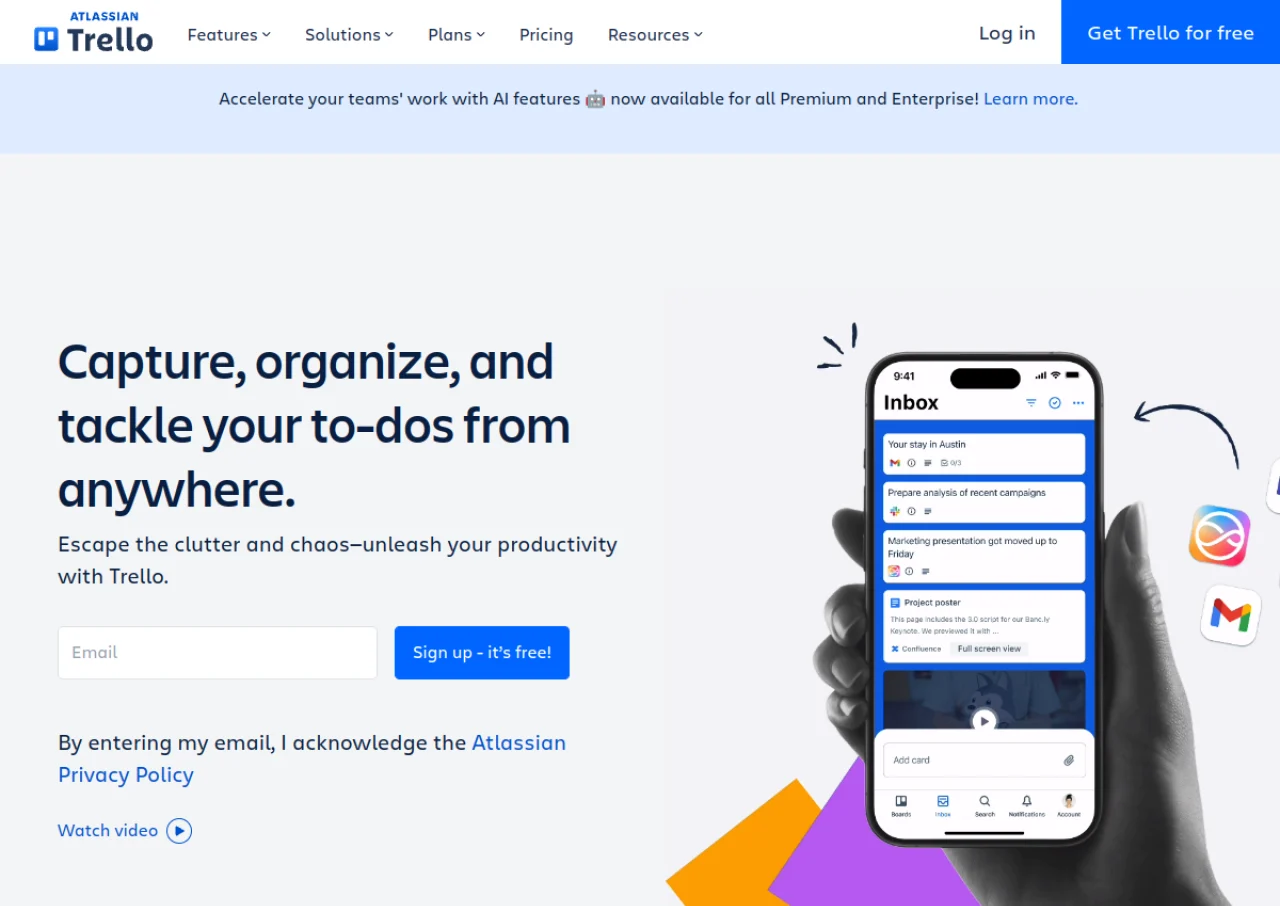 See all screenshots
 - Deployment Cloud Based
- Starting price Free
- Free trial Available
- Best for Freelancers, Startups, SMEs
What is Trello?
Trello is a visual project management tool built around boards, lists, and cards that follow the Kanban methodology. Teams and individuals use it to organize tasks, track progress with drag and drop cards, and extend functionality with Power-Ups and Butler automation. Trello is now part of Atlassian and integrates with other Atlassian products.
The free plan covers up to 10 boards per workspace with unlimited cards and Power-Ups, making it popular with individuals and small teams. Paid Standard, Premium, and Enterprise plans unlock unlimited boards, additional views such as Calendar, Timeline, and Dashboard, workspace templates, and organization wide administration and SSO for larger companies.
Key Features of Trello
Trello lists 10 documented features, including Kanban boards with lists and drag and drop cards, Butler no-code automation (rules, buttons, scheduled commands) and Power-Ups for extending board functionality. The list below covers what the product does rather than how it is marketed.
- Kanban boards with lists and drag and drop cards
- Butler no-code automation (rules, buttons, scheduled commands)
- Power-Ups for extending board functionality
- Calendar, Timeline, Table, Dashboard and Map views (Premium+)
- Checklists, due dates, labels and custom fields
- Card mirroring across boards
- Board and workspace level templates
- Mobile apps for iOS and Android
- Unlimited Power-Ups on every plan including Free
- Organization-wide permissions and SSO (Enterprise)
Trello Pricing
Trello lists 4 plans, starting free and running to $17.50.
Free
Free
up to 10 collaborators per Workspace
Free for up to 10 collaborators per Workspace, with activity log, assignee and due dates, mobile apps and 2 factor authentication.
Standard
$6
per user/month
Billed monthly. The same tier is $5 per user per month if billed annually. Adds AI features, unlimited boards, card mirroring and advanced checklists.
Premium
$12.50
per user/month
Billed monthly, quoted alongside a lower annual rate for the same tier. Adds AI on boards, admin controls, extra views, collections, observers and simple data export.
Enterprise
$17.50
per user/month
Sold on annual billing only at $210.00 per user per year, so this is the one tier where the monthly rate is not offered. Adds enterprise grade security and controls, unlimited workspaces and power-up administration.
Trello Specifications
Trello is available on web app, Windows and macOS and has iOS and Android apps. It offers an API, has a free trial and has a free plan.
- Deployment
- Cloud Based
- Billing cycle
- Monthly
- Desktop
- Web App
- Windows
- macOS
- Mobile
- iOS
- Android
- Languages
- English
- Built for
- Freelancers
- Startups
- SMEs
- Agencies
- Enterprises
- Support
- Live Support
- Tickets
- Integrations
- Slack, Google Drive, Jira, GitHub, Confluence, Dropbox, Microsoft Teams, Salesforce, Zapier, Miro
- Public API
- Yes
- Free trial
- Yes
- Free plan
- Yes
- Runs in browser
- Yes
- Customisable
- Yes
- Website
- trello.com
Trello Videos
Trello Screenshots
Trello Comparisons


Used Trello? Write the first review.