HR software is a digital suite of tools that manages a company’s workforce by centralizing employee records and automating repetitive administrative tasks. It provides a single platform for tracking recruitment, payroll, and performance reviews to replace manual spreadsheets. By using these systems, your team can focus on people strategy rather than paper records.
You can explore specific HR software features to see how they impact daily operations.
Understanding HR Software – The Basics
HR software, often categorized as Human Resources Information Systems (HRIS) or Human Capital Management (HCM) software, acts as the central hub for all employee data. These digital platforms streamline workflows by connecting recruitment data to payroll and benefits administration. Businesses use these tools to maintain a single source of truth for compliance, making it easier to scale without increasing administrative overhead.
Key Components of HR Software
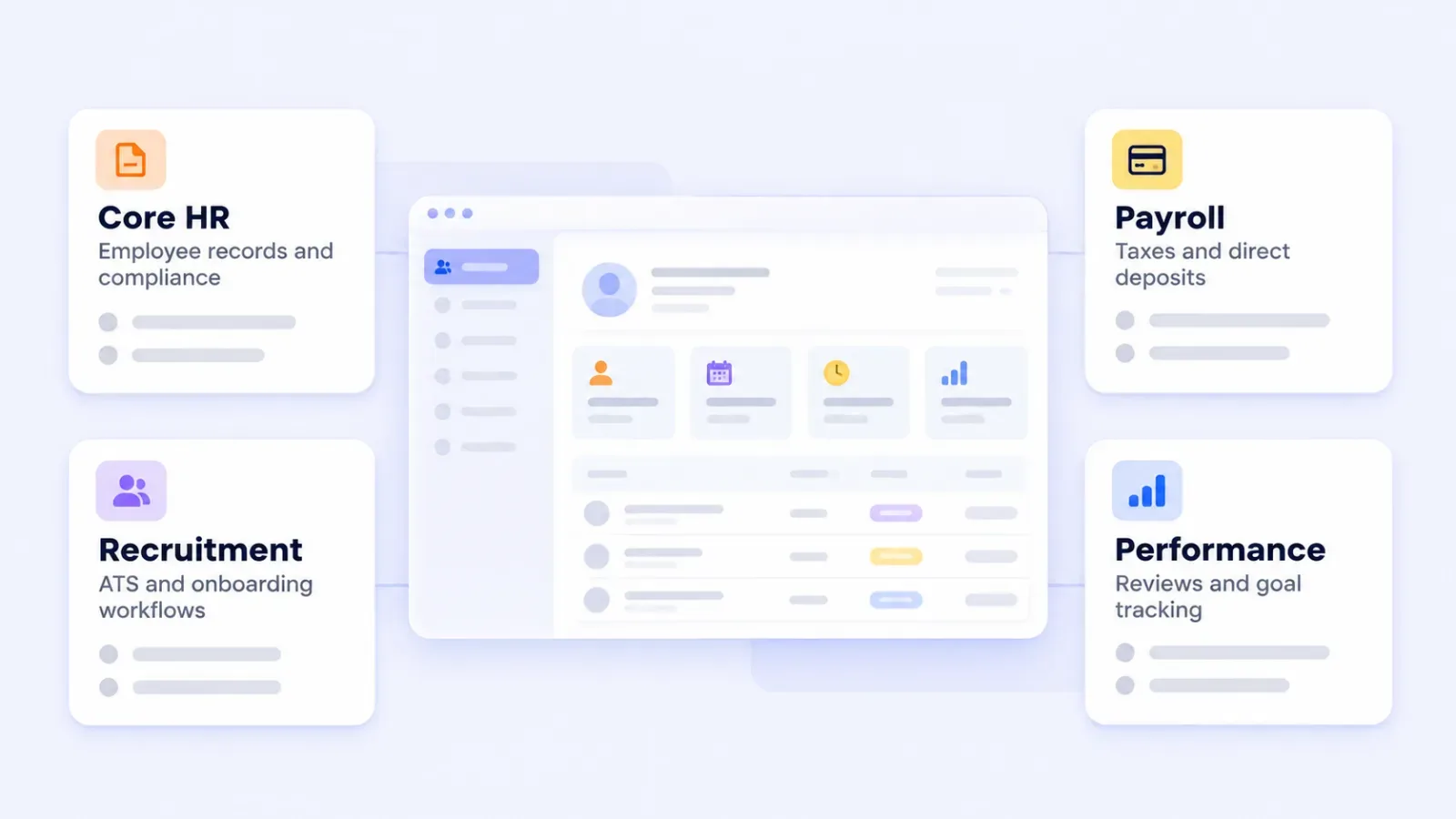
Modern HR platforms are modular, allowing you to choose the specific HR software types that fit your current team size and industry requirements.
Employee Information Management
- Centralized database for employee records
- Employee self-service portals for updating personal information.
Recruitment and Applicant Tracking
- Job posting and application management
- Candidate screening and evaluation tools
Onboarding and Offboarding
- Automated workflows for new hire integration
- Exit process management and documentation
Time and Attendance Tracking
- Employee time clock and absence management
- Leave request and approval systems
Payroll Processing
- Salary calculations and tax withholdings
- Direct deposit and pay stub generation
Performance Management
- Goal setting and tracking
- Performance review automation
Learning and Development
- Training program management
- Skills gap analysis and career planning
Benefits Administration
- Employee benefits enrollment and management
- Health insurance and retirement plan tracking
Compliance Management
- Labor law and regulation tracking
- Reporting tools for audits and compliance checks
Analytics and Reporting
- HR metrics and KPI dashboards
- Custom report generation for data-driven decision making
Many organizations start with a core platform like Neocase HR Ready to handle service delivery before expanding into more complex talent management modules.
The Evolution of HR Software
The evolution of HR software reflects the shift from mainframe-based record keeping to cloud-native platforms that prioritize user experience. These changes have made professional-grade HR tools accessible to small businesses that previously relied on physical files and local spreadsheets.
- 1970s: The first computerized HR systems were introduced, primarily focusing on payroll processing and basic employee record keeping.
- 1980s: Enterprise HR solutions emerged, offering more comprehensive features for large corporations.
- 1990s: Web-based HR software debuted, enabling greater accessibility and ease of use.
- 2000s: Cloud-based HR solutions gained popularity, offering scalability and reduced IT infrastructure costs.
- 2010s-Present: Modern HR platforms incorporate AI, advanced analytics, and mobile accessibility, providing more strategic value to organizations.
The Benefits of Implementing HR Software
HR software benefits include higher data accuracy and a more engaged workforce that can manage its own personal records through self-service portals. These tools remove the administrative burden from managers so they can focus on hiring and retention. You can read more about HR software benefits in our detailed analysis.
- Improved Efficiency: Automating routine tasks enables HR professionals to focus on strategic plans.
- Improved Data Accuracy: Centralized data management reduces errors and inconsistencies in employee information.
- Enhanced Employee Experience: Self-service portals empower employees to handle their own information and requests.
- Better Decision-Making: Advanced analytics and reporting tools provide insights to support data-driven HR strategies.
- li: Increased Compliance: Automated tracking and reporting help make sure your business adheres to regional labor laws and tax regulations.
- Cost Savings: Streamlined HR processes and reduced paperwork lead to significant time and cost savings.
- Enhanced Recruitment: Applicant tracking systems streamline the process of attracting and identifying top talent.
- Enhanced Performance Management: Continuous feedback and goal tracking foster a culture of high performance.
- Simplified Onboarding: Automated onboarding processes ensure a smooth transition for new hires.
- Scalability: Cloud-based solutions can easily adapt to growing business needs.
Choosing the Most Efficient HR Software for Your Business
Choosing HR software requires a clear understanding of your current workforce size and your three-year growth projections. It is vital to plan your HR software implementation early to avoid data loss during the transition. Before you commit to a vendor, compare the HR software pricing models that fit your budget.
- Company Size and Growth Plans: Ensure the software can scale with your business.
- Feature Requirements: Identify must-have features based on your HR processes and pain points.
- Integration Capabilities: Look for software that can integrate with your existing systems (e.g., payroll, accounting).
- User-Friendliness: Choose a solution with an intuitive interface for both HR staff and employees.
- Mobile Accessibility: In today’s remote work environment, mobile access is essential.
- li: Data Security: Make sure the software complies with data protection regulations and provides robust encryption for sensitive employee files.
- Customization Options: Look for flexibility to adapt the software to your unique business needs.
- Customer Support and Training: Evaluate the accessibility of customer support and training resources.
- Cost and ROI: Evaluate the total cost of ownership and potential return on investment.
- User Reviews and Reputation: Research customer feedback and industry reputation of potential vendors.
The Future of HR Software
 The future of HR software involves AI-driven talent insights and a stronger focus on the remote employee experience. These systems are moving away from being simple databases and toward becoming proactive advisors for people managers.
- AI and Machine Learning: Predictive analytics for talent management and automated decision-making processes.
- Employee Experience Platforms: Integrated solutions focusing on holistic employee wellbeing and engagement.
- Advanced Data Analytics: More sophisticated tools for workforce planning and performance optimization.
- Remote Work Support: Enhanced features for managing distributed teams and fostering virtual collaboration.
- Mobile-First Design: Increased emphasis on mobile accessibility for on-the-go workforce management.
- Continuous Performance Management: Real-time feedback and goal tracking systems replacing annual reviews.
- Blockchain for HR: Secure and transparent record-keeping for sensitive employee data.
- Augmented and Virtual Reality: Immersive experiences for training and onboarding processes.
- Chatbots and Virtual Assistants: AI-powered tools for handling routine HR queries and tasks.
- Diversity and Inclusion Tools: Advanced analytics and blind hiring features to promote workplace diversity.
Preparing for an HR Software Transition
HR software has transformed from a simple record-keeping tool into a strategic asset for growing businesses. By automating routine tasks and providing real-time data, these platforms allow your HR professionals to focus on developing your company’s talent.
As work continues to change, your software must be flexible enough to support remote teams and global compliance. Embracing a modern platform is no longer just an IT upgrade. It is a commitment to building a better workplace for your employees.
By selecting the right modules and planning your rollout carefully, you can turn your HR data into a tool for long-term organizational success. Focus on the features that solve your biggest administrative bottlenecks first.
## Frequently asked questions
### What is the difference between HRIS, HRMS, and HCM?
HRIS (Information System) usually covers core data and benefits, while HRMS (Management System) adds complex talent management features. HCM (Human Capital Management) is the most comprehensive term, often including strategic elements like workforce planning and global compliance. Most modern cloud vendors use these terms interchangeably for their full-suite platforms.
### How much does HR software typically cost?
HR software pricing often follows a per-employee model, though some vendors offer a flat monthly fee for small teams. Enterprise suites with advanced AI features can cost significantly more. Implementation fees and data migration costs are usually separate one-time charges.
### Does a small business really need HR software?
Small businesses benefit from HR software by automating payroll and compliance, which reduces the risk of legal errors and fines. Even for a team of 10 employees, a centralized system saves hours of manual data entry every month. Many affordable cloud-based options are designed specifically for the needs of growing startups.
### Is HR software secure for sensitive employee data?
Modern HR platforms use enterprise-grade encryption and multi-factor authentication to protect personal information and financial records. Most reputable vendors comply with global standards like GDPR or SOC 2 to make sure that data stays private and secure. You should always verify a provider’s specific security credentials during your evaluation phase.
Add SocialAtoZ as a preferred source
See us more often in your Google results.