
Updated October 2026: updated for current profile features such as pinned posts, multiple bio links and Highlights.
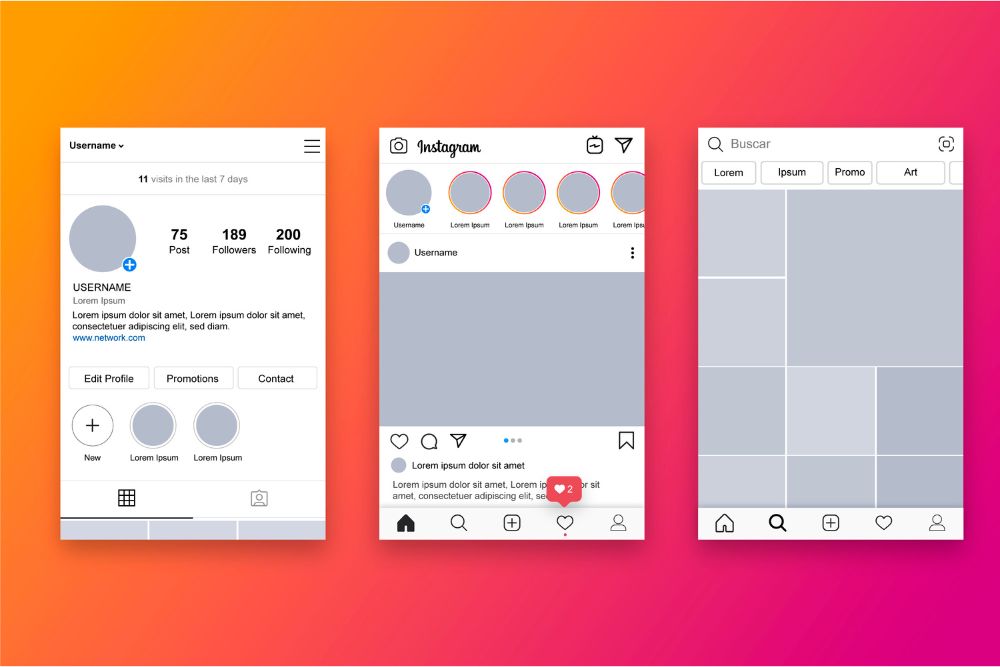
Your profile is where visitors decide whether to follow. A good one tells them who you are and what you post within a few seconds.
1. Profile photo
Use a clear face for a personal brand or a simple logo for a business. It shows as a small circle, so avoid text and busy backgrounds.
2. Name field and username
The name field is searchable. Add a keyword after your name, for example “Ana | Vegan Recipes”, so people searching that topic can find you.
3. Bio
Say who you help or what you share, add a little personality, and end with a call to action pointing to your link.
4. Links
Instagram lets you add several links to your bio. Put the most important first.
5. Pinned posts
Pin up to three posts to the top of your grid: your best introduction, your most popular post, and a current offer or project.
6. Highlights
Save Stories into Highlights such as FAQ, Reviews and Products. Use simple matching covers in your brand colours.
7. A consistent grid
- Pick two or three brand colours and one or two fonts for graphics.
- Use the same editing style or filter on photos.
- Mix formats: Reels covers, carousels and single images, planned so the grid looks balanced.
- Use a design tool such as Canva for templates, and a planner to preview the grid before posting.
8. Professional account features
Switch to a professional account to add contact buttons, a category label and Insights to see which posts bring visitors.
Once your page looks right, focus on growth: see how to increase followers on Instagram.
FAQs
How do I make my Instagram profile look good?
Use a clear photo, a searchable name field, a focused bio with a call to action, pinned posts, matching Highlight covers and a consistent colour style.
How many posts can I pin on Instagram?
Up to three posts at the top of your profile grid.
Can I add more than one link to my Instagram bio?
Yes. Instagram lets you add several links to your bio.
What tools help design Instagram posts?
Design tools such as Canva provide templates, and grid planners let you preview your layout before posting.
Add SocialAtoZ as a preferred source
See us more often in your Google results.