Instagram Shadowban: What It Is and How to Avoid It
Instagram says shadowbans don't exist, but reach can still drop. Learn what limits are real, what triggers them, and how to check and recover.


An Instagram shadowban is the popular name for a sudden drop in reach, usually blamed on hidden punishment. Instagram has said it doesn't secretly hide accounts, but it does limit what it recommends. So the useful question is which limit you've hit, and how to fix it.
Is an Instagram shadowban real?
The Instagram shadowban is a community term, not an official one. Instagram has publicly denied that it hides accounts without telling them, yet the platform does restrict what it recommends to non-followers. Check Instagram's Help Center for its current wording.
Both statements can be true. Your followers may still see your posts while Explore, Reels and hashtag pages skip you.
That difference matters. A "ban" implies a punishment you can't see. In practice, most reach drops come from recommendation rules, weak content signals or a flagged action.
What actually limits your reach on Instagram?
Three mechanisms cause most drops: recommendation ineligibility, restricted features, and plain content performance. Each has a different fix, so naming the right one saves weeks of guessing.
Recommendation ineligibility
Instagram's recommendation guidelines say some content isn't suggested to people who don't follow you. Examples include reposted content, borderline material and anything that breaks community rules. Your account can stay visible to followers while being left out of Explore.
Restricted features or actions
Instagram can block liking, following, commenting or going live for a period if it sees spam-like behavior. You'll get an in-app notice. That's a visible limit, not a shadow one.
Ordinary performance changes
Sometimes the post just underperformed. A new format, a weaker hook or a change in your audience's habits shifts reach with no penalty involved. Rule this out first.
What triggers reach limits?
Reach limits usually follow a short list of behaviors: rule-breaking content, spam-like activity, unofficial automation, and recycled posts. The triggers are mostly things you can audit in an afternoon.

- Banned or broken hashtags
- Bots, auto-likers and scheduled mass follows
- Reposts with another app's watermark
- Rapid-fire follows, likes or comments
- Content that borders on policy violations
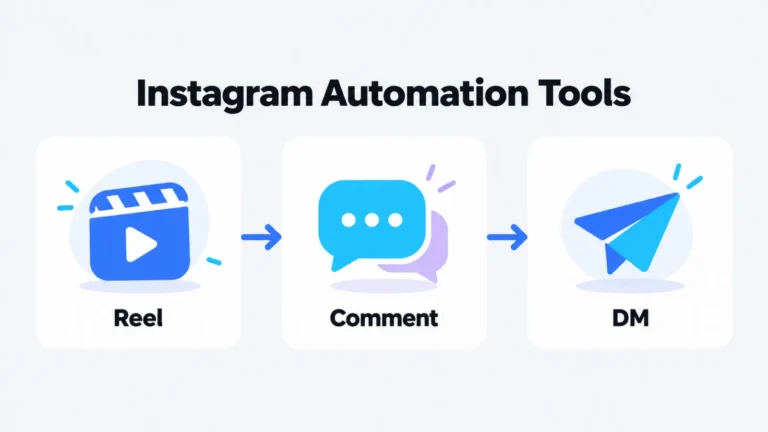
Skip third-party growth tools that ask for your password. They cost more than they return, and they're a common cause of action blocks. If you want automation, read our guide to Instagram automation tools and stick to ones that use Instagram's official connections.
How can you tell if your reach is limited?
Start with Instagram itself. Open the account status section in the app's settings, which shows whether content is eligible for recommendation and lists any flagged posts. The exact menu location and name can change, so check Instagram's Help Center for the current steps.

Then run this check:
- Open Insights on your last 10 posts.
- Compare the share of impressions from Home, Explore, Hashtags and Profile.
- Look for a sharp, lasting fall in non-follower reach, not one weak post.
- List what changed before the drop: new hashtags, apps, audio or posting speed.
A single weak post is noise. A drop across many posts, starting on a specific date, points to a cause.
What should you do if your reach drops?
Fix the likely cause, then post normally. Don't delete your account or mass-remove posts, because that rarely helps and can erase useful evidence.
Use this decision rule:
| What you find | What to do |
|---|---|
| Account Status flags a post | Remove it or request a review |
| Unofficial app connected | Disconnect it and change your password |
| Banned hashtag in recent posts | Edit the captions and use fewer, relevant tags |
| Reposted, watermarked clips | Upload original or properly edited video |
| Nothing flagged, one weak post | Test a new hook or format |
Expect recovery to take time, not hours. Instagram does not publish an official recovery timeline, so results vary from account to account.
How do you avoid a reach drop?
You avoid reach limits by posting original content, using hashtags that fit the post, and growing at a human pace. Consistency matters more than any trick.
Our guide to how Instagram hashtags work covers tag choice. For growth that doesn't trip spam checks, see how to increase Instagram followers. And if you run a brand account, Instagram for business covers setup that keeps Insights available.
Do shadowban checker tools work?
No outside tool can see Instagram's internal eligibility data. Checkers usually look at whether a post appears under a hashtag, which is a weak signal that varies by viewer. Treat the result as a hint at best, and never hand over your login.
Instagram's own Account Status and your Insights are the only reliable checks.
What to do this week
Open Account Status today. Disconnect any app you don't recognize. Review the hashtags in your last five posts, then compare non-follower reach across your last 10 posts. If nothing is flagged, change one variable at a time, such as the hook in your first second, and watch Insights for a week.
Frequently asked questions
Instagram publishes no fixed duration. Reach issues tied to a flagged post often ease after you remove it or the review ends. Action blocks usually show an expiry in the notice.
New accounts aren't singled out, but they have no history, so spam-like speed stands out. Follow and like at a natural pace in the first weeks.
Banned or misused hashtags can keep a post out of hashtag pages. Using relevant tags in moderation avoids the problem.
Deleting rarely helps. Use in-app review options for flagged content, and contact support through the app if you think a decision was wrong.
A short pause after you fix the cause is fine. Stopping for weeks only removes the activity signals Instagram uses to recommend you.
Add SocialAtoZ as a preferred source
See us more often in your Google results.