
One dubbed minute cost between about 24 cents and 1.82 dollars across five AI dubbing tools at list prices, and the options you pick move the rate more than the tool does. This page shows where the rate shifts: watermark removal, voice cloning, lip sync, shared credits, rollover and extra languages. For one product’s own plans, see the Dubbing AI listing.
Some sell minutes. Others sell credits that convert into minutes at their own published rate.
A few count dubbing against the same pool as every other feature they offer.
Each plan below is reduced to one number: its list price divided by the dubbed minutes it includes, taken from five vendors’ pricing pages as they read on 25 September 2026.
Two things move the real cost more than the choice of tool: the options inside a plan, and how many of its minutes you actually use.
Key Takeaways
- Across five tools, one dubbed minute ran from about 24 cents to 1.82 dollars at list prices.
- Within one tool, removing a watermark or switching to the editing studio multiplied the rate by five.
- Voice cloning roughly tripled the per-minute rate on the plan where it’s priced separately.
- Lip sync, where it’s sold as an add-on, cost more per minute than the dubbing underneath it.
- Whether unused minutes survive the month differs by tool and by billing period.
- At 30 minutes a month, a $79 plan with a 26 cent list rate works out to about $2.63 a minute, while a $22 plan with a 55 cent list rate works out to about 73 cents.
How the Rates Were Calculated
Every figure below comes from the vendor’s own pricing page, linked beside it, as it read on 25 September 2026.
For each plan, the list price is divided by the dubbing minutes it includes. Where a plan gives credits instead of minutes, the vendor’s own published conversion applies.
That gives the best case: every included minute used. Unused minutes raise the real rate.
Prices are US dollars before tax. One vendor showed rupees at our location, so we used the dollar prices it states in its own FAQ.
What a Dubbed Minute Costs
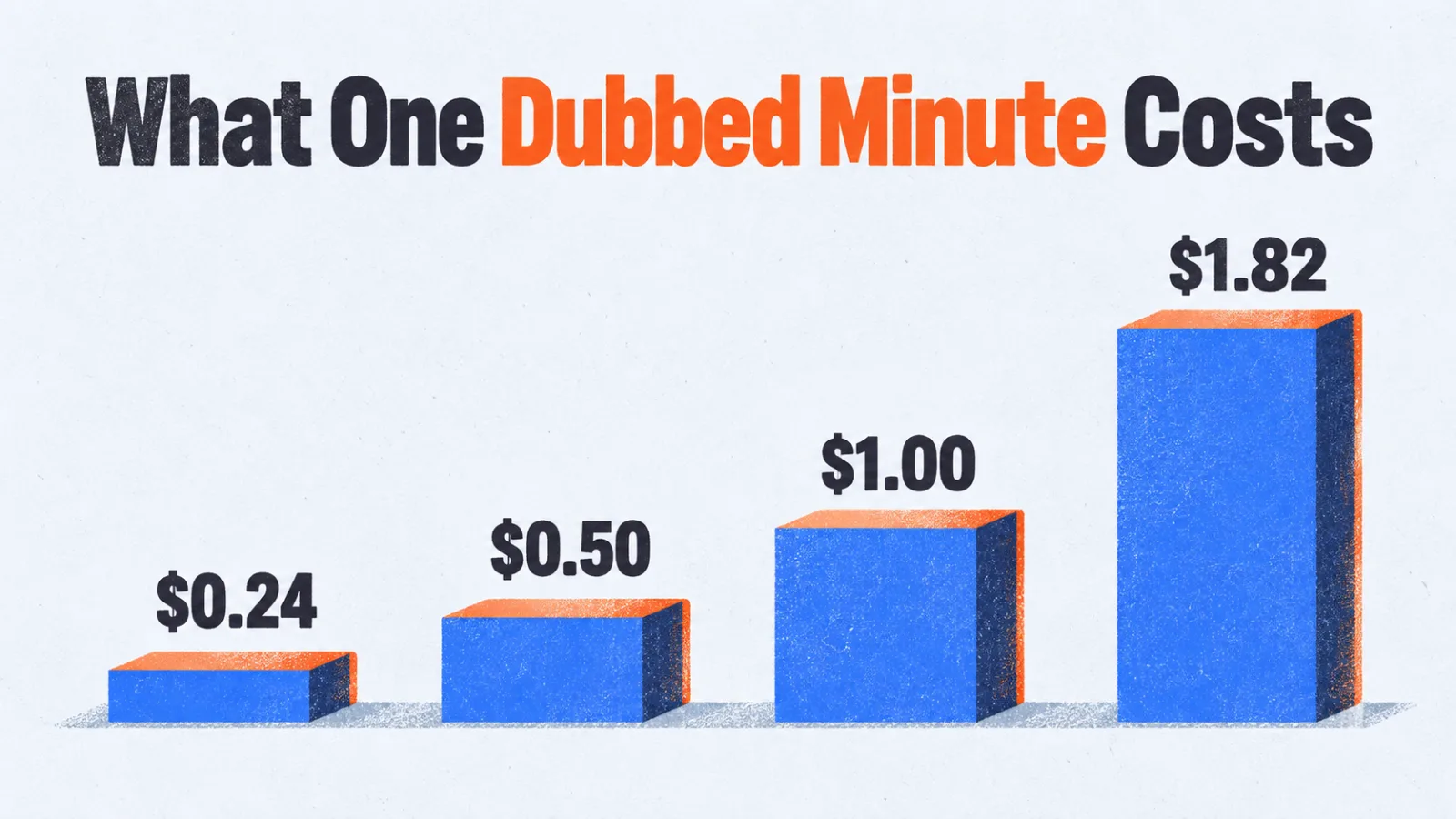
A dubbed minute costs between about $0.24 and $1.82 on the plans below, which are each tool’s plans that include dubbing, cheapest rate per tool first.
| Tool and plan | Price | Dubbing included | Per minute |
|---|---|---|---|
| Maestra Business Plus, yearly | $359 a month | 1,500 minutes | about $0.24 |
| Maestra Premium, yearly | $79 a month | 300 minutes | about $0.26 |
| Kapwing Business, monthly | $64 per member | up to 200 minutes | about $0.32 |
| Kapwing Pro, monthly | $24 per member | up to 50 minutes | about $0.48 |
| ElevenLabs Pro, automatic dubbing | $99 a month | 600,000 credits, 200 minutes | about $0.50 |
| ElevenLabs Creator, automatic dubbing | $22 a month | 121,000 credits, 40 minutes | about $0.55 |
| Synthesia Starter | $29 a month | up to 48 minutes | about $0.60 |
| Synthesia Creator | $89 a month | up to 140 minutes | about $0.64 |
| Rask AI Creator Pro, monthly | $99 a month | 100 minutes | about $0.99 |
| Rask AI Creator, monthly | $39 a month | 25 minutes | about $1.56 |
| ElevenLabs Creator, Dubbing Studio | $22 a month | 121,000 credits, 12 minutes | about $1.82 |
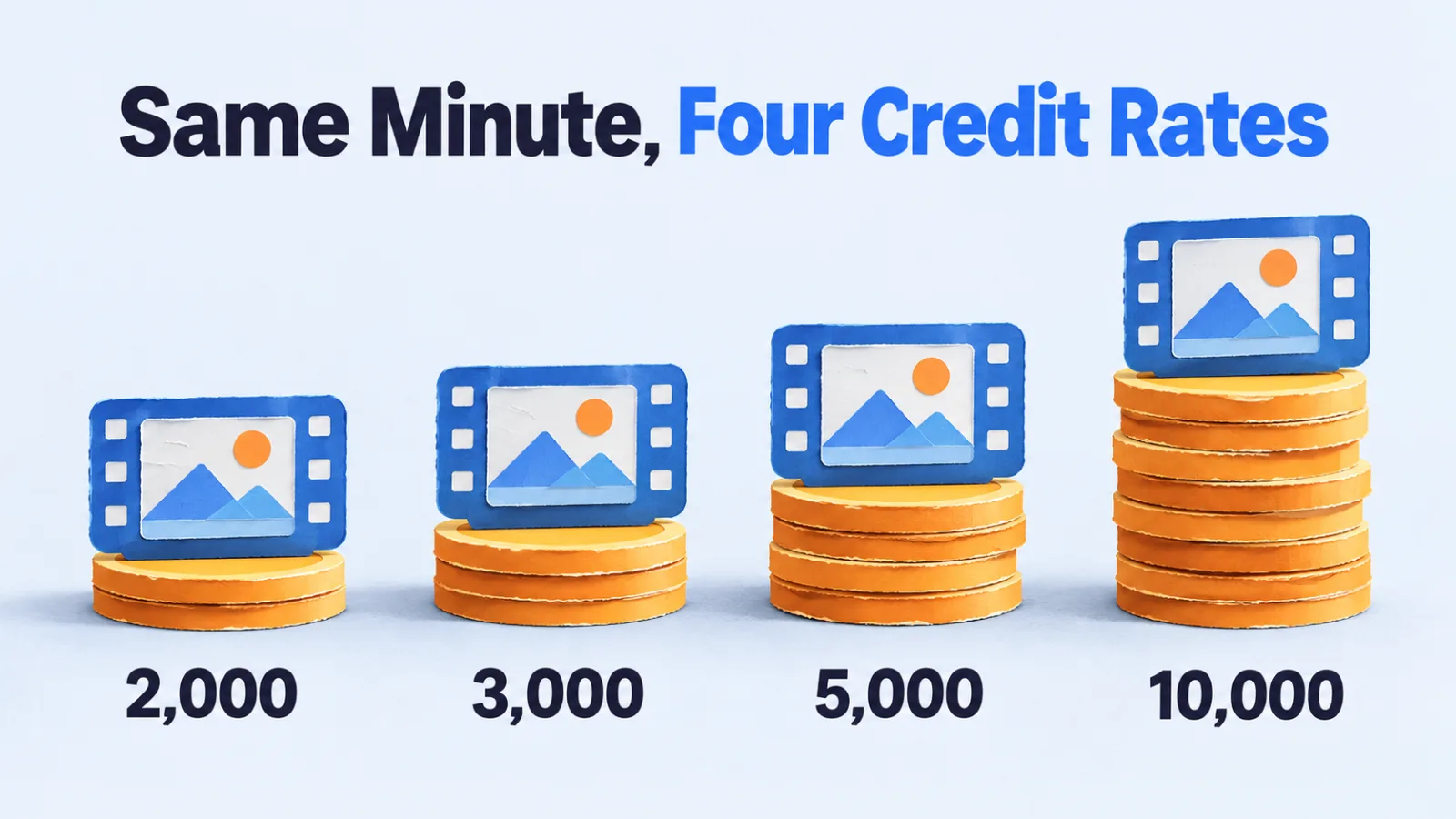
The ElevenLabs rows use the credit rates it publishes: 3,000 credits per minute for automatic dubbing without a watermark, and 10,000 in its Dubbing Studio without one.
One Tool, Five Times the Price
The setting you pick can matter more than the tool you pick.
ElevenLabs publishes four credit rates for one minute of dubbing. Automatic dubbing costs 2,000 credits with a watermark and 3,000 without. Its Dubbing Studio, where you edit the result, costs 5,000 with a watermark and 10,000 without.
On the same 22-dollar plan, that’s about 36 cents a minute at one end and 1.82 dollars at the other. Same subscription, same voices, five times the price, depending on whether you need to edit the output and publish it clean.
That’s why a comparison table built on one headline rate per tool misleads. Price the workflow you’ll use, not the cheapest mode on the page.
Voice Cloning Triples the Rate
Voice cloning, which keeps the original speaker’s voice in the new language, is often priced from a smaller allowance.
Maestra‘s Premium plan includes 300 minutes of voiceover into another language, or 100 minutes with pro voices and voice cloning. That’s about 26 cents a minute with a stock voice and about 79 cents with a cloned one.
For a training video, a stock voice is usually fine. For a creator whose voice is the brand, cloning is the point, and it belongs in the budget from the start.
Lip Sync Costs More Than the Dub
Where lip sync is sold separately, it’s the most expensive line.
Maestra unlocks lip sync on its Business plan as an add-on at 2 dollars a minute. The dubbing minute under it costs about 27 cents on that plan.
Lip sync reshapes the speaker’s mouth to match the new language, which means generating video, not only audio. It matters for talking-head content where viewers watch the face. For a screen recording with a voice over it, you can skip it.
Credits Are Shared With Everything
Three of the five tools count dubbing against a pool that other features draw from too.
ElevenLabs says all its products draw from one shared monthly credit pool, so text to speech and sound effects leave fewer credits for dubbing. Synthesia‘s credits cover avatar video and dubbing from the same allowance. Kapwing‘s credits are split between subtitles and dubbing, which is why its limits read “up to”.
If dubbing is one of three or four things you’ll use the tool for, the minutes in the table are a ceiling rather than a promise.
Unused Minutes Can Disappear
Rollover rules for unused dubbing minutes vary more than the prices do.
ElevenLabs rolls unused credits over for up to two months, so a balance can reach three times the monthly quota. Rask AI lists “No minutes lost at month end” as a feature of its yearly plans only.
An uneven workload changes the math. A team that dubs a batch every quarter pays for three months of minutes to use one month’s worth, unless the plan carries them forward.
What 30 Minutes a Month Really Costs
A plan’s list rate assumes you use every included minute, so a low-volume team pays the plan price, not the per-minute figure. Take 30 dubbed minutes a month, for example one 10-minute video in three languages, on the entry-sized plans from the table above.
| Plan | Monthly price | Dubbing included | Bill per minute at 30 minutes |
|---|---|---|---|
| ElevenLabs Creator, automatic dubbing | $22 | 40 minutes | about $0.73 |
| Kapwing Pro, monthly | $24 per member | up to 50 minutes | about $0.80 |
| Synthesia Starter | $29 | up to 48 minutes | about $0.97 |
| Maestra Premium, yearly | $79 | 300 minutes | about $2.63 |
| Rask AI Creator, monthly | $39 | 25 minutes | falls 5 minutes short |
Maestra Premium has the second-lowest list rate in the table and the highest bill here, because 270 of its minutes go unused. It pays off only when you use a large share of its 300 minutes.
These figures assume the minutes are available in full. Where dubbing shares a credit pool or the limit reads “up to”, 30 minutes may not fit, and overage prices aren’t included.
Annual Billing Cuts the Rate
Annual billing lowers the per-minute rate on tools that discount it, because the saving flows straight into the rate.
Kapwing Pro is 24 dollars a month on monthly billing and 16 on annual. On its 50 included dubbing minutes, that’s about 48 cents a minute falling to about 32.
Commit annually only once you know your volume. The cheapest rate on a plan you outgrow, or barely use, is not the cheapest option.
How Languages Add Up
A dubbed minute usually means one minute of video in one target language.
Plan for each language to draw its own minutes unless the pricing page says otherwise. A 10-minute video in three languages is then 30 dubbed minutes, not 10.
That’s where the plan tiers start to matter. Thirty minutes a month fits inside the entry plan on three of the five tools. Only Maestra’s two plans in the table include 300 minutes or more, so check each other vendor’s higher tiers or ask sales.
If you translate scripts separately before dubbing, see what AI translation costs per million characters.
What Human Dubbing Is Priced On
Human voice work is priced on a different basis entirely.
Voices.com, a marketplace for voice actors, says non-broadcast work such as training videos is generally priced per word or per finished minute. That’s for each actor, on top of translation, direction and studio time.
That structure makes human dubbing grow with every speaker and every language. The AI plans above are priced by minutes of video instead, which is the main reason their rates look so different.
Picking the Plan by Volume
- Under 30 minutes a month, an entry plan on any of these tools will do, so choose on voice quality.
- Between 30 and 300 minutes, mid-tier plans converge between roughly 25 cents and a dollar a minute.
- Above 300 minutes, only Maestra’s plans in the table cover the volume, so ask the other vendors for a volume price.
- If lip sync or cloning is required, price those minutes separately: cloning ran about 3 times the stock-voice rate and lip sync about 7 times the dubbing rate on the plans checked.
For the voices themselves, our guide to AI voice generators compares the text-to-speech side of these tools. If the video needs a presenter rather than a dubbed speaker, the AI avatar video generators guide covers that route.
Questions to Ask Before Paying
- Ask what one dubbed minute costs with the exact options you need: watermark, cloning, lip sync.
- Ask whether each target language counts as separate minutes.
- Ask what else draws from the same credit pool.
- Ask whether unused minutes roll over on your billing period.
- Ask what an extra minute costs once the plan runs out.
Price the Minute You’ll Use
The headline rate on a pricing page is the cheapest mode, fully used. Work out your monthly minutes, multiply by your languages, and price those minutes with the options you need.
On the five tools checked here, that decision moved the cost of a minute further than switching tools did. Once you have the number, the AI dubbing tools category lists the tools side by side, so you can match voices and languages against the rates above.
Frequently asked questions
How much does one dubbed minute cost on these tools?
Between about 24 cents and 1.82 dollars on the five tools checked on 25 September 2026, assuming every included minute is used. The plan, the billing period and the options you choose decide where in that range you land. Unused minutes raise the rate you actually pay.
Is AI dubbing cheaper than human dubbing?
The two are priced on different bases, so a fair comparison needs a quote for your own project. Voices.com says non-broadcast voice work is generally priced per word or per finished minute for each actor, on top of translation and studio time. AI plans charge by minutes of video instead, so cost grows with languages rather than speakers.
Does voice cloning cost extra in AI dubbing?
Usually. On Maestra’s Premium plan, a cloned-voice minute cost about 79 cents against about 26 cents for a stock voice, roughly three times as much. Cloned minutes also come from a smaller allowance.
Do unused dubbing minutes roll over?
It depends on the tool. One vendor rolls unused credits over for up to two months, while another says only its yearly plans keep minutes from being lost at month end.
Is lip sync included in AI dubbing prices?
Where it’s offered, it’s often sold separately. Maestra sells it as an add-on at 2 dollars a minute on its Business plan, while the dubbing minute under it costs about 27 cents. It only matters when viewers watch the speaker’s face.
Why is my bill higher than the per-minute rate?
The list rate assumes you use every included minute. On Maestra’s Premium plan, 30 dubbed minutes a month cost $79, which is about $2.63 a minute against a 26 cent list rate. Compare plans by what you’ll actually use, not by the rate alone.
Add SocialAtoZ as a preferred source
See us more often in your Google results.