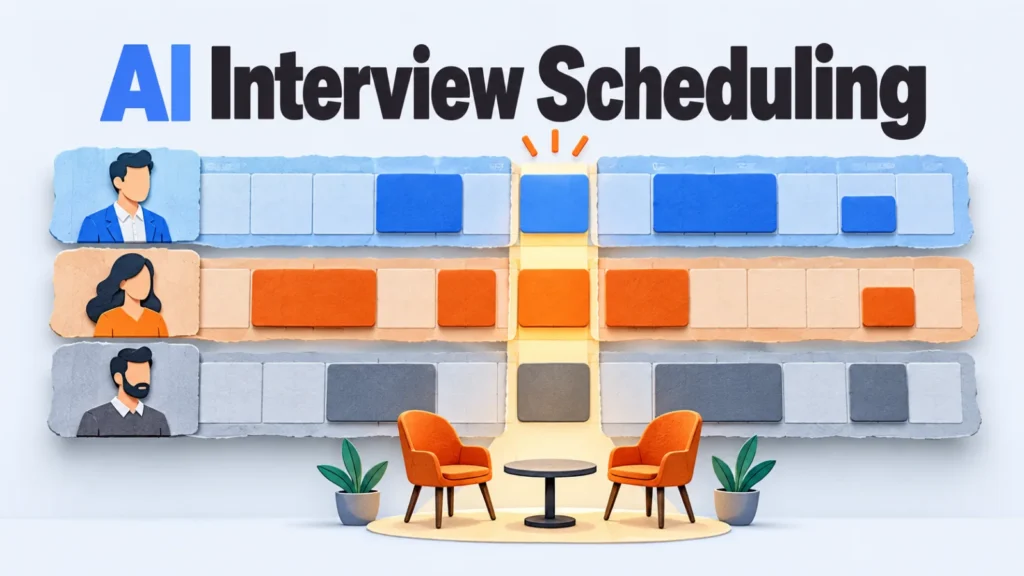
AI interview scheduling, in the vendor documentation we read, runs on rules you set.
Those rules pick which open times a candidate sees and which interviewer gets the booking. None of the pages describes a model predicting who should interview whom.
On 5 October 2026 we read the help pages of Calendly, Google Calendar and Greenhouse, and noted every place a rule can quietly misfire.
Set the rules before you send the first link. Most surprises came from defaults nobody chose.
Key Takeaways
- The automation chooses offered times and the interviewer, from rules you set.
- A panel needs a collective event. A rotation needs round robin, which Calendly sells only on Teams plans and above.
- Buffers on other event types can skew rotation and block panel slots.
- Interview limits in Greenhouse guide the suggestions but don’t block a booking.
- A person still owns the last 24 hours before an interview.
What the Automation Decides
It decides which open times a candidate is offered and which interviewer gets the booking.
Greenhouse’s automated scheduling shows how narrow that is. It suggests slots in a window that starts tomorrow and runs 30 days out, and it keeps to interviewers’ working hours.
If the candidate submitted availability, the suggestions use only those times. If your calendar is connected and you can see the interviewers’ calendars, it avoids their busy events.
It doesn’t choose the room or the video link, and an interviewer who’s out of office produces an error. The recruiter has to replace that interviewer before going on.
What We Read
Every rule in this guide comes from the vendor’s own help page, linked beside it, as it read on 5 October 2026.
We didn’t run any of the three tools, so this describes what the pages state. Where a page was silent, such as Greenhouse on time zones or Google on which settings need a paid plan, we’ve said nothing about it.
Panel or Rotation: Pick the Event Type
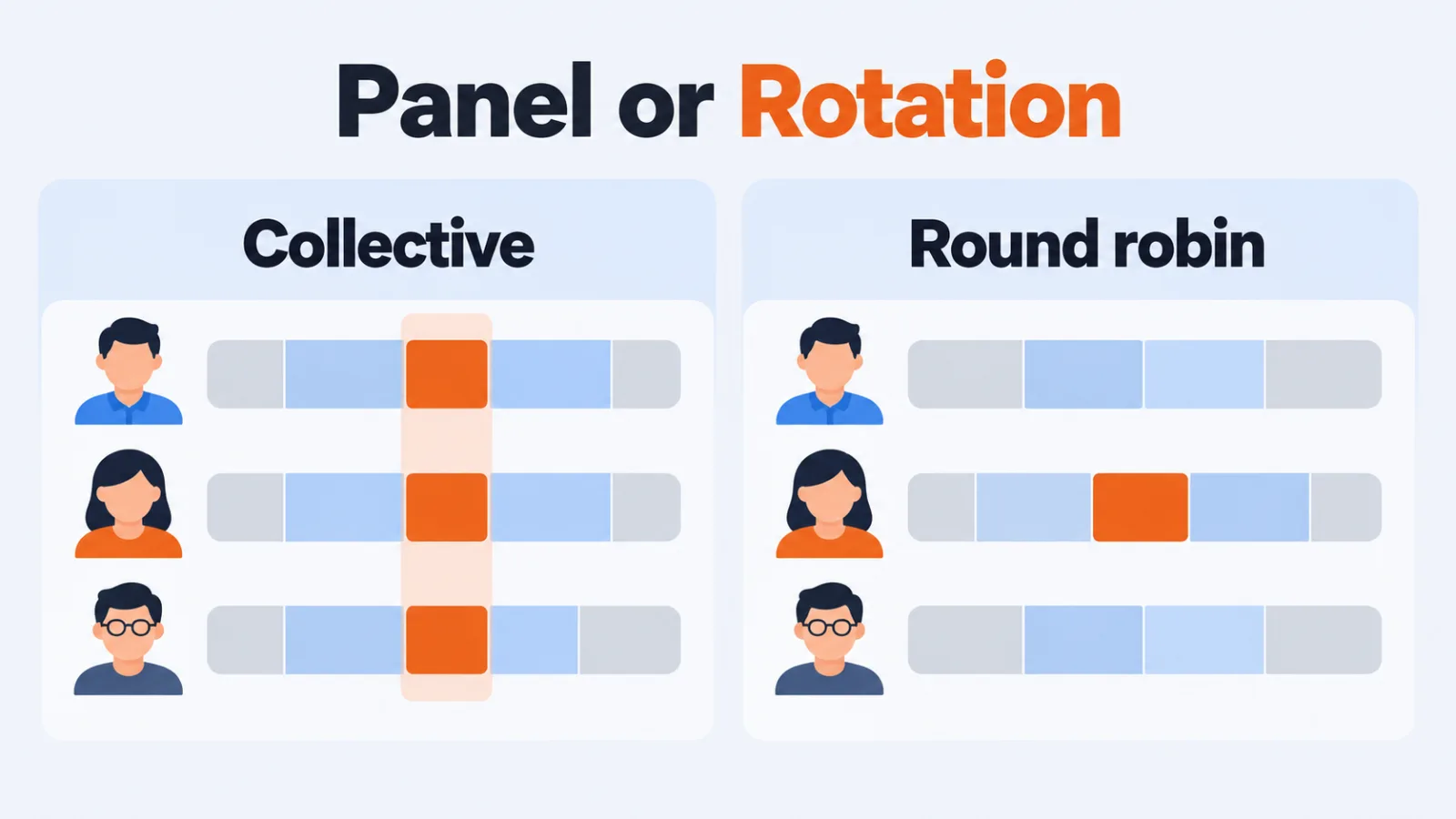
A panel needs a collective event, which shows only times when every interviewer is free.
A rotation is the other shape. Calendly’s help center says round robin rotates meetings among hosts, so one interviewer meets the candidate each time.
| Interview shape | Calendly event type | What the candidate is offered | Plans, per the help center |
|---|---|---|---|
| Panel, everyone at once | Collective | Times when all selected hosts are free | Standard, Teams, Enterprise |
| One interviewer, rotating | Round robin | Times when a host is available | Teams and above |
That plan split matters. A team on the Standard plan can run panels but, per the same page, has no round robin.
Rotation Has Two Modes
Round robin isn’t one rule. Calendly’s page describes two ways to share meetings out.
Maximize for availability finds any time when at least one host is free and uses priority stars to pick. If priorities tie, it picks the person without a recent meeting, and otherwise it picks at random.
Optimize for equal distribution keeps count. No one is allowed more than three meetings ahead, and a host who reaches that point disappears from the booking page until others catch up.
Hidden hosts mean fewer times on offer. And when you add or remove a host, the count resets to zero for everyone, so changing the pool mid-quarter wipes the balance.
Buffers Quietly Change Who Gets Booked
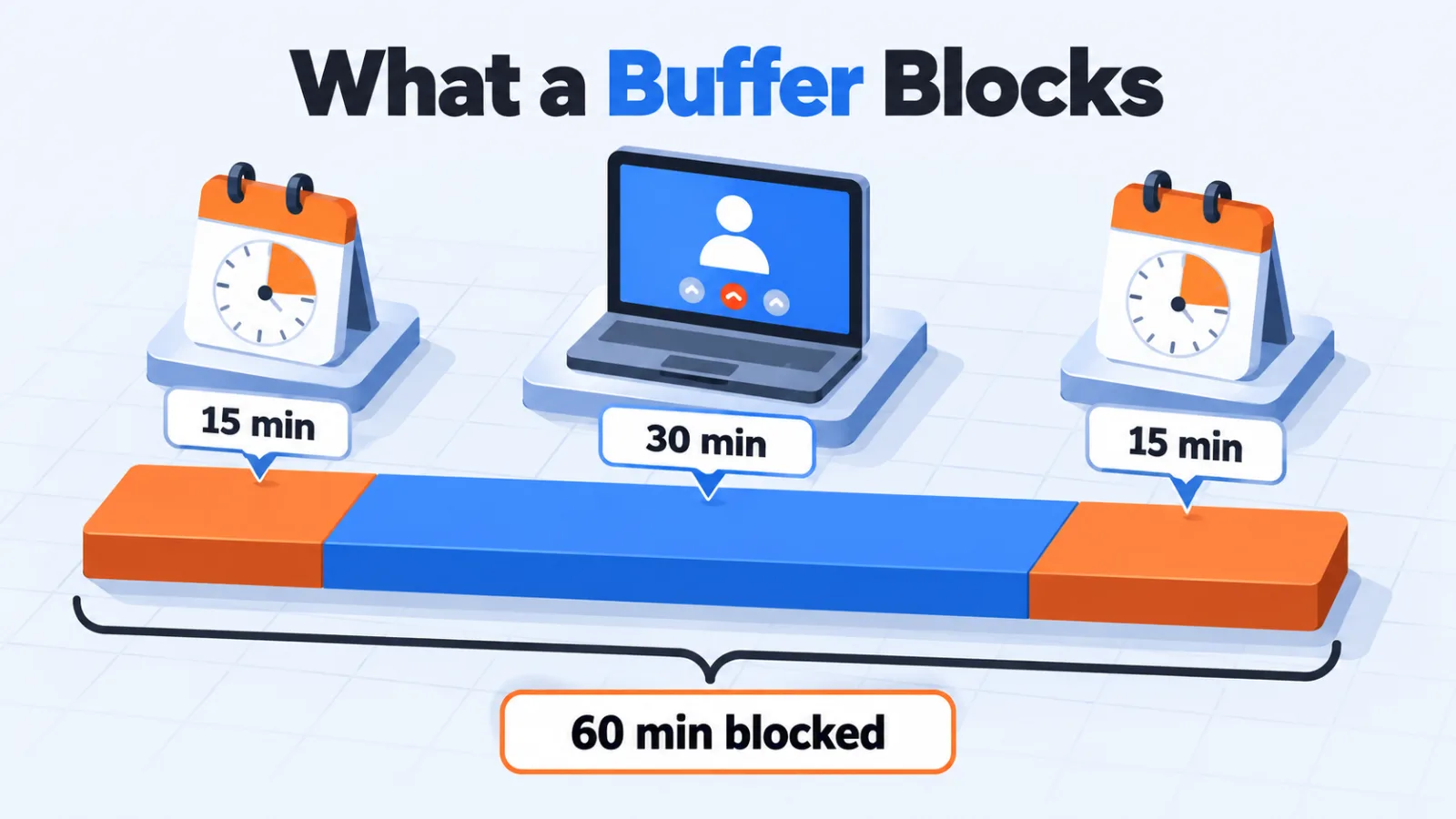
Buffers on a person’s other event types can skew a round robin and block collective slots, according to Calendly’s help center.
The buffers page says Calendly checks the full meeting and buffer window. A 30-minute interview with 15 minutes before and after needs 60 free minutes.
Two more details are easy to miss. A buffer can spill past working hours at the edge of availability. A buffer on someone’s other events can remove panel slots without anyone seeing why.
Before you switch a rotation on, look at each interviewer’s other event types. A buffer set for a sales call can change who your candidates meet.
Set Lead Time Before You Share a Link
Google Calendar’s appointment schedules default to a 4-hour minimum lead time.
That means a candidate can book a slot only four hours away unless you change it. The page also lists a buffer, a maximum number of bookings a day, a scheduling window and up to 5 reminders.
You can’t edit the text of the reminder emails, and the page says some features need an eligible Google Workspace or Google One subscription. It doesn’t say which ones.
Decide the lead time per stage. A recruiter call can take short notice, while a panel needs days.
Who Sends the Request
In Greenhouse a person sends each request, and each request covers one interview.
The self-scheduling overview says only a Site Admin or a Job Admin who can email candidates can send one. Requests go out “per individual interview,” so a four-interview loop is four requests.
The candidate picks a single date and time, and the interviewer has to have connected a Google Calendar or Outlook 365 calendar first. The page lists the Core, Plus and Pro tiers.
The pages we read don’t describe a rule that sends requests when a candidate changes stage. If your plan is to fire links from the ATS, check how your own setup does it.
Limits Guide, They Don’t Block
Greenhouse’s help page says interview limits won’t block scheduling.
The limits page adds that only Site Admins can set them, and that booking links don’t count toward a limit. In automated scheduling, an interviewer over the limit is still suggested, only lower in the list.
So load balancing is advice, not a cap. If you need a hard ceiling, look for a cap setting in the scheduling tool itself, such as the maximum bookings a day in Google’s schedules.
Rescheduling and Declines
In Greenhouse a candidate can reschedule up to 24 hours before the interview using the original link.
The cancel and reschedule page warns that deleting an interview without cancelling it first leaves it on the candidate’s calendar. Cancel the request, then delete.
Declines have their own boundary. When an interviewer declines, Greenhouse can swap in someone from the same group.
Inside 24 hours it only notifies the coordinator, and if no one in the group is free it won’t reschedule. Candidates aren’t told about replacements either.
Questions to Ask Before Going Live
- Is this a panel or a rotation, and does your plan include that event type?
- Which rotation mode are you using, and who resets the count when the pool changes?
- Do any interviewer’s other event types carry buffers?
- What’s the minimum notice for each stage?
- Who sends the request for each interview in the loop?
- Who covers the last 24 hours when someone declines or a candidate needs to move?
Comparing Interview Scheduling Tools
Once you know which rules you need, comparing tools gets simpler.
Our interview scheduling software category lists 20 tools, so you can check each against the rules above before you commit.
Questions People Ask About AI Interview Scheduling
Does AI interview scheduling use a model?
In the help pages we read, it’s rules. Calendly, Google Calendar and Greenhouse document availability, limits, rotation and lead time, and none describes a model choosing interviewers.
Can candidates reschedule themselves?
In Greenhouse they can, up to 24 hours before the interview, using their original link. After that a person has to move it.
What’s the difference between a collective and a round robin event?
A collective event shows only times when every selected host is free, so it suits a panel. A round robin rotates meetings among hosts, so it suits one interviewer at a time.
Do interview limits stop an interviewer being overbooked?
Not in Greenhouse. Its help page says interview limits won’t block scheduling, and over-limit interviewers are shown lower in the automated suggestions instead.
What happens if an interviewer declines at the last minute?
Within 24 hours of the interview, Greenhouse only notifies the coordinator. It won’t assign a replacement automatically, so the recruiter does.
Check the Rules, Then Send the Link
The automation is only as good as the rules behind it.
Pick the event type that matches the interview, set the notice and the buffers on purpose, and name who owns the last 24 hours. That covers most of what went wrong in the pages we read.
Add SocialAtoZ as a preferred source
See us more often in your Google results.