Wondershare Filmora
VerifiedAI assisted video editor for creators with built in text to video generation and effects
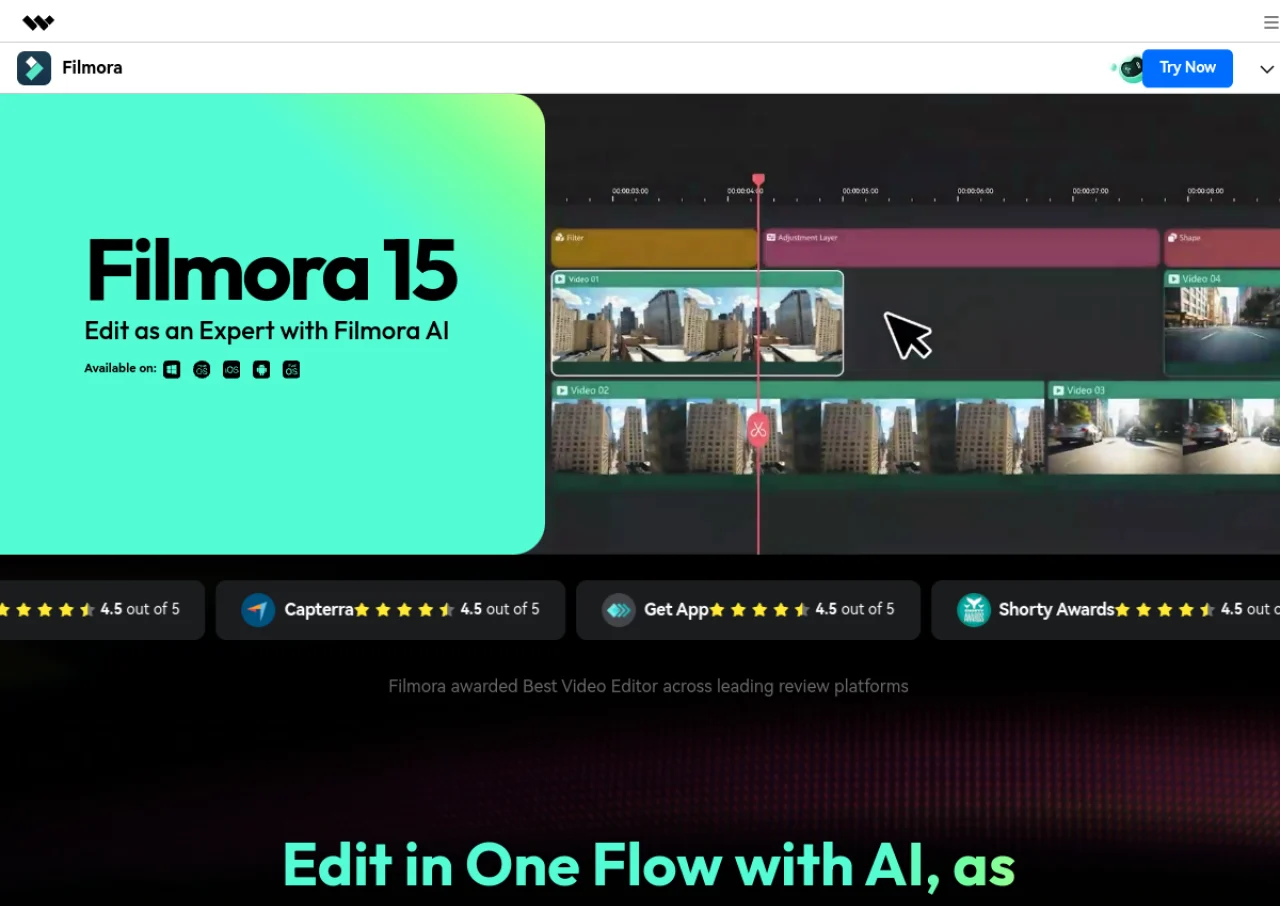 See all screenshots
 - Deployment Cloud Based, On Premises
- Starting price $79.99
- Free trial Available
- Best for Freelancers, Startups, SMEs
What is Wondershare Filmora?
Wondershare Filmora is a video editing application aimed at content creators, combining a traditional timeline editor with AI powered tools. Filmora 15 integrates frontier AI video models such as Sora 2 and Veo 3.1 directly into the timeline, alongside AI Mate, a built in chat assistant for natural language editing commands. Other features include generative footage enhancement, script based screen recording, voice cloning, AI music generation, word by word captions, and AI translation with lip sync.
Filmora offers a free version with watermarked exports, a Basic monthly plan, an Advanced annual plan with AI credits and cloud storage, a perpetual license option, and a Team plan for commercial use. It is available on Windows, Mac, web, iOS, and Android, and is positioned as a lower cost alternative to professional tools like Adobe Premiere Pro for solo creators and small teams.
Key Features of Wondershare Filmora
Wondershare Filmora lists 10 documented features, including AI text to video generation using Sora 2 and Veo 3.1 models, AI Mate chat assistant for natural language editing commands and Generative Enhance for improving low resolution or compressed footage. The list below covers what the product does rather than how it is marketed.
- AI text to video generation using Sora 2 and Veo 3.1 models
- AI Mate chat assistant for natural language editing commands
- Generative Enhance for improving low resolution or compressed footage
- Script based screen recording with auto scroll teleprompter
- Voice cloning and AI music generation
- Word by word AI captions with auto correction suggestions
- Keyframe animation presets with one click easing curves
- AI powered auto reframing for social platforms
- Pen tool for custom drawn paths and shapes
- Multi language AI translation with lip sync
Wondershare Filmora Pricing
Wondershare Filmora lists one plan, at $79.99.
Perpetual
$79.99
one time payment
One time purchase of the editor for Windows or Mac, discounted from $129.99 on the buy page; the other figures on that page sit in blocks marked software not included, so they were not treated as editor plans.
Wondershare Filmora Specifications
Wondershare Filmora is available on web app, Windows and macOS and has iOS and Android apps. It has a free trial and has a free plan.
- Deployment
- Cloud Based
- On Premises
- Billing cycle
- Yearly
- Desktop
- Web App
- Windows
- macOS
- Mobile
- iOS
- Android
- Languages
- English
- Built for
- Freelancers
- Startups
- SMEs
- Agencies
- Support
- Tickets
- Training
- Integrations
- Sora 2 and Veo 3.1 AI video generation models, Filmora Cloud storage, stock media libraries
- Public API
- No
- Free trial
- Yes
- Free plan
- Yes
- Runs in browser
- No
- Customisable
- Yes
- Website
- filmora.wondershare.com
Wondershare Filmora Videos
Wondershare Filmora Screenshots
Wondershare Filmora Comparisons


Used Wondershare Filmora? Write the first review.
Wondershare Filmora FAQs
Alternatives to Wondershare Filmora
Other Video Editing Software recorded on the same fields.