
HR & Payroll Management Software
9 tools compared
Best Payslip Software
Payslip software makes and handles payslips for workers. It gives workers correct and full details about what they earn, what gets taken out, and what they take home. It also makes payroll tasks easier for bosses.
More about Payslip Software
Key features are:
- Payslips Made Automatically
- Payslip Designs You Can Change
- Figuring Out Taxes and Take-Outs
- Safe Ways to Send Documents
- Place for Workers to See Their Info
- Works Well with Pay Systems
This software creates payslips on its own, calculates taxes and take-outs, and sends them securely. It often has customizable designs and a place for workers to check their pay information.
To qualify for the Payslip Software category, a product must:
- Create payslips with correct math for money earned and taken out.
- Let users change templates to make different kinds of payslips.
- Keep payslips safe when sending them out, and let workers see them through their login area.
The main benefit of payslip software is that it makes creating payslips easier, ensures all the payment information is correct, and gives workers a safe and easy way to look at their pay details.
Payslip Software Compared
Compare the 9 most relevant Payslip Software options on price, free trial and deployment.
| Product | Starting price | Free trial | Free plan | API | Deployment |
|---|---|---|---|---|---|
 greytHR HR & Payroll Management Software greytHR HR & Payroll Management Software | ₹2,495 | ✓ | ✓ | ✓ | Cloud Based |
 Zoho Payroll Cloud payroll software that automates pay runs, tax filing, and… Zoho Payroll Cloud payroll software that automates pay runs, tax filing, and… | ₹1250 | ✓ | – | ✓ | Cloud Based |
 RazorpayX Payroll Automated payroll and compliance software for Indian businesses RazorpayX Payroll Automated payroll and compliance software for Indian businesses | ₹2499/month | – | – | ✓ | Cloud Based |
 ADP Payroll, HR, time tracking, and benefits administration platform for businesses… ADP Payroll, HR, time tracking, and benefits administration platform for businesses… | Custom | – | – | ✓ | Cloud Based |
 Keka Best HR and Payroll Management System Keka Best HR and Payroll Management System | Not published | ✓ | ✓ | ✓ | Cloud Based |
 PeopleStrong APAC-focused HR platform with payroll, workforce management and talent suites PeopleStrong APAC-focused HR platform with payroll, workforce management and talent suites | Quoted on request | – | – | ✓ | Cloud Based |
 Pocket HRMS Indian HRMS with smHRt payroll, automated tax compliance and published… Pocket HRMS Indian HRMS with smHRt payroll, automated tax compliance and published… | ₹2995 | ✓ | – | ✓ | Cloud Based |
 ZingHR Enterprise HCM with zero-touch attendance to payroll and industry-specific configurations ZingHR Enterprise HCM with zero-touch attendance to payroll and industry-specific configurations | Quoted on request | – | – | ✓ | Cloud Based |
 HROne HR and payroll suite with an attendance module for Indian… HROne HR and payroll suite with an attendance module for Indian… | ₹ 4950 | ✓ | – | ✓ | Cloud Based |
Your product in this list? Sponsored top-5 positions in Payslip Software from $19/month.
All Software
9 Best Payslip Software Options
Showing 1 - 9 of 9 products
greytHR is a cloud-based HRMS and payroll platform serving over 30,000 companies and 3 million-plus users across 25+ countries, including India, the UAE, Saudi Arabia, and Qatar. It covers core HR functions such as attendance, leave, and payroll management alongside performance management, employee engagement, and recruitment tools in a single connected platform.
The platform includes NAVOS, an agentic AI assistant, along with statutory compliance tools and an employee self-service portal for pay slips and personal data. greytHR also offers a broader support ecosystem including a training academy, community forums, a resource library, and a compliance wiki.
Explore additional details
Explore various Keka features, compare the pricing plans, and unlock the potential of seamless operations by selecting the right software for your business.
Features
View all greytHR Features- Attendance management
- Bonus
- HR & Payroll
- Employee Self Service Management
- Employee Data Base
- Time & Attendance Management
- Payroll Management
- Pay Slip
- Statutory Compliances
Pricing
greytHR Caters to
- StartUps
- SMEs
- Agencies
- Enterprises
Cloud payroll software that automates pay runs, tax filing, and compliance for US businesses
Zoho Payroll is cloud-based payroll software that automates gross-to-net pay calculations, tax withholding, and compliance filing for small and mid-sized businesses. It supports multiple pay schedules (weekly, bi-weekly, semi-monthly, monthly), handles single-state and multi-state payroll runs, and automatically calculates and files federal and state payroll taxes, generating IRS forms 940, 941, and 944. Employees can enroll in benefits such as health insurance and 401(k) retirement plans, and access a self-service portal to view payslips and tax documents.
The product integrates natively with other Zoho applications including Zoho Books, Zoho People, and Zoho Expense, making it a fit for businesses already using the Zoho ecosystem. It offers a 14-day free trial with no credit card required, tiered pricing based on organization size and number of employees, and role-based access for accountants and HR staff to collaborate on payroll tasks.
Explore additional details
Explore various Keka features, compare the pricing plans, and unlock the potential of seamless operations by selecting the right software for your business.
Features
View all Zoho Payroll Features- Automated gross-to-net payroll calculation
- Multiple pay schedules (weekly, bi-weekly, semi-monthly, monthly)
- Multi-state payroll processing (Professional plan)
- Automatic federal and state payroll tax calculation and e-filing (Forms 940, 941, 944)
- Employee self-service portal for payslips and tax documents
- Employee benefits administration including health insurance and 401(k) plans
- Direct deposit
- Role-based access for accountants, HR, and admins
- Native integration with Zoho Books, Zoho People, Zoho Expense, and other Zoho apps
- Secure document storage for payroll-related files
Pricing
Zoho Payroll Caters to
- StartUps
- SMEs
- Agencies
- Enterprises
Automated payroll and compliance software for Indian businesses
RazorpayX Payroll is a payroll and compliance management platform built for businesses operating in India. It automates salary disbursement, statutory compliance (TDS, PF, ESI, and Professional Tax), and payslip generation from a single dashboard. The platform manages the employee lifecycle from onboarding to exit, including leave and attendance tracking, reimbursements, and salary adjustments, with employee self-service for payslips, investment declarations, and document management.
The product is organized into three plans based on company size: Prime for smaller teams, Elite for mid-sized organizations with expanded compliance and integration features, and a custom-quoted Enterprise plan for larger organizations. Pricing is charged monthly per company tier with additional per-employee charges beyond included limits, plus GST. RazorpayX Payroll integrates with HRMS, attendance, and benefits partners and is aimed at startups and SMEs in India seeking to reduce manual payroll and compliance work.
Explore additional details
Explore various Keka features, compare the pricing plans, and unlock the potential of seamless operations by selecting the right software for your business.
Features
View all RazorpayX Payroll Features- Automated salary calculation and direct bank disbursement
- Automated TDS, PF, ESI, and Professional Tax compliance calculation, payment, and filing
- Payslip generation and salary register reports
- Leave and attendance tracking synced into salary cycles
- Employee onboarding to exit (full-time, contractor, intern, freelancer support)
- Reimbursement management (instant or monthly)
- Employee self-service portal for payslips, investment declarations, and documents
- Bulk Wizard for salary additions, deductions, and loss-of-pay processing
- Integrations with 45+ HRMS, attendance, and benefits partners
- Customizable payroll and compliance reports with role-based access
Pricing
RazorpayX Payroll Caters to
- StartUps
- SMEs
- Agencies
- Enterprises
Payroll, HR, time tracking, and benefits administration platform for businesses of every size
ADP is a global provider of human capital management (HCM) software, offering integrated payroll, HR, time and attendance, benefits administration, and talent management tools. Its core small-business product, RUN Powered by ADP, serves companies with 1 to 49 employees across four tiers (Essential, Enhanced, Complete, and HR Pro), while ADP Workforce Now targets organizations from 50 to 1,000+ employees with Select, Plus, and Premium service levels. ADP also offers PEO services, global payroll, and enterprise HCM solutions.
The platform automates tax calculations and filings, direct deposit, employee time tracking via badges, PINs, biometrics, geo-fencing, or mobile apps, and includes AI-powered anomaly detection for payroll issues. ADP does not publish fixed prices; costs are quoted individually based on employee count, payroll frequency, states of operation, and selected features, typically combining a base monthly fee with a per-employee charge.
Explore additional details
Explore various Keka features, compare the pricing plans, and unlock the potential of seamless operations by selecting the right software for your business.
Features
View all ADP Features- Automated payroll processing with tax calculation and filing
- Direct deposit and paycheck distribution
- Time and attendance tracking (badges, PINs, biometrics, geofencing, mobile)
- HR support, employee handbook tools, and HR help desk (higher tiers)
- Benefits administration and management
- Talent acquisition, onboarding, and performance management
- ZipRecruiter job posting integration (Enhanced tier and above)
- State Unemployment Insurance (SUI) management and garnishment payments
- AI-powered anomaly detection and compensation benchmarking
- ADP Marketplace integrations with third-party business apps
Pricing
ADP Caters to
- StartUps
- SMEs
- Agencies
- Enterprises
Best HR and Payroll Management System
Keka HRMS is an employee-centric human resources management and payroll platform that prioritizes user experience and streamlining workflows.
Managing human resources, payroll, and talent are critical for any employee-focused organization. These key activities require expertise, which the Keka platform provides. Keka offers one of the most intelligent payroll systems available for Indian companies. The unified workflow enables smooth payroll processing.
Talent management and development stand out as major strengths of Keka. The platform automates core HR tasks collaboratively, freeing up time for strategic HR initiatives. Blending modern and traditional techniques, Keka simplifies use for employees and HR teams alike. Created with the Indian workforce in mind, it is tailored to Indian companies.
Explore additional details
Explore various Keka features, compare the pricing plans, and unlock the potential of seamless operations by selecting the right software for your business.
Features
View all Keka Features- Asset Management
- Payroll Integration
- Timesheet Management
- Applicant tracking system and recruitment management
- Performance management with 360-degree reviews and OKRs
- Learning Management System (LMS) for employee training
- Expense management and compensation planning
Pricing
Keka Caters to
- StartUps
- SMEs
- Agencies
- Enterprises
APAC-focused HR platform with payroll, workforce management and talent suites
PeopleStrong is an HR technology platform with a clear regional identity: it operates across India, the Middle East and Africa, Thailand, Singapore, the Philippines and Indonesia, with country-specific sites for each. That regional focus is the reason to shortlist it. Payroll is the most locally-bound part of HR software because statutory deductions, tax treatment and compliance filing differ by country, so a vendor built for these markets carries knowledge a global platform typically handles through partners.
The offering is organised as four suites, which the vendor calls the Power of One. Payroll and Workforce Management covers pay processing and time. Human Capital Management covers core HR. Talent Acquisition addresses recruitment, positioned around winning the war for talent without an army of recruiters. Talent Management covers development and retention. Underneath sit named modules that map to the employee lifecycle: Recruit, Onboarding, Core HR, Payroll, Performance, Learning, Career and Skills, Succession Planning and Compensation.
The innovation layer is more substantial than in most regional HR products. An Analytics Builder allows reporting to be configured rather than requested, integrations and partner connections link to surrounding systems, and Gen AI for HR includes the Jinie chatbot, which handles the routine employee queries that otherwise consume HR administrators. Collaboration tools and a mobile experience cover employee-facing access, which matters in workforces where a phone is the only device most staff use. Industry configurations cover manufacturing, IT and IT-enabled services, retail, and pharma and healthcare. Interactive demos are published, along with a knowledge hub, case studies and webinars. Pricing is not published and evaluation begins with a scheduled demo.
Explore additional details
Explore various Keka features, compare the pricing plans, and unlock the potential of seamless operations by selecting the right software for your business.
Features
View all PeopleStrong Features- Payroll processing with regional statutory handling
- Workforce management and time tracking
- Core HR records and administration
- Recruitment and onboarding modules
- Performance management
- Learning and development
- Career and skills tracking
- Succession planning
- Compensation management
- Analytics Builder for configurable reporting
- Jinie Gen AI chatbot for employee queries
- Mobile employee experience
- Collaboration tools
- Integrations and partner connections
- Industry configurations for manufacturing, IT services, retail and pharma
Pricing
PeopleStrong Caters to
- StartUps
- SMEs
- Agencies
- Enterprises
Indian HRMS with smHRt payroll, automated tax compliance and published per-employee pricing
Pocket HRMS is HR and payroll software for the Indian market, and payroll compliance is the reason most of its customers adopt it. smHRt Payroll handles pay processing with automated taxes and compliance, which in India means statutory deductions, professional tax, provident fund and TDS obligations that change and carry penalties when filed incorrectly. Software that keeps pace with those rules removes a genuine risk rather than merely saving time.
The core HR module covers HRMS records, attendance with smart remote attendance capture, leave management, an employee self-service portal and HR reporting and analytics. Remote attendance matters for distributed and field-based workforces where staff never visit an office. Compensation extends past payroll into expenses and reimbursement handling and full and final settlement, the latter being the awkward administrative task at the end of employment that is easy to get wrong and often disputed.
Talent management covers recruitment from hiring through onboarding, employee management described as hire to retire, timesheets and appraisals with 360 degree performance reviews. Employee engagement includes smHRty, an AI HR assistant chatbot, and a mobile app for HR on the go, which is what makes self-service realistic for staff without desk computers. A Seamless HRIS and Agile Data Wizard are included on the entry tier. Pricing is published per band rather than hidden, priced for a 50 employee baseline with a stated cost per additional employee, so a company can calculate its own figure exactly. A free trial is offered and integrations are supported.
Explore additional details
Explore various Keka features, compare the pricing plans, and unlock the potential of seamless operations by selecting the right software for your business.
Features
View all Pocket HRMS Features- smHRt Payroll with automated tax and statutory compliance
- Smart remote attendance capture
- Leave management
- Employee self-service portal
- HR reporting and analytics
- Expense and reimbursement handling
- Full and final settlement processing
- Recruitment from hiring through onboarding
- Employee lifecycle management
- Timesheets and time tracking
- 360 degree performance appraisals
- smHRty AI HR assistant chatbot
- Mobile app for employees and HR
- Seamless HRIS and Agile Data Wizard
- Integrations with other systems
- Free trial
Pricing
Pocket HRMS Caters to
- StartUps
- SMEs
- Agencies
- Enterprises
Enterprise HCM with zero-touch attendance to payroll and industry-specific configurations
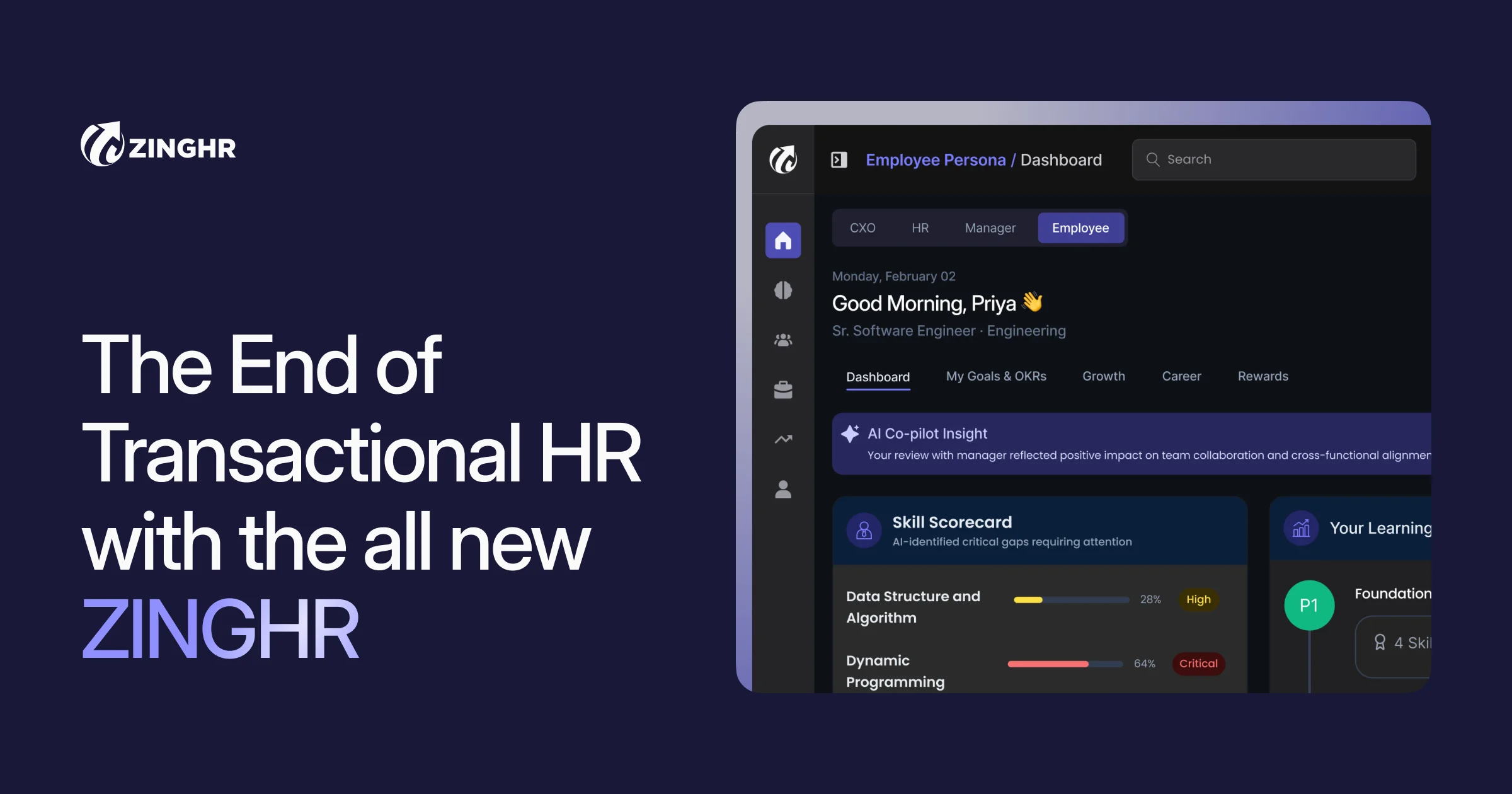
ZingHR is an enterprise human capital management platform whose payroll positioning is unusually direct: payroll closed, compliance filed, focus on what matters. That framing identifies the actual measure of payroll software, which is not features but whether the monthly cycle closes on time with statutory filings complete. In markets with complex statutory obligations, a payroll run that does not close cleanly consumes the following week.
ZingZeroTAP is the distinctive capability, described as zero-touch attendance to payroll. The gap between attendance data and a payroll run is where most errors originate: shifts, overtime, absence and leave must all reconcile before pay is calculated, and manual reconciliation at scale is slow and error-prone. Automating that handoff end to end addresses the problem at its source rather than adding validation afterwards.
The platform is organised into named products. HR Launchpad is the foundation built to scale from day one. Workforce Management covers payroll and compliance. Talent Acquisition claims hiring 7 times faster with better candidate fit. Talent Management moves from measuring performance to ensuring it. Employee Engagement is framed as continuous rather than a periodic score. The Zing Intelligence Hub is the analytics and AI platform underneath all of it, and GHROWTH.ai is a further AI offering.
Industry configurations are specific rather than generic: BFSI and micro finance, staffing, logistics, agriculture and travel, manufacturing and automotive, and pharma and life sciences. Staffing and manufacturing are the telling inclusions, since both involve large hourly or contract workforces where attendance-driven payroll at volume is the hardest problem to solve. Pricing is not published.
Explore additional details
Explore various Keka features, compare the pricing plans, and unlock the potential of seamless operations by selecting the right software for your business.
Features
View all ZingHR Features- Enterprise HCM covering the employee lifecycle
- Payroll processing with compliance filing
- ZingZeroTAP zero-touch attendance to payroll
- Workforce management
- HR Launchpad foundation module
- Talent acquisition and hiring
- Talent management and performance
- Employee engagement
- Zing Intelligence Hub analytics and AI
- GHROWTH.ai capability
- BFSI and micro finance configurations
- Staffing industry support
- Logistics, agriculture and travel configurations
- Manufacturing and automotive support
- Pharma and life sciences support
Pricing
ZingHR Caters to
- StartUps
- SMEs
- Agencies
- Enterprises
HR and payroll suite with an attendance module for Indian teams
HROne is a human resources management suite built for Indian organisations, covering the employee record from hire to exit inside one system. The platform is organised into modules a buyer switches on as needed: Core HR, Recruitment, Workforce, Attendance, Payroll, Expense, Performance, Engagement, Asset and Helpdesk. Attendance is not sold as a standalone product here. It sits in the same module set as payroll, which is the vendor's argument for buying the suite rather than assembling a time clock, a leave tracker and a payroll tool separately and reconciling them each month.
The vendor positions HROne at mid-sized companies scaling an HR operation, and the product literature leans heavily on Indian statutory requirements. Multi-legal-entity support covers groups running more than one registered company, and the vendor publishes labour law compliance and gratuity calculators alongside the software. Offline attendance capture is called out for sites where connectivity is unreliable, which matters for manufacturing, retail and logistics buyers running shifts away from a desk.
Two further pieces sit on top of the core modules. A mobile app gives the workforce self-service access, and a set of AI agents is aimed separately at employees, HR staff and recruiters. Buyers evaluating HROne for attendance alone should be clear that they are adopting a full HRMS, priced per user across the whole suite rather than per module.
Explore additional details
Explore various Keka features, compare the pricing plans, and unlock the potential of seamless operations by selecting the right software for your business.
Features
View all HROne Features- Attendance capture with offline attendance support for sites without connectivity
- Payroll processing that reads directly from captured attendance and leave
- Core HR employee database covering the record from onboarding to exit
- Multi-legal-entity handling for groups running more than one registered company
- Recruitment module with an applicant workflow feeding the employee record
- Workforce and shift management for teams running rostered operations
- Expense claims and reimbursement raised and approved in the same system
- Performance management with appraisal cycles against defined goals
- Employee engagement tooling including surveys and internal communication
- Asset tracking and an internal helpdesk for employee requests
- Mobile app giving the workforce self-service access to attendance and payslips
- AI agents aimed separately at employees, HR staff and recruiters
Pricing
HROne Caters to
- StartUps
- SMEs
- Agencies
- Enterprises
Payslip Software Buyer's Guide
Picking Payslip Software is mostly a question of fit rather than feature count, since most credible options cover similar ground differently. This guide covers what it does, the capabilities worth checking, and how to compare a shortlist.
What is Payslip Software?
Payslip Software helps teams handle the scheduling, records and invoicing that payslip work generates without stitching together general purpose tools. In practice the gain is consistency, because everyone works from the same record instead of a personal copy of it. Stronger options pair a workable day to day interface with the depth you need as requirements grow.
Key features to look for in Payslip Software
Requirements vary, though most credible Payslip Software products offer the capabilities below.
- Records and profiles built around payslip work
- Scheduling and capacity planning
- Workflow stages matching how payslip operations actually run
- Invoicing and payment handling
- Document storage and compliance records
- Customer and contact communication
- Reporting on the measures that matter in payslip work
- Role based access for different staff types
Benefits of using Payslip Software
When the match is good, the outcomes people describe are:
- Workflows that match payslip operations instead of a generic process
- Less adaptation of general purpose software to a specialist job
- Records and terminology that fit the field
- Compliance and record keeping handled in one place
- Reporting on measures that are actually relevant
Who uses Payslip Software?
Payslip Software is used by owners and managers in payslip work, administrative staff, and the frontline teams delivering it. Company size is a weaker signal than workflow match when judging whether an option suits you.
How to choose the right Payslip Software
The factors that most often decide a Payslip Software choice:
- How closely the workflow matches your own payslip operation
- Whether sector specific compliance requirements are covered
- The size of operation the product is genuinely designed for
- Data migration from whatever you use today
- How responsive the vendor is to requests specific to this field
Shortlist two or three and trial each against real work rather than a prepared demo. Involve whoever will use it daily, since day to day usability decides adoption more often than the feature comparison does.
How much does Payslip Software cost?
Most Payslip Software vendors charge per seat or per site monthly, with tiers set by how large the operation is. Specialist products often cost more than general purpose alternatives, which reflects a narrower market rather than a worse deal. Work out cost at your projected volume, not your current one, and confirm the quoted tier includes what you require.
FAQs of Payslip Software
Payslip Software is built for payslip work, bringing the records, scheduling, billing and compliance that this field needs into a single system.
A generic system can be bent into shape, but Payslip Software already assumes how payslip work runs, so there is less configuration and less compromise.
Some Payslip Software options target small single site payslip teams while others assume multi site groups, so confirm which you are being shown.
Ask any Payslip Software vendor exactly which of your existing payslip records they migrate, since this is often quoted as separate work.
Most Payslip Software vendors price per user or per location monthly, and specialist payslip products typically cost more than general alternatives.
Run a short Payslip Software trial using your own payslip cases, since a prepared demo is built to succeed in a way your real work is not.