Everything on your machine wants updating, and it all asks with the same urgency.
The operating system, the browser, six apps you forgot installing, and something in the corner that’s been pending since March.
They don’t matter equally, and treating them as if they do is why people stop updating anything. Knowing how to check for software updates is less useful than knowing which ones to care about.
Key Takeaways
- The browser and anything internet-facing come first; the rest can wait.
- Automate the ones that matter so you never check them by hand.
- An update that breaks something can usually be rolled back within a week or two.
Which Updates Matter Most
Four tiers, and almost nobody sorts them.
| Tier | What’s in it | How fast |
|---|---|---|
| First | Browser, operating system security fixes | Within days |
| Second | Anything that faces the internet: mail, chat, remote access | Within a week |
| Third | Tools holding sensitive data: password manager, accounting | Monthly |
| Fourth | Everything else | When convenient |
The browser sits at the top because it runs code from strangers all day. No other program on your machine does that as its main job.

What’s Inside One
Four different things arrive wearing the same badge.
A security fix closes a hole somebody found. A bug fix repairs something that misbehaved. A feature update adds things you didn’t ask for, and a major version upgrade changes how the software works.
Only the first is urgent, and it’s the one least likely to be advertised, because a release note saying “fixes a vulnerability” invites questions. Security fixes frequently ship quietly inside routine updates.
That’s the argument for automating the boring ones rather than reading every release note. The important fix is often the one nobody drew attention to.
The Button, Platform by Platform
Each one hides the same button somewhere different.
Windows
Settings, then Windows Update, then Check for updates. Turn on “Receive updates for other Microsoft products” while you’re there, which catches Office and a few others.
macOS
System Settings, then General, then Software Update. It checks on opening, and the Automatically keep my Mac up to date switch sits behind the small info button beside it.
iPhone and Android
Settings, then General and Software Update on iPhone; Settings, then System and System update on most Android phones.
Apps update separately from the phone itself. The App Store and Play Store each keep their own auto-update setting, and both default to updating over wifi only.
Browsers
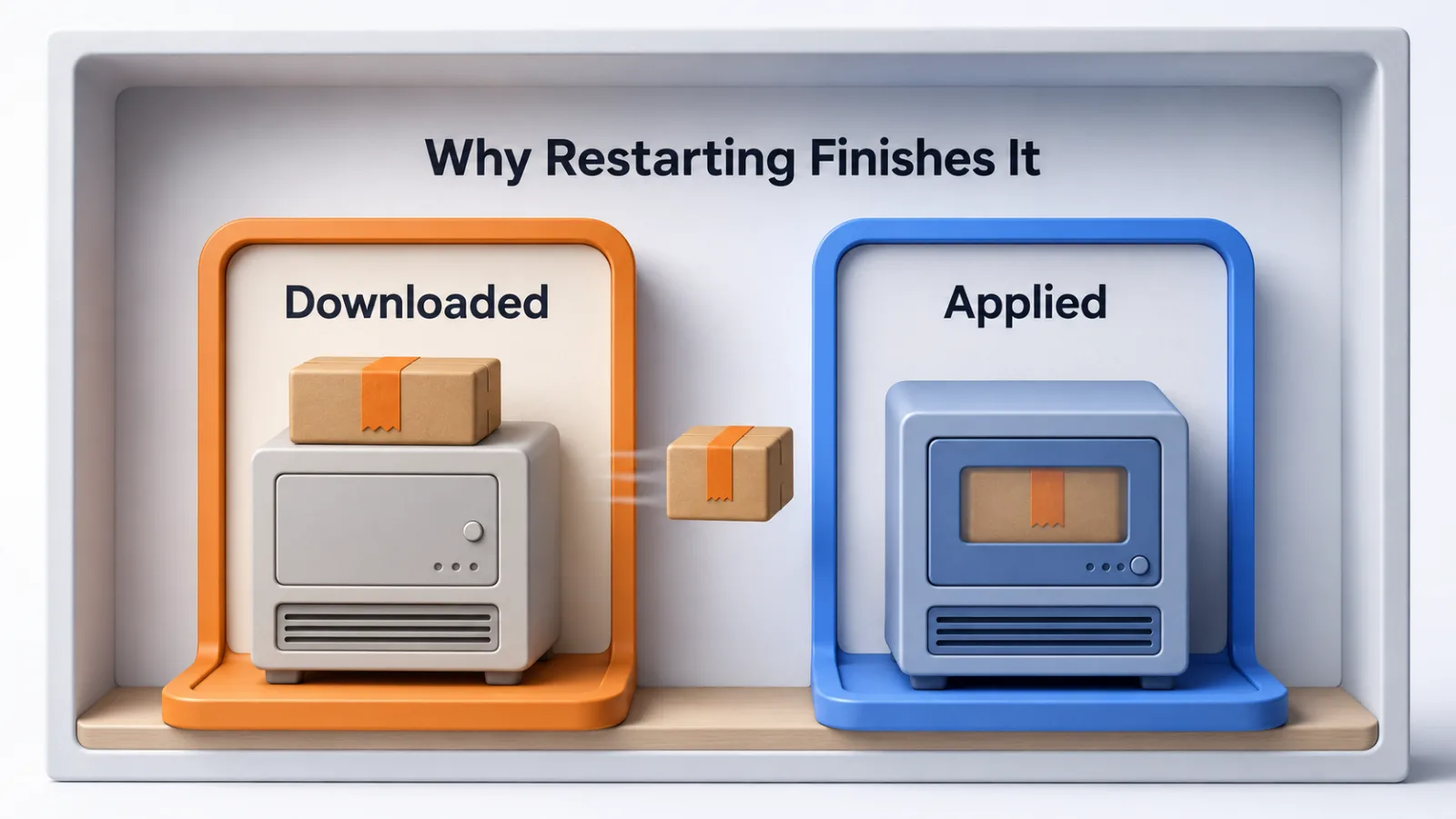
Chrome, Edge and Firefox all update themselves and apply it on the next restart.
That last part catches people. A browser left open for three weeks is running three-week-old code however diligently it downloaded the fix, so the update completes when you close it.
Individual Programs
Look under Help, then About, or under a settings menu marked Updates.
Anything installed from an app store updates through that store instead. Anything downloaded directly from a developer usually checks on launch, and a program you rarely launch rarely checks.
Turn On the Ones You Shouldn’t Have to Remember
The checking is the part worth automating away.
Switch on automatic updates for your operating system, your browser and your phone’s app store. Those three cover most of the first two tiers, and none of them needs your judgment.
Leave manual anything that interrupts work when it restarts, and anything where a version change has broken your setup before. Those are the two cases where a human decision earns its keep.
Why Some Apps Update Themselves
They live somewhere that does it for them.
Software installed through an app store, or built on a browser, has an update channel already running. Software you downloaded as a file from a website has to check on its own, and it can only check while it’s open.
That’s why a utility you open twice a year is frequently the most outdated thing you own. Nothing is wrong with it; nothing has had the chance to tell it.
If an Update Breaks Something
You have more room to undo it than most people assume.
Operating systems keep a rollback window, usually a week or two, and it lives near the update settings rather than anywhere obvious. Individual programs often publish older versions you can reinstall over the top.
Phone apps are the exception, because stores rarely let you go back. That’s an argument for letting phone apps update on their own schedule rather than rushing them.
When something breaks, note the version and the date before you roll back. That’s the difference between reporting a bug somebody can fix and reporting that it stopped working.
If Nothing Shows Up
An update that refuses to appear usually has one of four causes.
Staged rollouts are the commonest. Large updates reach devices in batches over days or weeks, so your machine can be genuinely up to date while somebody else already has the new version.
Age is the next. Hardware past a certain point stops receiving new operating system versions entirely, though it usually keeps getting security fixes for a while afterwards.
Then storage, because an update needs room to unpack before it installs, and a nearly full drive fails quietly. Last, a work laptop may have updates managed centrally, in which case the check runs somewhere else and the button does nothing.
Why This Is Worth the Trouble
It matters because most successful attacks use a hole that was already closed.
A patch is a public announcement that a weakness exists, which makes an unpatched machine easier to attack after the fix ships than before it. That gap between release and installation is the whole exposure, and it’s the same reasoning behind protecting the software you run.
Keeping antivirus software current matters for the same reason and in a smaller way. Its value comes from recognizing things discovered last week, which it cannot do on last year’s definitions.
Doing This Across More Than One Machine
The habit stops scaling somewhere around the fifth device.
Checking by hand works for your own laptop and phone. Across a team it becomes a job somebody has to own, with a record of what’s on which machine.
That’s what patch management means once it has a name.
The principle doesn’t change with scale. Automate the tiers that matter, decide deliberately about the rest, and know how to go back.
Questions People Ask About Software Updates
How often should you check for updates?
Monthly is enough for anything you’ve set to update itself, and the answer is never for the rest, because you’ll have automated the ones that matter. Checking weekly is a habit that buys little.
Do you need to install every update?
No. Security updates for your operating system, browser and anything that faces the internet are worth installing promptly. Feature updates for software you barely open can wait indefinitely.
Is it safe to update straight away?
For security fixes, yes, and waiting is the larger risk. For major version upgrades, giving it a week lets other people find the problems first, which costs you nothing.
What happens if you never update?
The known holes stay open. Most successful attacks use a weakness that was fixed months earlier, so an unpatched machine is easier to attack after the fix ships than before.
Can you undo an update?
Often, and it gets harder with time. Operating systems keep a rollback window of a week or two. Individual applications frequently let you reinstall an older version, and phone apps rarely let you go back at all.
Set Three Things, Then Stop Checking
Turn on automatic updates for your operating system, your browser and your phone’s app store, and you’ve covered nearly everything that matters.
Then close your browser occasionally, because that’s the one that needs you to do anything at all.
The rest can wait until you happen to open it. Sorting updates by what they protect beats treating every prompt as equally urgent, which is the habit that ends with all of them ignored.
Add SocialAtoZ as a preferred source
See us more often in your Google results.