Supertone Clear
VerifiedAI plugin that separates voice from noise and reverb for clean dialogue
 See all screenshots
 - Deployment On Premises
- Starting price $99
- Free trial Available
- Best for Freelancers, SMEs, Agencies
What is Supertone Clear?
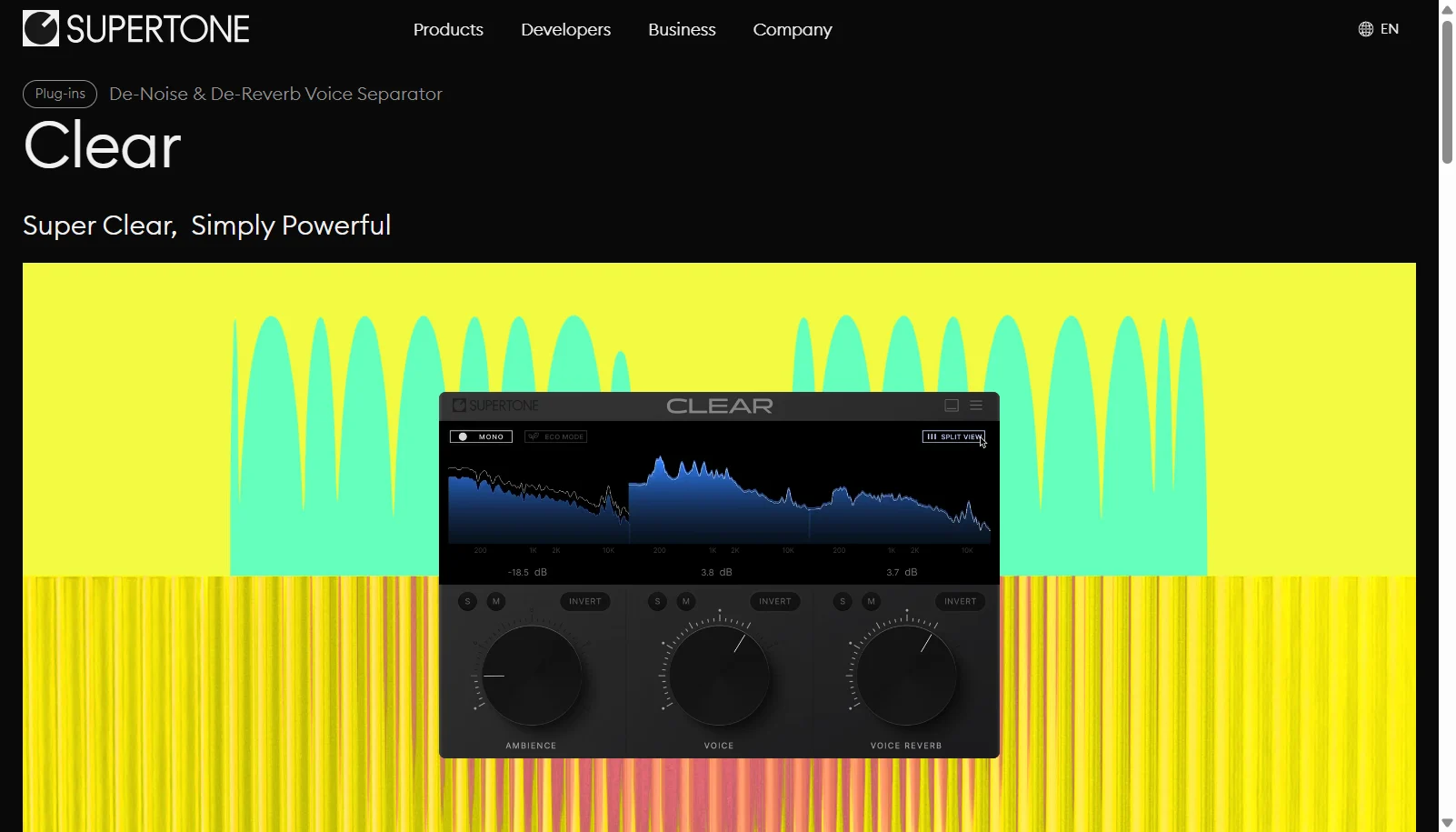
Supertone Clear is an AI powered audio plugin from South Korean company Supertone that separates a recording into three components: voice, ambience and voice reverb. Three simple knobs let editors dial in how much of each channel to keep, making it possible to isolate clean dialogue, remove room noise and reduce reverb with minimal artifacts. It runs in real time inside any DAW that supports AU, VST3, VST or AAX plugins, on Windows 10 and later or macOS 10.13 and later with native Apple Silicon support.
Clear is sold as a one time purchase plugin rather than a subscription, with a regular price around $99 that Supertone frequently discounts through promotions. A free trial is available with limitations, including periodic noise bursts and no profile saving. It is aimed at post production engineers, video editors, streamers and musicians who need fast, clean dialogue separation without re-recording.
Key Features of Supertone Clear
Supertone Clear lists 8 documented features, including Separates audio into voice, ambience and voice reverb channels, Three knob interface for voice, ambience and reverb control and Real time processing suitable for live streaming. The list below covers what the product does rather than how it is marketed.
- Separates audio into voice, ambience and voice reverb channels
- Three knob interface for voice, ambience and reverb control
- Real time processing suitable for live streaming
- Neural network voice separation with minimal artifacts
- AU, VST3, VST and AAX plugin formats
- Native Windows and macOS support including Apple Silicon
- Supports 44.1kHz, 48kHz and 96kHz sample rates
- One time purchase, no subscription required
Supertone Clear Pricing
Supertone Clear lists 2 plans, starting free and running to $99.
Clear
$99
One time purchase, lifetime license
Regular price; Supertone frequently runs promotional discounts down to around $55 to $69
Free Trial
Free
Time unlimited but functionally limited
Outputs periodic noise bursts and does not support saving or loading profiles
Supertone Clear Specifications
Supertone Clear is available on Windows and macOS. It has a free trial.
- Deployment
- On Premises
- Billing cycle
- One-time
- Desktop
- Windows
- macOS
- Languages
- English
- Built for
- Freelancers
- SMEs
- Agencies
- Support
- Integrations
- VST3, VST, AU, AAX (DAW plugin formats)
- Public API
- No
- Free trial
- Yes
- Free plan
- No
- Runs in browser
- No
- Customisable
- Yes
- Website
- supertone.ai
Supertone Clear Videos
Supertone Clear Screenshots
Supertone Clear Comparisons

Used Supertone Clear? Write the first review.
Supertone Clear FAQs
Alternatives to Supertone Clear
Other AI Audio Enhancer Tool recorded on the same fields.