
Cloud platform for music professionals to organize, share, and pitch tracks
22 tools compared
Best Music Management software
Music management software is designed to help individuals and organizations organize, catalog, and manage their music collections. These solutions provide tools for handling various aspects of music organization, including metadata management, playlist creation, and playback.
More about Music Management software
Key capabilities include:
- Music Cataloging and Metadata Management
- Playlist Creation and Management
- Audio File Organization and Sorting
- Playback and Streaming Integration
- Tagging and Search Functionality
- Reporting and Analytics
Music management software assists users in efficiently managing their music libraries by offering features for cataloging, organizing, and accessing audio files. By providing tools for playlist creation, metadata management, and integration with playback systems, these solutions enhance the overall music management experience.
To qualify for the Music Management Software category, a product must:
- Provide features for cataloging and managing music collections, including metadata and file organization.
- Support tagging, search functionality, and reporting to optimize music organization and access.
The core value proposition is enabling users to effectively organize and manage their music collections, streamline playlist creation, and enhance playback experiences through comprehensive music management software solutions.
Music Management software Compared
Compare the 10 most relevant Music Management software options on price, free trial and deployment.
| Product | Starting price | Free trial | Free plan | API | Deployment |
|---|---|---|---|---|---|
 Udio Make your music. Create any song. Just imagine it. Udio Make your music. Create any song. Just imagine it. | $8/month | ✓ | ✓ | – | Cloud Based |
 Mureka AI Unlock unlimited AI music Mureka AI Unlock unlimited AI music | $7.17/month | ✓ | ✓ | ✓ | Cloud Based |
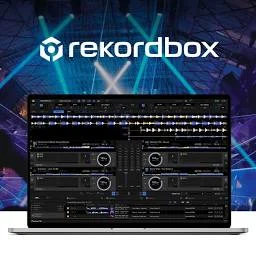 rekordbox (Pioneer DJ) Pioneer DJ's software for track preparation, performance, and cloud library… rekordbox (Pioneer DJ) Pioneer DJ's software for track preparation, performance, and cloud library… | $12/month | – | ✓ | – | Hybrid |
 Serato DJ Professional DJ performance software with stem separation, effects, and deep… Serato DJ Professional DJ performance software with stem separation, effects, and deep… | $11.99 | – | ✓ | – | On Premises |
 Plex Personal media server for streaming your own movies, TV, music,… Plex Personal media server for streaming your own movies, TV, music,… | $2.99/month | ✓ | ✓ | ✓ | Hybrid |
 foobar2000 Free, lightweight, highly customizable audio player for Windows, macOS, iOS,… foobar2000 Free, lightweight, highly customizable audio player for Windows, macOS, iOS,… | Free | – | ✓ | – | On Premises |
 Roon Subscription based music player and library manager for high fidelity… Roon Subscription based music player and library manager for high fidelity… | $12.49 | ✓ | – | – | Hybrid |
 MediaMonkey Media jukebox for organizing, tagging, converting, and syncing large audio… MediaMonkey Media jukebox for organizing, tagging, converting, and syncing large audio… | $39.95 | – | ✓ | – | On Premises |
 MusicBee Free, highly customizable music manager and player for Windows audio… MusicBee Free, highly customizable music manager and player for Windows audio… | Free | – | ✓ | – | On Premises |
 Mixed In Key Harmonic mixing and key detection software for DJs and music… Mixed In Key Harmonic mixing and key detection software for DJs and music… | $7.99/month | ✓ | – | – | On Premises |
Your product in this list? Sponsored top-5 positions in Music Management software from $19/month.
All Software
22 Best Music Management software Options
Showing 21 - 22 of 22 products

DISCO is a cloud based music management and collaboration platform built for the music industry. Users store, tag, and organize their entire catalog in one place, then share tracks through private playlists, password protected links, and branded pitch pages. An inbox lets partners send files directly, removing the need for scattered downloads and email attachments. Real time comments and progress tracking help teams such as managers, publishers, and supervisors work through a catalog together.
The platform is used by music supervisors, licensing teams, sync agencies, and independent artists. Paid tiers add advanced analytics on who listened to what, autotagging, WAV and AIFF conversion, expiring and password protected URLs, and distributor ingestion. Optional add ons cover an AI powered Discovery Suite for tagging and similarity search, and audio watermarking with leak tracing for sensitive pitches.
Explore additional details
Explore various Keka features, compare the pricing plans, and unlock the potential of seamless operations by selecting the right software for your business.
Features
View all DISCO Features- Unlimited playlists and track uploads
- Password protected and expiring share links
- Inbox for receiving files from partners
- Real time comments and team collaboration
- Advanced playlist and catalog analytics
- AI autotagging and similarity search (Discovery Suite add on)
- WAV/AIFF conversion and distributor ingestion
- Audio watermarking with leak tracing (add on)
Pricing
DISCO Caters to
- StartUps
- SMEs
- Agencies
- Enterprises

Automatic music library organizer for tagging, duplicate removal, and album art
bliss is music library management software that automatically fixes and organizes a digital music collection based on rules the user defines. It finds and installs missing album art, auto-tags files with correct metadata, renames files and folders to match a chosen pattern, and uses audio fingerprinting to detect and remove duplicate tracks across formats including FLAC, WAV, AIFF, MP4, WMA, and OGG. The software runs in the background, continuously monitoring a library for new or inconsistent files.
bliss runs on Windows, macOS, and Linux, including NAS devices such as Synology and QNAP, and can be accessed remotely through a web browser. It uses a pay per fix pricing model, where every correction made to the library consumes one fix, with 100 fixes included for free before additional fix packages or an unlimited annual plan are required.
Explore additional details
Explore various Keka features, compare the pricing plans, and unlock the potential of seamless operations by selecting the right software for your business.
Features
View all bliss Features- Audio fingerprinting based duplicate detection and removal
- Automatic album art finding and installation
- Rule based auto-tagging of metadata
- File and folder renaming to a defined pattern
- Background monitoring of the music library
- Wide format support including FLAC, WAV, AIFF, MP4, WMA, OGG
- NAS support for Synology and QNAP
- Remote access via web browser
Pricing
bliss Caters to
- StartUps
- SMEs
- Agencies
- Enterprises
Music Management software Buyer's Guide
Music management software covers three different jobs, and the products listed here split along them: organising a personal music library (MusicBee, MediaMonkey, foobar2000, Roon, Plex, SongKong, bliss), preparing and playing DJ sets (rekordbox, Serato DJ, Traktor, VirtualDJ, djay Pro, Mixed In Key, Beatport LINK), and running the business side of a catalogue (Reprtoir, Curve Royalty Systems, Label Engine, DISCO, Soundplate, Vampr). Udio and Mureka AI generate music with AI rather than manage it. Booking and billing software for music schools and recording studios is a separate category.
What is music management software?
Music management software is any tool that organises, tags, plays or administers a music catalogue, whether that catalogue is a personal library of files, a DJ’s crate, or a label’s release and royalty data. What these tools share is a dependence on metadata: clean artist, title, key, BPM and rights information is what every one of them works from.
Key features to look for in music management software
- Tag and correct track metadata in bulk
- Detect key and BPM for harmonic mixing
- Sync libraries and playlists across devices
- Stream from a home server to phones and speakers
- Prepare cue points and export sets to DJ hardware
- Calculate royalty statements for artists and writers
- Share catalogue playlists and pitch tracks to clients
- Manage releases, splits and distribution metadata
How to choose music management software
To choose music management software, decide first which of the three jobs you need done. For a home library, the deciding factors are format support and whether you want local playback (MusicBee, foobar2000) or streaming to other rooms and devices (Roon, Plex). For DJing, pick the software your controller supports: rekordbox for Pioneer DJ gear, Serato DJ for Serato-certified controllers. For a label or publisher, weigh royalty accounting (Curve, Reprtoir) against catalogue pitching (DISCO), if you have to choose one.
Music management software pricing
Library tools are cheap or free: MusicBee and foobar2000 cost nothing, MediaMonkey Gold is $39.95 or $99.95 for a lifetime licence, and Roon is $12.49 per month billed annually or $829.99 for life. DJ software is mostly subscription: rekordbox Core is $12 per month, Serato DJ Pro $11.99 and VirtualDJ PRO $19, while Traktor Pro 4 is a one-time $149. Label tools start at $49 per month for Reprtoir Starter and Label Engine, and Curve’s Lite plan is £20 per month.
FAQs of Music Management software
Music Management software is built for creative production work, bringing the records, scheduling, billing and compliance that this field needs into a single system.
A generic system can be bent into shape, but Music Management software already assumes how creative production work runs, so there is less configuration and less compromise.
Some Music Management software options target small single site creative production teams while others assume multi site groups, so confirm which you are being shown.
Ask any Music Management software vendor exactly which of your existing creative production records they migrate, since this is often quoted as separate work.
Most Music Management software vendors price per user or per location monthly, and specialist creative production products typically cost more than general alternatives.
Run a short Music Management software trial using your own creative production cases, since a prepared demo is built to succeed in a way your real work is not.