
bliss
VerifiedAutomatic music library organizer for tagging, duplicate removal, and album art
 See all screenshots
 - Deployment On Premises
- Starting price Free
- Free trial Not offered
- Best for Freelancers
What is bliss?
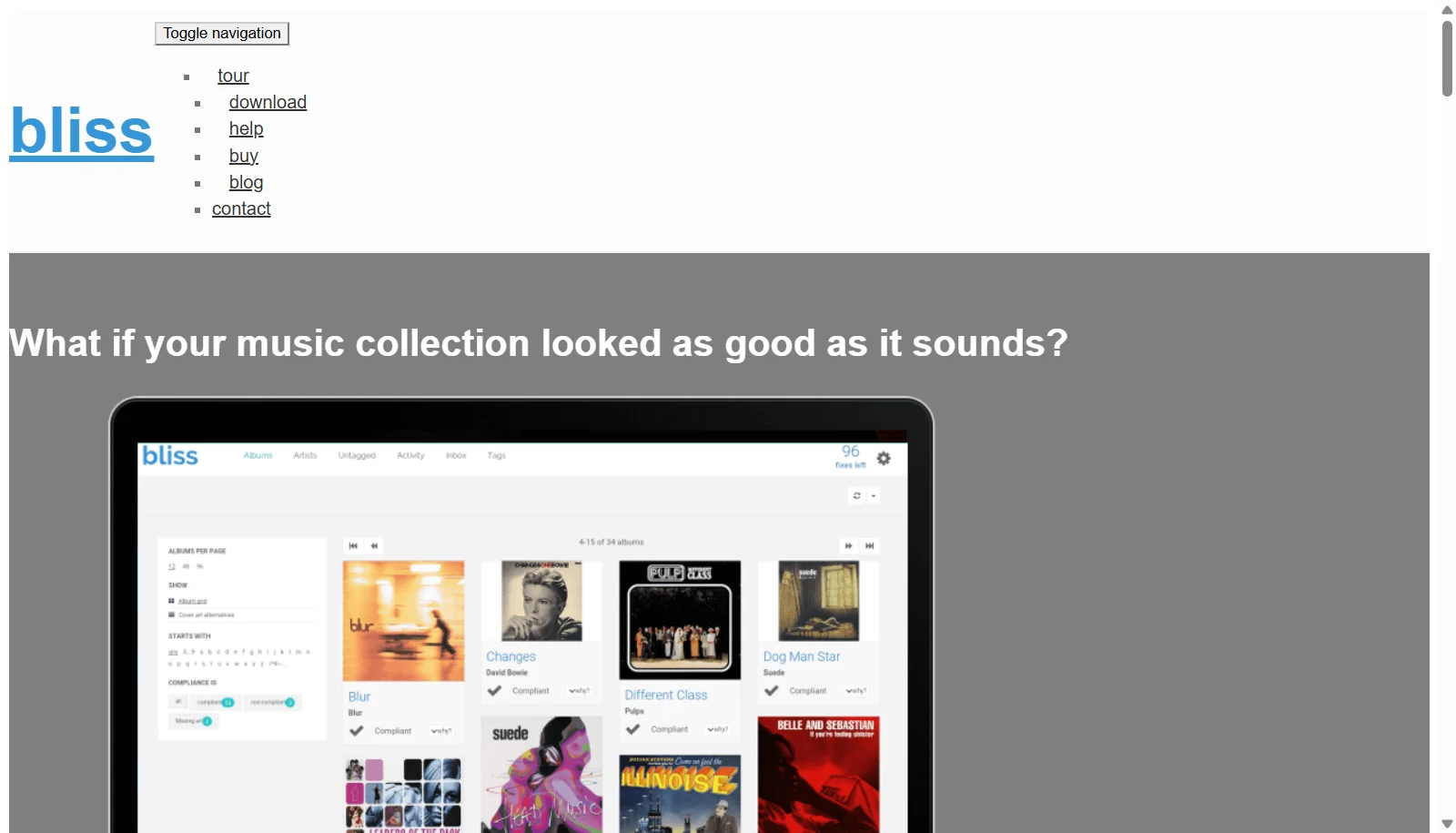
bliss is music library management software that automatically fixes and organizes a digital music collection based on rules the user defines. It finds and installs missing album art, auto-tags files with correct metadata, renames files and folders to match a chosen pattern, and uses audio fingerprinting to detect and remove duplicate tracks across formats including FLAC, WAV, AIFF, MP4, WMA, and OGG. The software runs in the background, continuously monitoring a library for new or inconsistent files.
bliss runs on Windows, macOS, and Linux, including NAS devices such as Synology and QNAP, and can be accessed remotely through a web browser. It uses a pay per fix pricing model, where every correction made to the library consumes one fix, with 100 fixes included for free before additional fix packages or an unlimited annual plan are required.
Key Features of bliss
bliss lists 8 documented features, including Audio fingerprinting based duplicate detection and removal, Automatic album art finding and installation and Rule based auto-tagging of metadata. The list below covers what the product does rather than how it is marketed.
- Audio fingerprinting based duplicate detection and removal
- Automatic album art finding and installation
- Rule based auto-tagging of metadata
- File and folder renaming to a defined pattern
- Background monitoring of the music library
- Wide format support including FLAC, WAV, AIFF, MP4, WMA, OGG
- NAS support for Synology and QNAP
- Remote access via web browser
bliss Pricing
bliss lists 4 plans, starting free and running to $79.
250 Fixes
$16
250 fixes
Also £12 / €14. Includes one year of updates and a 30 day money back guarantee.
2500 Fixes
$49
2,500 fixes
Also £29 / €49. Includes one year of updates and a 30 day money back guarantee.
Unlimited
$79/year
Unlimited fixes
Also £59 / €69. Most popular plan; includes one year of updates and a 30 day money back guarantee.
bliss Specifications
bliss is available on Windows and macOS. It has a free plan.
- Deployment
- On Premises
- Billing cycle
- One-time
- Desktop
- Windows
- macOS
- Languages
- English
- Built for
- Freelancers
- Support
- Integrations
- Synology NAS, QNAP NAS
- Public API
- No
- Free trial
- No
- Free plan
- Yes
- Runs in browser
- Yes
- Customisable
- Yes
- Website
- blisshq.com
bliss Screenshots
bliss Comparisons


Used bliss? Write the first review.
bliss FAQs
Alternatives to bliss
Other Music Management software recorded on the same fields.