
Vectorizer.AI
VerifiedConvert images to vectors online
 See all screenshots
 - Deployment Cloud Based
- Starting price $9.99
- Free trial Available
- Best for Freelancers, Startups, SMEs
What is Vectorizer.AI?
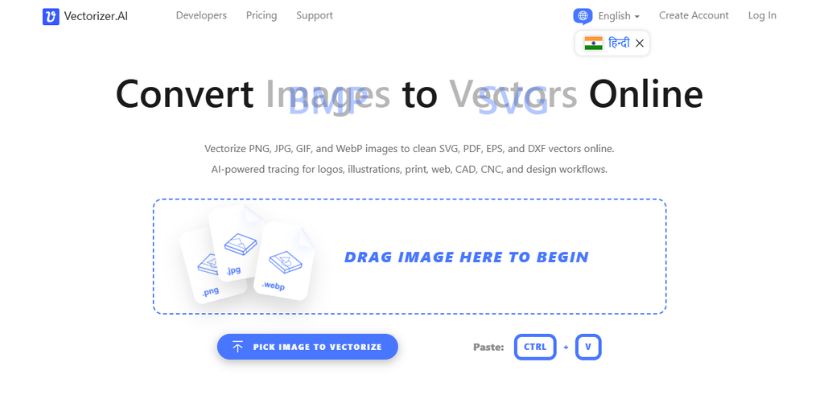
Vectorizer.AI is an AI-powered online image tracing tool that converts raster images like PNG, JPG, GIF, BMP, and WebP into scalable vector formats such as SVG, EPS, DXF, and PDF. It is designed for designers, illustrators, print shops, CAD/CNC users, and anyone who needs crisp, editable vector artwork from pixel-based images. What makes Vectorizer.AI stand out is its blend of deep learning and computational geometry, which helps it detect shapes, fit curves, preserve corners, and clean up details more accurately than traditional tracers. Users can vectorize logos, sketches, illustrations, diagrams, and even photos directly in the browser without installing software. The platform also offers practical workflow controls like pre-cropping, palette adjustments, transparency support, and export customization, making it useful for both creative and production environments. If you need fast, high-quality image-to-vector conversion with professional output, Vectorizer.AI is a strong choice.
Key Features of Vectorizer.AI
Vectorizer.AI lists 5 documented features, including AI Vectorization Engine, PNG, JPG, GIF, BMP, and WebP input image support and Editing and Precision Tools. The list below covers what the product does rather than how it is marketed.
- AI Vectorization Engine
- PNG, JPG, GIF, BMP, and WebP input image support
- Editing and Precision Tools
- Workflow Controls
- Export and Compatibility
Vectorizer.AI Pricing
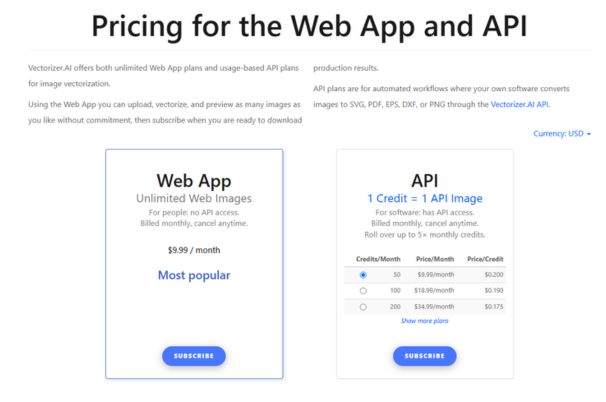
Vectorizer.AI lists 7 plans, from $9.99 to $249.99.
Web App
$9.99
per month
Unlimited web images for people who do not need API access, billed monthly and cancel anytime.
API 50 credits
$9.99
per month
For software, with API access: 1 credit is 1 API image, 50 credits per month, and unused credits roll over up to 5 times the monthly credits.
API 100 credits
$18.99
per month
100 API credits per month on the same rollover terms.
API 200 credits
$34.99
per month
200 API credits per month on the same rollover terms.
API 500 credits
$74.99
per month
500 API credits per month on the same rollover terms.
API 1,000 credits
$139.99
per month
1,000 API credits per month on the same rollover terms.
API 2,000 credits
$249.99
per month
2,000 API credits per month; the table continues to higher credit volumes above this tier.
Vectorizer.AI Specifications
Vectorizer.AI is available on web app, Windows and macOS and has macOS apps. It offers an API, has a free trial and has a free plan.
- Deployment
- Cloud Based
- Billing cycle
- Monthly
- Desktop
- Web App
- Windows
- macOS
- Mobile
- macOS
- Languages
- English
- Built for
- Freelancers
- Startups
- SMEs
- Agencies
- Enterprises
- Support
- Tickets
- Integrations
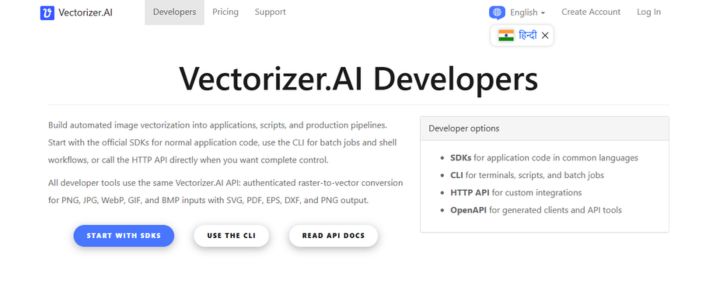
- API for programmatic integration, allowing developers to embed image vectorization into their own apps, websites, mobile apps, and automated workflows.
- Public API
- Yes
- Free trial
- Yes
- Free plan
- Yes
- Runs in browser
- Yes
- Customisable
- Yes
- Website
- vectorizer.ai
Vectorizer.AI Videos
Vectorizer.AI Screenshots
Vectorizer.AI Comparisons
Side by side comparisons of Vectorizer.AI against 1 other AI Photo Editor Tools option listed here.

Vectorizer.AI Reviews
No reviews yet
Used Vectorizer.AI? Share your experience and help other buyers decide.
Vectorizer.AI FAQs
Alternatives to Vectorizer.AI
Other AI Photo Editor Tools recorded on the same fields.