Pixnova AI
VerifiedEasily Create Stunning Photos Online
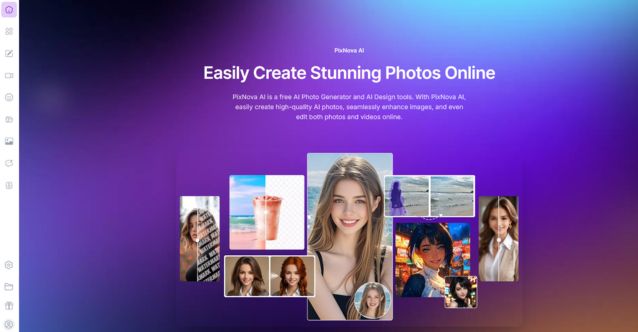 See all screenshots
 - Deployment Cloud Based
- Starting price Free
- Free trial Not offered
- Best for Freelancers, Startups, SMEs
What is Pixnova AI?
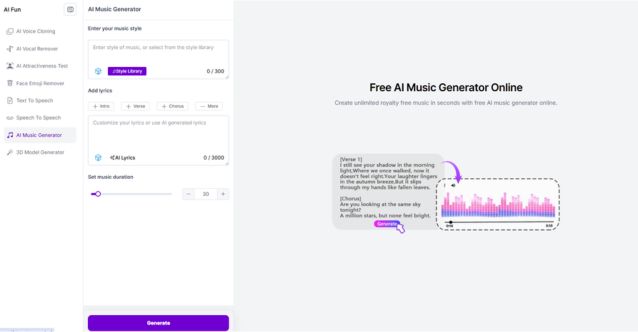
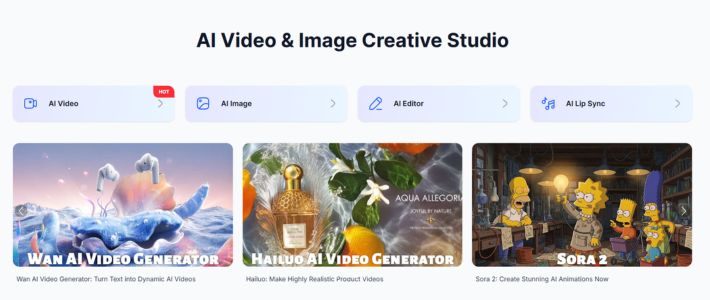
PixNova AI is an all-in-one, browser-based AI creative suite for generating, enhancing, and transforming images and videos quickly. It serves content creators, marketers, designers, photographers, e-commerce sellers, and casual users with a mix of practical and fun AI tools, including image generation, editing, video creation, transcription, face transformation, and room design. The platform emphasizes speed, convenience, web accessibility, and a free-to-use experience with no login required.
Key Features of Pixnova AI
Pixnova AI lists 7 documented features, including AI Image Editing, AI Photo Generation and AI Video Tools. The list below covers what the product does rather than how it is marketed.
- AI Image Editing
- AI Photo Generation
- AI Video Tools
- AI Audio and Voice Tools
- AI Fun and Social Tools
- Room and Design Tools
- Transcription and Productivity
Pixnova AI Pricing
Pixnova AI publishes 7 plans, starting at $0 on the Free Plan tier. Figures are taken from the vendor's own pricing page.
Free Plan
Free
What’s included:
- No sign-up or login required
- No watermarks on generated photos
- Unlimited AI image generation
- Access to all free AI tools (face swap, photo enhancer, background remover, upscaler, clothes changer, hairstyle changer, anime converter, magic eraser, and more)
- Free daily credits (usable same day only, do not accumulate)
- All uploads are encrypted and auto-deleted after processing
- Works on any browser, desktop, or mobile
Pay-As-You-Go
$7.99
What’s included:
- 1,600 Credits
- Max 13 AI video generations
- Or max 133s AI talking photo video
- Or max 160 AI image editor tasks
- Unlimited AI image generation
- Unlimited free AI tool usage
- No subscription – Credits never expire
Pay-As-You-Go
$23.99
What’s included:
- 9,000 Credits
- Max 75 AI video generations
- Or max 750s AI talking photo video
- Or max 900 AI image editor tasks
- Unlimited AI image generation
- Unlimited free AI tool usage
- No subscription – Credits never expire
Pay-As-You-Go
$34.99
What’s included:
- 16,000 Credits
- Max 133 AI video generations
- Or max 1,333s AI talking photo video
- Or max 1,600 AI image editor tasks
- Unlimited AI image generation
- Unlimited free AI tool usage
- No subscription – Credits never expire
Pay-As-You-Go
$69.99
What’s included:
- 33,000 Credits
- Max 275 AI video generations
- Or max 2,750s AI talking photo video
- Or max 3,300 AI image editor tasks
- Unlimited AI image generation
- Unlimited free AI tool usage
- No subscription – Credits never expire
Pay-As-You-Go
$194.35
What’s included:
- 100,000 Credits
- Max 833 AI video generations
- Or max 8,333s AI talking photo video
- Or max 10,000 AI image editor tasks
- Unlimited AI image generation
- Unlimited free AI tool usage
- No subscription · Credits never expire
Plus Subscription
What’s included:
- 10,000 credits per month
- Priority processing
- No watermark
- Monthly billing available
- Yearly billing available at a lower annual rate
Pixnova AI Specifications
Pixnova AI is available on web app, Windows and macOS and has macOS apps. It has a free plan.
- Deployment
- Cloud Based
- Billing cycle
- Yearly
- Desktop
- Web App
- Windows
- macOS
- Mobile
- macOS
- Languages
- En-us
- Built for
- Freelancers
- Startups
- SMEs
- Agencies
- Support
- Integrations
- Zapier, Make, Figma, Google Drive, Dropbox
- Public API
- No
- Free trial
- No
- Free plan
- Yes
- Runs in browser
- Yes
- Customisable
- Yes
- Website
- pixnova.ai
Pixnova AI Videos
Pixnova AI Screenshots
Pixnova AI Comparisons
Side by side comparisons of Pixnova AI against 3 other AI Face Swap Tools options listed here.



Pixnova AI Reviews
No reviews yet
Used Pixnova AI? Share your experience and help other buyers decide.
Pixnova AI FAQs
Alternatives to Pixnova AI
Other AI Face Swap Tools recorded on the same fields.