SongKong
VerifiedAutomated music tagging and metadata correction software using acoustic fingerprinting
 See all screenshots
 - Deployment On Premises
- Starting price Free
- Free trial Available
- Best for Freelancers, SMEs
What is SongKong?
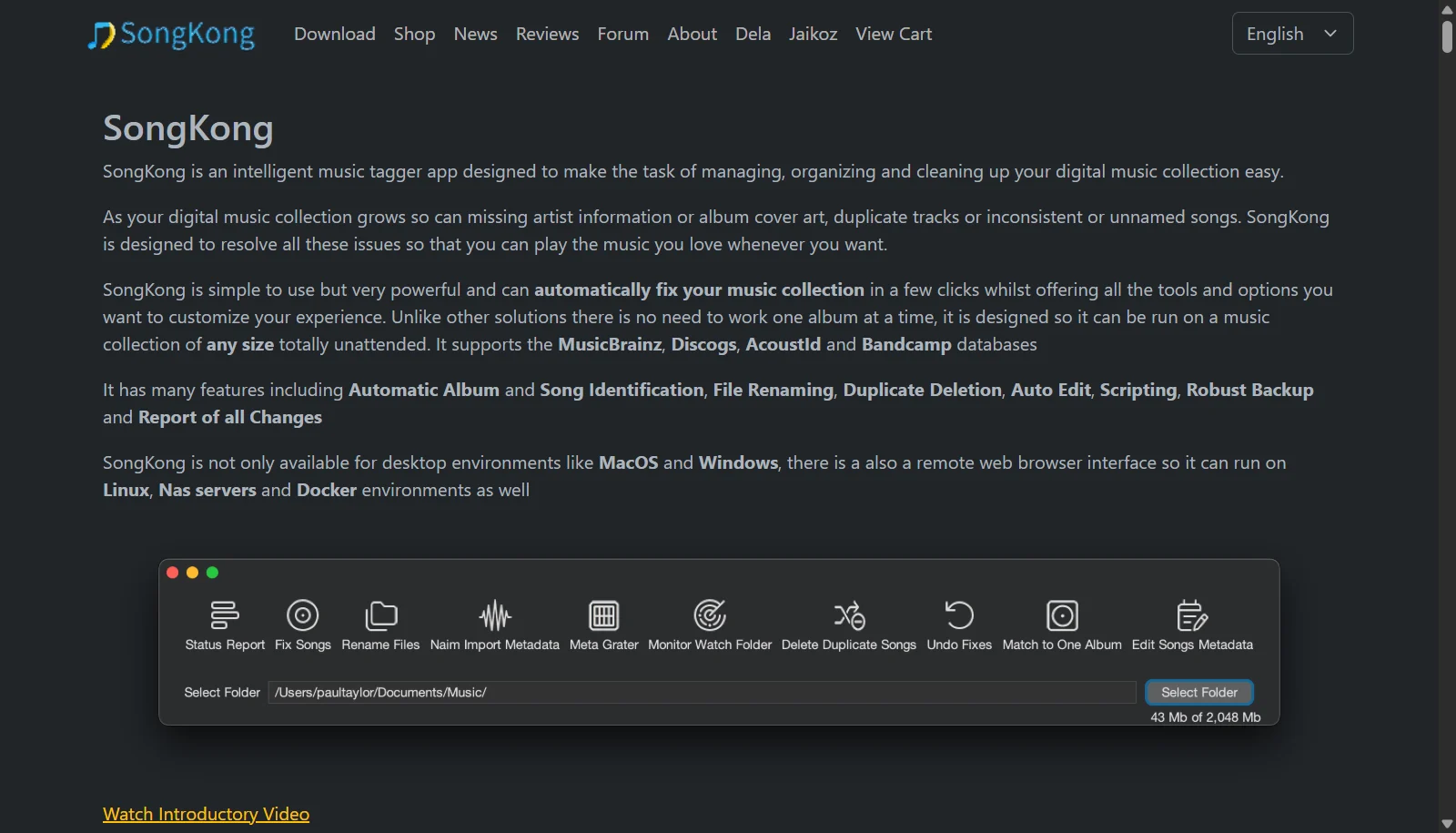
SongKong is a music tagging application from UK developer JThink that scans a digital music collection, identifies each track, and fixes missing or incorrect metadata. It uses acoustic fingerprinting through AcoustID together with the MusicBrainz, Discogs, and Bandcamp databases to identify songs even when existing file information is missing, and can also use Disc IDs to match whole albums almost instantly. Additional tools cover duplicate deletion, file renaming with expression syntax, auto editing, and scripting.
SongKong is licensed per tier rather than by subscription. A free Lite version handles status reports and manual editing, while paid Standard, Premium, and Pro licenses unlock identification, duplicate removal, renaming, and commercial use. All non-free tasks can be tried in preview mode before purchase, and licenses include lifetime forum and email support.
Key Features of SongKong
SongKong lists 8 documented features, including Acoustic fingerprinting via AcoustID, MusicBrainz, Discogs, and Bandcamp database matching and Automatic album and song identification. The list below covers what the product does rather than how it is marketed.
- Acoustic fingerprinting via AcoustID
- MusicBrainz, Discogs, and Bandcamp database matching
- Automatic album and song identification
- Duplicate file detection and deletion
- File renaming using expression syntax
- Auto edit and scripting for batch changes
- Disc ID matching for near instant album identification
- Monitor folder automation and change reports
SongKong Pricing
SongKong lists 4 plans, starting free and running to $120.
Standard
$44
1 person, up to 3 computers
Also £35 / €42. Adds auto identify, delete duplicates, rename files, folder monitoring.
Premium
$65
1 person, up to 3 computers
Also £50 / €60. Adds Bandcamp match, auto edit, scripter, artist artwork, acoustic metadata.
SongKong Specifications
SongKong is available on Windows and macOS. It has a free trial and has a free plan.
- Deployment
- On Premises
- Billing cycle
- One-time
- Desktop
- Windows
- macOS
- Languages
- English
- Built for
- Freelancers
- SMEs
- Support
- Tickets
- Integrations
- MusicBrainz, Discogs, AcoustID, Bandcamp
- Public API
- No
- Free trial
- Yes
- Free plan
- Yes
- Runs in browser
- No
- Customisable
- Yes
- Website
- jthink.net
SongKong Videos
SongKong Screenshots
SongKong Comparisons



Used SongKong? Write the first review.
SongKong FAQs
Alternatives to SongKong
Other Music Management software recorded on the same fields.