Otter AI
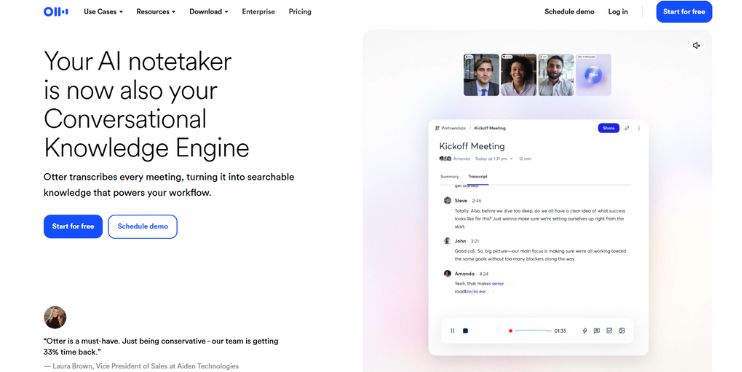
VerifiedYour AI notetaker is now also your Conversational Knowledge Engine
 See all screenshots
 - Deployment Cloud Based
- Starting price $8.33
- Free trial Not offered
- Best for Freelancers, Startups, SMEs
What is Otter AI?
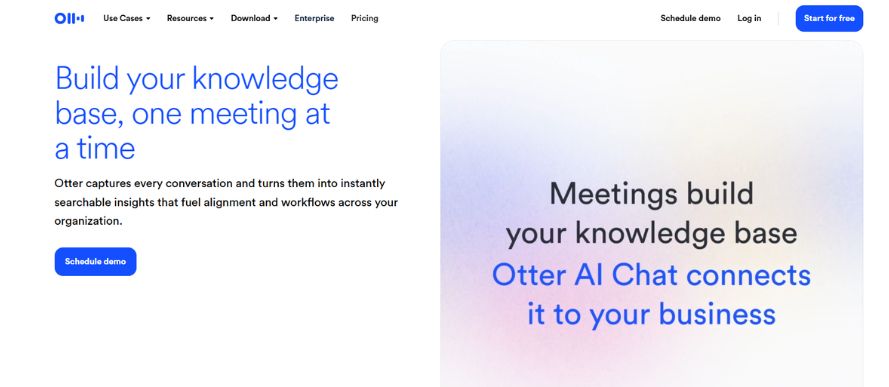
Otter AI is an AI-powered meeting assistant and conversational knowledge engine designed to capture, transcribe, summarize, and organize conversations in real time. Built for individuals, teams, and enterprises, it helps sales reps, educators, media teams, recruiters, and SDRs turn meetings into searchable notes, action items, and follow-ups. With live transcription, speaker recognition, multilingual support, and AI Chat that can answer questions across meetings and connected apps, Otter AI goes beyond basic note-taking to support faster decisions and better team alignment. It also offers flexible capture options across desktop, mobile, and Chrome, as well as automated meeting joins for platforms like Zoom, Google Meet, and Microsoft Teams. For organizations that want to save time and improve collaboration, Otter AI delivers a strong combination of transcription accuracy, automation, CRM syncing, and workflow integrations. If you need an intelligent meeting documentation tool that reduces manual note-taking and keeps your conversations actionable, Otter AI is a compelling option.
Key Features of Otter AI
Otter AI lists 7 documented features, including AI Meeting Transcription, Meeting Summaries and Action Items and Otter AI Chat. The list below covers what the product does rather than how it is marketed.
- AI Meeting Transcription
- Meeting Summaries and Action Items
- Otter AI Chat
- Collaboration and Organization
- Business and Sales Automation
- Integrations and Connectivity
- Enterprise Controls
Otter AI Pricing
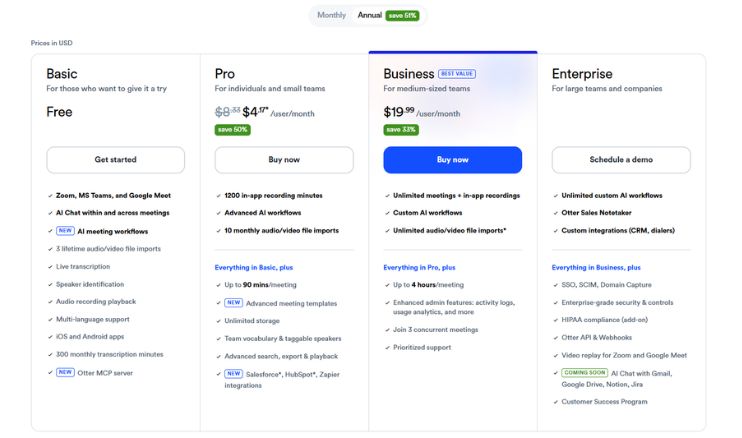
Otter AI lists 2 plans, from $8.33 to $19.99.
Pro
$8.33
per user/month
Rate on annual billing, for individuals and small teams, with 1200 in app recording minutes and advanced AI workflows. Monthly billing costs more, and a free Basic tier sits below it.
Business
$19.99
per user/month
Rate on annual billing, for medium sized teams, with unlimited meetings and in app recordings, custom AI workflows and Salesforce, HubSpot and Zapier integrations; $30 per user/month on monthly billing. Enterprise is quoted on request.
Otter AI Specifications
Otter AI is available on web app, Windows and macOS and has iOS, Android and macOS apps. It offers an API and has a free plan.
- Deployment
- Cloud Based
- Billing cycle
- Yearly
- Desktop
- Web App
- Windows
- macOS
- Mobile
- iOS
- Android
- macOS
- Languages
- En-us
- Built for
- Freelancers
- Startups
- SMEs
- Agencies
- Enterprises
- Support
- Training
- Tickets
- Integrations
- Zoom, Google Meet, Microsoft Teams, Slack, Salesforce, HubSpot, Google Calendar, Google Docs, Dropbox, Jira, Notion, Asana
- Public API
- Yes
- Free trial
- No
- Free plan
- Yes
- Runs in browser
- Yes
- Customisable
- Yes
- Website
- otter.ai
Otter AI Videos
Otter AI Screenshots
Otter AI Comparisons
Side by side comparisons of Otter AI against 1 other Meeting Management Software option listed here.

Otter AI Reviews
No reviews yet
Used Otter AI? Share your experience and help other buyers decide.
Otter AI FAQs
Alternatives to Otter AI
Other Meeting Management Software recorded on the same fields.