With an AI image generator, you can create images and graphics of all kinds in just a few seconds. Be it logos, portrait photos, animal photos, desktop backgrounds, or coloring pages.
The problem is: There are now several hundred AI image generators on the market, and dozens of new ones are added every month. But which one is best for creating AI images? And which tool is best suited for which type of image?
In this article, I have tested 20 of the most popular AI image generators in detail for you. Not only in terms of image quality, but also usability and functions. For each image generator, you will also find three test images to compare image quality yourself.
The best part:
Most generators offer free trials, initial credits, or are even completely free.
Below you will find detailed test results for all AI image generators (in order of their results).
The results are based on image quality, usability, range of functions, generation time, and price. Image quality is the most important factor, as a cheap and quickly generated image of poor quality ultimately makes no one happy.
For each image generator, you will find three example images, which I always created with the same prompts (commands) for the best possible comparability:
Midjourney
Price per image: approx. $0.05
AI model: Midjourney, Niji
Midjourney is the AI image generator that impressed us in our test with the best image quality. Often by a large margin compared to other tools.
It also offers many advanced settings, including parameters, that allow you to generate images exactly the way you want.
This allows you to generate images with different aspect ratios (16:9, 2:1, 1:1, etc.) or use “multi prompts” to avoid ambiguities in your commands.
Midjourney also allows you to upscale images, create variations of an image, upload an image as a reference (image-to-image), describe images, or zoom out of an image (outpainting). All of this works very well and often better than other AI image generators.
However, Midjourney has one shortcoming that should not go unmentioned:
The operation can be confusing for beginners, because it is integrated into the chat service “Discord” and can (currently) only be used within the Discord interface:
However:
Firstly, Midjourney is already working on a solution for this. Secondly, this is a high-level complaint.
At Gradually AI, we have now spent hundreds of hours and generated 10,000+ images with Midjourney. And the more we have worked with Midjourney, the more we have realized how good it is and how far ahead it is of other tools in terms of features, settings, and image quality. It is worth putting up with the somewhat cumbersome setup.
Tip: We’ve gathered all of our experience in our new Midjourney Alternatives, which takes you from signing up for Midjourney and Discord to writing the perfect prompt to advanced features and parameters to get the most out of your images.
Midjourney’s AI images are often colorful, vibrant, and dynamic. They contain many details, complex textures, and lighting effects. In short, you will be rewarded with a unique image quality that is (sometimes) miles ahead of other image generators.
If I had to describe the style with one adjective, I would say “epic.” But it’s best to see for yourself (or with it).
Artsmart.ai
Price per image: $0.019
AI model: Stable Diffusion
Although Artsmart.ai was beaten by Midjourney in terms of image quality and range of functions, the AI image generator was able to secure a good second place in the test:
On the one hand, it offers many advanced settings for prompts and various modes, such as the “Hyper Realistic” mode for creating photorealistic images.
On the other hand, it offers great editing functions to adjust or improve your images directly in the app after generation, e.g.:
Inpaint (a function to remove or change parts of an image).
Face Enhance (to improve facial distortions)
upscaling
cutting
Add text
Remove background
PoseCopycat (to clone a pose from an image)
PosePerfect (to adjust a pose by dragging)
In one category, ArtSmart.ai also scored significantly better than Midjourney:
It offers a clearer, more intuitive user interface that is easy to understand, even for beginners.
Unlike Midjourney, which leaves you alone when writing prompts, ArtSmart lets you compile your prompts with different modes, presets, camera angles, art styles, and artists via dropdown menus, which we really like:
Of course, you can write your prompts without help if you prefer.
The image quality is very good, as you can see in the sample images. Although they don’t quite match Midjourney’s quality, they are still impressive for their good exposure, homogeneous color, and high level of detail.
At around 5 seconds, Artsmart.ai generated AI images slightly faster than Midjourney in the test.
Leonardo.ai
Price per image: from 0.01 €
AI model: Stable Diffusion, Alchemy
Leonardo.ai is an innovative, creative AI image generator specializing in fantasy and gaming.
For example, you can use it to generate video game characters, backgrounds, or textures. But I also think it’s great for photorealistic images or illustrations.
The tool can be used via the Leonardo dashboard on the website and is free to use:
It impresses with a wide range of functions and setting options. For example, you can choose between different art styles, train your own models, or use models provided by the community.
In addition, the Canvas mode offers options for editing your previously created and uploaded images.
The results of the free version are already impressive. There are no errors visible at first glance, and both the Che Guevara, the corgis, and the donuts look very good:
Particularly noteworthy is Leonardo Alchemy, the paid version of Leonardo.ai. It uses SDXL and generates images at higher resolution, with more detail and better contrast.
The following images were created with Alchemy and show that, especially, the better representation of animals or people can be worth the $10 a month:
Stability.ai DreamStudio
Price per image: approx. $0.002
AI model: Stable Diffusion
DreamStudio is an AI image generation platform from Stability.ai. It allows you to try out the latest stable diffusion models live.
For $10, you can buy 1,000 credits, which will allow you to generate about 5,000 images, which is very cheap.
Unlike many other AI image tools, DreamStudio offers few predefined styles or other prompt help, so I wouldn’t recommend it for beginners.
There are also a few built-in functions for editing AI images afterward.
However, it offers the most important settings, such as negative prompts, aspect ratio, number of images, generation steps, the choice of the Stable Diffusion model, and the ability to upload your own image as a template (image-to-image).
The user interface is clear and minimalistic:
The big advantage of DreamStudio is that it always includes the latest Stable Diffusion models, such as SDXL 1.0.
The image quality of SDXL is very good. The AI images are colorful, high-resolution, and contain fewer image errors than those from Stability 2.1 and earlier.
Similar to Midjourney, the background carpet for the corgis is a bit strange. All in all, SDXL doesn’t quite match the quality of Midjourney:
DALL·E 3
Price per image: from $0.00
AI model: DALL·E 3
DALL·E 3 is the successor to DALL·E 2. It is an AI image generator and AI model from OpenAI (the developer of ChatGPT) and has been available since October 2023.
You can use DALL·E 3 via three different tools:
1. You can create AI images for free with Bing Image Creator:
Here you get 100 credits per month, which means you can generate up to 400 images.
2. You can use DALL·E 3 within Microsoft Copilot (formerly Bing Chat ). Similar to Image Creator, the creation of AI images is free:
3. You can use DALL·E 3 within ChatGPT. However, image generation is not free here, but requires ChatGPT Plus for $20 per month:
Compared to DALL·E 2, DALL·E 3 offers some notable improvements:
It understands text better and generates more accurate, detailed images.
It can handle different types of text input, from simple sentences to detailed paragraphs. However, DALL·E 3 has a very restrictive content policy. For example, personalities who were alive in the last 100 years are not shown:
The quality of the AI images is very good. DALL·E 3 represents a huge improvement over DALL·E 2. The only drawback is that it is unfortunately not well-suited to photorealistic AI images.
ImageFlash
Price per image: free
AI model: Stable Diffusion & Dall-E 3
Neuroflash is one of the most popular and best AI text generators, which is especially suitable for German texts.
The tool also offers its own image generator, ImageFlash, which you can use within the app:
Neuroflash’s AI image generator is easy to use and minimalistic. Since the latest update, you can have your prompt enhanced with AI and select presets such as “Product Presentation” or “Realistic Photos”.
Unfortunately, the ability to edit or upscale generated AI images directly in the app is still missing.
The results of the free version are already quite good and more than you can expect. There are no visible errors at first glance, and both Che Guevara and the corgis look very good. Unfortunately, I couldn’t get the donuts to look any better in the free version:
It is worth noting that with the Pro tariff, you can select Dall-E 3 for image generation. It generates images at higher resolution, with more detail and better contrast.
The following images were created with the “Premium” selection and show that the artistic representation of animals or people in particular is more successful:
Unfortunately, ImageFlash is not available separately, so for most users it will only be of interest if they also choose Neuroflash as a content tool.
Ideogram
Price per image: less than 0.01 €
AI model: Ideogram v0.1 and v0.2
Ideogram is currently the best tool for creating images with text, something many other AI image generators don’t do well or only do after many attempts.
In my experience, it is well-suited for logos, stickers, posters, T-shirts, and many other images where text representation is important.
I found Ideogram easy to use and clear during my test. Ideogram’s homepage is somewhat reminiscent of Pinterest. In a gallery, you can see what others have created and get inspiration:
The image quality is quite good. I found it a shame that I had to experiment for a long time with the models v0.1 and v0.2 and the different styles (e.g., graffiti, 3D render, poster, cinematic, or ukiyo-e) until I got the desired result.
Adobe Firefly
Price per image: from 0.05 €
AI model: Firefly Image Model
Adobe Firefly is Adobe’s in-house AI image generator, introduced in March 2023.
Adobe Firefly uses a proprietary AI model trained on images from Adobe Stock, publicly licensed content, and public domain content.
I found this quite impressive, especially considering that other models often rely on stolen or unauthorized content. So Adobe has taken an ethical approach here that I can only commend.
Since May 23rd, Adobe Firefly can be used not only in the browser, but also in Photoshop, including the “Photoshop Generative Fill” feature.
Adobe Firefly is easy to use. You enter a text command, and four AI images are created.
In the right sidebar you can make some basic settings for aspect ratio, image type, style, exposure, or color
In my opinion, Firefly’s AI images are good and better than many other tools, but the images often look more like stock photos and “slick”. In terms of quality, they are significantly behind Midjourney.
Another point of criticism is that Firefly is somewhat restrictive with text commands.
For example, if you want to generate an image of a “criminal,” Firefly will not give you any results. This is because Adobe has blocked certain words to avoid bias and stereotypes. While I think this is commendable, it can also be annoying.
In my case, I’m not sure why, but Firefly refuses to create a picture of Che Guevara, so I generated a cute parrot here:
Stockimg.ai
Price per image: from 0.01 €
AI model: Stable Diffusion
Stockimg.ai is a tool that I only recently discovered, but I’ve been loving it ever since.
Stockimg AI can create images, wallpapers, logos, illustrations, posters, and much more, and has the necessary settings and selection options that allow creativity to run free while still providing a common thread throughout the creation process.
So you can switch from 3D renders to graffiti style, caricatures, or Minecraft artworks with just one click and get great results.
If you display only one result, Stockimg will generate the images in about 10 seconds, but with 3 or 4 images, it will take longer.
The image quality is good. What is remarkable, for example, is the expressive facial expressions in the first image and that the three puppies are not standing next to each other on the carpet (as in so many other images, but are spread out across the image.
Supermachine
Price per image: from $0.01
AI model: Stable Diffusion
Supermachine does not have as many features as Midjourney or ArtSmart.ai, but it has a clear user interface and is easy to use:
I really like that there are 39 predefined models that you can use to generate images in certain styles. There are models for anime, LinkedIn portraits, logos & icons, coloring books, photorealistic images, and 3D art. There are even two models that you can use to imitate the “Midjourney style”.
You can specify not only text but also your own images as prompts. There are also various setting options for aspect ratio, sampler, image size, and the number of generation steps.
With the default settings, you will receive your AI image within about 6 seconds, making Supermachine one of the fastest image generators in the test.
Supermachine uses Stable Diffusion 1.4-2.1 and SDXL to generate images. The image quality is high, though it doesn’t quite match that of ArtSmart.ai or Midjourney (for example, the Che Guevara image is overexposed, as you can see in the sample images).
The tool has a distinctive feature that sets it apart from other AI image generators:
It allows the creation of FSK18 content, so you can also create erotic images with it if that’s interesting to you.
BlueWillow by LimeWire
Price per image: from 0.01 €
AI model: BlueWillow v4
BlueWillow is an AI image generation model, similar to Stable Diffusion, that can be used in LimeWire’s own generator. The costs are very manageable, and thanks to the large Discord community, you can always count on help.
BlueWillow v4 can be easily selected in “AI Studio” mode via the “Model” menu. Here, you also have the option of selecting all other common algorithms, such as Stable Diffusion v2.1, v1.5, XL v1.0, as well as DALL-E 2 and DALL-E 3.
The tool is super easy to use and minimalistic. You can enter prompts and negative prompts, select the image size and quality, and specify how many images to create at once.
The image generation time is pleasantly short at around 10 seconds, and after generation, you can edit the images directly in the editor, which we really like.
The image quality appears good at first glance, but only two puppies were created instead of three, and not much emphasis was placed on the backgrounds. The donuts and strawberries are also not really convincing when you look at the image in higher resolution:
Here, too, you should experiment with the prompts and settings until you get the desired result.
DALL·E 2
Price per image: $0.13
AI model: DALL·E 2
DALL·E 2 is an AI model from OpenAI. In addition to image generation, it offers outpainting, inpainting, and image variations. It is a further development of DALL·E and has been available since September 2022.
You can use DALL·E 2 not only as an API, but also directly via the OpenAI Labs platform :
The platform is easy to use. You can either enter text or upload an image. Unfortunately, unlike most other AI image generators, you cannot make any further settings, such as specifying the aspect ratio or a negative prompt.
Unfortunately, using DALL·E 2 via OpenAI Labs is quite expensive. 115 credits for the platform cost $15, which is about $0.13 per image. In this case, it makes more sense to use the API, which lets you pay $0.02 or less for an image.
The quality of the AI images is very good. DALL·E 2 represents a huge development over DALL·E.
Unlike many other AI image tools, DALL·E 2 managed to generate the corgis’ background carpet without errors. All in all, however, it cannot match the quality of Midjourney or SDXL.
Jasper Art
Price per image: from $0.01
AI model: DALL·E 2
Jasper is currently the best-known and most popular AI text generator on the market. With Jasper Art, the tool has also supported creating AI images for some time now.
At $20 per month, Jasper Art is unfortunately quite expensive, but you can create unlimited AI images. If you also want to use Jasper to generate text, it may be worth opting for the “Boss Mode” plan, since the image generator is already included.
Jasper Art is easy to use and features a clear, modern user interface. You can enter a text prompt or choose an image as a template:
I really like the “Enhance prompt” feature, which adds more details to your prompts.
You can also enter a mood, a medium (e.g., oil painting), an artist (e.g., Salvador Dalí), a style, and a keyword using the selection menus below the prompt input, which is useful for beginners. Alternatively, you can generate images using templates in the “Templates” tab.
The output quality of Jasper Art is rather mediocre. The carpet of the corgi picture is a failure, the picture of Ché Guevara has disturbing reflections, and the donuts look very artificial:
Canva Create
Price per image: from 0.01 €
AI model: Stable Diffusion
Canva Create is a collective term for several new features introduced by Canva in March 2023.
In addition to a drawing function, an AI text generator, and a translator, the new features also include a text-to-image generator:
The text-to-image generator is easy to use and offers an intuitive user interface.
Not only can you enter a prompt, but you can also choose from 19 predefined styles, such as colored pencil, retrowave, concept art, anime, colored pencil or watercolor. You can also choose among square, landscape, and portrait aspect ratios.
The image quality of Canva’s text-to-image generator is good, but not breathtaking. With Che Guevara, it is unclear whether the headgear is hair or a hat. The paws and the background of the corgis are a failure. The donuts look square and simply not tasty:
Craiyon
Price per image: $0.00
AI model: DALL·E mini
Craiyon was developed as a lighter version of OpenAI’s DALL·E and was originally called “DALL·E mini”.
The image generator is free to use, with some restrictions, and requires no registration. The free version displays advertisements, is slower to generate, and includes watermarks on images. In addition, all generated images are public.
The Pro version, which removes all of the above limitations, is available starting at $5 per month.
Using Craiyon is simple and intuitive. In addition to entering a prompt, Craivon allows you to draw a picture as a template, enter negative words, and select whether the picture is art, a drawing, or a photo:
The quality of the Craiyon image generator is in the upper middle range:
Che Guevara’s hairstyle, eye area, and color scheme are all bad. The Corgi picture is good, apart from the eye area. We don’t even need to talk about the donuts.
Photosonic
Price per image: from $0.10
AI model: Stable Diffusion
Writesonic is one of the best AI text generators currently available. Photosonic offers an integrated text-to-image generator, similar to Neuroflash and Jasper.
Unlike Jasper, Photosonic does not incur a monthly surcharge and can be paid for with the credits included in the monthly Writesonic subscription.
The user interface is simple and clear:
Unfortunately, the text-to-image generator hardly offers any additional functions or setting options:
You can specify the number of AI images generated (2, 3, or 4) and choose among three output formats (512 x 512, 768 x 512, or 512 x 768 pixels). There are no predefined styles, upscaling, or post-processing tools.
The quality of the generated AI images is rather mediocre. The Che Guevara is okay, though the shading on the face and background isn’t quite right. The carpet near the corgis has a strange pattern, and one of the dogs has a misshapen paw. The donuts are too misshapen, and the whole image is a failure:
Nightcafé
Price per image: $0.004
AI model: Stable Diffusion, DALL·E 2
Nightcafé is not only an AI image generator, but also an active Discord community with around 80,000 members.
What is special about Nightcafé is that it is the only image generator tool that offers a wide range of different AI models for image generation:
Stable Diffusion (v1.5, v2.1 and SDXL)
DALL·E 2
VQGAN+CLIP (for more artistic AI images)
CLIP-Guided Diffusion (offers more control over image composition)
Style Transfer (to transfer art styles from one image to another image)
Nightcafé is very user-friendly. The interface is clear and yet offers many setting options (you have the option to switch to “Advanced mode” to make detailed settings for your AI images):
In the free version, you can generate five image credits per day. You have to secure the credits every day (you will receive an email about this).
However, we don’t like the free version that much because it displays ads everywhere. If you use the tool regularly, we recommend using the Pro version. The smallest package for $5.99 per month gives you 100 credits, which you can use to generate around 1,200 AI images per month.
Unfortunately, Nightcafé’s output quality is only mediocre, which surprised us. I used various AI models to generate images and selected the best ones.
Che Guevara has a strangely folded cape (or coat?), the corgis look slightly deformed, and the background carpet isn’t a carpet at all. The sheet of donuts looks good at first glance, but the closer you look, the more small errors you notice:
runway
Price per image: approx. $0.096
AI model: Stable Diffusion
Runway is a big name in AI and has become a market leader in the image and video sector over the last 4 years. With its Gen-1 and Gen-2 models, for example, it has set new standards in AI video generation.
In addition to its research, Runway offers a platform with 30+ AI tools, including AI image and video generators, as well as numerous AI image-editing tools, such as 2D image animation, background removal, inpainting, and outpainting.
Runway’s text-to-image generator is easy to use and offers you not only basic settings for aspect ratio, resolution, and the number of AI images output, but also advanced settings such as prompt weight, medium, or different art styles if desired:
Runway uses Stable Diffusion for generation. Unfortunately, the quality of the AI images fell short of our expectations and could not match the best image-generation tools in the test.
The colors and shades in the Che Guevara picture are not optimal. The Corgis have errors in their ears and paws, and the donuts are deformed:
ArtSpace.ai
Price per image: from $0.01
AI model: self-developed
ArtSpace.ai is an AI image generator built on a self-developed model, not on Stable Diffusion or DALL·E 2, unlike most other tools.
You can use your own drawing, an image, or a text prompt as input for your AI images.
ArtSpace.ai is user-friendly and has a clear user interface:
Although the tool generated realistic and creative AI images in our test and largely adhered to the prompts, the overall quality is rather disappointing.
The furniture in the room where the Che Guevara picture hangs looks strange. Che Guevara himself has a deformed face. The fur and carpet in the corgi picture are completely messed up. The donut picture is okay, if a bit boring:
Mindverse
Price per image: from 3.90 €
AI model: Stable Diffusion
Mindverse is an AI text generator and all-in-one German content tool that offers AI-powered research, brainstorming, image creation, text generation, and analysis.
With Mindverse, you can create product descriptions, reviews, blog posts, emails, advertising copy, and much more in just a few seconds.
It also offers an AI image generator, which you can find in the app under the menu item “Images”:
The tool is easy to use and minimalistic. You can select an image model, an image description (the prompt), the image ratio, and, optionally, the style.
Unfortunately, image generation took a very long time, around 30 seconds. In addition, Mindverse was the only AI image generator that refused to output not just one, but two AI images because they allegedly contained inappropriate content.
I experimented for a while, but unfortunately didn’t get satisfactory results with our inputs, which was quite frustrating.
The image quality is quite good, as long as you get a result:
What is an AI Image Generator Anyway?
An AI image generator (or AI art generator) is an online tool or software that uses artificial intelligence to generate images.
You can provide either text, an image, or both as input for your desired AI image (called “text-to-image” and “image-to-image”).
The quality of today’s AI image generators is impressively good. The technology has made enormous progress in the last two years.
The tools produce increasingly realistic and detailed images. Some AI images are so good that they are almost indistinguishable from real photos.
I generated the following image with AI and did not edit it:
AI graphics or drawings are now also of extremely high quality, as you can see in the following example:
Of course, the tools are not perfect. They sometimes still make mistakes or produce unwanted effects, such as:
Strange extremities in humans and animals (e.g., too long, too short, missing or extra fingers, toes, arms, legs, paws, etc.)
Too smooth and perfect skin
Strange architecture (e.g., misshapen windows)
gibberish labels
Duplicate or missing elements
Unnatural exposure or incorrect shading
If you look closely at the two example images, you may be able to see the first, second, and fifth effects.
Personally, I am happy to accept such errors. At Gradually AI, we save a lot of time and money by using AI image generators. For us, it replaces stock photo and image databases and sometimes even the graphic designer.
FAQs:
Here I have compiled answers to frequently asked questions about AI image generators:
Which prompts did you use for testing?
To test the image generator tools, I used the following English prompts:
A powerful portrait of Che Guevara, in color, looking to the left
Three small corgi puppies are playing on a colorful handmade carpet decorated with different geometric shapes
A photo of glazed strawberry donuts with soft pink and white sprinkles on a cake rack, white background with strawberries, overhead shot
What types of images can I use AI image generators for?
AI image generators can be used for various purposes, such as:
This means that AI-generated images are not protected by copyright, and you can use them however you like.
According to lawyer Dr. Peggy Müller, whether you can protect your AI-generated images depends on how high the human contribution to the AI output is (it is probably rather low in the case of AI image generation without human post-processing).
Which AI image generators are completely free?
The Image Creator from Microsoft Bing, Craiyon, and Nightcafé is completely free to use. However, not without restrictions:
Craiyon and Nightcafé display advertisements, and Bing’s Image Creator requires a Microsoft account.

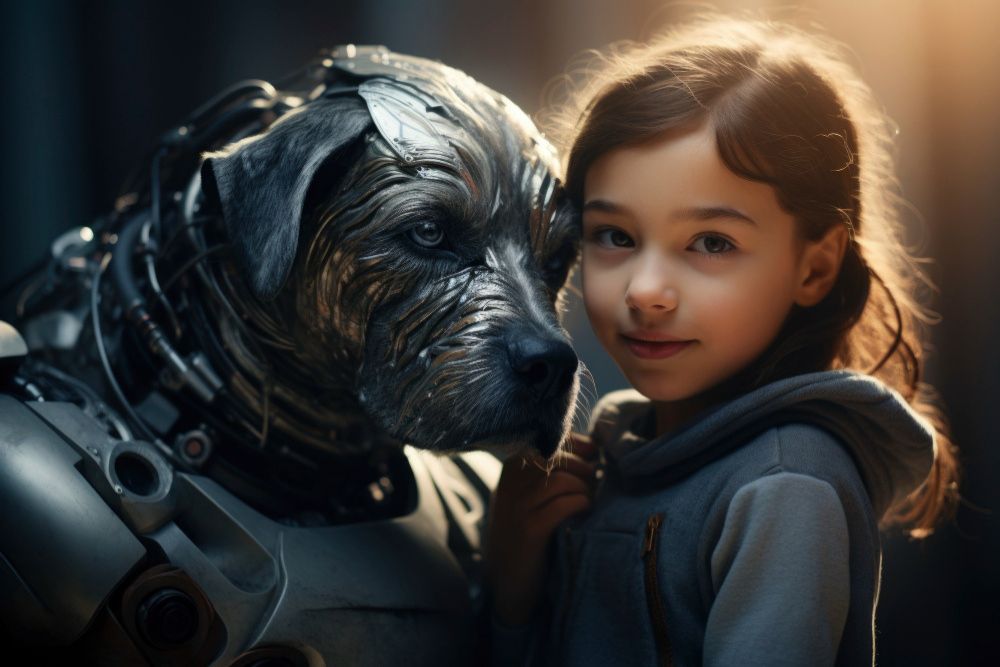

 (50 images)