
Contents
In this article, I will introduce you to seven AI avatar generators that cover a wide range of applications. Here, you will find tools to create video game avatars, virtual assistants, personalized stickers in messengers, talking heads, and more.
The best part: Four of the tools are even free or offer free basic plans.
Comparison of Best AI Avatar Generators in 2026
| Software | Best suited for… | Price (month) | Image rights |
| Synthesia | text-to-speech avatars | from 20 € | Yes |
| HeyGen | photo avatars | from $24 | Yes |
| Ready Player Me | game characters | for free | Yes |
| Photo AI | Realistic profile pictures | from $39 | Yes |
| D-ID | Natural User Interface (NUI) | from $16 | Yes |
| Bitmoji | Memojis | for free | No |
| Lensa AI | Artistic profile pictures | from about 3 € | Yes |
Detailed Analysis of Best AI Avatar Generators in 2026
Synthesia
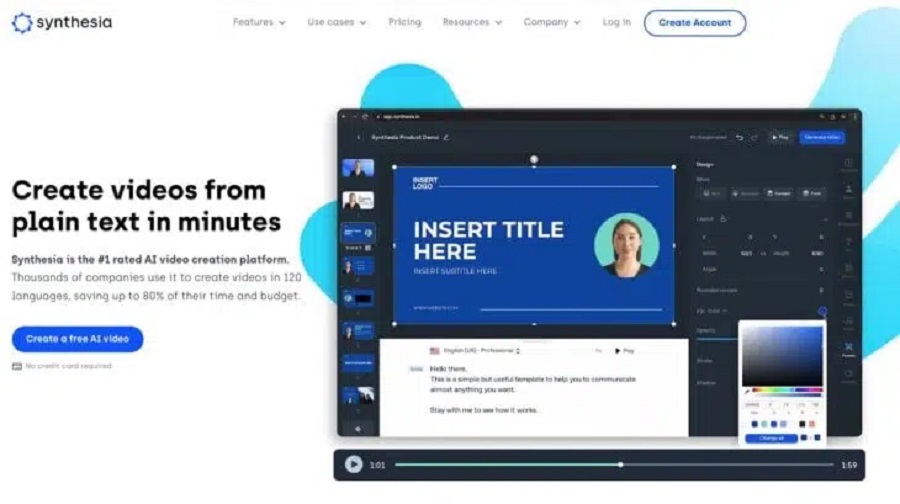
Synthesia is currently the best AI avatar generator for speaking AI avatars (also called “talking heads”).
It lets you quickly and easily generate videos using AI avatars that look and sound mostly natural.
In total, you can choose from 150+ speaking avatars for your videos. You can also create a personalized AI avatar that resembles you and speaks in your voice.
However, quality also has its Price:
You currently have to pay €240 per year for a webcam avatar. In this video, film yourself, choose your outfit and lighting, and speak into the camera. Synthesia will provide you with your speaking AI avatar directly in your Synthesia account after 5 working days.
This talking AI avatar can currently be linked to more than 400 voices, but not to your own by default. This requires the “Enterprise plan,” for which there is no general information on the Price (that is, it is probably in the three-digit range).
In addition to the webcam avatar, you can have a “Studio AI Avatar” created for $1000.
This comes in 1080p instead of 720p and is currently the best-quality speaking AI avatar on the market. And you no longer have to worry about the camera, lighting, and background quality. It is available around 10 working days after the shoot.
You can even choose the section that your speaking avatar should have. With the webcam avatar, it is always (only) the upper body. There is a German studio in Frankfurt am Main.
HeyGen
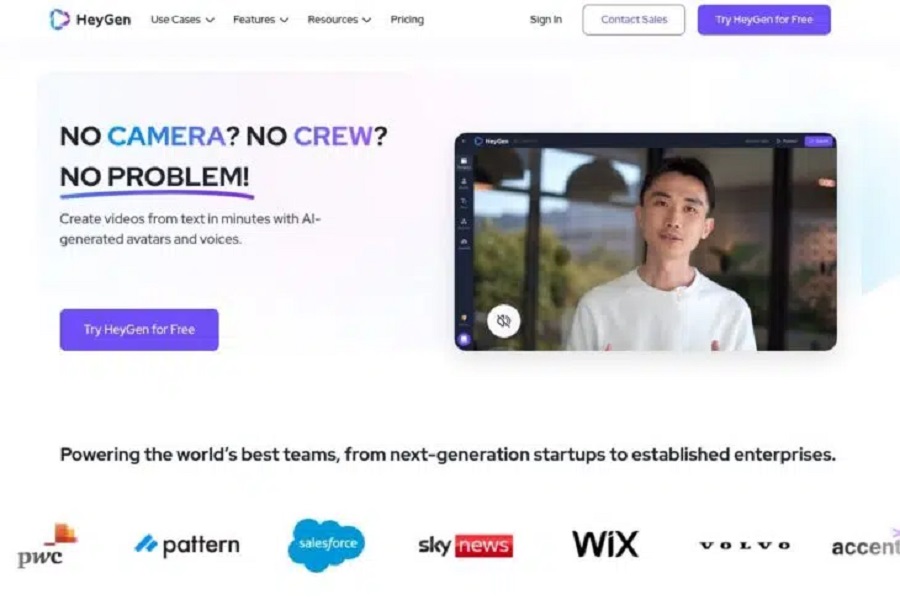
HeyGen is one of the best and most well-known AI avatar generators on the market and is a very good alternative to Synthesia.
It is aimed more at users who want to quickly create a talking AI avatar of themselves with minimal effort.
It offers two ways to quickly, easily, and inexpensively create AI avatars of yourself using photos or short video clips:
Photo Avatar
With HeyGen’s “Photo Avatar,” you can create a talking AI avatar from a photo of yourself. Alternatively, you can also have a photo generated directly in HeyGen using AI:
This feature is quick and easy to use and offers acceptable video quality (considering it only uses a photo of you as a basis).
Instant Avatar
The Instant Avatar claims to be your “digital twin.“ You can record a video of yourself and then use it to create additional videos based on text input.
In our experience, this works quite well when compared to the talking “photo avatar.” Anyone who knows Nele will notice that her teeth and facial expressions are very close to the original.
And, of course, it can be done even better, but you have to keep getting to grips with it and upload a very good video template.
Price
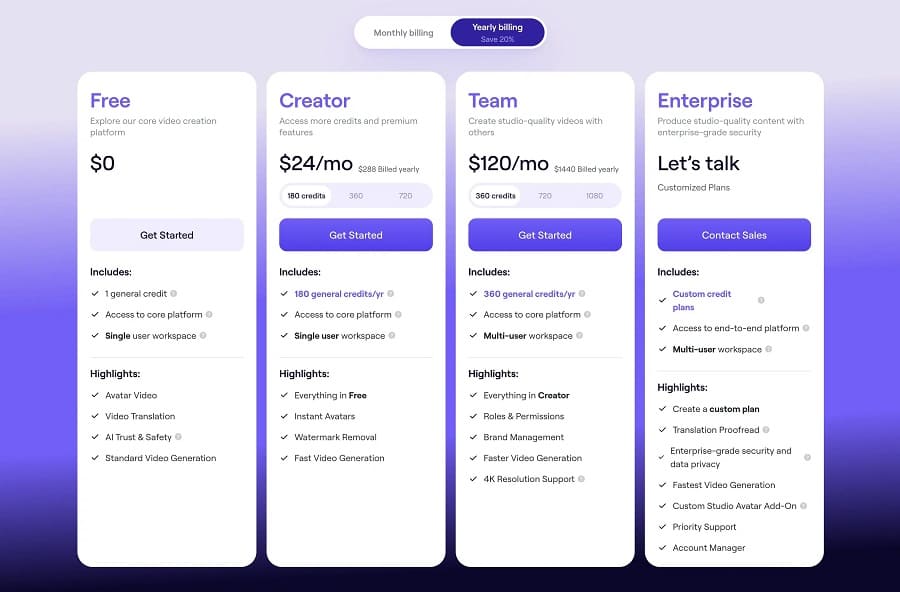
HeyGen offers four pricing plans for talking AI avatars. The free plan is a one-minute demo to test the “Instant Avatar.”
With the Creator and Business plans, you can select the credits you need using the slider. The Price will then change accordingly.
Ready Player Me
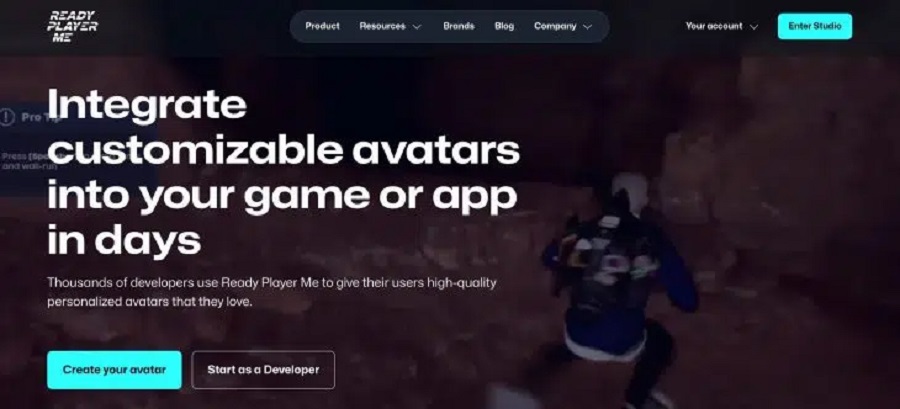
Ready Player Me is an avatar system for games, apps, and VR/AR experiences, developed for platforms like Unity, Unreal Engine, React, and native mobile solutions. It supports almost any technology that uses REST and PostMessage. You can integrate the “Ready Player Me“ avatar creator into your app or go with just a little effort.
You can select from thousands of customization options to design an avatar that perfectly represents your identity. These avatars are delivered as fully developed, animation-ready 3D models in your preferred development environment.
You can use the SDKs (Unity, Unreal, React) or work directly with the APIs and the iFrame Avatar Creator integration for easy integration.
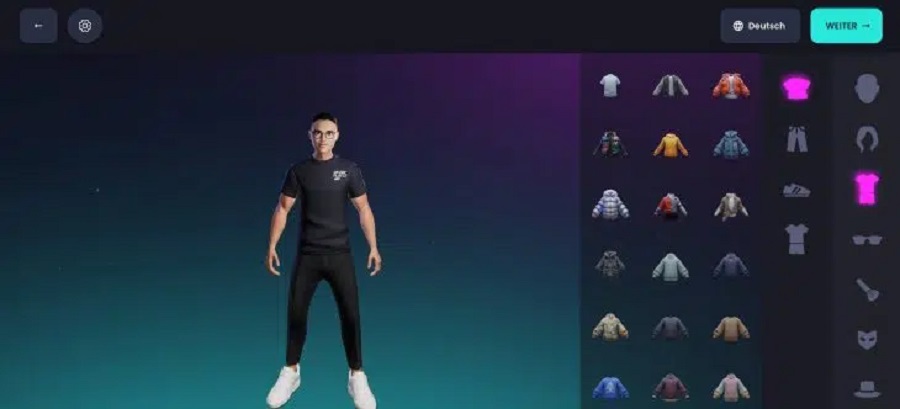
Avatars are the focal point of Ready Player Me. You can create your avatar from a selfie or a pre-made set, and customize it with a variety of standard and special assets. You can choose between full-body and half-body avatars, depending on your application’s requirements.
All avatars are stored as GLB files on Ready Player Me’s servers via a unique URL. The GLB format is a standardized file format for 3D data. You can create your avatar maker in Unity or Unreal Engine using the SDK as a developer.
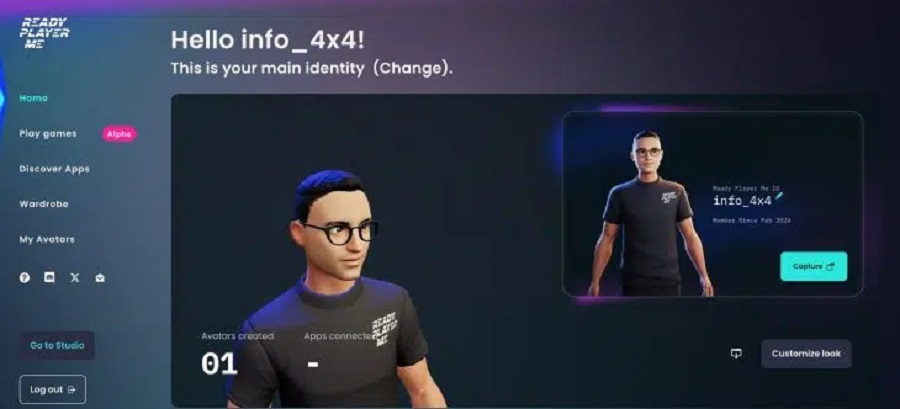
With a Ready Player Me account, you can manage your avatars and browse Ready Player Me-enabled games and apps. Without a registered account, users can only save and manage their avatars using a guest account.
Price
Ready Player Me is currently available free of charge to all developers for non-commercial use and registered partners for commercial use.
Photo AI
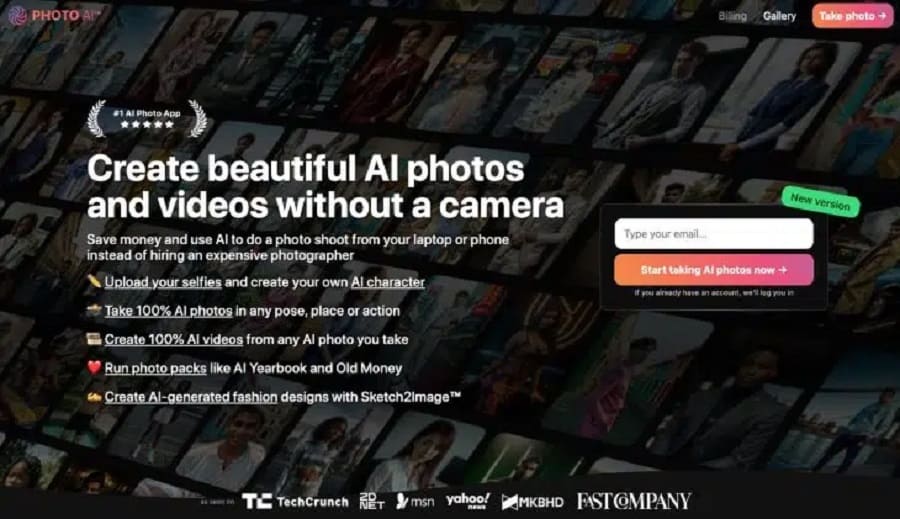
Photo AI is probably the best-known tool for creating AI-generated profile pictures for social media or dating platforms.
In addition to AI avatars, you can also do deceptively real-looking photo shoots and use them as business photos or for your Instagram feed.
The starting point for Photo AI is to create your AI avatar (called “AI Character“ in the interface) in the left sidebar.
To do this, you must provide personal information about your AI avatar (e.g., age, skin color, eye color) and upload at least 20 pictures of yourself. However, we would recommend taking between 30 and 60 pictures, which will give much better results:
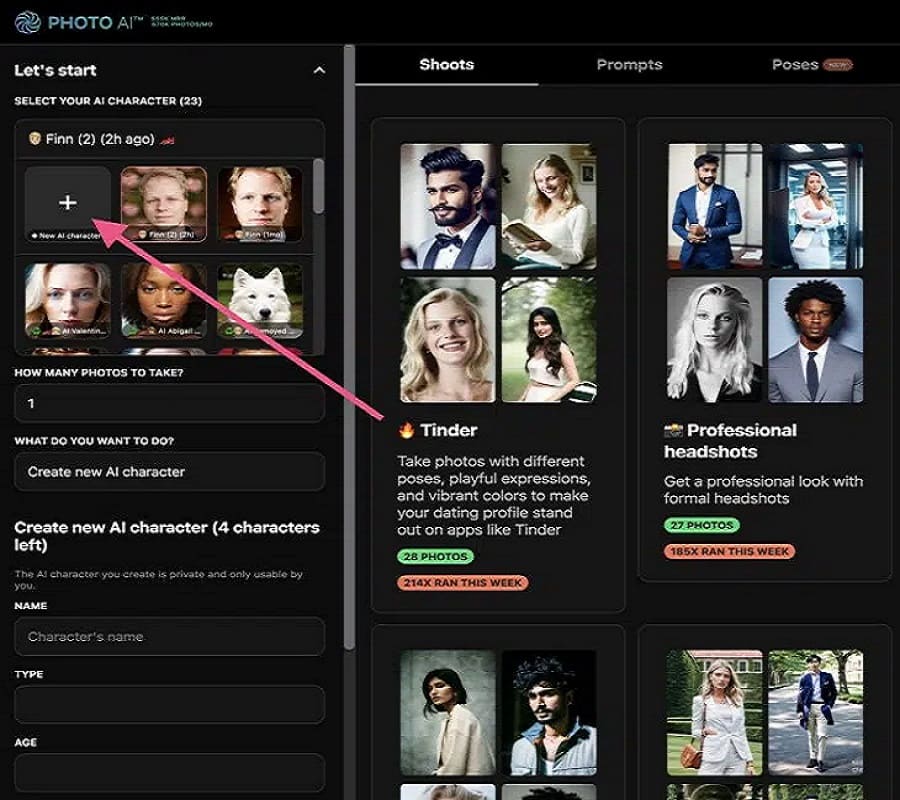
Once you have uploaded images, Photo AI takes 30 to 60 minutes to create your AI avatar. You can then use the avatar to generate images of yourself.
A unique selling point compared to most other tools is that, with 33 different photo shoots, it covers pretty much every private and professional application.
For example, you can choose between Tinder, Glamour, Swimsuit, Instagram, Cyberpunk, or Professional headshots.
If there is nothing for you during the photo shoots, you can create more specific photos based on your prompts (also with your trained model).
To help you get started, Photo AI offers hundreds of templates:
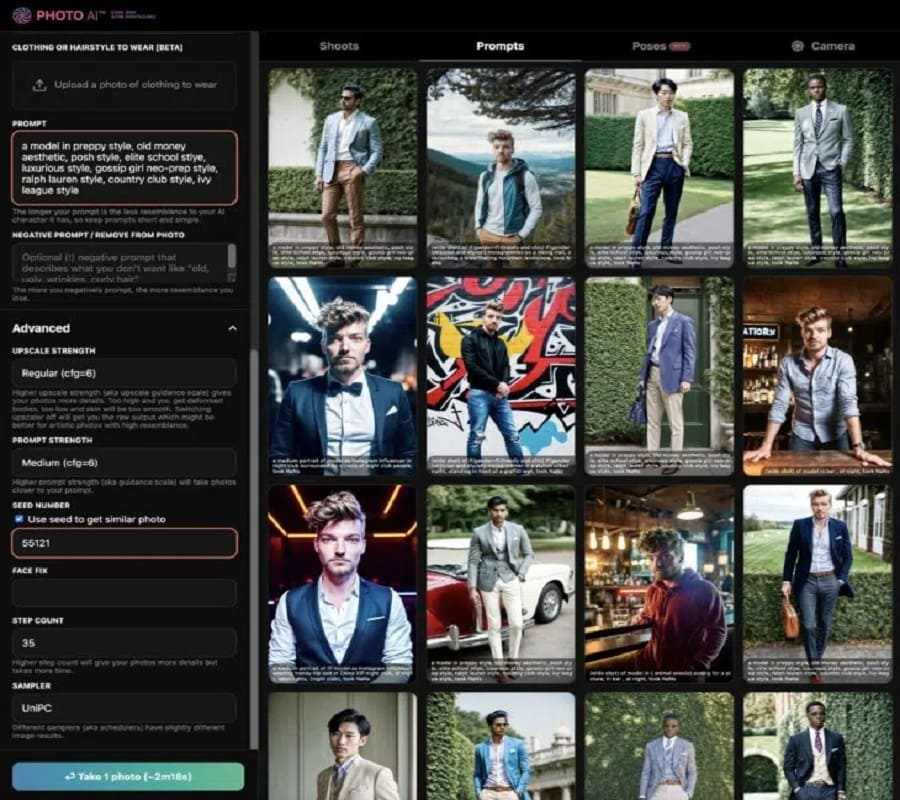
The results are generally very good and often better than expected:
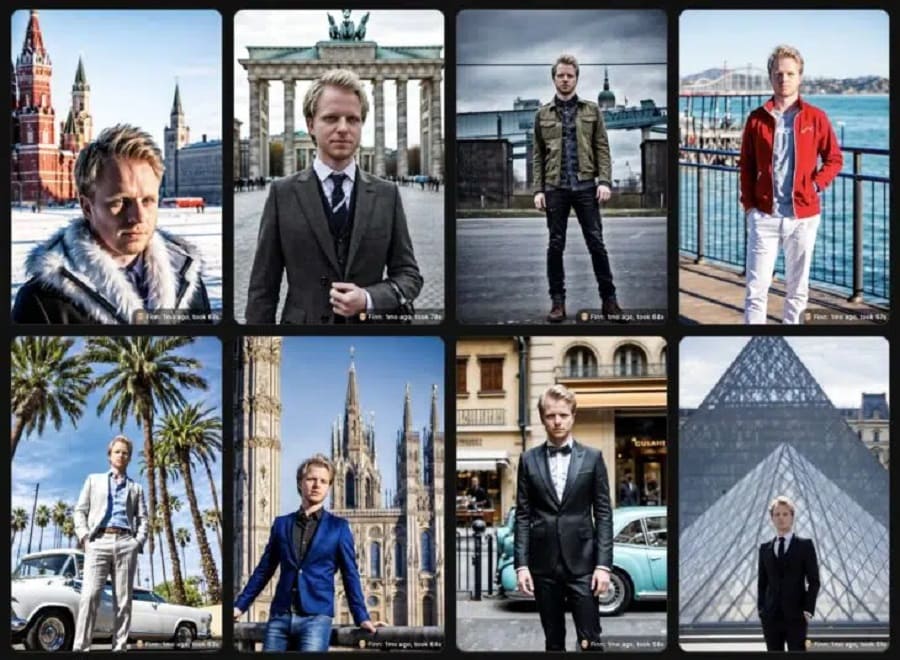
Compared to many other tools, there is significantly less waste, and the AI avatars appear more natural.
What I like most is the variability. Other tools usually only offer business shoots, meaning you have a limited number of clothing styles and backgrounds. With the photo shoots and the option to prompt yourself, this is not the case with Photo AI. Here you can see me on a trip around the world, for example:
Price
Photo AI’s low-cost plan of $39 per month will be sufficient for most users:
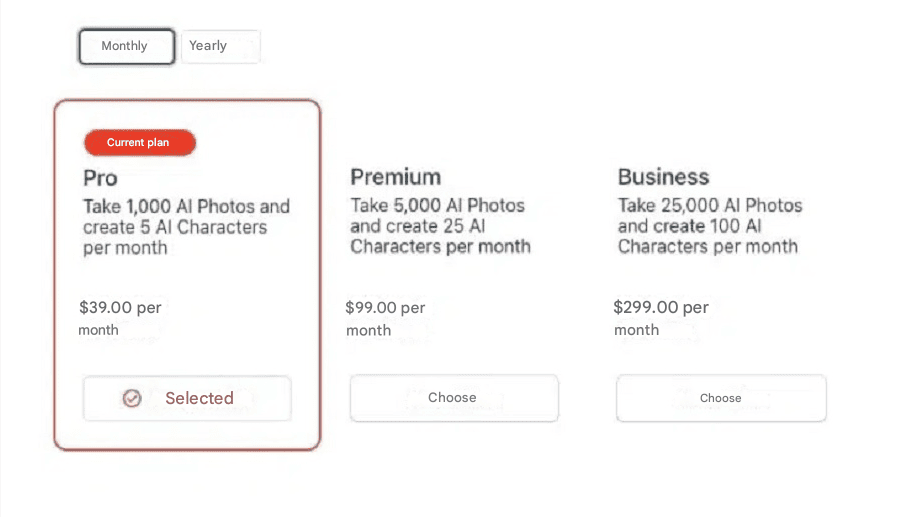
If you take out an annual subscription, you will save 2 months and pay only $390.00 per year. However, we recommend booking Photo AI “as needed, i.e., when you need photos of yourself.
And don’t worry:
If you cancel, the photos and AI avatars you created will remain in your account.
D-ID
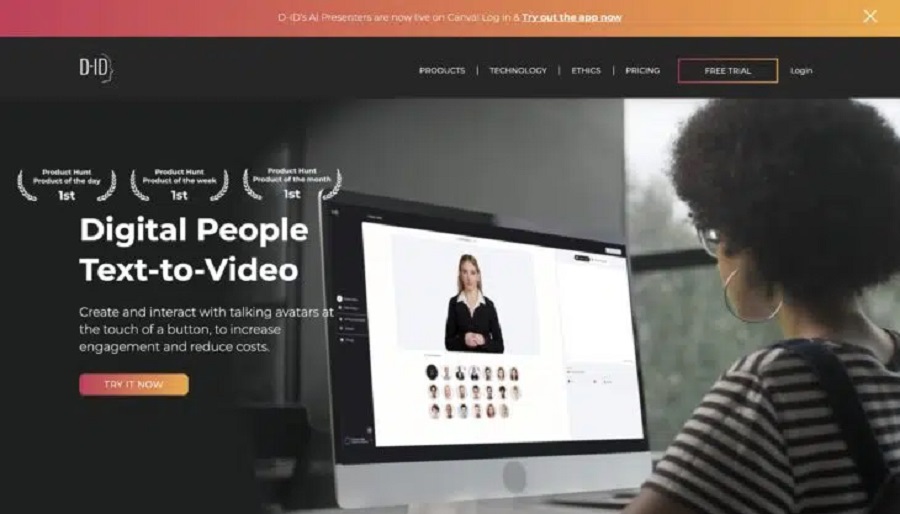
D-ID is one of the most popular AI avatar generators currently available. With the tool, you can create talking AI avatars similar to Synthesia or HeyGen.
However, with some differences:
For example, you can create AI avatars based on portrait photos or bring non-animated photos to life.
The main feature of D-ID is the “Creative Reality Studio,” which allows you to create videos with talking AI characters (called “presenters“ by DI-D).
As a source for the presenters, you can choose from a library of ready-made presenters:
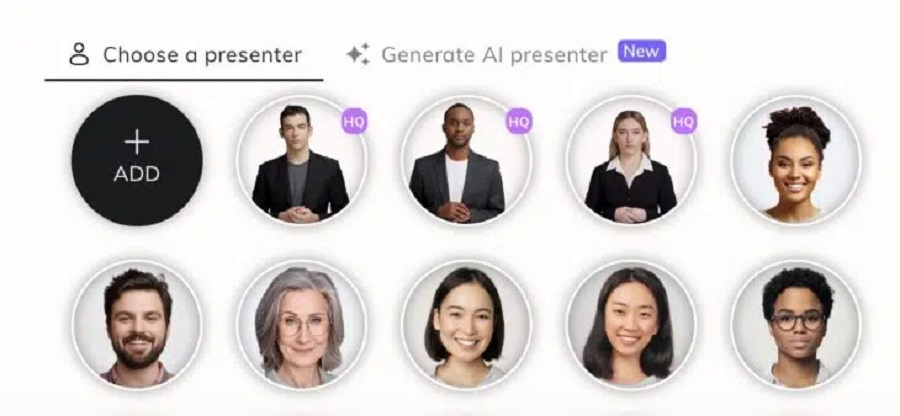
On the other hand, you can create your presenters from your photos or generate them with Stable Diffusion.
Once you have created or selected your presenter, you can then enter a script that the AI avatar should speak or upload your audio file to have it speak in your voice:
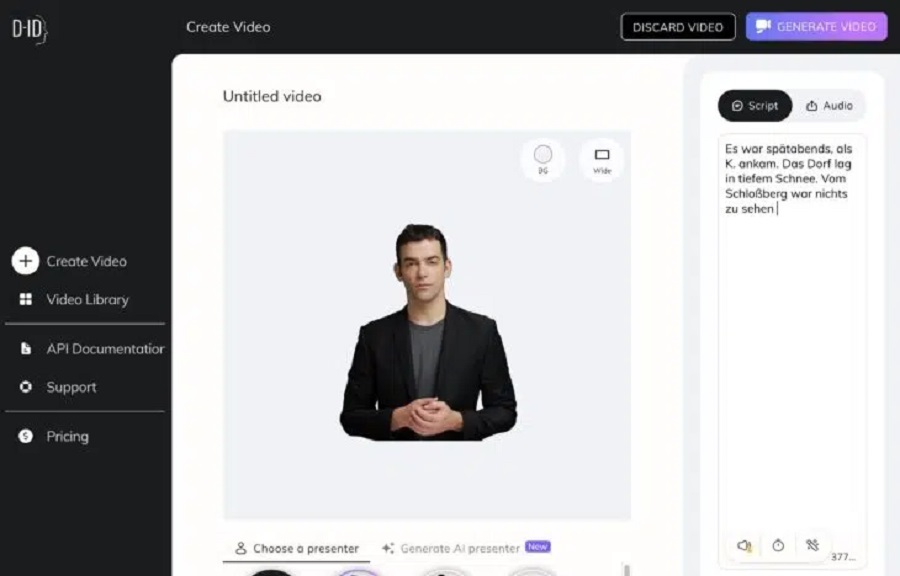
That’s it! In a few minutes, you will receive a finished video of your AI avatar that you can download or share.
Price
D-ID offers you four different pricing models:
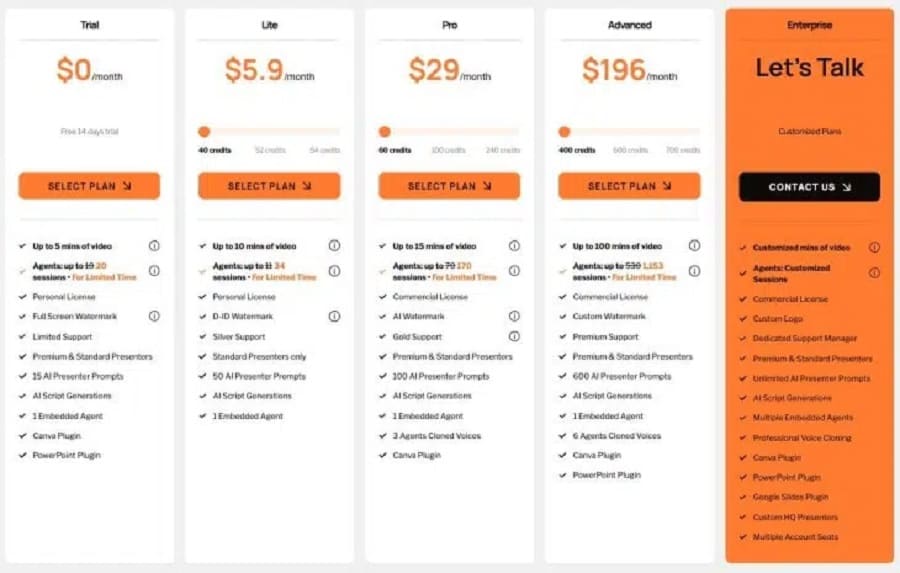
- Free Trial: You can try D-ID for free and create up to 5 minutes of video
- Lite: For $5.90 per month ($4.70 if paid annually), you can create 10 minutes of video every month
- Pro: For $29 per month ($16 if paid annually), you can create up to 15 minutes of video each month, get access to the premium presenters, and use the videos commercially
- Advanced: For $196 per month ($108 if paid annually), you can create up to 65 minutes of video and get access to the PowerPoint plugin
Overall, D-ID’s prices, especially the Pro and Advanced plans, are too expensive. For $108 per month, you can only produce an hour of video, likely for most content creators.
Bitmoji
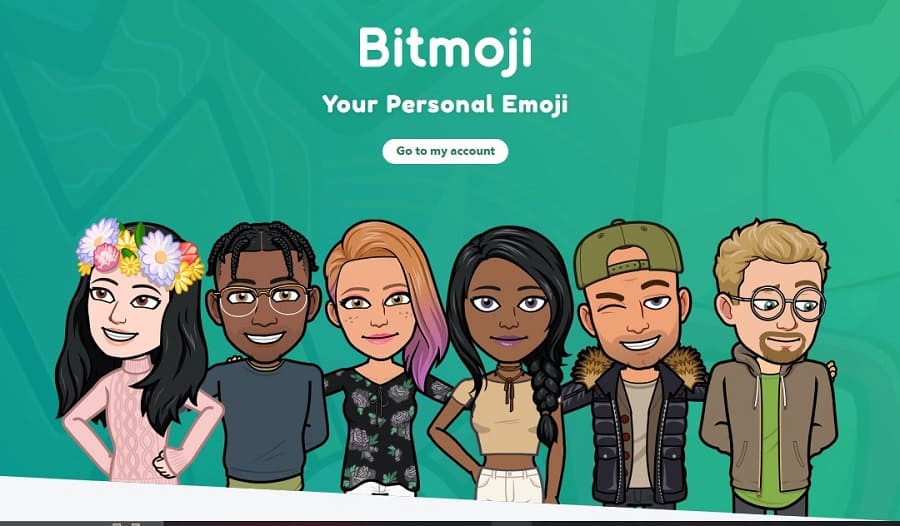
Bitmoji is an app (and web application) that lets you create your own avatar.
This avatar is a cartoon version of yourself that you can use anywhere – on social media, in chats, or in emails.
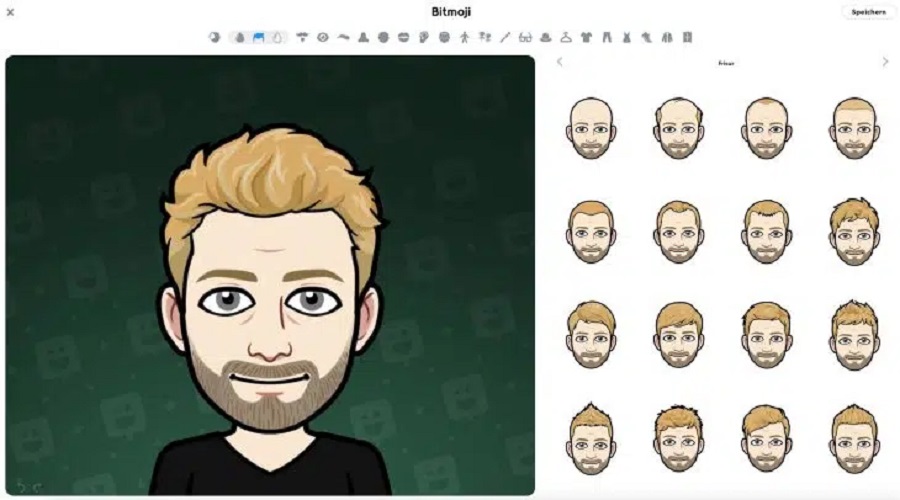
To create your Bitmoji avatar:
- Download the Bitmoji app and sign up for an account.
- Choose whether you want to create a female or male avatar.
- Customize your avatar until it looks exactly like you:
- Choose your skin color
- Determine your eye color and shape
- Decide on a hairstyle and hair color
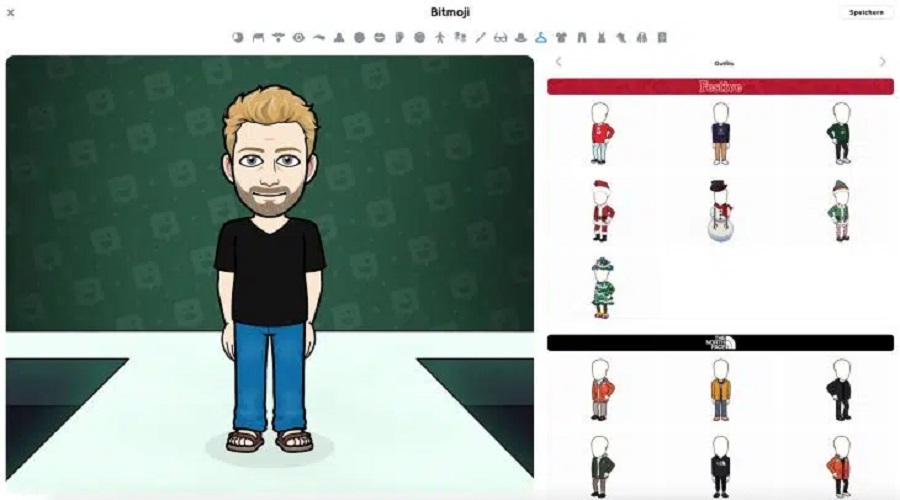
- Add accessories like glasses or beards
- Save your avatar, and you can use it!
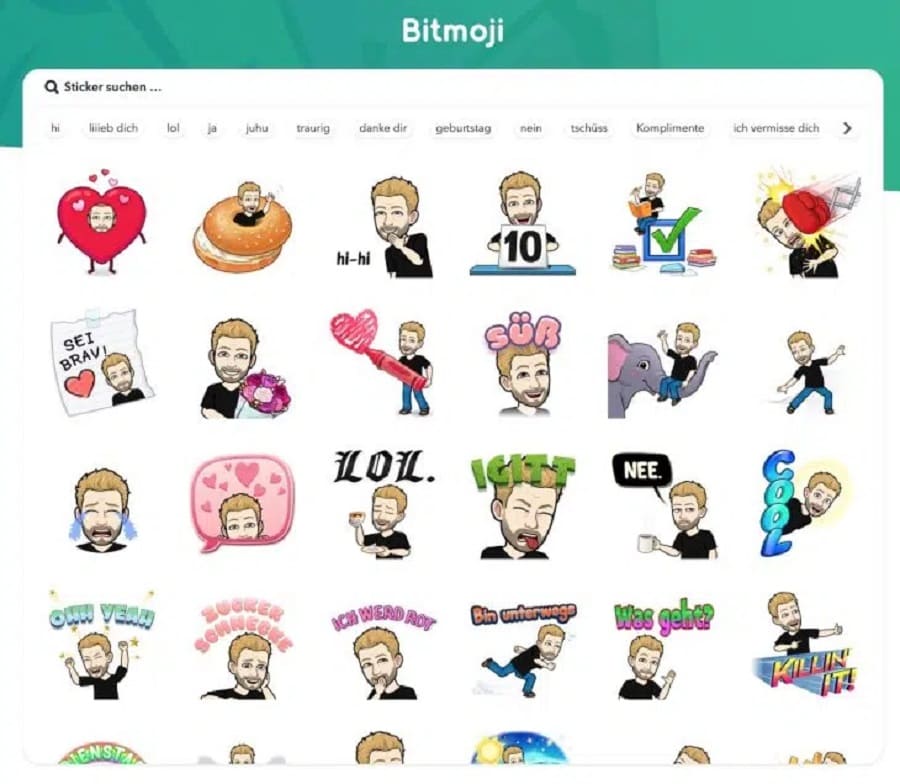
The great thing about Bitmoji is that you can use your avatar not only as a static image. The app offers a huge selection of stickers and GIFs featuring your avatar in various situations and with different emotions.
The only drawback:
Bitmoji does not have an AI feature. It is impossible to generate a talking AI avatar from your Bitmoji avatar.
Price
Bitmoji is free and can even be connected to other apps like Snapchat to use personalized emojis. Bitmoji may not be used for commercial purposes.
Lensa AI
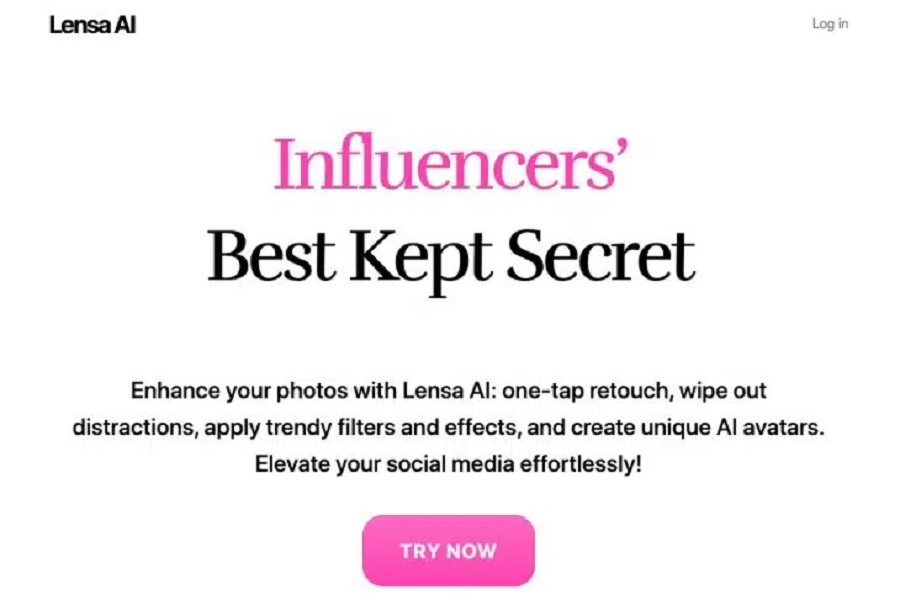
Lensa AI is a mobile app that can create AI avatars from your selfies. The focus is not on “realistic representation“ like Photo AI, but on character creation.
You upload a few photos of yourself, and the app does the rest:
How to create your Lensa AI avatars:
- Download the Lensa AI app and create an account.
- Select “Avatar“ mode in the app.
- Upload at least 10 selfies of yourself. Make sure that:
- The photos are sharp and well-lit
- You look directly into the camera
- Different facial expressions and perspectives are included
- In a few minutes, your AI avatars will be ready.
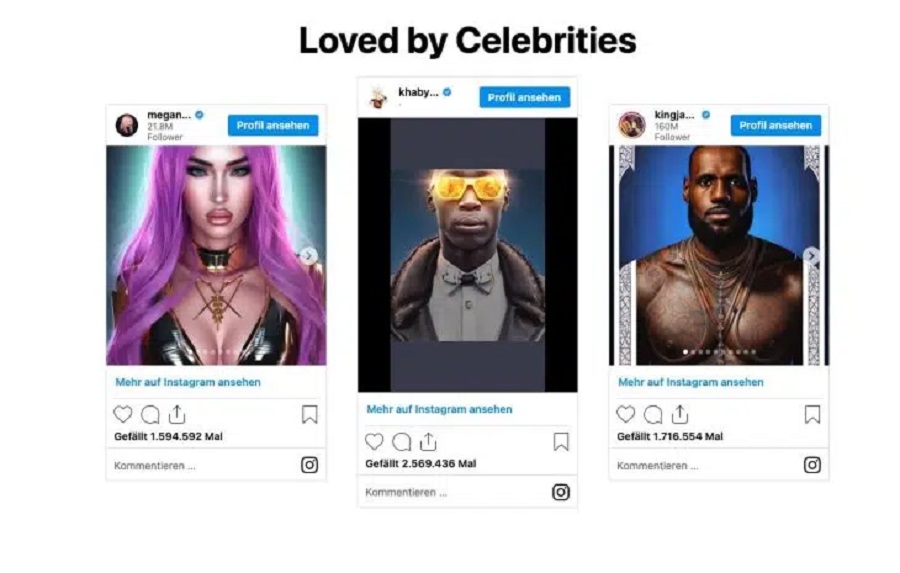
What’s special about Lensa AI is the variety of avatar styles. The app provides a wide variety of artistic styles to choose from. such as:
- anime
- superheroes
- Cyberpunk
- science fiction
- Old Money
- Pink Android
- First Grade (first Grade of elementary school)
- etc.
Like Bitmoji, you can only create photo avatars with Lensa, not video avatars. However, with Lensa, you have much more artistic freedom and are not bound to any specifications for hair, facial features, eye color, or clothing.
Price
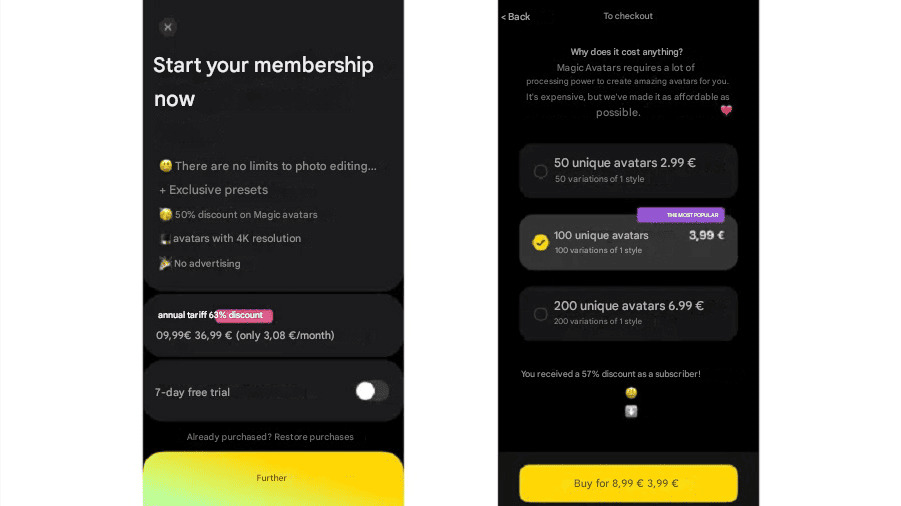
With Lensa AI, the pricing doesn’t make much sense – at least not for us.
You pay €36.99 for an annual membership, and with this subscription, you save 57% on the creation of Magic Avatars. So you pay an additional €0.035 to €0.06 for each generated avatar.
We wouldn’t want to use it as a subscription; rather, we’d create Magic Avatars, pay the Price for them, and that’s it.
But if you want to create AI avatars from new monthly, weekly, or even daily photos, this is certainly a good solution to save money.

June 9, 2026

June 9, 2026

June 9, 2026
June 9, 2026

June 9, 2026