Search for this and you’ll find four categories of software and about forty programs.
Modeling, repair, slicing, control. Presented as four things to learn before anything comes out of the machine.
Most people need one of them. Working out what software to use for 3D printing is mostly working out which stages you can skip, and the lists rarely say.
Key Takeaways
- Slicing is the only stage nobody can avoid.
- Downloading a model skips the stage that takes longest to learn.
- Checking the printer box usually turns up the one program you need.
What the Chain Looks Like
Three stages, joined by two file handoffs.
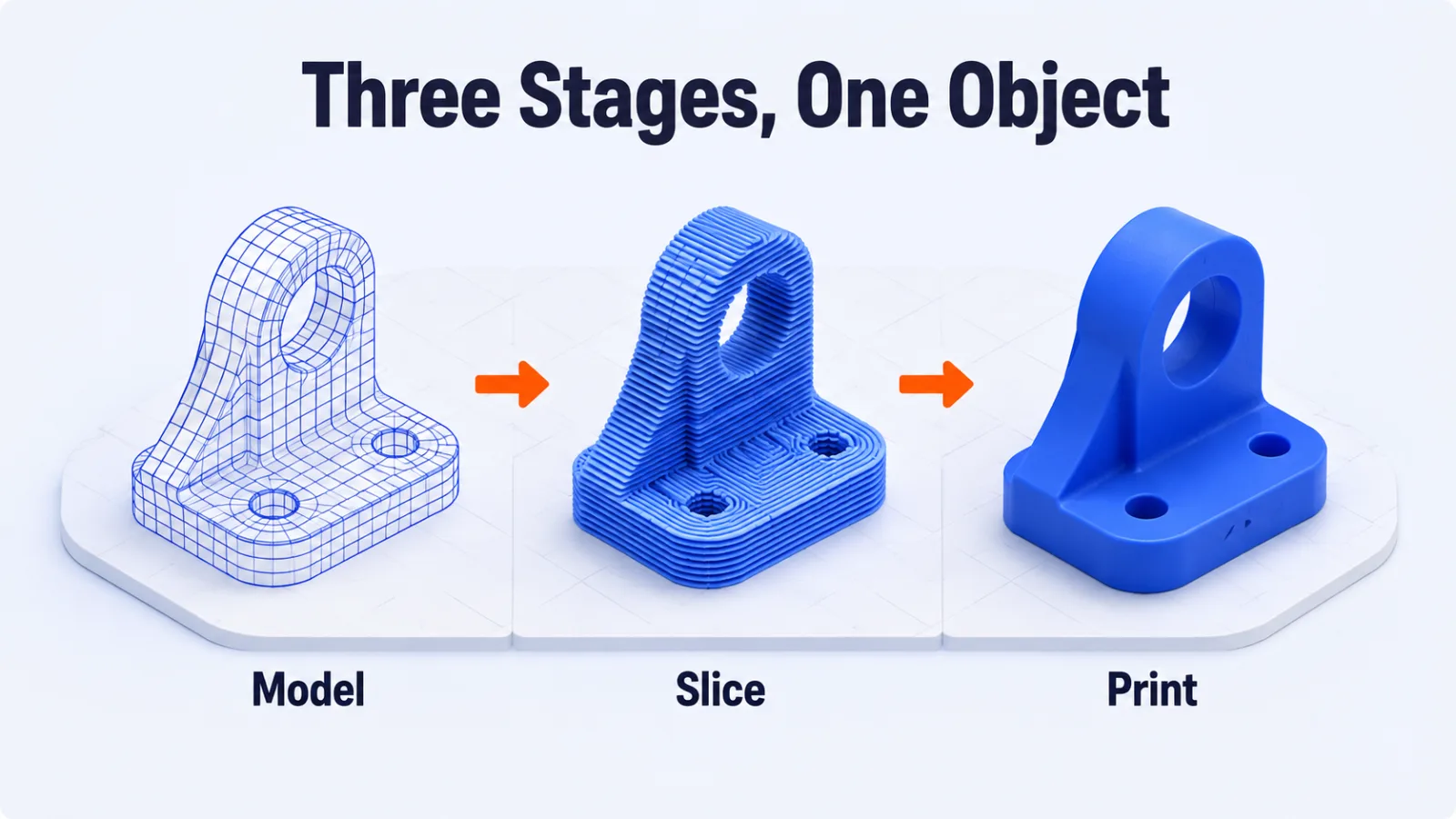
You start with a shape, turn that shape into instructions for one specific printer, and send the instructions to the machine. Every program in this space does one of those three jobs.
The handoffs explain why they’re separate programs. A model leaves the first stage as a mesh, and leaves the second as G-code, which is a list of movements written for your printer and no other.
Stage One, Getting a Shape
Three routes lead here, and they differ enormously in effort.
Downloading Somebody Else’s
Model libraries hold millions of finished designs, and this is how most printing starts.
It requires no software at all. You download a file and move straight to slicing, which is why a beginner can print something useful on the first evening.
Modeling It Yourself
This is the stage people mean when they say 3D printing has a learning curve.
Browser-based modelers handle simple brackets and boxes in an afternoon. Parametric tools, where you define a part by dimensions you can edit later, take considerably longer and are what you want for anything mechanical.
The choice matters only once you’re designing rather than downloading. The 3D modeling software options split cleanly into sculpting for organic shapes and parametric for functional parts.
Sculpting or Parametric
The two kinds of modeling suit different objects, and picking wrong costs more than picking the wrong product.
Sculpting treats the model like clay you push and pull. It suits figures, terrain and anything organic, and it gives you no way to say that a hole is exactly six millimetres.
Parametric modeling works the opposite way. You state dimensions and relationships, and the shape follows from them, so changing one number updates everything that depended on it.
Anything that has to fit another object wants parametric. Anything judged by eye wants sculpting.
Scanning or Generating One
A scan captures an object you already have, and an AI generator builds a mesh from a description.
Both produce shapes that usually need repair before they print, so treat either as a starting point rather than a finished file.
Generated meshes have a particular failure worth expecting. They look correct from the outside and are frequently hollow, non-manifold or wrong-scaled underneath. The generator optimized for appearance rather than for something a nozzle has to trace.
Scans bring the opposite problem. They carry too much detail, including the surface noise of the original object, and that detail has to be reduced before a slicer will work with it sensibly.
Model Libraries and Their Terms
Downloaded models come with conditions, and people notice this late.
Some are free for any use including selling prints. Others are personal use only, which makes a market stall a problem rather than a hobby. The terms sit on the model page and take a moment to read.
Quality varies as much as licensing. A model with photographs of finished prints and a comment thread has been printed successfully by somebody, which is worth more than a tidy preview render.
Stage Two, Slicing
This is the one nobody skips.
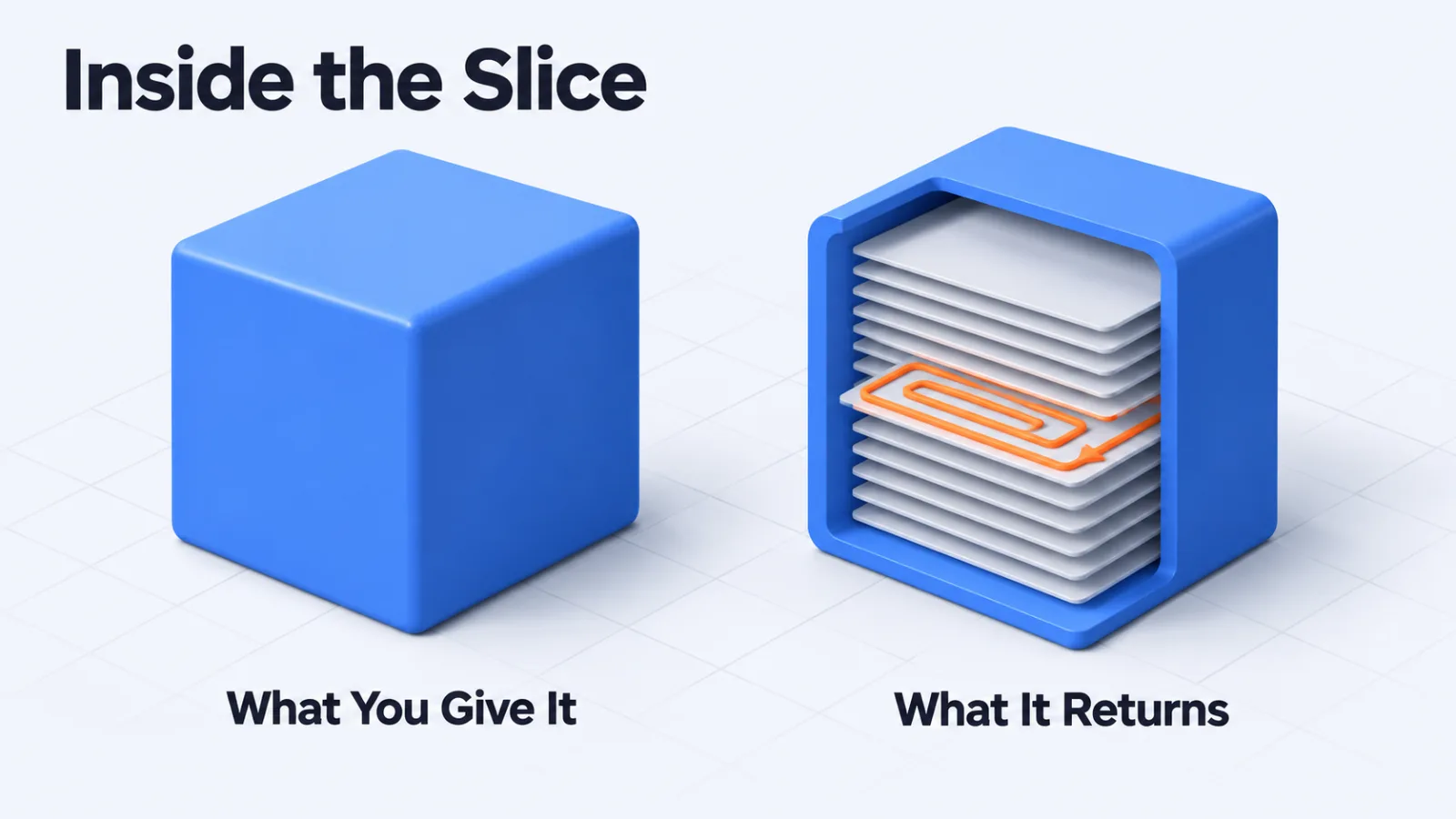
A slicer takes your shape and cuts it into horizontal layers, then works out the path the nozzle travels along each one. It decides speed, temperature, how solid the inside is, and where supports go under overhanging parts.
That makes it the program where your print succeeds or fails. The same model sliced two ways produces two different objects, and no other stage has that much influence.
What the Settings Decide
Four of them account for most of the difference between a good print and a failed one.
Layer height trades detail against time, because halving the height doubles the number of layers. Infill sets how solid the inside is, and most parts are strong enough far below what beginners choose.
Supports hold up anything that overhangs too far to print in mid-air. They have to be removed afterwards, so the goal is using as few as the shape allows.
Bed adhesion settings decide whether the first layer stays put, and a first layer that lifts takes the rest of the print with it.
Everything else in a slicer is refinement. These four decide whether you get an object.
Stage Three, Sending It to the Machine
Optional, and worth knowing why.
You can put G-code on a memory card and carry it to the printer, which costs nothing and works. Host software replaces that walk with a network connection, adding remote starting, live monitoring and usually a camera.
None of it changes the print. It changes how far you have to be from the printer while it runs.
Repair, and When You Need It
Mesh repair is a fourth category, and it’s a fix rather than a stage.
A mesh can have holes, flipped faces or shells that overlap, and a slicer meets those with either an error or a strange result. Downloaded models from established libraries rarely have the problem, while scans and generated meshes frequently do.
Modern slicers repair simple faults on their own. Reach for a dedicated repair tool when a slicer refuses a file, and not before.
The Two Files in the Middle
Each handoff is a file, and knowing what each one holds explains the whole chain.
Modeling produces a mesh, usually an STL or a 3MF. A mesh describes a surface as a shell of triangles, and it knows nothing about printers, materials or temperatures.
Slicing produces G-code, which is the opposite: a long list of movements, temperatures and extrusion amounts written for one printer. It knows nothing about the shape it came from.
That’s why the stages are separate programs. A mesh is portable between printers and a G-code file is not, so sending somebody your G-code is rarely useful and sending your mesh always is.
Which Stages You Can Skip
Match the stages to what you’re doing rather than installing all four.
| What you’re doing | Stages you need |
|---|---|
| Printing downloaded models | Slicing only |
| Adjusting a downloaded model to fit | Slicing, plus simple modeling |
| Designing functional parts | Parametric modeling, then slicing |
| Printing scans or generated meshes | Repair, then slicing |
| Running prints from another room | Slicing, plus host software |
Slicing appears in every row and everything else appears in one. That’s the whole answer to which program to learn first.
Tracing a Failed Print Back to Its Stage
You can usually name the stage from the way it failed.
A print that fails in the same place every time points at the model, because the geometry there is asking for something the printer can’t do. A print that fails in different places points at settings or the machine instead.
A shape that comes out subtly wrong in size or proportion is a modeling or units problem, and it survives every slicer you try. A shape that comes out right but weak, stringy or rough is a slicer problem, and the same file will print correctly once the settings change.
A slicer refusing the file at all is the mesh, which is when a repair tool earns its place.
What the Printer Already Gave You
Check the box before installing anything.
Nearly every printer ships with a slicer, and more usefully it ships with a profile: the temperatures, speeds and clearances tuned for that exact machine. A generic slicer without the right profile will print worse than the bundled one.
Switching slicers later is straightforward, because profiles can be imported. Starting with the bundled one removes a variable while you’re still learning which variables matter.
Choosing Within a Stage
Once you know the stage, the field narrows quickly.
For slicing, the widely used options are free and open source, and the paid ones sell automation and support rather than better prints. Whether a tool is free to use, free to modify or free only while you evaluate it is the distinction covered in types of software licenses.
For modeling, the real split is sculpting against parametric. Picking the wrong side of that line costs more time than picking the wrong product on the right side.
Questions People Ask About 3D Printing Software
Do you need CAD software to 3D print?
No, and most people never install any. Downloading a finished model from a model library skips the whole modeling stage, which is the stage that takes the longest to learn.
What is the difference between an STL and a 3MF file?
The difference is how much each one carries. An STL stores the shape as a mesh of triangles and nothing more. A 3MF also carries color, units, materials and print settings in the same file.
Is free slicer software good enough?
For almost everyone, yes. The widely used slicers are free and open source, and the paid options mostly add automation and support rather than better output.
Do you need separate software to run the printer?
Only if you want to start prints without walking a memory card over to it. A host program adds remote starting, monitoring and a camera feed, and none of that changes how the part comes out.
Which stage should a beginner learn first?
Slicing, because it’s the one nobody can avoid and the one where your settings decide whether the print succeeds. Modeling can wait until a downloaded part fails to fit.
Start With the Slicer
Install the slicer that came with your printer, download a model somebody else designed, and print it.
That’s the shortest path from nothing to an object, and it uses one program rather than four.
Add a stage when something forces you to: a part that doesn’t fit, a scan that won’t slice, a printer you’re tired of walking to. Each addition then answers a problem you already have.
Add SocialAtoZ as a preferred source
See us more often in your Google results.