Nero AI Image Upscaler
VerifiedAI-powered online and desktop tool to upscale, sharpen, and restore photos up to 800% larger
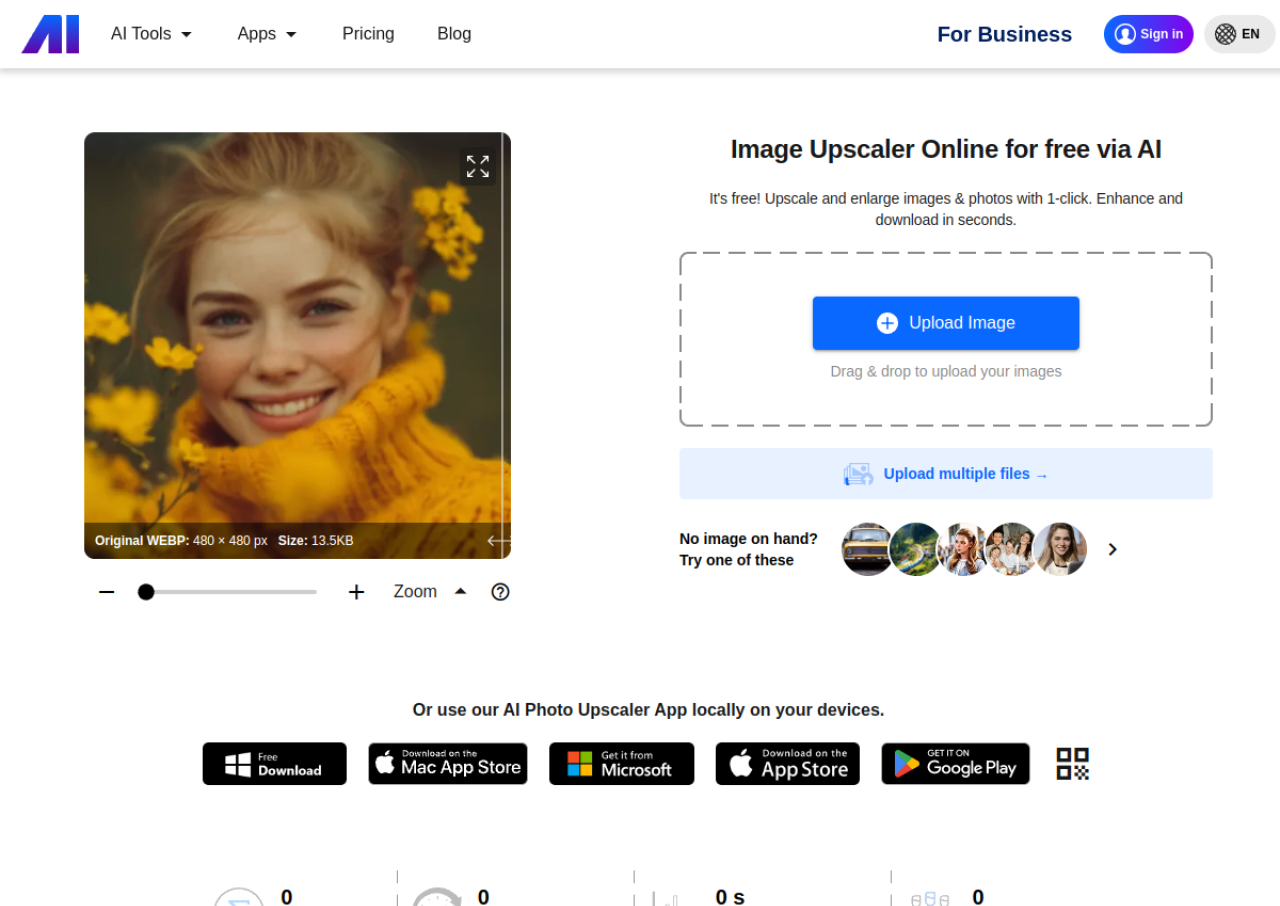 See all screenshots
 - Deployment Cloud Based
- Starting price Free
- Free trial Not offered
- Best for Freelancers, SMEs, Agencies
What is Nero AI Image Upscaler?
Nero AI Image Upscaler is an online and desktop tool that enlarges and enhances photos using deep convolutional neural network models. It can upscale images up to 800% (up to roughly 16K-32K resolution and as large as 268 to 1024 megapixels), while sharpening detail, removing noise and JPEG compression artifacts, and restoring old or damaged photos. Users can choose between enhancement styles such as Standard, Photograph, Face, Anime, and Reconstruct depending on the source image.
The product is offered as a free web tool with limited daily credits, a paid Nero Credits subscription (Pro Pass) for higher volume and batch processing, and a separate paid desktop application for Windows and Mac with a one-time or annual license. It supports common formats like JPEG, PNG, and TIFF, offers batch processing of multiple images at once, and is built by Nero AG, a long-standing German software company known for its Nero Platinum and video/photo tools.
Key Features of Nero AI Image Upscaler
Nero AI Image Upscaler lists 10 documented features, including AI upscaling up to 800% using deep convolutional neural network models, Multiple AI enhancement styles: Standard, Photograph, Face Enhancement, Anime, and Reconstruct and Sharpen and unblur tool for motion blur, camera shake, and focus issues. The list below covers what the product does rather than how it is marketed.
- AI upscaling up to 800% using deep convolutional neural network models
- Multiple AI enhancement styles: Standard, Photograph, Face Enhancement, Anime, and Reconstruct
- Sharpen and unblur tool for motion blur, camera shake, and focus issues
- Noise and JPEG compression artifact reduction
- Old photo restoration for faded or damaged images
- Batch processing of multiple images in one run
- Large output support (up to ~268MP on web, higher on desktop/Plus plans)
- Support for JPEG, PNG, and TIFF formats
- One-click automatic enhancement mode
- Web-based tool plus dedicated Windows/Mac desktop application
Nero AI Image Upscaler Pricing
Nero AI Image Upscaler lists 5 plans. Three carry a published figure, from Free to $129.95; the rest are quoted on request.
Free
Free
Starter Nero Credits, limited batch size and file size, 8-hour online history
Web tool free tier; new accounts receive an initial allotment of Nero Credits, roughly 1-2 credits per processed image.
Standard (Pro Pass, Monthly)
Regionally priced (displayed as ₹379/month discounted, ₹699/month list price for Indian pricing on the official site at time of research; USD price not directly confirmed)
300 Nero Credits/month
Web subscription with priority processing, batch upload up to 30 images, 24-hour online history, and Credits Pack add-on purchase option. Official pricing page shows region-based pricing (site auto-detected India pricing during this research); exact USD figure could not be independently confirmed on ai.nero.com/image-upscaler/pricing.
Business
Custom
Custom credits
Custom-priced plan with dedicated server, API processing, highest priority processing, and 200 images/batch upload; requires contacting Nero for a quote.
Desktop App (Nero AI Image Upscaler 2026, Annual)
$49.95/year
Desktop license
Confirmed directly via Nero’s official productInfo API in USD for the Windows/Mac desktop application.
Desktop App (Permanent License)
$129.95
One-time desktop license
Confirmed directly via Nero’s official productInfo API in USD for a lifetime desktop license.
Nero AI Image Upscaler Specifications
Nero AI Image Upscaler is available on web app, Windows and macOS. It offers an API and has a free plan.
- Deployment
- Cloud Based
- Billing cycle
- Monthly
- Desktop
- Web App
- Windows
- macOS
- Languages
- English
- Built for
- Freelancers
- SMEs
- Agencies
- Support
- Tickets
- Integrations
- ""
- Public API
- Yes
- Free trial
- No
- Free plan
- Yes
- Runs in browser
- Yes
- Customisable
- No
- Website
- ai.nero.com
Nero AI Image Upscaler Videos
Nero AI Image Upscaler Screenshots
Nero AI Image Upscaler Comparisons
Side by side comparisons of Nero AI Image Upscaler against 3 other AI Image Upscaler Tools options listed here.

Nero AI Image Upscaler Reviews
No reviews yet
Used Nero AI Image Upscaler? Share your experience and help other buyers decide.
Nero AI Image Upscaler FAQs
Alternatives to Nero AI Image Upscaler
Other AI Image Upscaler Tools recorded on the same fields.