 See all screenshots
 - Deployment Cloud Based
- Starting price Free
- Free trial Available
- Best for Freelancers, Startups, SMEs
What is Napkin AI?
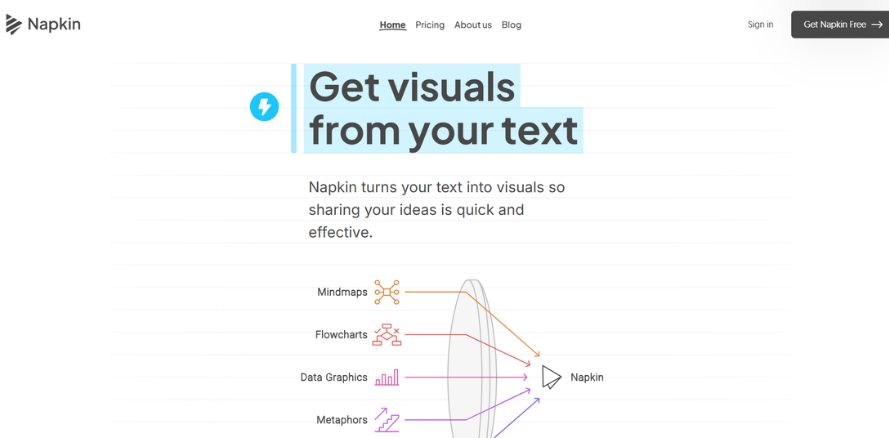
Napkin AI is an AI-powered visual creation tool that transforms plain text into polished graphics, diagrams, charts, mind maps, infographics, and other shareable visuals. Designed for professionals who need to communicate ideas clearly and quickly, Napkin AI is especially useful for presenters, marketers, educators, content creators, founders, and teams that want to turn written concepts into visually compelling assets without starting from scratch. Unlike traditional design tools that require manual layout work or prompt engineering, Napkin works directly with your existing text: paste your content, generate visual options, and customize the result to match your brand or style. Users can export their creations as PPT, PNG, PDF, or SVG, making it easy to use visuals in slide decks, blog posts, documentation, and social media content. With support for 60+ languages and collaboration features like teamspace and real-time editing, Napkin AI stands out as a practical tool for turning ideas into professional visuals faster and with less friction.
Key Features of Napkin AI
Napkin AI lists 6 documented features, including Text-to-Visual Generation, Customization & Editing and Export & Sharing. The list below covers what the product does rather than how it is marketed.
- Text-to-Visual Generation
- Customization & Editing
- Export & Sharing
- Real-time co-editing
- Multilingual Support
- Use-Case Coverage
Napkin AI Pricing
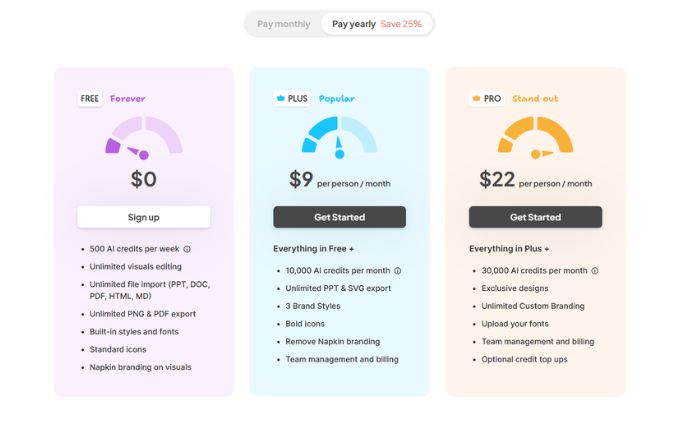
Napkin AI lists 3 plans, starting free and running to $22.
Free Forever
Free
per week
500 AI credits per week, with PDF export, built in styles and fonts, standard icons and Napkin branding on visuals.
Plus
$9
per person/month
Rate shown on yearly billing. Everything in Free plus 10,000 AI credits a month, brand styles, bold icons, branding removal and team management.
Pro
$22
per person/month
Rate shown on yearly billing. Everything in Plus with 30,000 AI credits a month. Paying monthly costs more; the page notes yearly billing saves 25%.
Napkin AI Specifications
Napkin AI is available on web app, Windows and macOS and has macOS apps. It has a free trial and has a free plan.
- Deployment
- Cloud Based
- Billing cycle
- Yearly
- Desktop
- Web App
- Windows
- macOS
- Mobile
- macOS
- Languages
- En-us
- Built for
- Freelancers
- Startups
- SMEs
- Agencies
- Enterprises
- Support
- Training
- Tickets
- Integrations
- Export/share for PowerPoint, Google Slides, Canva, Keynote, Google Docs, Word, Notion, Confluence, Medium, Substack, WordPress, LinkedIn, X, Instagram, YouTube
- Public API
- No
- Free trial
- Yes
- Free plan
- Yes
- Runs in browser
- No
- Customisable
- Yes
- Website
- napkin.ai
Napkin AI Videos
Napkin AI Screenshots
Napkin AI Comparisons
Side by side comparisons of Napkin AI against 1 other Data Visualization Software option listed here.

Napkin AI Reviews
No reviews yet
Used Napkin AI? Share your experience and help other buyers decide.
Napkin AI FAQs
Alternatives to Napkin AI
Other Data Visualization Software recorded on the same fields.