
beautiful.ai
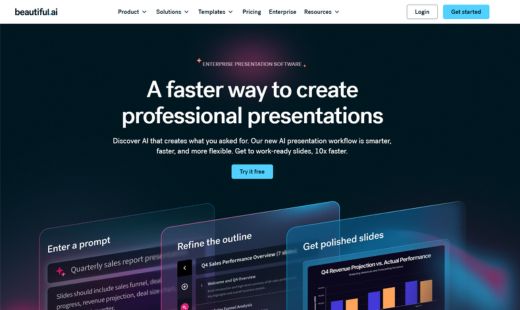
VerifiedA faster way to create professional presentations
 See all screenshots
 - Deployment Cloud Based
- Starting price $12
- Free trial Available
- Best for Freelancers, Startups, SMEs
What is beautiful.ai?
beautiful.ai is AI-powered presentation software that helps professionals create polished, work-ready slides faster and with less design effort. Its Smart Slides automatically handle layout, spacing, and alignment, so every slide stays clean and presentation-ready as content changes.
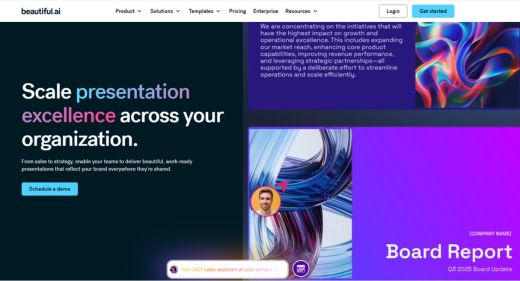
The platform pairs AI presentation creation with brand controls, a library of templates and visuals, and real-time collaboration, making it a fit for consultants, sales and marketing teams, startups, and enterprises that need consistent, on-brand decks at scale. Teams can co-edit, comment, and export to PDF or PowerPoint, while brand kits keep colors and fonts uniform across the organization. beautiful.ai focuses on removing the busywork of slide design so users can concentrate on their message.
Key Features of beautiful.ai
beautiful.ai lists 6 documented features, including AI Presentation Creation, Smart Slides and Brand Control. The list below covers what the product does rather than how it is marketed.
- AI Presentation Creation
- Smart Slides
- Brand Control
- Data Visualization
- Slide templates and presentation templates for business use cases
- Connects with Dropbox, Slack, Monday.com, Salesforce, Webex, and more; supports PowerPoint-compatible workflows
beautiful.ai Pricing
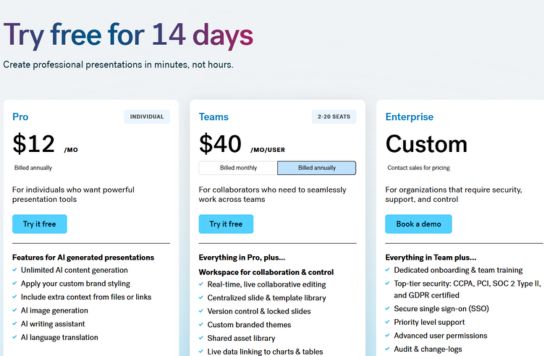
beautiful.ai lists 2 plans, from $12 to $40.
Pro
$12
per user/month
Individual plan for professional presentations, billed annually; the same plan billed month to month is $45.
Team
$40
per user/month
For 2 to 20 seats with shared themes and collaboration, billed annually; $50 per user/month when billed monthly. Larger organisations of 20+ users are quoted as Enterprise.
beautiful.ai Specifications
beautiful.ai is available on web app, Windows and macOS. It offers an API and has a free trial.
- Deployment
- Cloud Based
- Billing cycle
- Yearly
- Desktop
- Web App
- Windows
- macOS
- Languages
- En-us
- Built for
- Freelancers
- Startups
- SMEs
- Agencies
- Enterprises
- Support
- Phone
- Live Support
- Training
- Tickets
- Integrations
- Dropbox, ChatGPT, Slack, Monday.com, Salesforce, Webex, PowerPoint
- Public API
- Yes
- Free trial
- Yes
- Free plan
- No
- Runs in browser
- Yes
- Customisable
- Yes
- Website
- beautiful.ai
beautiful.ai Videos
beautiful.ai Screenshots
beautiful.ai Comparisons
Side by side comparisons of beautiful.ai against 3 other AI Image Generation Software options listed here.


beautiful.ai Reviews
No reviews yet
Used beautiful.ai? Share your experience and help other buyers decide.
beautiful.ai FAQs
Alternatives to beautiful.ai
Other AI Image Generation Software recorded on the same fields.