
Digen AI
VerifiedTurn ideas into AI videos in seconds
 See all screenshots
 - Deployment Cloud Based, On Premises
- Starting price Free
- Free trial Available
- Best for Freelancers, Startups, SMEs
What is Digen AI?
Digen AI is an all-in-one AI content creation platform built for generating videos, images, and motion-based effects with minimal effort. It is designed for creators, social media marketers, educators, agencies, and businesses that want to produce eye-catching visual content without advanced editing skills. With Digen AI, users can turn text prompts or static images into AI videos, explore lip-sync and dance motion tools, upscale media, remove watermarks, and boost frame rates for smoother playback. The platform also offers access to multiple video and image models, making it useful for experimenting with different creative styles and output quality levels. Its browser-based workflow and template-driven approach help speed up production while keeping the experience accessible for beginners and efficient for professionals. Whether you need short-form promotional clips, avatar-style motion content, or enhanced visual assets, Digen AI provides a flexible toolkit for fast, scalable AI generation. It stands out for combining video and image generation with post-processing utilities in one place.
Key Features of Digen AI
Digen AI lists 6 documented features, including AI Video Generation, Motion & Lip-Sync Tools and Image Generation. The list below covers what the product does rather than how it is marketed.
- AI Video Generation
- Motion & Lip-Sync Tools
- Image Generation
- Video Enhancement Tools
- Model Variety
- Creator Workflow
Digen AI Pricing
Digen AI publishes 4 plans, starting at $0 on the Free Plan tier. Figures are taken from the vendor's own pricing page.
Free Plan
Free
What’s included:
- 300 credits at sign-up + daily reward credits
- Access to all AI video models (Real Motion 3.1, Sora 2, Veo 3.1, Kling 3.0, Seedance 2.0, HappyHorse)
- Clip length: 5-8 seconds per generation
- Max resolution: 720p
- Render time: 60-90 seconds
- Watermark on output
- Web, iOS, and Android access
Ultra Plan
4.99/month
What’s included:
- Entry-level paid plan
- Best for low volume (10-25 videos/month)
- Watermark removal
- Higher credit allocation than Free
- Access to all video models
- Best per-video economics at low volume
Ultra Pro Plan
9.99/month
What’s included:
- Higher credit allocation
- Best for medium volume (50-100 videos/month)
- Watermark removal
- Priority processing
- Access to all models, including premium ones
Ultra Max Plan
39.99/month
What’s included:
- Highest credit allocation of standard tiers
- Best for heavy volume (250+ videos/month)
- Unlimited-style access across models
- All premium features included
Digen AI Specifications
Digen AI is available on web app and has macOS apps. It offers an API, has a free trial and has a free plan.
- Deployment
- Cloud Based
- On Premises
- Billing cycle
- Yearly
- Desktop
- Web App
- Mobile
- macOS
- Languages
- En-us
- Built for
- Freelancers
- Startups
- SMEs
- Agencies
- Enterprises
- Support
- Training
- Integrations
- Adobe Premiere Pro, Canva, CapCut, ChatGPT, Google Drive, Gmail, Instagram, Meta Pixel, and YouTube.
- Public API
- Yes
- Free trial
- Yes
- Free plan
- Yes
- Runs in browser
- Yes
- Customisable
- Yes
- Website
- digen.ai
Digen AI Videos
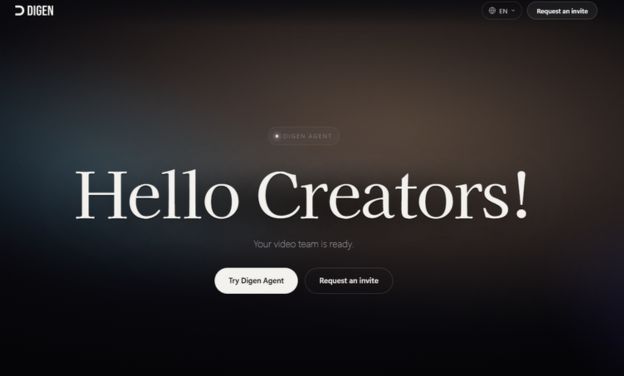
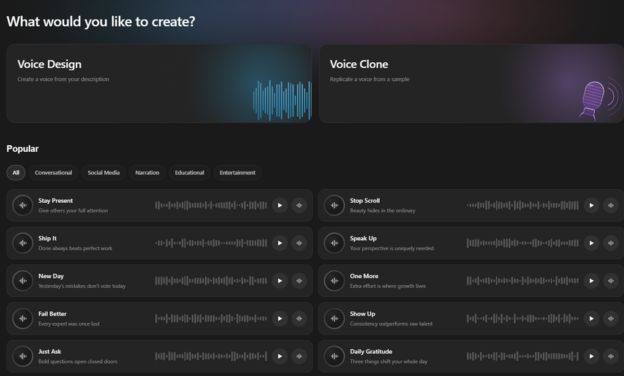
Digen AI Screenshots
Digen AI Comparisons
Side by side comparisons of Digen AI against 2 other AI Image Generation Software options listed here.

Digen AI Reviews
No reviews yet
Used Digen AI? Share your experience and help other buyers decide.
Digen AI FAQs
Alternatives to Digen AI
Other AI Image Generation Software recorded on the same fields.