Cutout.pro
VerifiedAI-powered platform for background removal, photo editing, image generation, and video enhancement
 See all screenshots
 - Deployment Cloud Based
- Starting price ₹586.50
- Free trial Not offered
- Best for Freelancers, SMEs, Agencies
What is Cutout.pro?
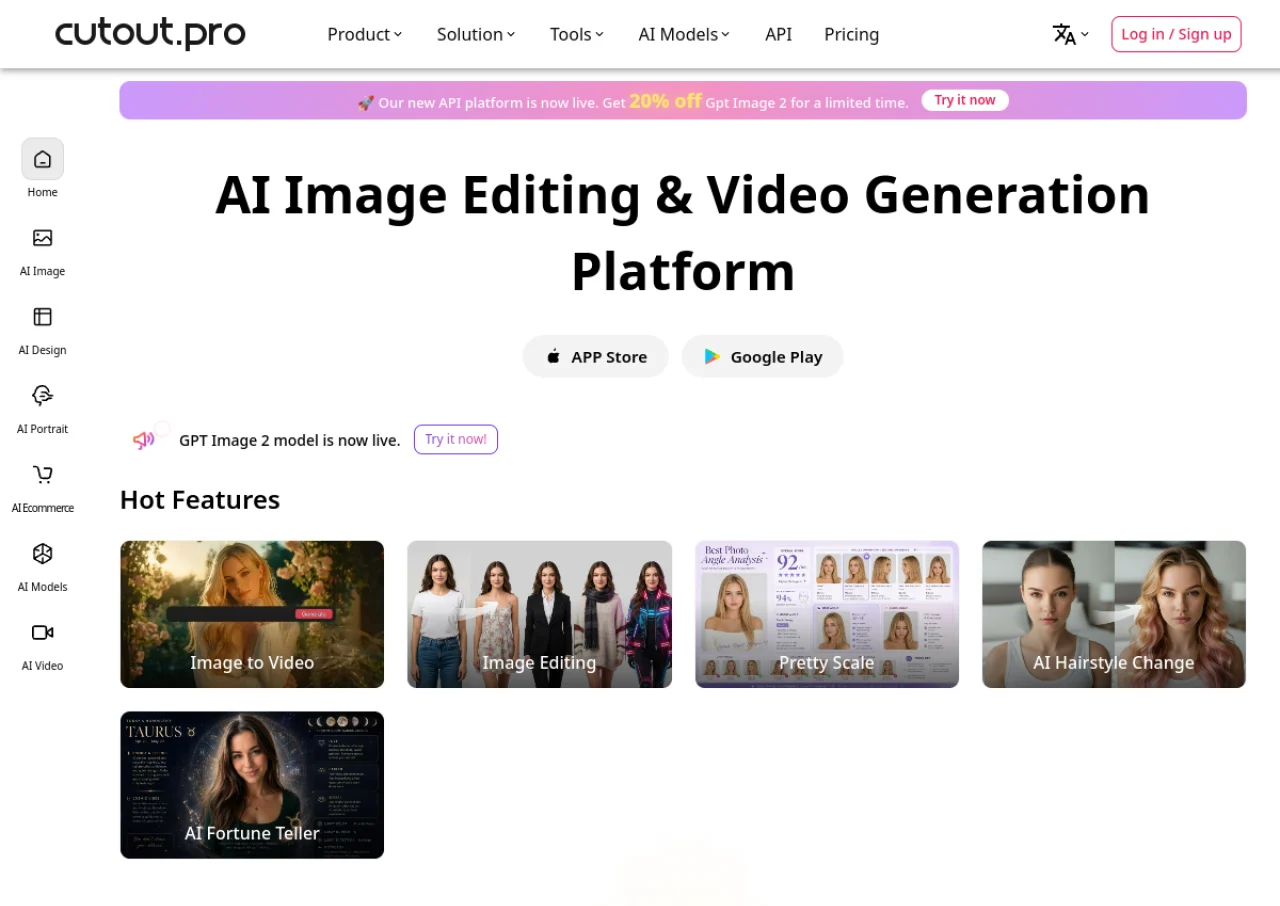
Cutout.pro is an AI-powered visual content platform offering tools for photo editing, image generation, and video creation. Its core feature is AI background removal, which uses deep learning to automatically separate subjects from backgrounds, including fine detail like hair strands, without manual selection. The platform also provides photo enhancement and upscaling, object removal, photo colorization, passport photo generation, cartoon and portrait style conversion, and e-commerce product image tools. It supports batch processing for handling multiple images at once and offers an API for developers to integrate its editing capabilities into other applications.
Beyond still images, Cutout.pro includes AI video tools such as video background removal, video quality enhancement up to 4K, image-to-video conversion, and digital human/text-to-speech video creation. It operates on a credit-based system with both monthly subscription plans and pay-as-you-go credit packs, plus a limited free tier for evaluation. The product is browser-based and requires no software installation, making it accessible to individual creators, e-commerce sellers, and businesses needing quick visual content editing at scale.
Key Features of Cutout.pro
Cutout.pro lists 10 documented features, including AI background removal for images and video with hair-level precision, Photo enhancement and image upscaling and Object removal and photo retouching. The list below covers what the product does rather than how it is marketed.
- AI background removal for images and video with hair-level precision
- Photo enhancement and image upscaling
- Object removal and photo retouching
- Photo colorization and old photo restoration
- Passport and ID photo generator
- Cartoon, anime, and portrait style AI conversion
- Batch/bulk image processing
- AI image generation and design tools (posters, wallpapers, greeting cards)
- Video background removal and video quality boost up to 4K
- API access for developer integration
Cutout.pro Pricing
Cutout.pro lists 6 plans, from ₹254.15 to ₹5,865.
170 credits / month
₹586.50
per month
A monthly subscription of 170 credits that can be cancelled anytime; the pricing page was served in Indian rupees.
1450 credits / month
₹5,865
per month
A monthly subscription of 1450 credits, above which the page asks you to contact them for a custom quote.
Pay as you go, 30 credits
₹254.15
one-time
Pay as you go credits that stay available forever, starting at 30 credits.
Cutout.pro Specifications
Cutout.pro is available on web app and has iOS and Android apps. It offers an API and has a free plan.
- Deployment
- Cloud Based
- Billing cycle
- Monthly
- Desktop
- Web App
- Mobile
- iOS
- Android
- Languages
- English
- Built for
- Freelancers
- SMEs
- Agencies
- Support
- Tickets
- Integrations
- API access is available for developers to integrate Cutout.pro's image and video editing capabilities into other applications and workflows.
- Public API
- Yes
- Free trial
- No
- Free plan
- Yes
- Runs in browser
- Yes
- Customisable
- No
- Website
- cutout.pro
Cutout.pro Videos
Cutout.pro Screenshots
Cutout.pro Comparisons
Side by side comparisons of Cutout.pro against 3 other AI Background Remover options listed here.



Used Cutout.pro? Write the first review.
Cutout.pro FAQs
Alternatives to Cutout.pro
Other AI Background Remover recorded on the same fields.