Cutout.pro Image Upscaler
VerifiedAI-powered photo upscaling and enhancement to enlarge images up to 200% without losing quality
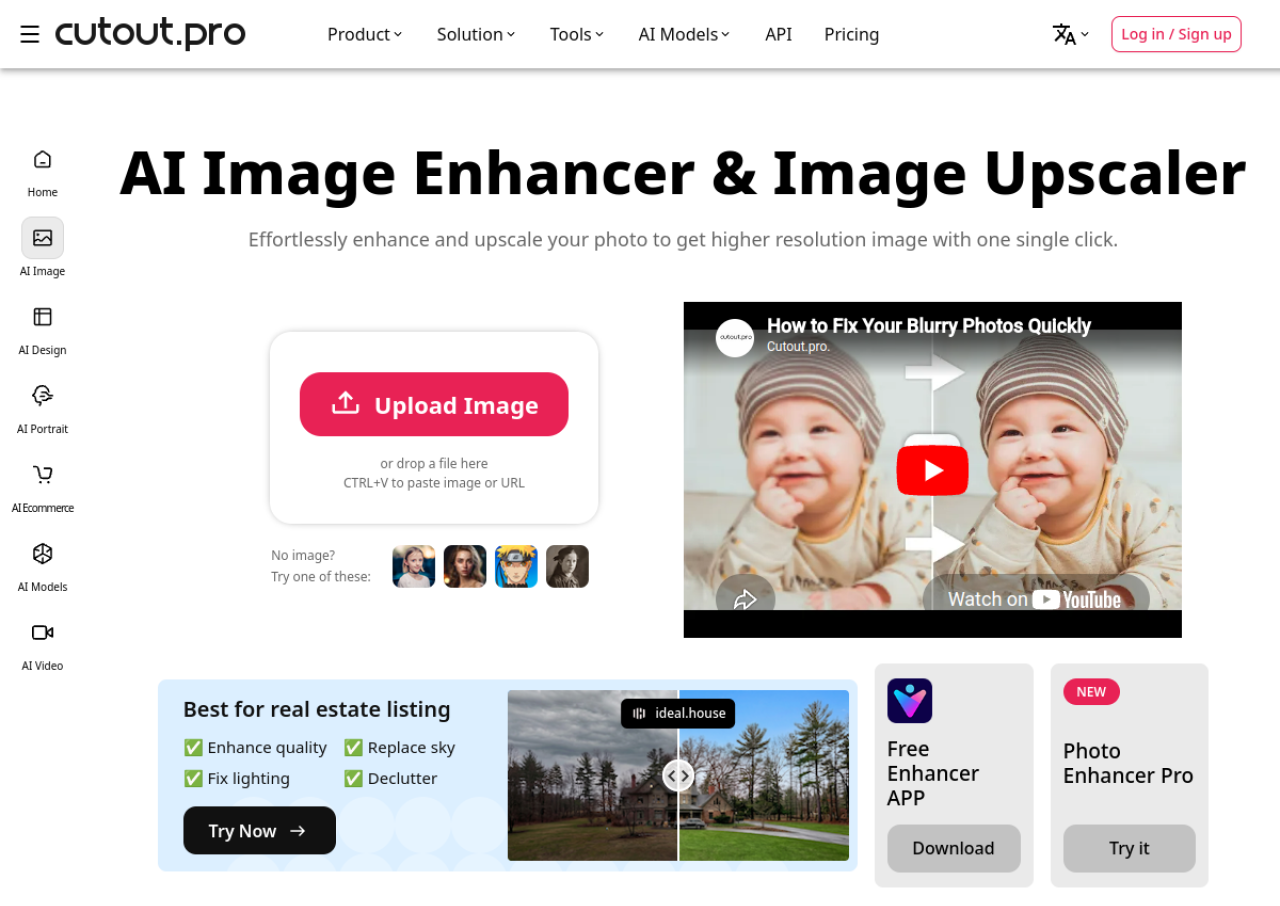 See all screenshots
 - Deployment Cloud Based
- Starting price ₹586.50
- Free trial Not offered
- Best for Freelancers, SMEs, Agencies
What is Cutout.pro Image Upscaler?
Cutout.pro Image Upscaler is an AI-powered photo enhancement tool from the Cutout.pro all-in-one visual content platform, founded in 2018 and operated by Team LibAI out of Hong Kong. It uses AI Super Enlargement technology to increase image resolution and size by up to 200% while reconstructing fine details and textures, alongside companion tools for sharpening, denoising, portrait retouching, night scene correction, and old photo repair. The tool targets users who need higher-resolution images for printing, e-commerce listings, real estate photography, and social media without manual editing skills.
Cutout.pro runs as a web app with a credit-based pricing system covering monthly subscriptions and pay-as-you-go credit packs, plus a free tier of 5 credits on signup. Paid plans range from small monthly allotments up to 1,200+ credits per month, with unused subscription credits rolling over up to 5 months while active. The platform is used by an estimated 25,000+ businesses spanning photographers, e-commerce sellers, and creative agencies, and it also offers a broader suite of AI image and video editing tools beyond upscaling.
Key Features of Cutout.pro Image Upscaler
Cutout.pro Image Upscaler lists 9 documented features, including AI Super Enlargement upscaling images by up to 200%, AI Image Sharpener to fix blur and unclear photos and AI Image Denoiser to remove grain/noise from phone and camera photos. The list below covers what the product does rather than how it is marketed.
- AI Super Enlargement upscaling images by up to 200%
- AI Image Sharpener to fix blur and unclear photos
- AI Image Denoiser to remove grain/noise from phone and camera photos
- AI Portrait Enhancer for facial detail retouching
- AI Night Scene correction for underexposed, noisy night photos
- AI Old Photo Repair for restoring aged/damaged photographs
- Credit-based single-click processing with no manual editing required
- Bulk/batch-friendly workflow as part of the wider Cutout.pro editing suite
- Real estate and e-commerce oriented output (print-ready, high-resolution exports)
Cutout.pro Image Upscaler Pricing
Cutout.pro Image Upscaler lists 5 plans, from ₹586.50 to ₹5,865.
170 credits/month
₹586.50
per month, cancel anytime
Entry subscription tier captured on the image pricing page, working out at about ₹3.450 per credit; the extractor flagged the credit tiers but the context shows they are the subscription plan prices.
300 credits/month
₹1,096.50
per month
Subscription tier working out at about ₹3.655 per credit.
550 credits/month
₹2,116.50
per month
Subscription tier working out at about ₹3.848 per credit.
1000 credits/month
₹4,165
per month
Subscription tier working out at about ₹4.165 per credit.
1450 credits/month
₹5,865
per month
Largest published subscription tier, with custom pricing available on request.
Cutout.pro Image Upscaler Specifications
Cutout.pro Image Upscaler is available on web app. It has a free plan.
- Deployment
- Cloud Based
- Billing cycle
- Monthly
- Desktop
- Web App
- Languages
- English
- Built for
- Freelancers
- SMEs
- Agencies
- Support
- Tickets
- Integrations
- Not verifiable from available sources; no official API or third-party integration list was found on the vendor's pricing or product pages during this research.
- Public API
- No
- Free trial
- No
- Free plan
- Yes
- Runs in browser
- Yes
- Customisable
- Yes
- Website
- cutout.pro
Cutout.pro Image Upscaler Videos
Cutout.pro Image Upscaler Screenshots
Cutout.pro Image Upscaler Comparisons
Side by side comparisons of Cutout.pro Image Upscaler against 3 other AI Image Upscaler Tools options listed here.



Cutout.pro Image Upscaler Reviews
No reviews yet
Used Cutout.pro Image Upscaler? Share your experience and help other buyers decide.
Cutout.pro Image Upscaler FAQs
Alternatives to Cutout.pro Image Upscaler
Other AI Image Upscaler Tools recorded on the same fields.