ArtRage
VerifiedNatural media painting software that simulates real oil, watercolor and paint
 See all screenshots
 - Deployment Cloud Based
- Starting price $29.90
- Free trial Available
- Best for Freelancers, SMEs
What is ArtRage?
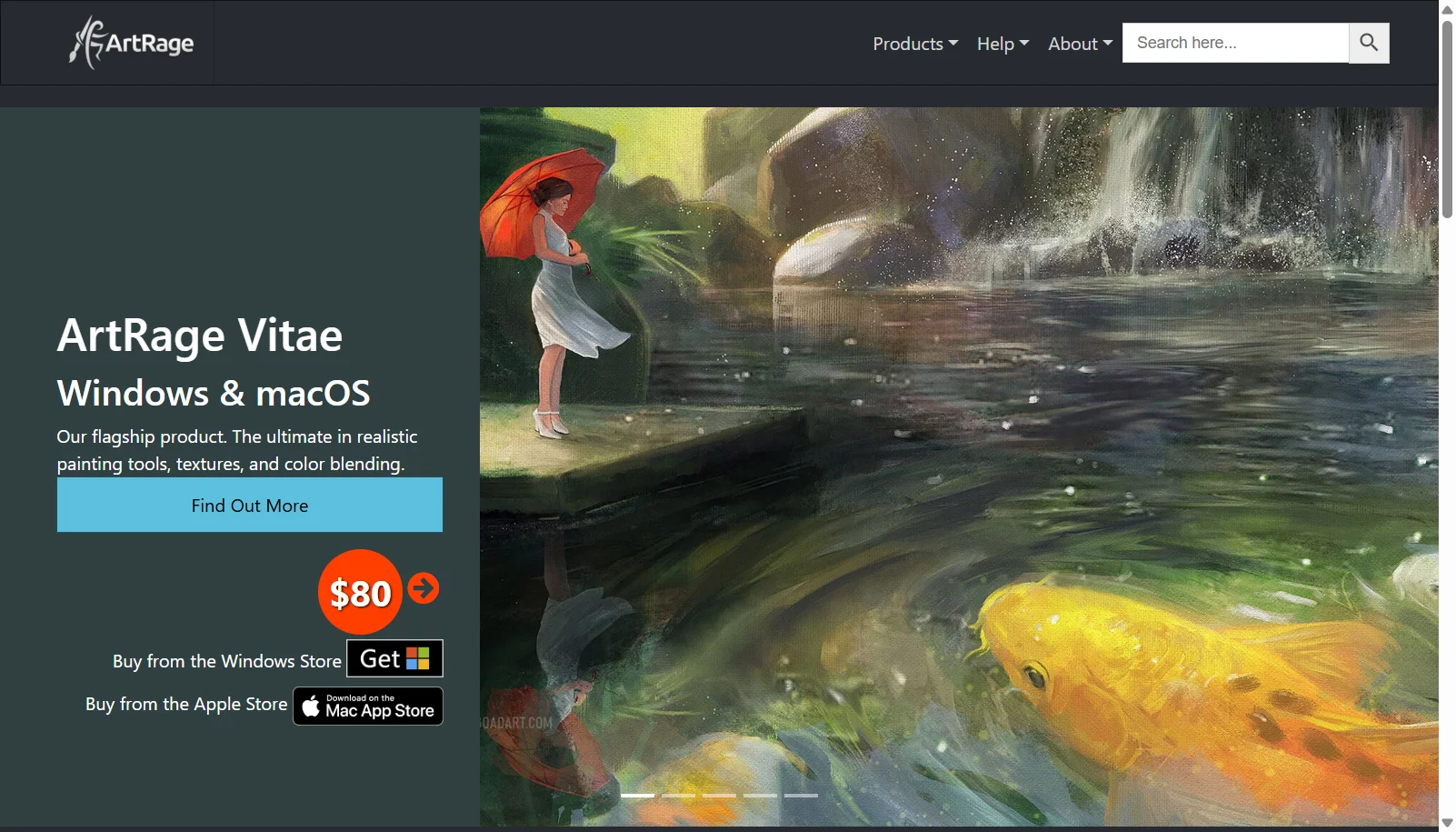
ArtRage is a painting application from the New Zealand studio Ambient Design that simulates the physical behavior of traditional art media, including oil paint, watercolor, pastels, pencils and palette knives with realistic color blending. Its current desktop flagship is ArtRage Vitae for Windows and macOS, alongside a lighter ArtRage Lite edition for beginners, and an ArtRage Vitae mobile app for iOS and Android tablets and phones.
Unlike many competitors, ArtRage is sold as a one-time purchase rather than a subscription, with an unlimited-time free demo available to try before buying. It supports Apple Pencil and Samsung S-Pen input and is popular with artists who want a natural, tactile digital painting feel with real paint mixing and layered canvas textures.
Key Features of ArtRage
ArtRage lists 8 documented features, including Realistic oil, watercolor and paint simulation with real color blending, Palette knife, pencil and pastel tools and Cloner tool for tracing and reference-based painting. The list below covers what the product does rather than how it is marketed.
- Realistic oil, watercolor and paint simulation with real color blending
- Palette knife, pencil and pastel tools
- Cloner tool for tracing and reference-based painting
- Layers with blend modes and layer effects
- Adjustable canvas textures and surface grain
- Tool presets for saving custom brush setups
- Apple Pencil and Samsung S-Pen support
- Reference image overlay for tracing
ArtRage Pricing
ArtRage lists 3 plans, from $4.99 to $80.
ArtRage Lite
$29.90
Windows or macOS
Scaled-down edition with a selected set of tools for beginners
ArtRage Vitae Desktop
$80
Windows or macOS
Flagship desktop edition with the full painting toolset
ArtRage Vitae Mobile
$4.99
iOS or Android
Mobile version of the premium natural painting app
ArtRage Specifications
ArtRage is available on Windows and macOS and has iOS and Android apps. It has a free trial.
- Deployment
- Cloud Based
- Billing cycle
- One-time
- Desktop
- Windows
- macOS
- Mobile
- iOS
- Android
- Languages
- English
- Built for
- Freelancers
- SMEs
- Support
- Integrations
- Apple Pencil, Samsung S-Pen, layered PSD export
- Public API
- No
- Free trial
- Yes
- Free plan
- No
- Runs in browser
- No
- Customisable
- Yes
- Website
- artrage.com
ArtRage Videos
ArtRage Screenshots
ArtRage Comparisons

Used ArtRage? Write the first review.
ArtRage FAQs
Alternatives to ArtRage
Other Digital Art Software recorded on the same fields.