
AI Girlfriend Chat, Video & Images
Best Artificial Intelligence software
Artificial intelligence (AI) software has emerged as a transformative force reshaping the landscape of business operations by fundamentally altering how organizations engage with data and technology. Through the integration of machine and deep learning algorithms, intelligent applications equipped with AI capabilities can autonomously execute a diverse array of tasks, streamlining processes and enhancing productivity for users.
More about Artificial Intelligence software
By automating routine tasks and workflows, AI software liberates users from manual labor, freeing up valuable time and energy to focus on more strategic initiatives. This not only simplifies job roles but also fosters greater efficiency and effectiveness in task execution.
One of the defining characteristics of AI software is its capacity for continuous learning and adaptation. Through iterative processes, AI systems evolve and refine their capabilities over time, enabling them to tackle increasingly complex challenges prevalent in various industries. This dynamic learning ability positions AI software as an indispensable tool for addressing the multifaceted demands and intricacies of modern business environments.
Artificial Intelligence software Compared
Compare the 10 most relevant Artificial Intelligence software options on price, free trial and deployment.
| Product | Starting price | Free trial | Free plan | API | Deployment |
|---|---|---|---|---|---|
 PolyBuzz AI? Free, private and Unlimited AI chat platform PolyBuzz AI? Free, private and Unlimited AI chat platform | $9.99 | – | ✓ | – | Cloud Based |
 CompanyEnrich AI-powered Company Data Provider CompanyEnrich AI-powered Company Data Provider | $49 | ✓ | – | ✓ | Cloud Based |
 Flux.1 Kontext Flux.1 Kontext Image Generator | AI-Powered Context-Aware Image Creation Flux.1 Kontext Flux.1 Kontext Image Generator | AI-Powered Context-Aware Image Creation | $0.04 | ✓ | ✓ | ✓ | Cloud Based |
 Secrets AI Built for late-night thoughts, real talk, and everything in between. Secrets AI Built for late-night thoughts, real talk, and everything in between. | $19.99 | ✓ | ✓ | ✓ | Any |
 Polybuzz AI Talk to AI, chat with AI characters free, and explore… Polybuzz AI Talk to AI, chat with AI characters free, and explore… | $9.90 | ✓ | ✓ | ✓ | Cloud Based |
 Remaker AI Empower Creativity with AI-Driven Content Solutions Remaker AI Empower Creativity with AI-Driven Content Solutions | $19.99 | ✓ | ✓ | ✓ | Cloud Based |
 HeyGen Transform Text into Professional Videos with AI-Powered Avatars & Voiceovers HeyGen Transform Text into Professional Videos with AI-Powered Avatars & Voiceovers | $29 | ✓ | ✓ | ✓ | Cloud Based |
 Synthflow AI Empower Your Business with AI Voice Automation – No Coding… Synthflow AI Empower Your Business with AI Voice Automation – No Coding… | $30,000 | ✓ | ✓ | ✓ | Cloud Based |
 Talkdesk Revolutionize Customer Engagement with AI-Driven Contact Centers. Talkdesk Revolutionize Customer Engagement with AI-Driven Contact Centers. | $85 | ✓ | – | ✓ | Cloud Based |
 Murf AI Versatile Text to Speech Software Murf AI Versatile Text to Speech Software | $228 | ✓ | ✓ | ✓ | Cloud Based |
All Software
202 Best Artificial Intelligence software Options
Showing 61 - 80 of 202 products

Promptchan AI is an AI girlfriend chat and AI content generation platform built for users who want highly customizable virtual companions, unrestricted roleplay, and fast image or video creation. It combines no-filter AI chat with an advanced AI image generator, allowing users to create realistic, anime, hyperrealistic, and artistic visuals, clone community creations, and build character profiles with custom appearance and personality traits. The platform also offers private generation options, mobile-friendly access, and a large community gallery with millions of images and videos. Read Promptchan AI Reviews
Explore additional details
Explore various Keka features, compare the pricing plans, and unlock the potential of seamless operations by selecting the right software for your business.
Features
View all Promptchan AI Features- AI Girlfriend Chat
- AI Image and Video Generation
- Community Exploration
- Clone and Remix Tools
- Privacy and Access Controls
- Device and Workflow Convenience
Pricing
Promptchan AI Caters to
- StartUps
- SMEs
- Agencies
- Enterprises

Spark creativity and productivity with AI
Hotpot AI is an AI-powered creative suite for generating images, designing graphics, editing photos, and writing content faster. It helps marketers, social media managers, app developers, small businesses, content creators, and designers create professional-looking visuals without a steep learning curve. The platform combines AI art generation, headshots, photo editing, and template-based marketing design in one web-based tool, making it a flexible and affordable option for producing branded content at scale. Read Hotpot AI Reviews
Explore additional details
Explore various Keka features, compare the pricing plans, and unlock the potential of seamless operations by selecting the right software for your business.
Features
View all Hotpot AI Features- AI Image Generation
- AI Headshots
- AI Photo Editing
- Design Templates
- AI Writing
- Developer Access
Pricing
Hotpot AI Caters to
- StartUps
- SMEs
- Agencies
- Enterprises

Open world models for advanced AI video generation.
Genmo AI is an advanced generative video platform that turns text prompts into visually rich videos with realistic motion and scene dynamics. It is designed for creators, researchers, marketers, developers, and AI enthusiasts, and combines a browser-based playground with an open-source model ecosystem. Its flagship Mochi 1 model supports open-source text-to-video generation and can be run locally or customized for experimentation, prototyping, and research. Read Genmo AI Reviews
Explore additional details
Explore various Keka features, compare the pricing plans, and unlock the potential of seamless operations by selecting the right software for your business.
Features
View all Genmo AI Features- Text-to-video generation for cinematic scenes, motion, and visual storytelling
- Open-source model access via Mochi 1
- Interactive browser-based playground
- Research-oriented models focused on open-world understanding
- Developer-friendly workflow with local installation
- Community ecosystem
Pricing
Genmo AI Caters to
- StartUps
- SMEs
- Agencies
- Enterprises

A text-based adventure-story game you direct and star in while the AI brings it to life.
AI Dungeon is a dynamic, AI-powered text adventure game that lets players create and explore limitless interactive stories in real time. It combines choose-your-own-adventure gameplay with generative AI, allowing players to direct actions while the AI responds with evolving story events. And it is designed for gamers, writers, roleplayers, and fans of imaginative storytelling, with community-made scenarios, customization options, and cross-platform access on web, Android, iOS, and Steam. It is free to play with additional paid plans for advanced features and customization. Read AI Dungeon Reviews
Explore additional details
Explore various Keka features, compare the pricing plans, and unlock the potential of seamless operations by selecting the right software for your business.
Features
View all AI Dungeon Features- AI story generation with unique adventures, characters, worlds, and real-time responses
- Large scenario library with thousands of community-made scenarios
- Interactive roleplay where players direct dialogue and actions
- Customization tools for themes, AI tweaks, and story cards
- Cross-platform access via browser, Android, iOS, and Steam
- Community content for sharing and discovering stories
Pricing
AI Dungeon Caters to
- StartUps
- SMEs
- Agencies
- Enterprises

AI-Powered Text-to-Speech Solution
Speechify is an AI-powered text-to-speech application that converts written content, from documents and articles to PDFs and emails, into natural-sounding audio. It helps people consume text faster, supports learning, and assists users with dyslexia or other reading difficulties by letting them listen instead of read.
Available across web, mobile, and browser extensions, Speechify offers a range of high-quality, human-like voices and languages, adjustable reading speeds, and the ability to listen to almost any text on the go. Its combination of realistic voices and broad platform support makes it useful for students, professionals, and anyone who wants to turn reading time into listening time.
Read Speechify Reviews Explore additional details
Explore various Keka features, compare the pricing plans, and unlock the potential of seamless operations by selecting the right software for your business.
Features
View all Speechify Features- text-to-speech
- AI Voice Generator
- Natural-Sounding AI Voices
- Multi-Platform Support
- Voice Customization
- Voice Cloning
- AI Dubbing
- AI Video Generator
- Transcription
- PDF Reader
Pricing
Speechify Caters to
- StartUps
- SMEs
- Agencies
- Enterprises

Advanced AI Voice Generation Platform
ElevenLabs is a leading AI voice platform that uses advanced deep learning to generate highly realistic, expressive synthetic speech. It serves creators and companies across content production, gaming, audiobooks, dubbing, and accessibility, where lifelike, controllable voices matter.
The platform offers text-to-speech in dozens of languages, voice cloning from short samples, and tools for long-form narration, dubbing, and real-time conversational voice agents. Developers can access these capabilities through an API to embed voice into their own products. Known for the naturalness and emotional range of its voices, ElevenLabs has become a popular choice for producing audiobooks, videos, and multilingual content quickly.
Read ElevenLabs Reviews Explore additional details
Explore various Keka features, compare the pricing plans, and unlock the potential of seamless operations by selecting the right software for your business.
Features
View all ElevenLabs Features- Extensive Voice Library
- Voice Cloning
- AI Voice Generation
- Multiple AI Models:
- Real-time Audio Generation
- Audio Editing
- Advanced Customization
- API Access
- Multilingual Support
- Text-to-Speech
- Voice Design
Pricing
ElevenLabs Caters to
- StartUps
- SMEs
- Agencies
- Enterprises

Design tool inside Vista's printing business, free for one seat
VistaCreate produces flyers, posters, business cards, logos, certificates, invitations, letterheads, ebooks, newsletters, presentations, planners and animations, with formats sized for Instagram posts and stories, Facebook covers, YouTube thumbnails, TikTok videos, Twitch banners and display advertising. A free starter plan covers one seat.
Belonging to Vista, the printing business, is the structural fact that shapes it. A flyer designed here can be printed and delivered by the same company, which removes the export, upload and bleed-margin confusion that catches people who have never prepared a file for print. For a small business ordering five hundred flyers, that path matters more than any feature.
The format list weighted toward social platforms reflects where these designs actually go. A modern flyer exists mainly as an Instagram post and a story, with the printed version secondary, and sizing for each platform correctly is exactly the knowledge the target user lacks.
A free tier at one seat is a deliberate boundary. It covers the sole trader entirely and requires payment the moment a second person is involved, which is when a business can justify the cost. Drawing the line at collaboration rather than at features means the free tier is genuinely usable rather than a demonstration that stops working when it matters.
Read VistaCreate Reviews Explore additional details
Explore various Keka features, compare the pricing plans, and unlock the potential of seamless operations by selecting the right software for your business.
Features
View all VistaCreate Features- Flyer, poster and business card design
- Logo and certificate makers
- Invitations and letterheads
- Presentations and planners
- Social media formats for Instagram, Facebook, YouTube, TikTok and Twitch
- Display and social advertising sizes
- Animations and video posts
- Background remover
- Template library by format
- Free starter plan for one seat
- Integration with Vista printing
Pricing
VistaCreate Caters to
- StartUps
- SMEs
- Agencies
- Enterprises

Design and data visualisation together, with brand controls and interactivity
Visme covers flyers, presentations, infographics, reports, brochures, white papers, newsletters, ebooks, social graphics, video and animation, with data visualisation, mockups, icons and animated assets, plus AI tools for design, presentations, documents, images, text and brand design. A free tier is published alongside paid plans.
Treating data visualisation as a core capability rather than as a chart widget is what distinguishes this from the general design tools. A report or a pitch deck usually fails on its charts rather than its layout, because the numbers are pasted in as an image from a spreadsheet and become wrong the moment the data changes.
Interactivity and animation push it toward outputs that are not print. A flyer that lives on a screen can link, expand and animate, and the tools built around paper metaphors cannot express that, which increasingly matters when most flyers are seen on a phone rather than pinned to a board.
Brand design tools driven by AI address the reason organisations restrict design software in the first place. The risk in letting everyone make their own materials is inconsistency, and encoding the brand is what makes broad access acceptable. A tool nobody is allowed to use has no value however good it is.
Read Visme Reviews Explore additional details
Explore various Keka features, compare the pricing plans, and unlock the potential of seamless operations by selecting the right software for your business.
Features
View all Visme Features- Flyer, poster and printable makers
- Presentation and pitch deck design
- Data visualisation and charting
- Report, brochure and white paper design
- Newsletter and ebook creation
- Video maker and GIF maker
- Animation and interactivity
- AI designer and presentation maker
- AI document, image and text generation
- AI brand design tools
- Mockups, icons and stock assets
- Free tier with published upgrades
Pricing
Visme Caters to
- StartUps
- SMEs
- Agencies
- Enterprises
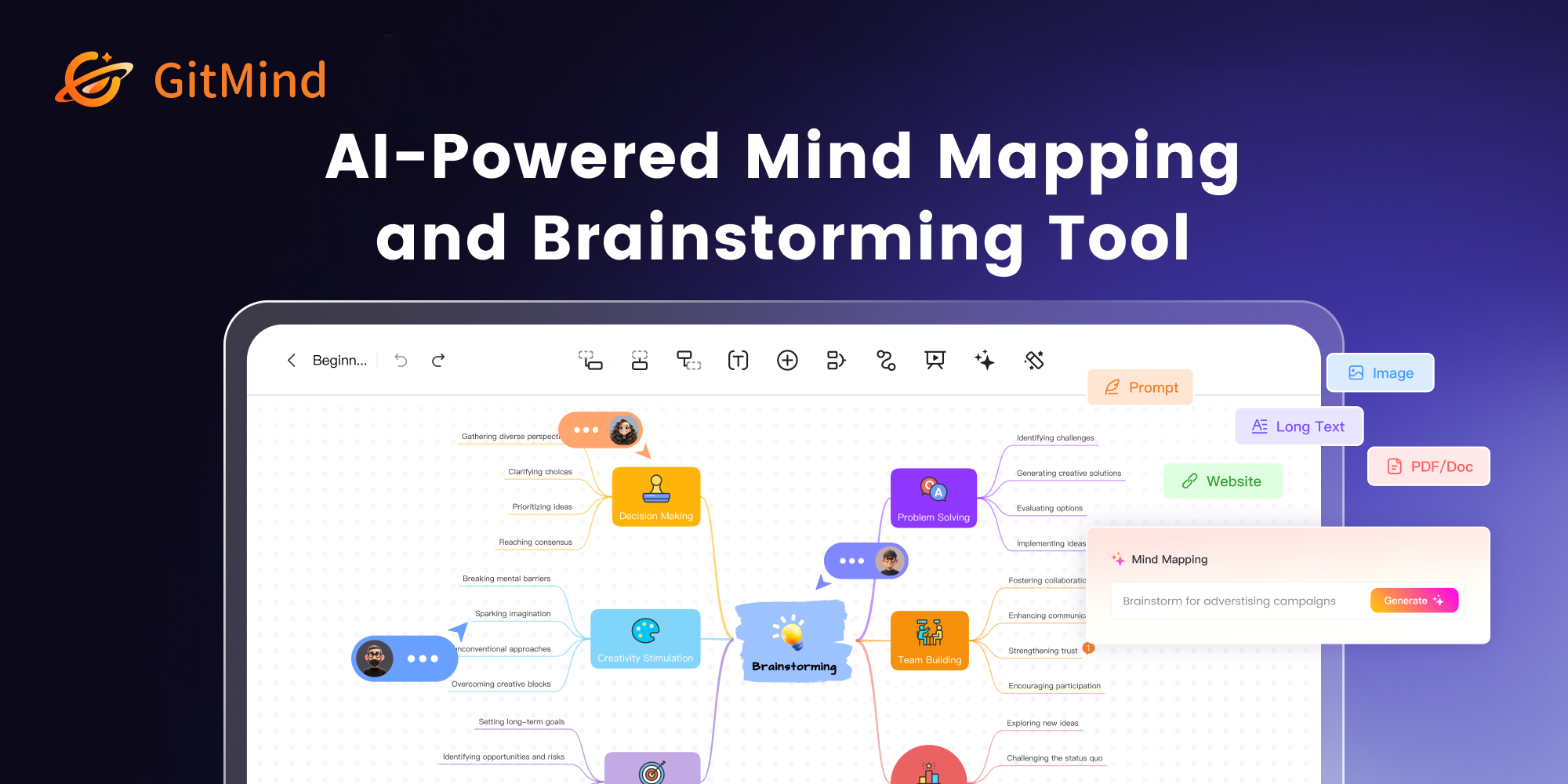
AI flowcharts and mind maps generated from articles, files, audio and images
GitMind generates flowcharts, entity relationship diagrams, sequence diagrams and UML charts alongside AI mind maps built from a one line prompt, an article, a file, audio, an image or a spreadsheet. It adds summarising tools for books, PDFs, articles and spreadsheets, an infographic generator, translation, quiz generation and AI chat, running across several underlying models including ChatGPT, Gemini, Claude and DeepSeek.
Generating a diagram from an existing document rather than from a prompt is the more useful capability of the two, and it is the harder one. Describing a process well enough for a model to draw it is nearly as much work as drawing it; pointing at a specification already written and getting its structure back is genuine leverage, because the document exists and nobody has read it carefully.
Audio to mind map addresses the recording nobody revisits. A meeting or lecture recording is effectively write-only, and turning it into a structure that can be scanned is what makes it worth having captured.
Supporting several underlying models is worth noting for a practical reason: capability differs between them by task, and being able to change model without changing tool is a hedge a single model product cannot offer.
Read GitMind Reviews Explore additional details
Explore various Keka features, compare the pricing plans, and unlock the potential of seamless operations by selecting the right software for your business.
Features
View all GitMind Features- AI flowchart generation
- ER diagram builder
- Sequence diagram generator
- UML chart maker
- AI mind maps from a one line prompt
- Article, file, audio, image and spreadsheet to mind map
- Book, PDF and article summarising
- AI infographic generator
- PDF translation
- AI quiz generation
- Multiple underlying models including ChatGPT, Gemini, Claude and DeepSeek
- Cross platform sync
Pricing
GitMind Caters to
- StartUps
- SMEs
- Agencies
- Enterprises

Real-time AI translation and captioning for meetings and events in 60+ languages
Wordly is a cloud-based AI translation and captioning platform built for meetings, conferences, and live events. It converts spoken language in real time into translated audio or captions across dozens of languages and thousands of language pairs, letting attendees follow along in their preferred language through a web browser without installing an app.
Organizers can generate live captions, session transcripts, and translated summaries, and apply custom glossaries for industry-specific terminology. Wordly integrates with platforms such as Zoom, Microsoft Teams, Google Meet, and Cvent, and offers an API for custom setups. It is sold through annual hour-based packages ranging from Starter to Enterprise, with volume, multi-year, nonprofit, and education discounts, though exact prices require contacting sales.
Read Wordly Reviews Explore additional details
Explore various Keka features, compare the pricing plans, and unlock the potential of seamless operations by selecting the right software for your business.
Features
View all Wordly Features- Real-time AI speech translation into audio and text captions
- Live same-language captioning with near-zero latency
- Dozens of languages and thousands of language pairs for one fixed price
- Web-based attendee access via link or QR code, no app download required
- Post-session transcripts, translated transcripts, and AI summaries
- Custom glossaries and blocklists for domain-specific terminology
- Integrations with Zoom, Microsoft Teams, Google Meet, Webex, and Cvent
- API for custom platform integrations
- SSO and configurable data storage on Corporate+ and Enterprise tiers
Pricing
Wordly Caters to
- StartUps
- SMEs
- Agencies
- Enterprises
Artificial Intelligence software Buyer's Guide
Picking Artificial Intelligence software is mostly a question of fit rather than feature count, since most credible options cover similar ground differently. What follows is a practical breakdown of features, buyers, cost, and the questions worth putting to a vendor.
What is Artificial Intelligence software?
Artificial Intelligence software helps teams collect, prepare, analyse, and present data so teams can answer questions and make better decisions. The practical gain is consolidation: information that would otherwise sit across spreadsheets and email threads stays in one place and stays current. Good options are approachable on day one and still adequate a year later, which is a harder balance than it sounds.
Key features to look for in Artificial Intelligence software
Treat the list below as a checklist rather than a requirement set, since not all of it will apply to you.
- Connectors to common data sources
- Data cleaning, transformation, and preparation
- Scheduled refreshes and pipelines
- Dashboards and interactive reports
- Ad hoc querying and exploration
- Sharing, permissions, and embedding
- Alerting on thresholds and anomalies
- Export to common formats
Benefits of using Artificial Intelligence software
Where the fit is right, reported gains from Artificial Intelligence software usually include:
- Decisions based on current data rather than stale exports
- Less time spent rebuilding the same report
- One agreed set of numbers across teams
- Problems spotted earlier through alerting
- Analysts freed from routine data preparation
Who uses Artificial Intelligence software?
Artificial Intelligence software is used by analysts, data engineers, operations teams, and managers who need regular reporting. Fit is decided by how you work rather than how large you are.
How to choose the right Artificial Intelligence software
These are the practical considerations when comparing Artificial Intelligence software:
- Whether it connects to the data sources you actually use
- How much data preparation it can do without separate tooling
- Performance at your data volume, not the demo volume
- Permissions, so people see only what they should
- Whether non technical staff can genuinely self serve
Trial a small shortlist against genuine work rather than a vendor scenario, and let the people who will live in the tool lead that evaluation.
How much does Artificial Intelligence software cost?
Usually per user each month, sometimes split between viewers and editors, or priced on data volume and query capacity. Viewer heavy teams should check viewer pricing carefully. Map the pricing model to expected usage a year out rather than today, and confirm the capabilities you need sit in the tier you are pricing rather than one above it.
FAQs of Artificial Intelligence software
Artificial Intelligence software exists to run the admin behind data and analytics work, from records and bookings through to billing and compliance evidence.
You can use a general tool, but you will rebuild the data and analytics parts by hand that Artificial Intelligence software covers out of the box.
Artificial Intelligence software products are often designed around a particular scale, so ask directly what size of data and analytics operation the typical customer runs.
Before committing to Artificial Intelligence software, get specifics on what it imports from your existing data and analytics data and what you will re enter by hand.
Expect monthly per user or per location pricing for Artificial Intelligence software, with a premium over generic tools that reflects the smaller data and analytics market.
Evaluate Artificial Intelligence software against actual data and analytics work and let the eventual daily users lead that trial.