AI headshot generator producing professional studio-quality portraits from selfies
Best Artificial Intelligence software
Artificial intelligence (AI) software has emerged as a transformative force reshaping the landscape of business operations by fundamentally altering how organizations engage with data and technology. Through the integration of machine and deep learning algorithms, intelligent applications equipped with AI capabilities can autonomously execute a diverse array of tasks, streamlining processes and enhancing productivity for users.
By automating routine tasks and workflows, AI software liberates users from manual labor, freeing up valuable time and energy to focus on more strategic initiatives. This not only simplifies job roles but also fosters greater efficiency and effectiveness in task execution.
One of the defining characteristics of AI software is its capacity for continuous learning and adaptation. Through iterative processes, AI systems evolve and refine their capabilities over time, enabling them to tackle increasingly complex challenges prevalent in various industries. This dynamic learning ability positions AI software as an indispensable tool for addressing the multifaceted demands and intricacies of modern business environments.
All Software
Featured Software
List of 174 Best Softwares
Showing 81 - 100 of 174 products

Secta AI (Secta Labs) is an AI-powered headshot generator that turns a set of uploaded selfies into professional studio-quality portraits. Users upload 20 or more photos and receive over 200 high-resolution headshots across 90-plus styles, such as office, executive, doctor, or lawyer looks, without needing to change clothes or visit a physical studio. Results are typically delivered within about two hours.
The platform includes built-in editing tools for adjusting clothing, expression, background, lighting, and retouching, along with a private gallery for storing and sharing selected images. Secta AI uses a one-time payment model rather than a recurring subscription, and offers a 30-day money-back guarantee. It also offers a separate Custom/Teams plan for companies that need brand-specific styles, custom backgrounds, and centralized asset management for group headshots.
Read Secta AI Reviews
Explore additional details
Explore various Keka features, compare the pricing plans, and unlock the potential of seamless operations by selecting the right software for your business.
Features
View all Secta AI Features- AI-generated professional headshots from user-uploaded selfies
- 90+ (up to 130+) customizable photo styles (office, executive, doctor, lawyer, outdoor, studio, etc.)
- Remix tool for generating variations, uncropping, recoloring, and retouching
- AI editing tools for changing clothing, expression, background, and lighting
- Private gallery for storing and sharing generated photos
- Up to two free retries per generation
- 24/7 live chat customer support
- Team/enterprise plan with brand hex-code custom styles and centralized asset dashboard
- 30-day money-back guarantee
Pricing
Secta AI Caters to
- StartUps
- SMEs
- Agencies
- Enterprises

AI-generated professional headshots from your selfies, ready in minutes
HeadshotPro is an AI headshot generator that turns a set of uploaded selfies into professional, studio-quality headshots without a physical photoshoot. Users upload roughly 15-17 photos of themselves, choose outfits and backdrops from a large library of combinations, and receive dozens of AI-generated headshot variations within 15 minutes to a few hours depending on the plan. The service targets individual professionals, job seekers, and corporate teams needing consistent headshots for LinkedIn, company websites, and email signatures.
Beyond individual headshots, HeadshotPro offers a dedicated team/company product that applies matching styles, logos, and brand colors across all employee photos for consistency. Additional tools include a built-in profile picture editor, automatic email signature generation, and post-delivery editing credits for tweaking pose, clothing, or backdrop. All plans include full commercial ownership of the generated photos and a 14-day money-back guarantee.
Read HeadshotPro Reviews
Explore additional details
Explore various Keka features, compare the pricing plans, and unlock the potential of seamless operations by selecting the right software for your business.
Features
View all HeadshotPro Features- Generates 30-70+ AI headshots from uploaded selfies
- Hundreds of outfit and backdrop combinations to choose from
- Multiple resolution tiers up to 4K ultra-resolution output
- Post-delivery edit credits for retouching pose, clothing, and style
- Dedicated team/company headshots product with brand-consistent styling
- Automatic logo and brand color application for corporate teams
- Built-in profile picture editor with shape, border, and background options
- Automatic professional email signature generation
- Same-day to 15-minute turnaround depending on plan
- Full commercial ownership of generated photos
Pricing
HeadshotPro Caters to
- StartUps
- SMEs
- Agencies
- Enterprises

AI headshot generator turning selfies into professional portrait photos in minutes
Aragon AI is a web-based AI headshot generator that turns a handful of uploaded selfies into dozens or hundreds of professional-looking portrait photos. Users choose a package, upload photos, and receive studio-style headshots with a choice of attire, backgrounds, and styles within roughly 15 to 45 minutes, positioned as a faster and cheaper alternative to a traditional photographer session.
The platform also offers headshots for teams and businesses with branded, consistent styling across employees, plus a broader suite of AI photo tools including a photo editor for background swapping, clothing changes, object removal, and pose editing. Aragon reports over 40 million headshots generated and states it is SOC 2 Type II compliant. Pricing is one-time package based rather than a recurring subscription for individual users.
Read Aragon AI Reviews
Explore additional details
Explore various Keka features, compare the pricing plans, and unlock the potential of seamless operations by selecting the right software for your business.
Features
View all Aragon AI Features- AI-generated professional headshots from uploaded selfies
- Multiple style, attire, and background choices
- Branded team and company headshot packages
- AI photo editor (background changer, clothing changer, magic eraser, pose editor)
- Image upscaling to enhanced resolution on higher tiers
- Fast turnaround (as little as 15-45 minutes)
- Headshot cost calculator tool
- Free AI headshot generator tool (limited)
- Affiliate/referral program
- SOC 2 Type II compliance
Pricing
Aragon AI Caters to
- StartUps
- SMEs
- Agencies
- Enterprises

Free AI-powered online tool to erase image backgrounds and batch process photos into transparent PNGs
BgEraser is a free online tool that removes backgrounds from photos using AI, producing clean transparent PNG images. Users upload JPG, PNG, or WebP files directly in the browser with no account, sign-up, or software installation required. The tool supports batch processing of up to 20 images at once, letting users download all results together as a ZIP file. It is designed for product photos, portraits, logos, pets, and everyday images that need a clean cutout for stores, social posts, presentations, or design mockups.
Beyond removing backgrounds, BgEraser can replace a transparent background with a solid color. Uploaded images and generated results are automatically deleted within two hours to protect user privacy. As of research, the web tool at bgeraser.com is entirely free with no paid tiers, subscriptions, or account-based usage limits, though its terms of service note that paid features could be introduced in the future.
Read BgEraser Reviews
Explore additional details
Explore various Keka features, compare the pricing plans, and unlock the potential of seamless operations by selecting the right software for your business.
Features
View all BgEraser Features- AI-powered automatic background removal
- Batch processing of up to 20 images per session
- Transparent PNG output
- Solid color background replacement option
- Support for JPG, PNG, and WebP uploads
- No account or sign-up required
- ZIP download of batch results
- Automatic deletion of uploaded files within 2 hours
- Browser-based, no software installation needed
Pricing
BgEraser Caters to
- StartUps
- SMEs
- Agencies
- Enterprises

Background removal and AI product photo editing API used by e-commerce brands at scale
PhotoRoom API is a developer-focused image editing and background removal API built for e-commerce and marketplace product photography at scale. It offers a dedicated Remove Background API for fast, accurate cutouts and a more advanced Image Editing API that adds AI-powered features such as AI Backgrounds, AI Shadows, AI Relighting, PhotoFix, Product Beautifier, Photo Composition, Virtual Model, Flat Lay, and Ghost Mannequin effects. The API accepts PNG, JPEG, and WEBP images, supports rate limits up to 500 images per minute, and provides SDK wrappers for JavaScript, Python, Node.js, and iOS.
Companies including Klarna, Amazon, Wix, Depop, and Decathlon use the API, which the company says processes over 3 million images daily. Pricing is usage-based and billed separately from PhotoRoom's consumer app subscriptions, with a Basic plan for background removal and a Plus plan for full AI image editing, plus a custom Enterprise tier for high-volume annual commitments.
Read PhotoRoom API Reviews
Explore additional details
Explore various Keka features, compare the pricing plans, and unlock the potential of seamless operations by selecting the right software for your business.
Features
View all PhotoRoom API Features- AI background removal with complex edge detection and transparency handling
- HD background removal for high-resolution (2K+) images
- Text-guided segmentation for specifying what to keep or remove
- AI Backgrounds, AI Shadows, and AI Relighting generation
- PhotoFix automatic lighting, brightness, and color correction
- Product Beautifier for restoring detail in low-quality images
- Photo Composition, Virtual Model, Flat Lay, and Ghost Mannequin apparel imaging
- Automated cropping, resizing, positioning, padding, and margin compliance
- Image-to-video generation from static product photos
- SDKs/wrappers for JavaScript, Python, Node.js, and iOS with a single API endpoint
Pricing
PhotoRoom API Caters to
- StartUps
- SMEs
- Agencies
- Enterprises

Free AI tool to remove image backgrounds instantly, with a paid API for bulk processing
Depositphotos Background Remover is a free, AI-powered online tool that automatically detects the main subject in an image and removes the background, producing a transparent PNG in seconds. It supports JPG, JPEG, PNG, and WEBP uploads up to 30MB, requires no design skills, and includes brush tools for manually erasing or restoring areas of the result. Depositphotos, the company behind it, also offers a related Video Background Remover for MP4 files.
Beyond the free web tool, Depositphotos offers a paid Background Remover API for developers and businesses that need to process images programmatically at scale, with subscription plans based on monthly file volume and a custom Enterprise tier for bulk processing and dedicated account management. The free web tool has no publicly listed usage cap or watermark noted on the official page, while the API plans are billed monthly per file quota.
Read Depositphotos Background Remover Reviews
Explore additional details
Explore various Keka features, compare the pricing plans, and unlock the potential of seamless operations by selecting the right software for your business.
- AI-powered automatic background detection and removal
- Supports JPG, JPEG, PNG, and WEBP uploads up to 30MB
- Downloads results as transparent-background PNG
- Manual brush tools to erase or restore parts of the image
- Works on people, objects, animals, and graphics
- Video background removal for MP4 files
- No design skills or software installation required
- Background Remover API for developers with monthly file-volume plans
- Enterprise plan with bulk processing and dedicated account manager
Pricing
Depositphotos Background Remover Caters to
- StartUps
- SMEs
- Agencies
- Enterprises

AI-powered background remover that cuts out subjects with hair-level edge precision in one click
VanceAI BGremover is an AI-based background removal tool from VanceAI Technology, accessible as a web app at vanceai.com/background-remover/ and bundled into VanceAI's broader image and video editing suite. It automatically detects the subject in an uploaded photo and removes the background in seconds, producing a clean PNG cutout with edge precision down to hair and fur. Users can then replace the background with a solid color, custom hex, or another uploaded image directly in the workspace, without needing separate photo editing software.
The tool supports batch processing of multiple JPG/PNG files in the browser, and a downloadable VanceAI for PC desktop app for larger, unlimited-size local batch jobs on Windows. It runs on VanceAI's shared credit system, where credits also unlock other tools like image upscaling, denoising, colorization, and cartoonizing. VanceAI states uploaded images are encrypted in transit and deleted within 24 hours of processing.
Read VanceAI BGremover Reviews
Explore additional details
Explore various Keka features, compare the pricing plans, and unlock the potential of seamless operations by selecting the right software for your business.
Features
View all VanceAI BGremover Features- One-click automatic background removal
- Hair and fur-level edge precision cutouts
- Background Changer: swap in a solid color, custom hex, or new image
- Batch processing of multiple images in-browser
- VanceAI for PC desktop app for large local batch runs on Windows
- Automatic conversion to transparent PNG output
- Works in any mobile or desktop browser, no app install required
- Shared credit system usable across VanceAI's image and video tools
- Images encrypted in transit and deleted within 24 hours
Pricing
VanceAI BGremover Caters to
- StartUps
- SMEs
- Agencies
- Enterprises
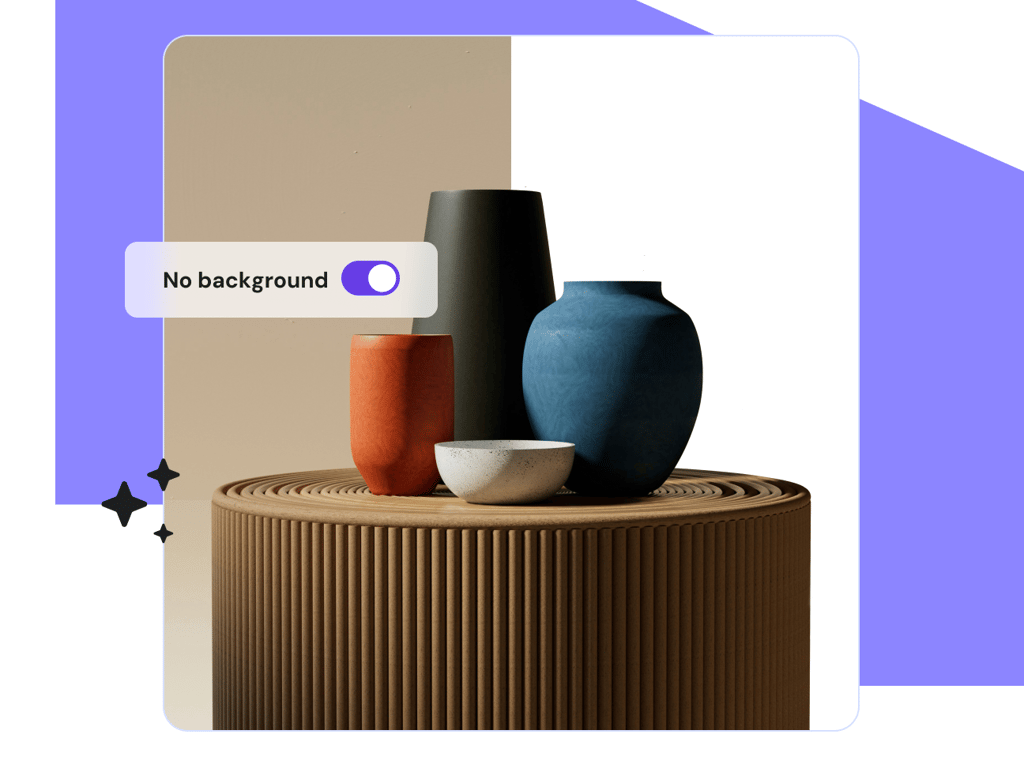
Free AI tool that removes image backgrounds in one click, built into Hostinger's platform
Hostinger AI Background Remover is a browser-based tool that uses artificial intelligence to automatically detect the main subject in a photo and erase the background around it. It requires no manual masking or editing skills: users upload an image, the AI processes it, and a clean cutout is produced with attention to fine edge details like hair and fur. Output can be downloaded in JPG, JPEG, or PNG format. It was formerly offered under the Zyro brand before Zyro's tools and customers were folded into Hostinger.
The tool is part of Hostinger's broader suite of AI utilities (alongside an AI image upscaler, AI image generator, and AI website builder). A Hostinger account is required to use it. New users get a limited number of free background removals, after which continued use requires a paid Hostinger plan, since credits for premium AI tools are allotted based on subscription tier.
Read Hostinger AI Background Remover Reviews
Explore additional details
Explore various Keka features, compare the pricing plans, and unlock the potential of seamless operations by selecting the right software for your business.
- One-click automatic background removal
- AI-based pixel-accurate subject detection
- Fine edge detail preservation (hair, fur)
- Supports JPG, JPEG, and PNG export formats
- High-resolution image output
- No manual masking or editing required
- Integrated into Hostinger's ecommerce product-image editing workflow
- Part of a broader Hostinger AI tools suite (upscaler, image generator, website builder)
Pricing
Hostinger Premium (website builder)
$ $2.99/month (introductory, renews at $10.99/month)
Upto 100 Employees
Hostinger Business (website builder)
$ $3.99/month (introductory, renews at $16.99/month)
Upto 100 Employees
Hostinger AI Background Remover Caters to
- StartUps
- SMEs
- Agencies
- Enterprises

AI-powered background remover that cuts out subjects from images in seconds
Removal.AI is an online background removal tool that uses artificial intelligence to automatically detect the subject in a photo and remove the background in about three seconds. It produces transparent, white, or custom-color backgrounds with clean edges, including detailed handling of hair and fur. The tool supports batch processing of over 1,000 images at once, offers a built-in photo editor for further customization, and provides a developer API for integrating background removal into other applications and workflows.
The product serves photographers, designers, marketers, e-commerce sellers, and developers who need to process product photos or portraits at scale. It offers free low-resolution previews, credit-based monthly subscriptions, one-time lifetime credit packs valid for three years, and custom high-volume API plans for businesses processing over 10,000 images a month. Removal.AI also offers a professional manual editing service for images that need human touch-up.
Read Removal.AI Reviews
Explore additional details
Explore various Keka features, compare the pricing plans, and unlock the potential of seamless operations by selecting the right software for your business.
Features
View all Removal.AI Features- Automatic AI background detection and removal in seconds
- Transparent, white, or custom color/image background replacement
- Hair and furry-edge cutout precision
- Batch processing of 1,000+ images in a single upload
- Background removal API for developers with SDKs in multiple languages
- Built-in online photo editor for post-processing
- Desktop apps and Photoshop plugin integration
- Free low-resolution preview downloads
- Manual/professional photo editing service option
- GDPR-compliant storage with 99% uptime guarantee
Pricing
Removal.AI Caters to
- StartUps
- SMEs
- Agencies
- Enterprises

AI-powered background removal and image clipping tool for photos, products, and graphics
Clipping Magic is a web-based image editing tool built specifically for background removal. It combines an automatic "Auto-Clip AI" engine, trained on a large volume of real-world images, with manual touch-up tools such as keep/remove markers, a hair tool for separating fine strands from backgrounds, and a scalpel tool for precise cuts in low-contrast areas. Results can be exported as transparent PNGs, solid-color backgrounds, SVG clipping paths, or TIFFs with embedded paths, and the tool supports images up to 25 megapixels.
The product is aimed at photographers, e-commerce sellers, and designers who need clean product cutouts or graphics-mode edits that preserve pixel-level detail in logos. It offers bulk processing with saved default settings for catalog work, plus post-processing controls for cropping, shadows, brightness, and color. Clipping Magic runs on a credit-based subscription model (one credit per image) rather than a flat monthly fee, and also offers a developer API for programmatic background removal.
Read Clipping Magic Reviews
Explore additional details
Explore various Keka features, compare the pricing plans, and unlock the potential of seamless operations by selecting the right software for your business.
Features
View all Clipping Magic Features- Auto-Clip AI automatic background removal
- Manual keep/remove foreground-background markers
- Dedicated hair tool for fine-strand separation
- Scalpel tool for precise low-contrast edge cuts
- Graphics mode for logos preserving pixel-level detail
- Smart edges with feathering, edge guard, and halo scrubbing
- Bulk/batch processing with saved default settings
- Export to transparent PNG, solid backgrounds, SVG, and TIFF with clipping paths
- Image rotate, crop, resize, and shadow tools
- Developer API for programmatic background removal
Pricing
Clipping Magic Caters to
- StartUps
- SMEs
- Agencies
- Enterprises
Buyer's Guide
Artificial Intelligence software has become essential for many teams that need to help teams and businesses work more efficiently and get better results. With so many products available, the challenge is matching the right one to your workflow, budget, and goals. This buyers guide covers the key capabilities, real world benefits, and the questions to ask before you commit.
What is Artificial Intelligence software?
Artificial Intelligence software gives teams and businesses a better way to help teams and businesses work more efficiently and get better results. Rather than relying on manual processes or disconnected spreadsheets, these tools bring the work into one place, reduce repetitive effort, and give you a clearer view of what is happening. The best options are easy to adopt and grow with you as your needs change.
Key features to look for in Artificial Intelligence software
The right feature set depends on your goals, but strong Artificial Intelligence software options usually include the capabilities below. Use this as a checklist when you compare tools.
- Integrations with the tools you already use
- An intuitive, easy to use interface
- Core features that address the main use case well
- Automation of repetitive tasks
- Collaboration and sharing for teams
- Reporting and insights
- Security and access controls
- Mobile access where relevant
Benefits of using Artificial Intelligence software
Teams that adopt the right Artificial Intelligence software typically see benefits such as:
- Time saved on manual, repetitive work
- More consistent, higher quality output
- Better collaboration across your team
- Clear insight to guide decisions
Who uses Artificial Intelligence software?
Artificial Intelligence software is used by businesses and teams that want to work more efficiently, professionals looking to save time on manual tasks, organizations standardizing how work gets done, and anyone who wants better results with less effort. If any of these describe your situation, a tool in this category is likely worth evaluating.
How to choose the right Artificial Intelligence software
When comparing Artificial Intelligence software, weigh a few practical factors: ease of use and how quickly your team can get started, how well it fits your specific workflow, the quality of its support and onboarding, how well it integrates with the tools you already use, its security and reliability, and total cost as you scale. Shortlist two or three options, then use free trials or demos to test them against your real work before deciding.
How much does Artificial Intelligence software cost?
Pricing for Artificial Intelligence software varies. Many options offer a free trial or free tier, with paid plans billed monthly or annually and enterprise options quoted by scale and requirements. Before you commit, map the plan limits to your expected usage so you are not surprised by overage costs or a tier that is missing a feature you need.
Use the list on this page to compare the leading Artificial Intelligence software options by features, pricing, integrations, and verified reviews. Shortlisting a few tools and testing them against your own workflow is the fastest way to find the right fit.
FAQs of Artificial Intelligence software
Artificial Intelligence software is software that helps you help teams and businesses work more efficiently and get better results. These tools bring the work into one place, cut repetitive effort, and give you clearer visibility, and this page lists and compares the leading options.
Focus on the capabilities that match your workflow, such as ease of use, the core features for your main use case, automation, integrations with tools you already use, security, reporting, and the quality of support. Prioritize what you will actually use day to day over long feature lists.
Pricing for Artificial Intelligence software varies. Many options offer a free trial or free tier, with paid plans billed monthly or annually and enterprise options quoted by scale and requirements. Compare plans against your expected usage before you commit.
Artificial Intelligence software suits businesses and teams that want to work more efficiently, as well as professionals looking to save time on manual tasks. If that sounds like you, it is worth shortlisting a few options and testing them.
Start by listing your must have features and budget, then compare the Artificial Intelligence software options on this page by capabilities, pricing, integrations, and reviews. Take advantage of free trials or demos to test your shortlist against your real work before deciding.
Many Artificial Intelligence software options offer a free trial or a free tier so you can test the software before paying. Free plans usually cover the basics, while paid tiers add advanced features, higher limits, and support.
Most Artificial Intelligence software connects with the other software you already use through built in integrations or an API. Confirm the specific tools in your stack are supported before you commit.
Setup time for Artificial Intelligence software varies. Simple tools can be ready the same day, while more advanced platforms take longer to configure and roll out. Look for onboarding help and clear documentation to speed things up.