Reaper
VerifiedFast, flexible, low-cost DAW for recording, editing, and mixing audio and MIDI
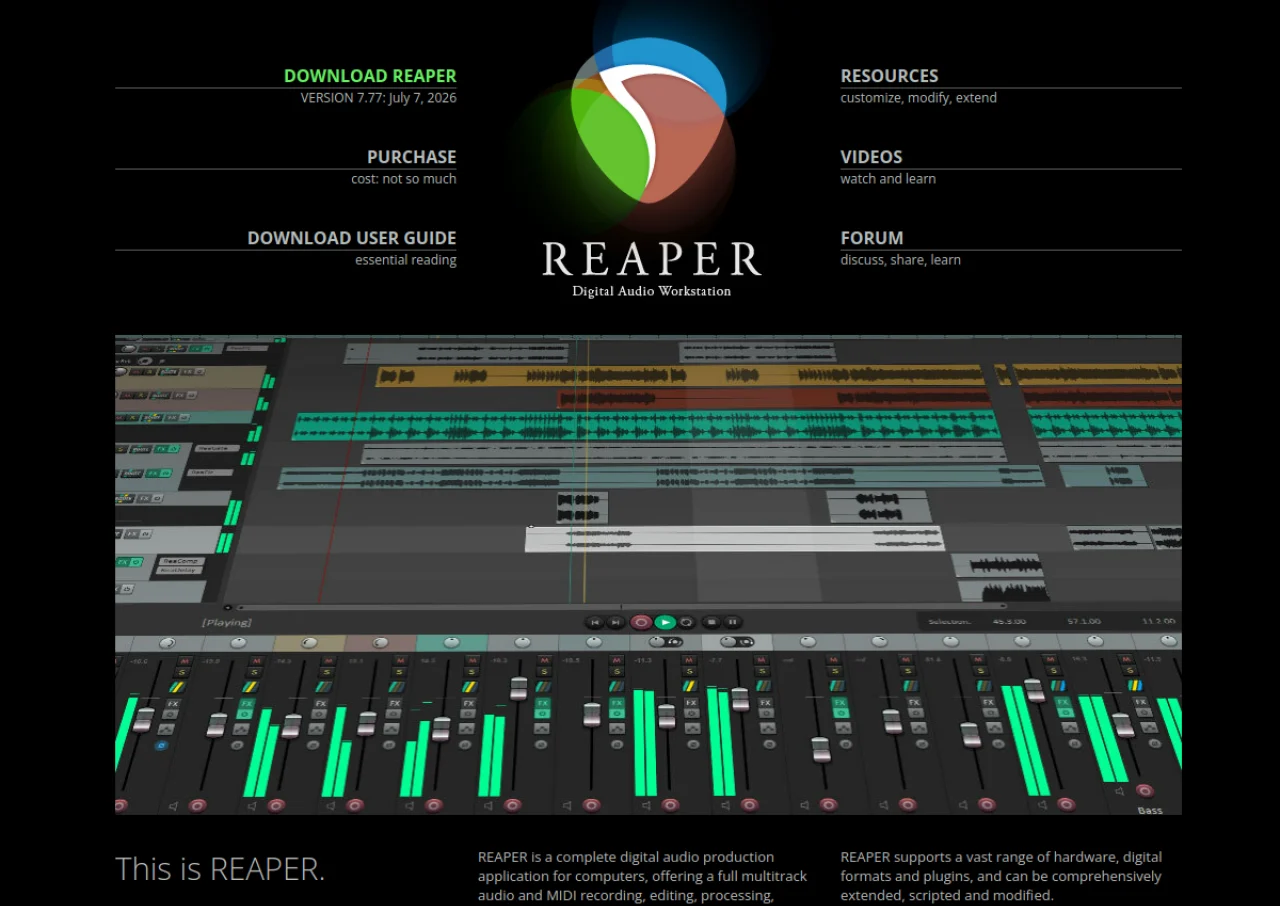 See all screenshots
 - Deployment On Premises
- Starting price $60
- Free trial Available
- Best for Freelancers, Startups, SMEs
What is Reaper?
REAPER is a digital audio workstation developed by Cockos Incorporated, built for recording, arranging, editing, and mixing audio and MIDI. It runs on Windows and macOS, supports unlimited tracks with flexible routing up to 128 channels, and works with VST, VST3, AU, and CLAP plugins. Its interface, toolbars, and actions list are fully customizable, and the ReaScript engine lets users automate tasks in Lua, Python, or EEL2.
REAPER is not free but is sold at a fraction of the price of other professional DAWs, with a 60-day full-featured evaluation period before purchase. It appeals to musicians, podcasters, and audio engineers who want a lightweight, highly customizable tool without a subscription. Its small install size and low system requirements make it popular for both home studios and professional post-production work.
Key Features of Reaper
Reaper lists 8 documented features, including Unlimited audio and MIDI tracks with flexible routing up to 128 channels per track, ReaScript engine for automation and custom tools in Lua, Python, or EEL2 and Support for VST, VST3, AU, CLAP, and JS effect plugins. The list below covers what the product does rather than how it is marketed.
- Unlimited audio and MIDI tracks with flexible routing up to 128 channels per track
- ReaScript engine for automation and custom tools in Lua, Python, or EEL2
- Support for VST, VST3, AU, CLAP, and JS effect plugins
- Fully customizable interface, themes, toolbars, and keyboard shortcuts
- Extensive built-in effects, virtual instruments, and a scriptable actions list with macros
- Multichannel and surround sound mixing and rendering
- Small, fast installer with a lightweight system footprint
- Basic video track support alongside audio editing
Reaper Pricing
Reaper lists 3 plans, starting free and running to $225.
Discounted License
$60
Individuals for personal use, businesses/individuals under $20,000/year revenue, or education/nonprofit
One-time purchase, includes free upgrades through REAPER version 8.99
Commercial License
$225
Businesses or individuals with over $20,000/year revenue
One-time purchase, includes free upgrades through REAPER version 8.99
Evaluation
Free
60 days
Full-featured evaluation period before purchase, no license required
Reaper Specifications
Reaper is available on Windows and macOS. It has a free trial.
- Deployment
- On Premises
- Billing cycle
- One-time
- Desktop
- Windows
- macOS
- Languages
- English
- Built for
- Freelancers
- Startups
- SMEs
- Support
- Integrations
- VST, VST3, AU, CLAP, ReWire, JS plugins, ReaScript (Lua, Python, EEL2), MIDI controllers
- Public API
- No
- Free trial
- Yes
- Free plan
- No
- Runs in browser
- No
- Customisable
- Yes
- Website
- reaper.fm
Reaper Videos
Reaper Screenshots
Reaper Comparisons


Used Reaper? Write the first review.
Reaper FAQs
Alternatives to Reaper
Other Audio Editing Software recorded on the same fields.