Waifu2x
VerifiedFree open-source AI tool that upscales anime-style art and photos using deep convolutional neural networks
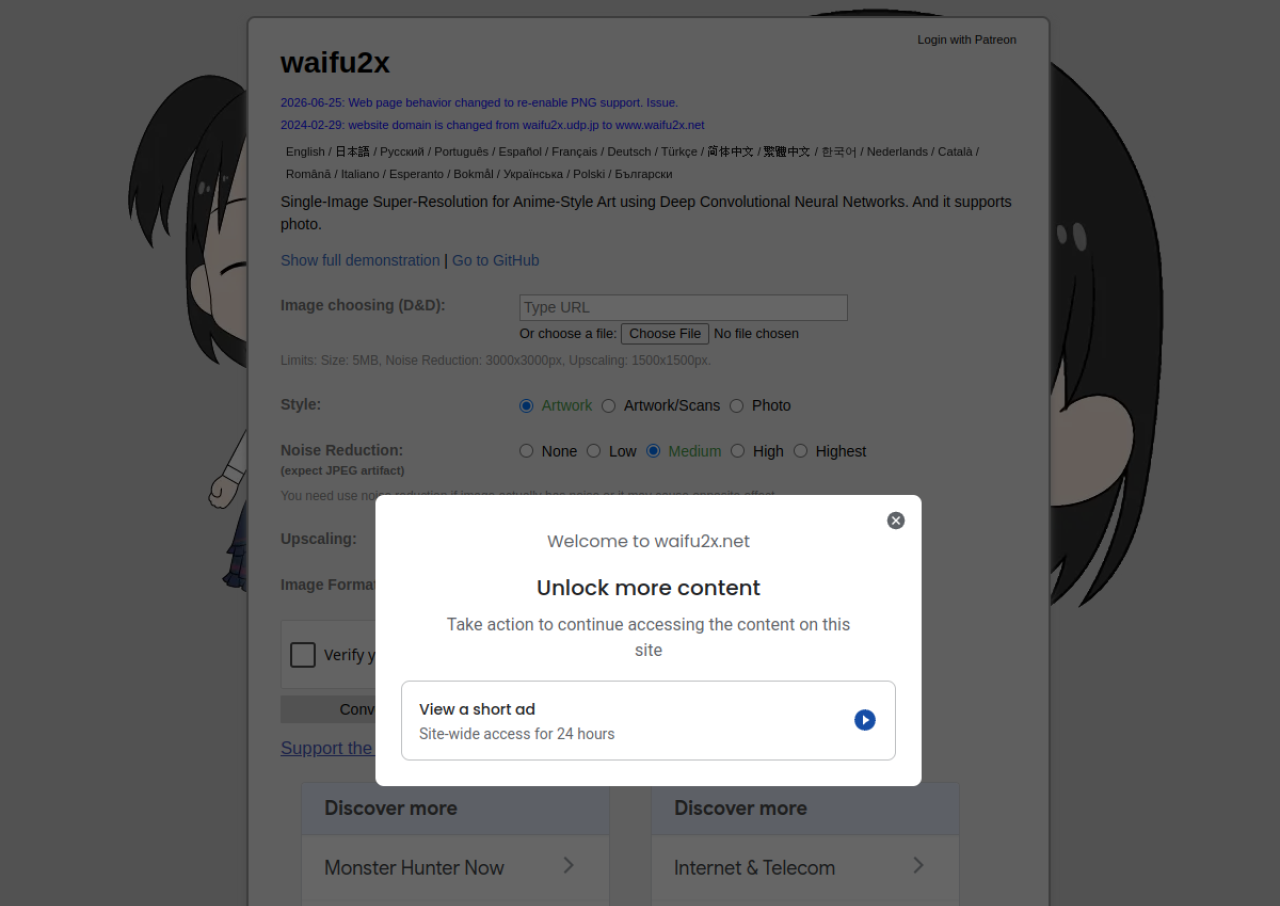 See all screenshots
 - Deployment Cloud Based, On Premises
- Starting price Free
- Free trial Not offered
- Best for Freelancers, SMEs
What is Waifu2x?
Waifu2x is a free, open-source single-image super-resolution tool built on deep convolutional neural networks. It was originally created to enlarge anime-style illustrations while reducing noise and preserving line quality, and it also supports photographic images. The web version at waifu2x.net lets users upload an image, choose an upscaling factor (1.6x or 2x on the standard site) and a noise-reduction level, and download the result as PNG or WebP.
The project is maintained as open source on GitHub (nagadomi/waifu2x), and the technique has been reimplemented in numerous third-party ports (Caffe, NCNN-Vulkan, TensorRT, Converter-CPP) for local desktop use without file-size limits. The hosted web demo imposes practical limits (around 5MB per file, up to 3000x3000px for noise reduction and 1500x1500px for upscaling) and offers an experimental in-browser "unlimited" version with 4x upscaling. There are no paid subscription tiers; the project accepts optional support via Patreon and Fantia.
Key Features of Waifu2x
Waifu2x lists 8 documented features, including Single-image super-resolution using deep convolutional neural networks, Upscaling up to 2x on the standard web tool (4x on the experimental unlimited in-browser version) and Noise reduction with None, Low, Medium, High, and Highest levels. The list below covers what the product does rather than how it is marketed.
- Single-image super-resolution using deep convolutional neural networks
- Upscaling up to 2x on the standard web tool (4x on the experimental unlimited in-browser version)
- Noise reduction with None, Low, Medium, High, and Highest levels
- Separate model modes for Artwork, Artwork/Scans, and Photo content
- Drag-and-drop browser-based upload interface
- PNG and WebP output formats
- Open-source codebase (nagadomi/waifu2x) available for local/offline use
- Multi-language web interface (18+ languages including English, Japanese, Spanish, French, German, Chinese, Korean)
Waifu2x Pricing
Waifu2x lists one plan, at Free.
Free
Free
Web tool: ~5MB per file, up to 3000x3000px for noise reduction, up to 1500x1500px for upscaling
No paid tiers exist. The hosted web version and open-source software are entirely free. An experimental in-browser ‘unlimited’ version with 4x upscaling is available at unlimited.waifu2x.net at no charge. Optional voluntary support accepted via Patreon and Fantia.
Waifu2x Specifications
Waifu2x is available on web app. It has a free plan.
- Deployment
- Cloud Based
- On Premises
- Billing cycle
- Onetime
- Desktop
- Web App
- Languages
- English
- Built for
- Freelancers
- SMEs
- Integrations
- No major third-party integrations
- Public API
- No
- Free trial
- No
- Free plan
- Yes
- Runs in browser
- Yes
- Customisable
- No
- Website
- waifu2x.udp.jp
Waifu2x Videos
Waifu2x Screenshots
Waifu2x Comparisons
Side by side comparisons of Waifu2x against 3 other AI Image Upscaler Tools options listed here.



Waifu2x Reviews
No reviews yet
Used Waifu2x? Share your experience and help other buyers decide.
Waifu2x FAQs
Alternatives to Waifu2x
Other AI Image Upscaler Tools recorded on the same fields.