
Figma AI
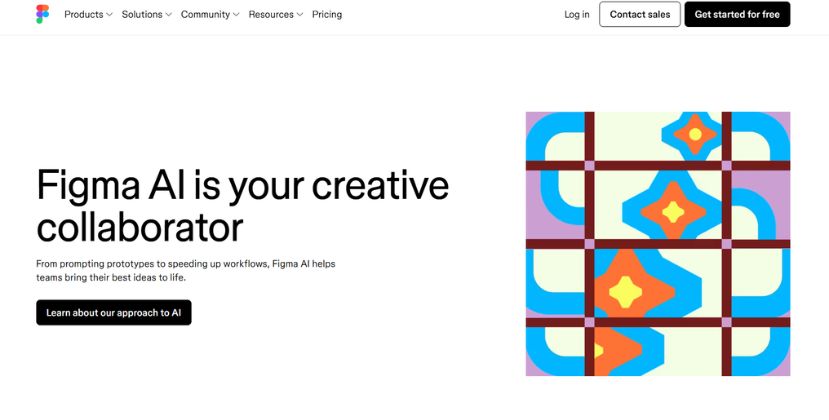
VerifiedFigma AI is your creative collaborator
 See all screenshots
 - Deployment Cloud Based
- Starting price $16
- Free trial Available
- Best for Freelancers, Startups, SMEs
What is Figma AI?
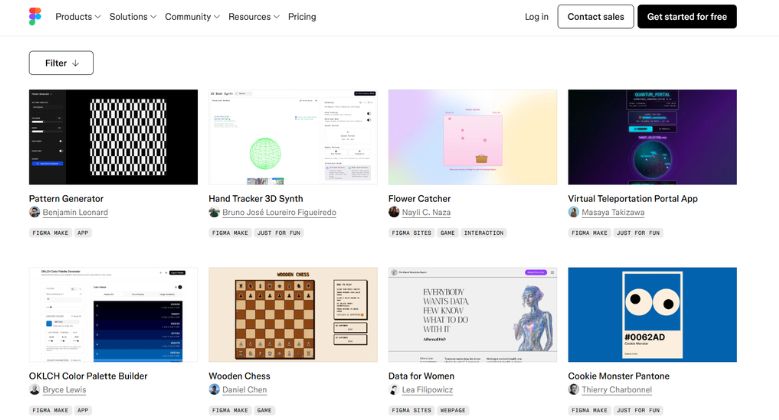
Figma AI is Figma’s built-in suite of intelligent design and productivity tools that helps teams move from idea to shipped product faster. Built for product designers, UX teams, developers, and cross-functional collaborators, Figma AI supports everything from prompting prototypes and generating images to rewriting copy, renaming layers, and automating repetitive design tasks. It stands out because it lives directly inside the Figma canvas, so users can iterate with AI without leaving their workflow. With features like Figma Make for prompt-to-prototype creation, AI-powered content generation, and the Figma MCP server for AI coding tools, Figma AI bridges design and development in a practical, end-to-end way. Whether you’re exploring early concepts, refining production-ready assets, or translating designs into code, Figma AI helps teams reduce busywork, speed up experimentation, and keep creative momentum high. For organizations looking for a collaborative, AI-assisted design platform, it offers a strong mix of prototyping, automation, and workflow acceleration.
Key Features of Figma AI
Figma AI lists 7 documented features, including AI Prototyping and Ideation, Design Workflow Automation and Content and Copy Generation. The list below covers what the product does rather than how it is marketed.
- AI Prototyping and Ideation
- Design Workflow Automation
- Content and Copy Generation
- Image Editing and Generation
- Collaboration and Canvas Assistant
- Design-to-Code Bridge
- Turn complex input into simpler diagrams
Figma AI Pricing
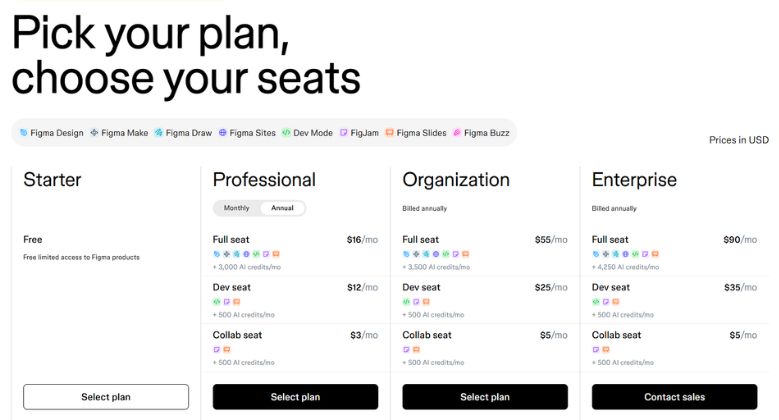
Figma AI publishes 4 plans, starting at $0 on the Starter Plan tier. Figures are taken from the vendor's own pricing page.
Professional
$16
per full seat/month
Full seat includes 3,000 AI credits per month; dev seats are $12 per month and collab seats $3 per month, each with 500 AI credits.
Organization
$55
per full seat/month
Billed annually. Full seat includes 3,500 AI credits per month; dev seats are $25 per month and collab seats $5 per month, each with 500 AI credits.
Enterprise
$90
per full seat/month
Billed annually. Full seat includes 4,250 AI credits per month; dev seats are $35 per month and collab seats $5 per month, each with 500 AI credits.
Figma AI Specifications
Figma AI is available on web app and Windows and has iOS and Android apps. It offers an API, has a free trial and has a free plan.
- Deployment
- Cloud Based
- Billing cycle
- Yearly
- Desktop
- Web App
- Windows
- Mobile
- iOS
- Android
- Languages
- English
- Built for
- Freelancers
- Startups
- SMEs
- Agencies
- Enterprises
- Support
- Training
- Integrations
- Slack, Jira, VS Code, Cursor, Windsurf, Claude, and other workflow tools via the Figma MCP server
- Public API
- Yes
- Free trial
- Yes
- Free plan
- Yes
- Runs in browser
- Yes
- Customisable
- Yes
- Website
- figma.com
Figma AI Videos
Figma AI Screenshots
Figma AI Comparisons
Side by side comparisons of Figma AI against 3 other AI Image Generation Software options listed here.



Figma AI Reviews
No reviews yet
Used Figma AI? Share your experience and help other buyers decide.
Figma AI FAQs
Alternatives to Figma AI
Other AI Image Generation Software recorded on the same fields.