
Microsoft Copilot
VerifiedAI assistant for search, writing, creativity, and productivity
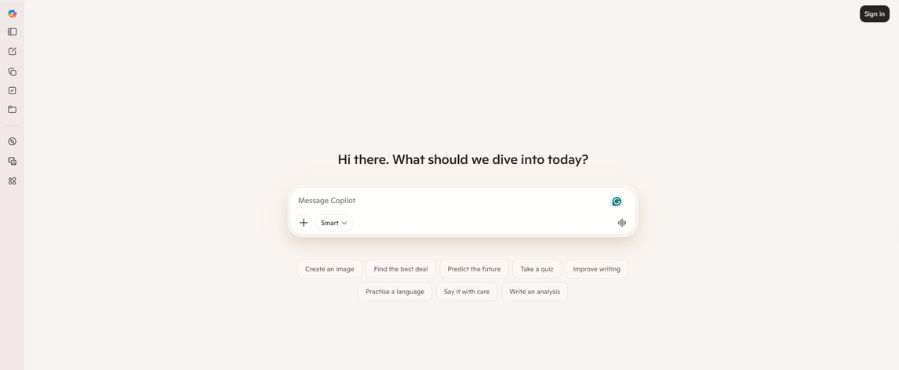 See all screenshots
 - Deployment Cloud Based, Hybrid
- Starting price 18/user/month
- Free trial Not offered
- Best for Freelancers, Startups, SMEs
What is Microsoft Copilot?
Microsoft Copilot is Microsoft’s conversational AI assistant for web search, content generation, image creation, brainstorming, and everyday productivity tasks. It is designed for students, professionals, content creators, and Microsoft 365 users who want quick answers, writing help, and a familiar AI experience within Microsoft’s ecosystem. It can draft emails, summarize information, generate creative text, and support visual creation through tools like Imagine and Discover.
Key Features of Microsoft Copilot
Microsoft Copilot lists 6 documented features, including AI Assistance, Content Creation and Image & Creative Tools. The list below covers what the product does rather than how it is marketed.
- AI Assistance
- Content Creation
- Image & Creative Tools
- Search & Discovery
- Productivity & Workflow
- Microsoft Ecosystem
Microsoft Copilot Pricing
Microsoft Copilot lists 3 plans, from $18 to $200.
Copilot Business (SMB)
18/user/month
What’s included:
- Copilot in Word, Excel, PowerPoint, Outlook, Teams
- AI chat grounded in your org’s work data
- Microsoft Graph integration
- Microsoft Loop, Clipchamp, Bookings, Planner, Forms
- Identity & access management (up to 300 users)
- Cyberthreat protection
- Sensitive data discovery & protection
- Copilot Studio agent building (internal)
- Copilot for Sales / Service / Finance
Copilot Enterprise
30/user/month
What’s included:
- No user limit (unlimited seats)
- Copilot for Sales, Service & Finance (bundled free)
- Deep reasoning agents (Researcher & Analyst)
- Copilot Tuning (fine-tune on org data)
- Model choice (GPT-5.5, etc.)
- Work IQ (org memory & workflow intelligence)
- GDPR, ISO 27001, HIPAA, ISO 42001 compliance
- Microsoft Graph + 100+ connectors
- Government cloud & academic eligibility
- Advanced security & compliance (Purview)
Copilot Studio (Agent Builder)
200/month per 25,000 Copilot Credits
What’s included:
- Build custom AI agents
- Publish agents to external channels (web, apps, social)
- Non-licensed users can use agents
- Low-code + pro-code development tools
- Microsoft 365 Agents SDK
- Usage-based billing via credits
Microsoft Copilot Specifications
Microsoft Copilot is available on web app, Windows and macOS and has iOS, Android and macOS apps. It offers an API and has a free plan.
- Deployment
- Cloud Based
- Hybrid
- Billing cycle
- Yearly
- Desktop
- Web App
- Windows
- macOS
- Mobile
- iOS
- Android
- macOS
- Languages
- En-us
- Built for
- Freelancers
- Startups
- SMEs
- Agencies
- Enterprises
- Support
- Phone
- Live Support
- Training
- Tickets
- Integrations
- Microsoft Edge, Windows, Bing, Microsoft 365 apps, and Microsoft ecosystem services
- Public API
- Yes
- Free trial
- No
- Free plan
- Yes
- Runs in browser
- Yes
- Customisable
- Yes
- Website
- copilot.microsoft.com
Microsoft Copilot Videos
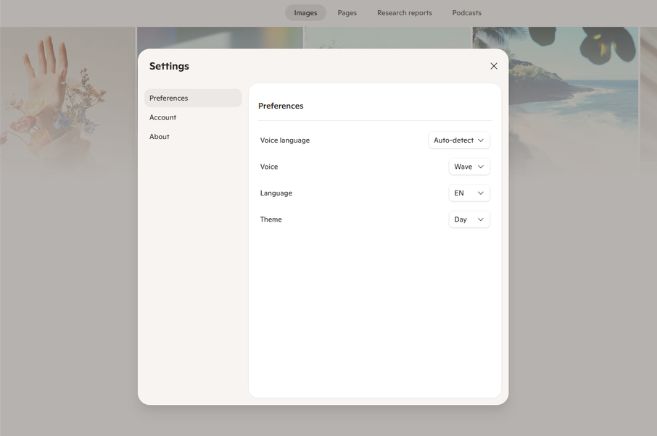
Microsoft Copilot Screenshots
Microsoft Copilot Comparisons
Side by side comparisons of Microsoft Copilot against 1 other AI Agent Tools option listed here.

Microsoft Copilot Reviews
No reviews yet
Used Microsoft Copilot? Share your experience and help other buyers decide.
Microsoft Copilot FAQs
Alternatives to Microsoft Copilot
Other AI Agent Tools recorded on the same fields.