
Meshy AI
VerifiedThe easiest way to create 3D models with AI
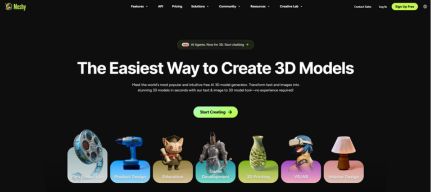 See all screenshots
 - Deployment Cloud Based
- Starting price Free
- Free trial Available
- Best for Freelancers, Startups, SMEs
What is Meshy AI?
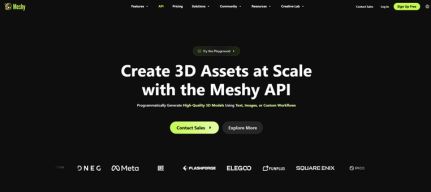
Meshy AI is an AI-powered 3D model generator that helps creators turn text prompts, reference images, sketches, and multi-view concepts into production-ready 3D assets in seconds. Built for game developers, VFX artists, product designers, educators, 3D printing enthusiasts, and enterprise teams, it dramatically reduces the time and cost of traditional modeling workflows. With Meshy AI, users can generate, texture, remesh, rig, animate, preview, and export models without needing advanced 3D sculpting skills. It also supports a robust API and popular plugins for tools like Blender, Unity, Unreal Engine, and 3D-printing slicers, making it easy to integrate into existing pipelines. Whether you need game-ready characters, stylized props, photorealistic product concepts, or printable models, Meshy AI delivers fast iteration, flexible control, and export-ready results. Its combination of ease of use, speed, and professional workflow support makes it one of the most practical AI 3D creation tools available today.
Key Features of Meshy AI
Meshy AI lists 7 documented features, including AI 3D Model Generation, AI Texturing & Editing and Rigging, Animation & Video. The list below covers what the product does rather than how it is marketed.
- AI 3D Model Generation
- AI Texturing & Editing
- Rigging, Animation & Video
- Production-Ready Controls
- Workflow Integration
- Creative Assistance
- Asset & Team Management
Meshy AI Pricing
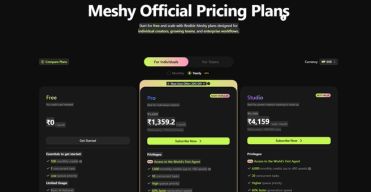
Meshy AI lists 5 plans, starting free and running to $100.
Pro
$20
per month
Stated on the pricing page as $20 a month, or $240 billed annually.
Studio
$70
per month
Includes 1 member, with additional members charged as an add on at $10 a month each. Enterprise is custom priced.
Meshy AI Specifications
Meshy AI is available on web app, Windows and macOS and has iOS and Android apps. It offers an API, has a free trial and has a free plan.
- Deployment
- Cloud Based
- Billing cycle
- Yearly
- Desktop
- Web App
- Windows
- macOS
- Mobile
- iOS
- Android
- Languages
- En-us
- Built for
- Freelancers
- Startups
- SMEs
- Agencies
- Enterprises
- Support
- Tickets
- Integrations
- Blender, Unity, Unreal Engine, Maya, 3ds Max, Godot, Roblox Studio, Bambu Studio, OrcaSlicer, Creality Print, Elegoo Slicer, Ultimaker Cura, Lychee Slicer
- Public API
- Yes
- Free trial
- Yes
- Free plan
- Yes
- Runs in browser
- Yes
- Customisable
- Yes
- Website
- meshy.ai
Meshy AI Videos
Meshy AI Screenshots
Meshy AI Comparisons
Side by side comparisons of Meshy AI against 1 other 3D Modeling Software option listed here.

Meshy AI Reviews
No reviews yet
Used Meshy AI? Share your experience and help other buyers decide.
Meshy AI FAQs
Alternatives to Meshy AI
Other 3D Modeling Software recorded on the same fields.