
Google AI Studio
VerifiedA browser-based studio for building with Gemini models
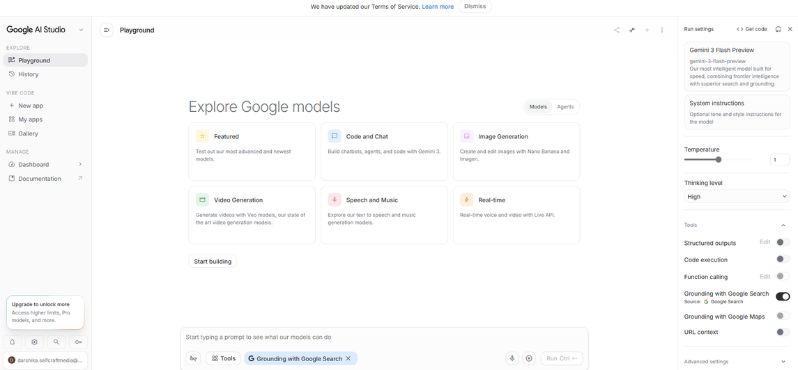 See all screenshots
 - Deployment Cloud Based, Hybrid
- Starting price 19.99/month
- Free trial Available
- Best for Freelancers, Startups, SMEs
What is Google AI Studio?
Google AI Studio is a browser-based development environment from Google that lets developers quickly prototype, test, and refine applications powered by Gemini models. Built for prompt engineers, software developers, product teams, and AI enthusiasts, Google AI Studio makes it easy to experiment with prompts, generate structured outputs, compare model behavior, and move from idea to working prototype without a complex setup. Its main value is speed: you can iterate on AI use cases, tune instructions, and export code for production integration with the Gemini API or Google Cloud workflows. It’s especially useful for teams building chatbots, content tools, multimodal experiences, and other generative AI features. Because it runs in the browser and connects tightly with Google’s AI ecosystem, Google AI Studio offers a simple entry point for AI development while still supporting advanced model controls, safety settings, and developer-friendly testing tools. For anyone looking to build with Gemini efficiently, it’s one of the most practical starting points available.
Key Features of Google AI Studio
Google AI Studio lists 6 documented features, including Prompt Development, Multimodal AI Support and Structured Output Generation. The list below covers what the product does rather than how it is marketed.
- Prompt Development
- Multimodal AI Support
- Structured Output Generation
- Model Tuning and Controls
- Developer Export Tools
- Google Ecosystem Integration
Google AI Studio Pricing
Google AI Studio lists 3 plans, from $19.99 to $200.
AI Plus / Pro
19.99/month
- Gemini Pro access
- Deep Research
- Gemini in Gmail/Docs/Sheets
AI Ultra
100/month
A new tier tailored for developers and technical users, with 5× higher usage limits, priority access to Google Antigravity (agent-first dev platform), and 20TB cloud storage.
AI Ultra
200/month
The top tier, reduced from $250, with 20× higher usage limits and the same advanced features as the $100 plan.
Google AI Studio Specifications
Google AI Studio is available on web app, Windows and macOS and has iOS, Android and macOS apps. It offers an API, has a free trial and has a free plan.
- Deployment
- Cloud Based
- Hybrid
- Billing cycle
- Yearly
- Desktop
- Web App
- Windows
- macOS
- Mobile
- iOS
- Android
- macOS
- Languages
- En-us
- Built for
- Freelancers
- Startups
- SMEs
- Agencies
- Enterprises
- Support
- Training
- Tickets
- Integrations
- Gemini API, Google Cloud, Vertex AI, code export workflows
- Public API
- Yes
- Free trial
- Yes
- Free plan
- Yes
- Runs in browser
- Yes
- Customisable
- Yes
- Website
- aistudio.google.com
Google AI Studio Videos
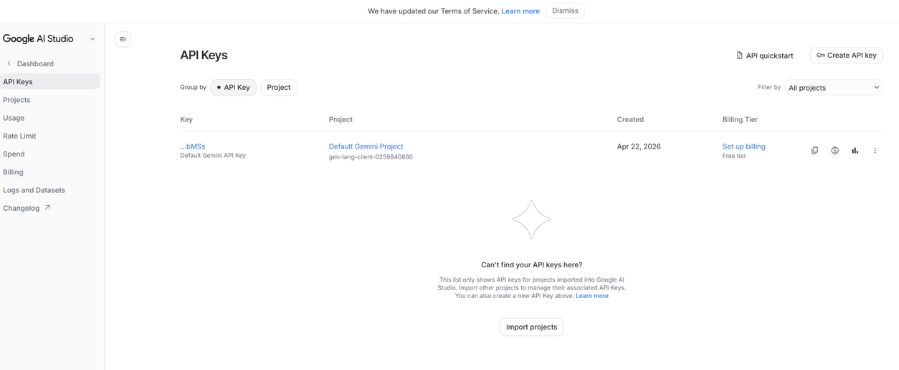
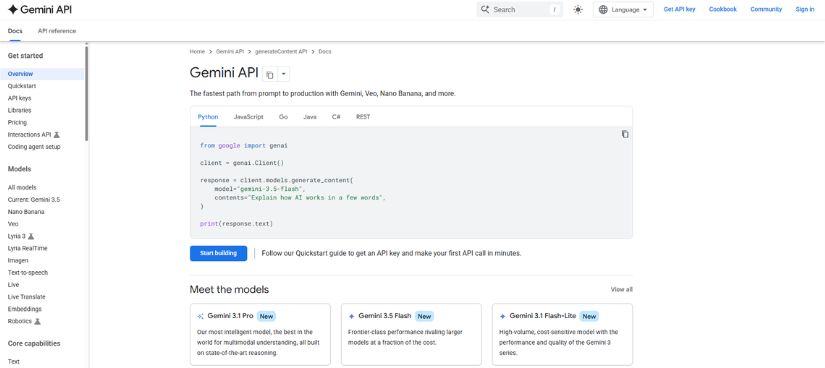
Google AI Studio Screenshots
Google AI Studio Comparisons
Side by side comparisons of Google AI Studio against 1 other AI Development Platform option listed here.

Google AI Studio Reviews
No reviews yet
Used Google AI Studio? Share your experience and help other buyers decide.
Google AI Studio FAQs
Alternatives to Google AI Studio
Other AI Development Platform recorded on the same fields.