Crayo AI
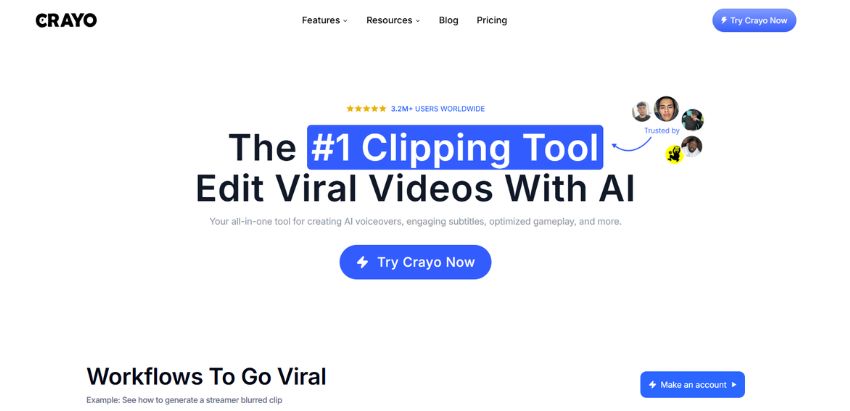
VerifiedThe #1 clipping tool for editing viral videos with AI
 See all screenshots
 - Deployment Cloud Based
- Starting price $13
- Free trial Available
- Best for Freelancers, Startups, SMEs
What is Crayo AI?
Crayo AI is an AI-powered video editing and clipping platform built to help creators turn long-form content into viral short-form videos fast. Designed for YouTubers, TikTok creators, streamers, editors, marketers, and content teams, it combines automated editing with a web-based editor so users can upload a file or paste a YouTube/TikTok link and generate polished clips in seconds. Its main value is speed: Crayo AI streamlines tedious tasks like subtitle styling, background removal, voiceovers, speech enhancement, vocal removal, and social video downloading, making it easier to produce attention-grabbing content at scale. The platform is especially useful for anyone focused on repurposing content for Shorts, Reels, and TikTok, or for creators who want a simplified workflow without juggling multiple tools. With workflow templates such as Reddit story videos, fake texts, streamer clips, and split-screen formats, Crayo AI aims to help users create engaging, trend-ready videos while saving time and effort.
Key Features of Crayo AI
Crayo AI lists 6 documented features, including AI Video Creation, Subtitle & Formatting Tools and AI Voice & Audio Tools. The list below covers what the product does rather than how it is marketed.
- AI Video Creation
- Subtitle & Formatting Tools
- AI Voice & Audio Tools
- Visual Editing Tools
- Content & Idea Generation
- Social Content Utilities
Crayo AI Pricing
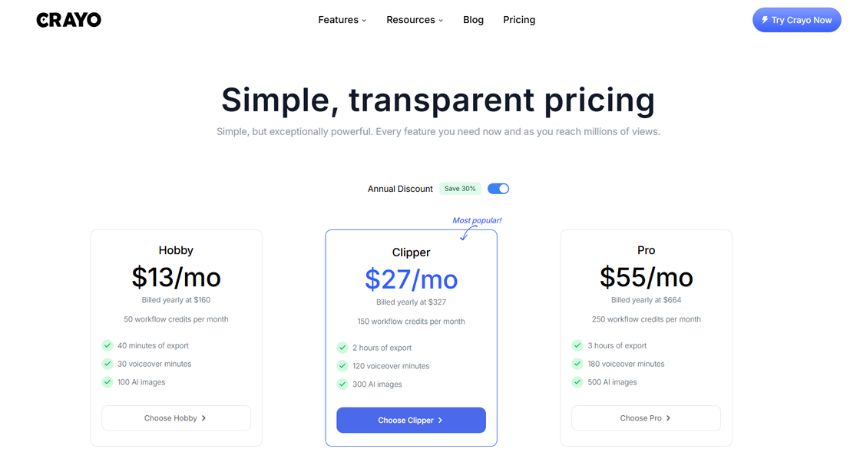
Crayo AI lists 3 plans, from $13 to $55.
Hobby
$13
per month
For getting a first channel off the ground: 50 workflow credits per month, 40 minutes of export and 30 voiceover minutes; per month figure at the annual rate, billed yearly at $160.
Clipper
$27
per month
For creators posting daily: 150 workflow credits per month, 2 hours of export and 120 voiceover minutes; per month figure at the annual rate, billed yearly at $327.
Pro
$55
per month
For power users running channels at scale: 250 workflow credits per month, 4 hours of export and 180 voiceover minutes; per month figure at the annual rate, billed yearly at $664.
Crayo AI Specifications
Crayo AI is available on web app, Windows and macOS and has iOS and macOS apps. It has a free trial.
- Deployment
- Cloud Based
- Billing cycle
- Yearly
- Desktop
- Web App
- Windows
- macOS
- Mobile
- iOS
- macOS
- Languages
- English
- Built for
- Freelancers
- Startups
- SMEs
- Agencies
- Support
- Live Support
- Integrations
- YouTube link import, TikTok link import, ChatGPT image import
- Public API
- No
- Free trial
- Yes
- Free plan
- No
- Runs in browser
- Yes
- Customisable
- Yes
- Website
- crayo.ai
Crayo AI Videos
Crayo AI Screenshots
Crayo AI Comparisons
Side by side comparisons of Crayo AI against 2 other AI Image Generation Software options listed here.


Crayo AI Reviews
No reviews yet
Used Crayo AI? Share your experience and help other buyers decide.
Crayo AI FAQs
Alternatives to Crayo AI
Other AI Image Generation Software recorded on the same fields.