
Handwriting-based music composition for pen and touch, recognising notation as you write it
Best Music Notation Software
Music notation software is designed to help musicians, composers, and educators create, edit, and publish sheet music digitally. These solutions offer tools for writing music notation, arranging compositions, and sharing or printing scores.
More about Music Notation Software
Key capabilities include:
- Score Creation and Editing
- Instrument Part Customization
- MIDI Input and Playback
- Transposition and Arrangement Tools
- Chord Symbols and Lyrics Support
- Export and Printing Options
Music notation software assists users in composing and arranging music by providing features for creating and editing scores, customizing instrument parts, and integrating MIDI input for playback. By offering tools for transposition, chord symbols, and exporting scores, these solutions support the creative process and facilitate music sharing.
To qualify for the Music Notation Software category, a product must:
- Provide tools for creating, editing, and arranging music notation.
- Offer features for MIDI input, playback, and instrument part customization.
- Support exporting, printing, and sharing of sheet music in various formats.
The core value proposition is enabling musicians and composers to create, refine, and share their musical ideas with precision and ease through comprehensive music notation software solutions.
Music Notation Software Compared
Compare the 4 most relevant Music Notation Software options on price, free trial and deployment.
| Product | Starting price | Free trial | Free plan | API | Deployment |
|---|---|---|---|---|---|
 StaffPad Handwriting-based music composition for pen and touch, recognising notation as… StaffPad Handwriting-based music composition for pen and touch, recognising notation as… | Published on platform stores | – | – | – | On Premise |
 Flat.io Browser-based notation with real-time collaboration, offline mode and a guitar… Flat.io Browser-based notation with real-time collaboration, offline mode and a guitar… | Free to download | ✓ | ✓ | ✓ | Cloud Based, On Premise |
 Noteflight Cloud music notation for composing, playback and sharing, free to… Noteflight Cloud music notation for composing, playback and sharing, free to… | Free | ✓ | ✓ | ✓ | Cloud Based |
 LilyPond Free text-based music engraving producing publication-quality scores from plain source… LilyPond Free text-based music engraving producing publication-quality scores from plain source… | Free | ✓ | ✓ | – | On Premise |
All Software
4 Best Music Notation Software Options
Showing 1 - 4 of 4 products
StaffPad is a music composition application designed for pen and touch, letting a composer write notation in their own handwriting and having it recognised and typeset, with audio recording and import alongside.
Handwriting recognition is the entire proposition and it addresses something specific about how composers work. Notation software conventionally requires music to be entered through a mouse and keyboard, or played in on a MIDI keyboard, and both interpose a translation step between the musical thought and the page. A composer who has spent decades writing music with a pencil is fluent in that gesture, and switching to clicking note values onto a staff is not merely different, it is slower and it interrupts the thought.
StaffPad removes that translation. The composer writes as they always have, and the software converts the handwriting to engraved notation, which then plays back and can be exported as parts.
The trade-off is honest and worth stating: handwriting recognition is imperfect, and correcting a misread accidental or a rhythm the software has guessed wrongly is its own kind of friction. Whether it is less friction than mouse entry depends heavily on the individual, which makes this a product to try rather than to evaluate on description.
Audio recording and import alongside notation reflects how composition now works, particularly for media composers who sketch against picture and need audio and notation in the same document.
StaffPad Reader is published separately, which suggests scores can be distributed to performers without every player needing the full application.
Pricing is not published as plan figures on the captured page.
Read StaffPad Reviews Explore additional details
Explore various Keka features, compare the pricing plans, and unlock the potential of seamless operations by selecting the right software for your business.
Features
View all StaffPad Features- Handwritten music notation entry
- Handwriting recognition to engraved notation
- Pen and touch input design
- Audio recording alongside notation
- Audio import
- Score playback
- Part extraction
- StaffPad Reader for performers
- Composition sketching against audio
- Score export
Pricing
StaffPad Caters to
- StartUps
- SMEs
- Agencies
- Enterprises
Browser-based notation with real-time collaboration, offline mode and a guitar tab editor
Flat is music notation software running in the browser with a downloadable desktop application, built around real-time collaboration, high-quality instrument playback, offline mode, a guitar tab editor and PDF import.
Real-time collaboration is the capability that distinguishes it, and notation is a surprisingly good fit for it. Traditional notation software assumes one composer at one computer, with collaboration handled by emailing files back and forth and hoping nobody edits the same bar. Two arrangers working on a chart, a teacher correcting a student's exercise while they watch, or a band editing parts together are all natural collaborative situations that the file-exchange model handles badly.
The comparison to how document editing changed is apt. Once several people could edit the same document simultaneously, the practice of emailing versions around stopped making sense, and notation is following the same path for the same reasons.
The education market is the obvious beneficiary. A music teacher assigning composition work to thirty students can see each score as it develops rather than collecting files, and can leave corrections directly on the student's work.
Offline mode matters because browser-based tools fail in exactly the places musicians work: rehearsal rooms, theatres and venues with poor connectivity. A notation tool that stops working when the signal drops is unusable in performance settings.
PDF import addresses the practical reality that much existing music exists only as scanned PDFs, and the guitar tab editor serves a notation form conventional software often treats as secondary.
A pricing page is published but no plan figure was retrievable.
Read Flat.io Reviews Explore additional details
Explore various Keka features, compare the pricing plans, and unlock the potential of seamless operations by selecting the right software for your business.
Features
View all Flat.io Features- Browser-based music notation
- Real-time collaborative editing
- Desktop application for Windows and Mac
- Offline mode
- High-quality instrument playback
- Guitar tab editor
- PDF import
- Score sharing
- Education and classroom use
- Free download available
Pricing
Flat.io Caters to
- StartUps
- SMEs
- Agencies
- Enterprises
Cloud music notation for composing, playback and sharing, free to start and built for classrooms
Noteflight is cloud-based music notation covering composing, editing, importing, playing and sharing, positioned as easy to learn and free to start.
Easy to learn is the honest positioning and it identifies the intended user. Professional notation software is genuinely difficult, with deep feature sets built for engravers producing publication-ready parts, and that depth is precisely the obstacle for a student writing their first eight-bar melody or a teacher who needs thirty pupils productive within one lesson.
Being cloud-based rather than installed is what makes classroom use practical at all. A school music department cannot install and license notation software across a computer suite, keep it updated and handle students working from home on their own devices. A browser tool removes the installation, the licensing per machine and the version mismatch between school and home.
Sharing being listed alongside composing reflects that student music exists to be heard. A composition that only opens on the machine it was written on cannot be handed to a teacher, played to a class or sent home, and the sharing is therefore part of the assignment rather than a distribution feature.
Playback matters more for learners than for professionals. An experienced composer hears the score reading it; a student needs to hear what they wrote to know whether it worked, and that feedback loop is what teaches them.
The free tier is the entry point, with plans published on a dedicated page though no figure was retrievable during this review.
Read Noteflight Reviews Explore additional details
Explore various Keka features, compare the pricing plans, and unlock the potential of seamless operations by selecting the right software for your business.
Features
View all Noteflight Features- Cloud-based music notation
- Composing and editing in the browser
- Score playback
- Score sharing
- Score import
- Free tier to start
- Classroom and education use
- No installation or per-machine licensing
- Access from school and home devices
- Easy-to-learn interface
Pricing
Noteflight Caters to
- StartUps
- SMEs
- Agencies
- Enterprises
Free text-based music engraving producing publication-quality scores from plain source files
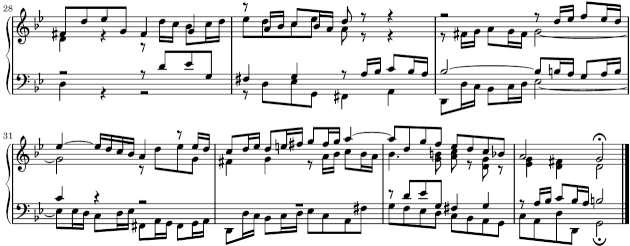
LilyPond is free music engraving software that takes a different approach from every commercial alternative: music is written as text in a source file and the software engraves it, rather than being placed on screen with a mouse.
That sounds obscure and is deliberately chosen, because it inverts the usual priority. Graphical notation software asks the user to position elements and produces a result that looks like what they arranged. LilyPond asks the user to describe the music and produces engraving decided by typographic rules, which is why its output is regularly compared to hand-engraved plates from traditional publishing rather than to other software.
The practical consequences follow from the text format. A score is a plain text file, so it can be version controlled, diffed, generated by a program, and read in fifty years by anything that can open text. Anyone who has tried to open a twenty-year-old proprietary notation file will recognise why that matters.
The cost is a genuine learning curve. Writing music as text means learning a syntax, and the feedback loop is compile-and-view rather than immediate. For someone entering a simple lead sheet that is worse than a graphical editor; for someone engraving a complex score to publication standard it is frequently better, because the typographic decisions are made consistently rather than by hand.
The project publishes an introduction, examples, manuals and a community, and frames freedom as its own topic, which is the software freedom sense rather than the price.
LilyPond is free with no licence cost.
Read LilyPond Reviews Explore additional details
Explore various Keka features, compare the pricing plans, and unlock the potential of seamless operations by selecting the right software for your business.
Features
View all LilyPond Features- Text-based music engraving
- Publication-quality typographic output
- Plain text source files
- Version control compatible
- Programmatically generatable scores
- Long-term file readability
- Extensive published manuals
- Community support
- Free and open source
- Cross-platform
Pricing
LilyPond Caters to
- StartUps
- SMEs
- Agencies
- Enterprises
Music Notation Software Buyer's Guide
Comparing Music Notation Software is easier once you stop ranking features and start checking which product assumes your workflow. Below are the core capabilities, who benefits most, typical pricing, and what to test before committing.
What is Music Notation Software?
Music Notation Software helps teams produce, edit, and publish visual, video, or interactive creative work. The real return is usually less rekeying and fewer version disputes rather than any single headline feature. The practical difference shows up in the awkward cases rather than the standard ones.
Key features to look for in Music Notation Software
Which of these matter depends on your process, but they are worth checking against any Music Notation Software shortlist.
- Creation and editing tools for the medium
- Layer, timeline, or scene based composition
- Effects, filters, and transformations
- Asset library and reusable elements
- Preview and rendering
- Export to the formats your channels need
- Collaboration and review workflows
- Version history on creative files
Benefits of using Music Notation Software
Organisations running Music Notation Software that genuinely fits their workflow tend to see:
- Professional output without a specialist studio
- Consistent look across a body of work
- Faster turnaround through reusable assets
- Feedback captured against the work itself
- Output ready for every channel you publish to
Who uses Music Notation Software?
Music Notation Software is used by designers, video editors, content creators, marketing teams, and studios. What matters more than headcount is whether the product’s assumptions about your process are correct.
How to choose the right Music Notation Software
When comparing Music Notation Software, weigh these factors:
- Output quality and the formats you actually need to export
- Hardware requirements, since rendering is demanding
- Learning curve against your team’s existing skills
- Asset licensing terms for any included library content
- Collaboration and review if more than one person touches the work
Narrow to a few options and test on your own data. The eventual daily users should run the trial, because their friction determines whether a rollout sticks.
How much does Music Notation Software cost?
Commonly a monthly or annual per seat subscription, with some perpetual licences still available. Render time, cloud storage, and stock assets are often extra. Budget against where you expect to be, and read carefully which capabilities are gated above the tier you are quoted.
FAQs of Music Notation Software
Music Notation Software handles the day to day paperwork of creative production work, keeping customer records, scheduling and payment in one place.
General tools need adapting to creative production workflows and rarely cover the terminology or compliance involved, which is what Music Notation Software is built around.
Scale assumptions vary widely across Music Notation Software, so ask any vendor what a typical creative production customer of theirs actually looks like.
Music Notation Software vendors differ on migration, so confirm the import path for your current creative production records rather than assuming it is included.
Music Notation Software pricing is commonly per seat or per site and tiered by scale, so budget above what a general purpose creative production tool would cost.
Trial Music Notation Software against real creative production work rather than a vendor demo, and involve the staff who will use it daily.