
The practice of pinning conversations at the top has become common in contemporary instant messaging applications. Prominent platforms like WhatsApp, Telegram, and Signal all offer this functionality, allowing users to prioritize specific chats for quick access.
Interestingly, a parallel functionality is also present in the widely used image-sharing app, Snapchat. Although Snapchat is renowned for its image-centric nature, it also offers an instant messaging feature. This feature is available for both Android and iOS users, enabling seamless communication with friends.
Moreover, Snapchat’s continuous evolution is evident in features such as the ability to share live locations with friends. This commitment to enhancing user communication experiences underscores Snapchat’s relevance in the messaging app landscape.
Also Read: How to Make a Group Chat on Snapchat
Steps to Unpin Someone on Snapchat?
In this article, we will delve into Snapchat’s pinning feature. Assuming you’re already familiar with how to pin chats on Snapchat, our focus here is on guiding you through unpinning someone on the platform.
How to Unpin Someone on Snapchat for Android. The process of removing a pin from someone on Snapchat is straightforward and doesn’t require installing additional applications. To unpin a conversation that was mistakenly pinned, follow the steps outlined below:
- Initiate the Snapchat application on your Android or iOS device.
- Once the app is open, navigate to the “Chats” option located at the bottom of your screen.
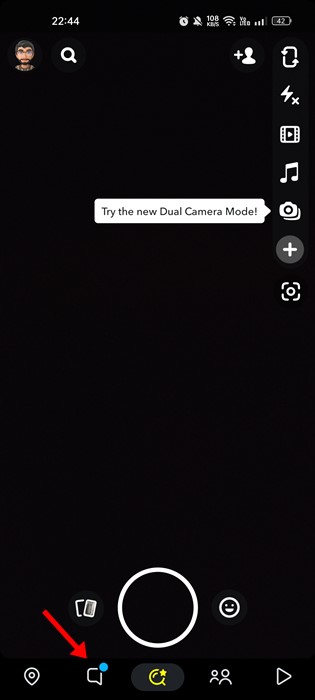
- Proceed by tapping and holding the conversation you intend to unpin. From the options that appear, select ‘Chat Settings.’
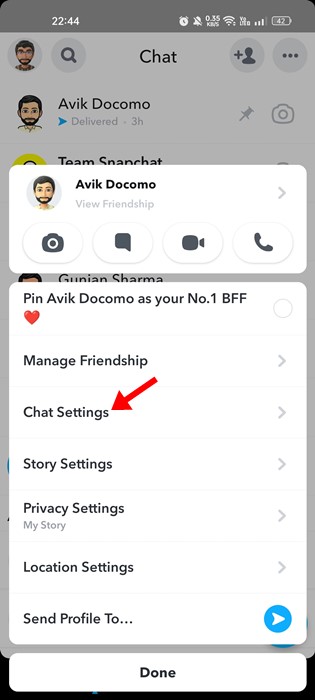
- From the list of available options below, select ‘Unpin Conversation.’
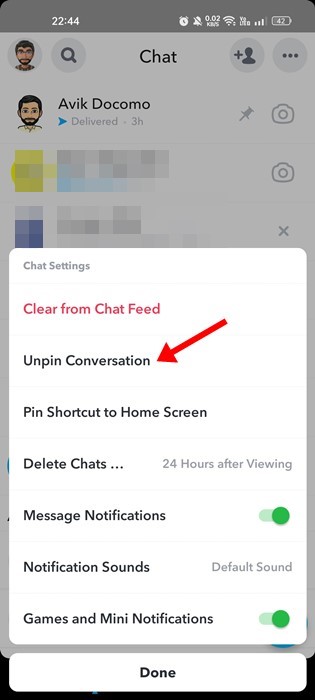
That concludes the process! Removing a pin from someone on Snapchat is simple. The aforementioned steps apply to both Snapchat versions on Android and iOS.
Pinning a Conversation as #1 BFF
For those using Snapchat Plus, the feature lets you pin a conversation with a friend as a symbol of being Best Friends Forever (#BFF). This engaging addition is exclusive to Snapchat Plus subscribers. Here’s how you can do it:
- Launch the Snapchat app and navigate to the “Chats” tab.
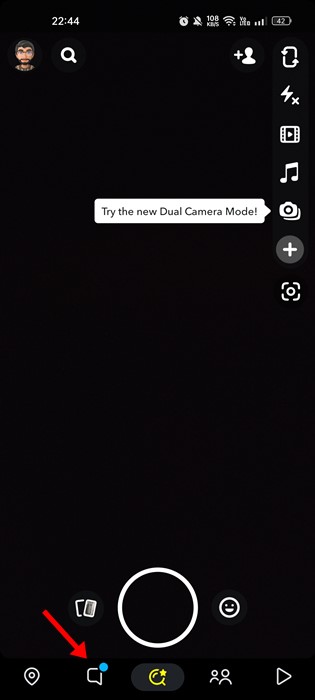
- Next, tap on the conversation that you wish to designate as your #1 BFF.
- Among the available options, choose ‘Pin… as your No. 1 BFF.’
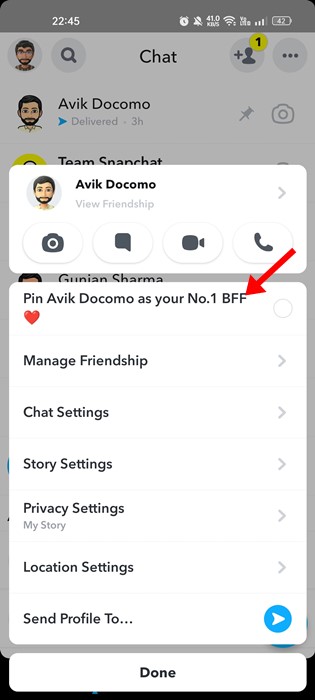
And that’s all there is to it! Following these steps will allow you to pin your closest friend on Snapchat as your #1 BFF.
Pinning a New Conversation on Snapchat
The ability to pin conversations is a feature available in the latest version of Snapchat. If you’re unsure about how to pin a new conversation on Snapchat, follow these steps:
- Launch the Snapchat application on your Android or iOS device.
- Once the app is open on your smartphone, navigate to the “Chats” tab.
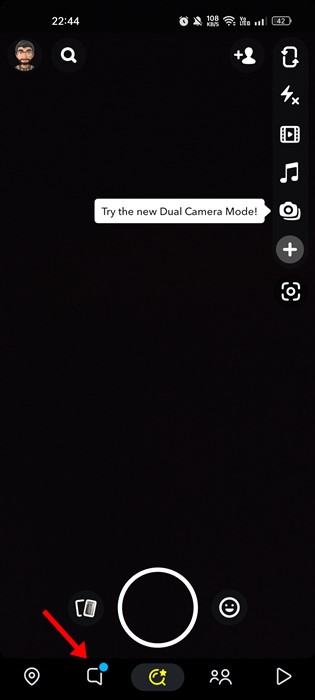
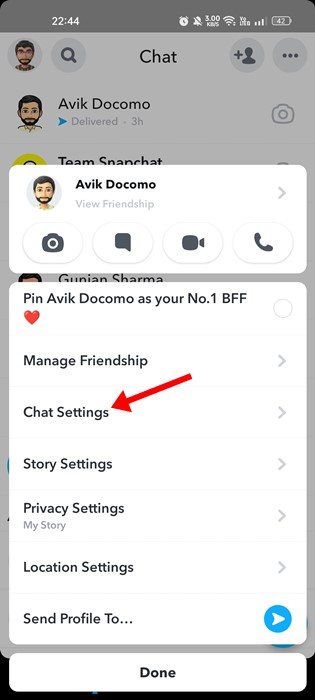
- Long-press on the chat you wish to pin, and then select ‘Chat Settings.’
- From the options in Chat Settings, choose ‘Pin Conversation.’
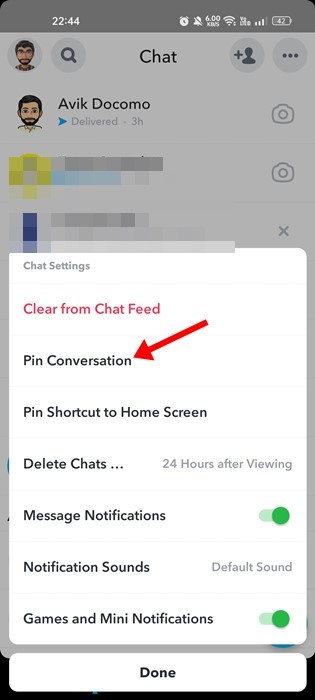
And there you have it! Following these steps will enable you to successfully pin a new conversation on the Snapchat app, regardless of whether you’re using Android or iOS.
FAQs:
How to Know If the Chat is Pinned?
If you’ve pinned a conversation on Snapchat, a small pin icon will appear next to it. So, if you spot this pin icon next to a person’s name in the chat panel, it indicates that the conversation has been pinned.
How Many Conversations can be pinned on Snapchat?
Presently, Snapchat’s pinning feature is relatively new. As of now, the app allows you to pin up to three conversations. Should you wish to pin additional conversations, you’ll need to unpin existing ones. It’s worth noting that Snapchat might adjust these limits in forthcoming updates.
How Long Does a Pinned Conversation Stay on Snapchat?
The beauty of the new conversation pinning feature is that it has no time constraints. Pinned conversations will remain at the top of your chat list indefinitely, unless you manually unpin them.
Will Snapchat Notify You When You Unpin Someone?
A crucial question to consider before unpinning someone is whether Snapchat will notify the other party. Regardless of whether you’re pinning or unpinning, Snapchat does not send notifications to the other person. This feature is designed to ensure efficient access to important chats without generating notifications.
These FAQs aim to address common questions about Snapchat’s conversation pinning feature, providing clarity on its usage.
Add SocialAtoZ as a preferred source
See us more often in your Google results.