

Flat.io
VerifiedBrowser-based notation with real-time collaboration, offline mode and a guitar tab editor
 See all screenshots
 - Deployment Cloud Based, On Premise
- Starting price Free to download
- Free trial Available
- Best for Freelancers, Small Business, Medium Business
What is Flat.io?
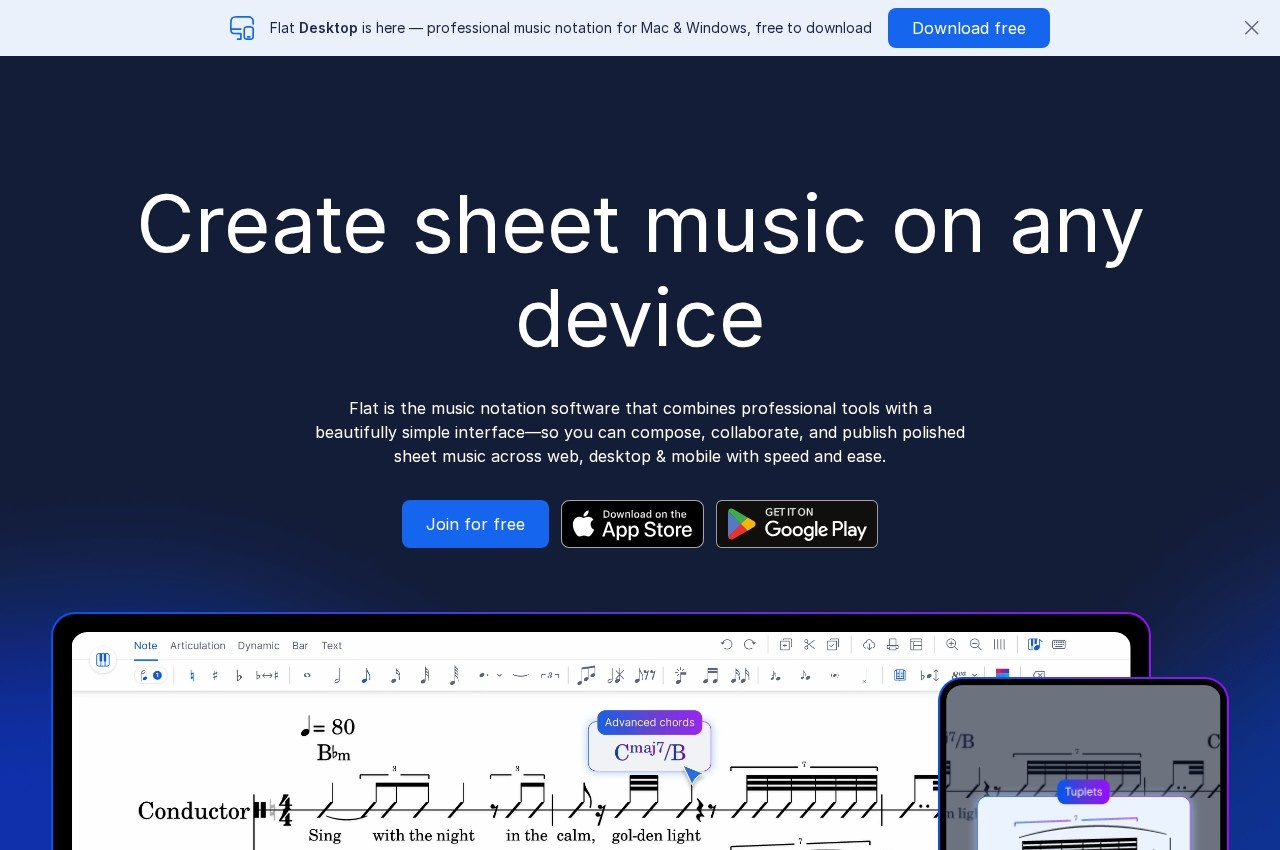
Flat is music notation software running in the browser with a downloadable desktop application, built around real-time collaboration, high-quality instrument playback, offline mode, a guitar tab editor and PDF import.
Real-time collaboration is the capability that distinguishes it, and notation is a surprisingly good fit for it. Traditional notation software assumes one composer at one computer, with collaboration handled by emailing files back and forth and hoping nobody edits the same bar. Two arrangers working on a chart, a teacher correcting a student's exercise while they watch, or a band editing parts together are all natural collaborative situations that the file-exchange model handles badly.
The comparison to how document editing changed is apt. Once several people could edit the same document simultaneously, the practice of emailing versions around stopped making sense, and notation is following the same path for the same reasons.
The education market is the obvious beneficiary. A music teacher assigning composition work to thirty students can see each score as it develops rather than collecting files, and can leave corrections directly on the student's work.
Offline mode matters because browser-based tools fail in exactly the places musicians work: rehearsal rooms, theatres and venues with poor connectivity. A notation tool that stops working when the signal drops is unusable in performance settings.
PDF import addresses the practical reality that much existing music exists only as scanned PDFs, and the guitar tab editor serves a notation form conventional software often treats as secondary.
A pricing page is published but no plan figure was retrievable.
Key Features of Flat.io
- Browser-based music notation
- Real-time collaborative editing
- Desktop application for Windows and Mac
- Offline mode
- High-quality instrument playback
- Guitar tab editor
- PDF import
- Score sharing
- Education and classroom use
- Free download available
Flat.io Pricing
Free
Free to download
A free download is published for Windows. Paid plan figures are published on the vendor pricing page but were not retrievable here.
Flat.io Specifications
- Deployment
- Cloud Based
- On Premise
- Desktop
- Web App
- Windows
- Mac
- Mobile
- Android
- iOS
- Built for
- Freelancers
- Small Business
- Medium Business
- Support
- Public API
- Yes
- Free trial
- Yes
- Free plan
- Yes
- Runs in browser
- No
- Customisable
- No
- Website
- flat.io
Flat.io Videos
Flat.io Screenshots
Flat.io Comparisons


Flat.io Reviews
No reviews yet
Used Flat.io? Share your experience and help other buyers decide.
Flat.io FAQs
Alternatives to Flat.io
Other Music Notation Software recorded on the same fields.