Designs.ai Logomaker
VerifiedAI logo maker that generates custom, editable brand logos in minutes
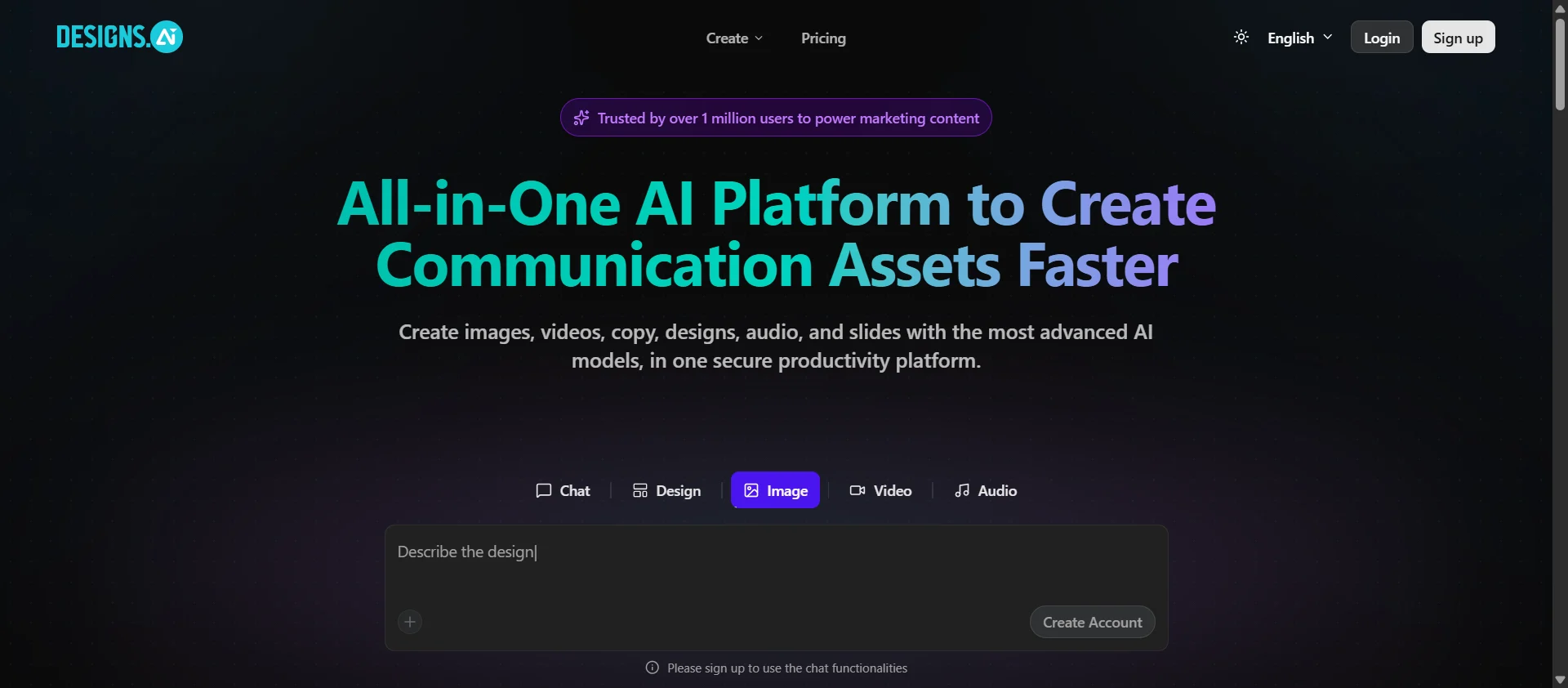 See all screenshots
 - Deployment Cloud Based
- Starting price Free
- Free trial Available
- Best for Freelancers, Startups, SMEs
What is Designs.ai Logomaker?
Logomaker is the logo-design tool inside Designs.ai, a Singapore-based AI creative platform owned by Pixlr Group. Users enter a company name, industry, and style preferences, and the AI generates a set of logo options built from a large library of icons and fonts. Each result can be customized further, adjusting colors, layouts, fonts, and icons in a built-in editor, and exported in formats like PNG, JPG, PDF, and SVG.
Because Logomaker is bundled inside the broader Designs.ai suite, subscribing also unlocks the platform's other tools, including video, image, copywriting, presentation, and audio generators, along with brand kit features for keeping colors, fonts, and assets consistent across projects. It suits freelancers, small business owners, and marketing teams who want an affordable way to produce a logo without hiring a designer.
Key Features of Designs.ai Logomaker
Designs.ai Logomaker lists 9 documented features, including AI-generated logo options from company name, industry, and style inputs, Large built-in library of icons and fonts and In-browser editor to customize colors, layouts, fonts, and icons. The list below covers what the product does rather than how it is marketed.
- AI-generated logo options from company name, industry, and style inputs
- Large built-in library of icons and fonts
- In-browser editor to customize colors, layouts, fonts, and icons
- Vector-based output that scales without quality loss
- Multiple export formats including PNG, JPG, PDF, and SVG
- Brand kit tools for consistent colors and typography across designs
- Bundled access to the wider Designs.ai suite (video, image, audio, presentation tools)
- Team collaboration with multiple seats on higher-tier plans
- Commercial usage rights on paid plans
Designs.ai Logomaker Pricing
Designs.ai Logomaker lists 4 plans. One is free; the rest are quoted on request.
Free
Free
~10 one-time credits on signup
Entry-level preview access, no payment method required
Basic / Plus
~$39/month (annual billing)
~1,000 AI credits/month, 1 team member
Unlimited projects with downloads, access to Logomaker and other Designs.ai tools
Pro
~$79/month (annual billing)
~3,000 AI credits/month, 3-5 team members
More premium stock assets and team collaboration
Enterprise
~$188-199/month (annual billing)
~15,000 AI credits/month
Highest asset/credit allowances, priority support
Designs.ai Logomaker Specifications
Designs.ai Logomaker is available on web app. It has a free trial and has a free plan.
- Deployment
- Cloud Based
- Billing cycle
- Monthly
- Desktop
- Web App
- Languages
- English
- Built for
- Freelancers
- Startups
- SMEs
- Support
- Tickets
- Training
- Integrations
- No documented third-party integrations or public API; standalone web tool within the Designs.ai suite.
- Public API
- No
- Free trial
- Yes
- Free plan
- Yes
- Runs in browser
- Yes
- Customisable
- Yes
- Website
- designs.ai
Designs.ai Logomaker Videos
Designs.ai Logomaker Screenshots
Designs.ai Logomaker Comparisons
Side by side comparisons of Designs.ai Logomaker against 3 other AI Logo Generator Tools options listed here.



Used Designs.ai Logomaker? Write the first review.
Designs.ai Logomaker FAQs
Alternatives to Designs.ai Logomaker
Other AI Logo Generator Tools recorded on the same fields.