Dreamwave AI
VerifiedAI-generated studio-quality professional headshots and avatars from a single selfie
 See all screenshots
 - Deployment Cloud Based
- Starting price $35
- Free trial Not offered
- Best for Freelancers, Startups, SMEs
What is Dreamwave AI?
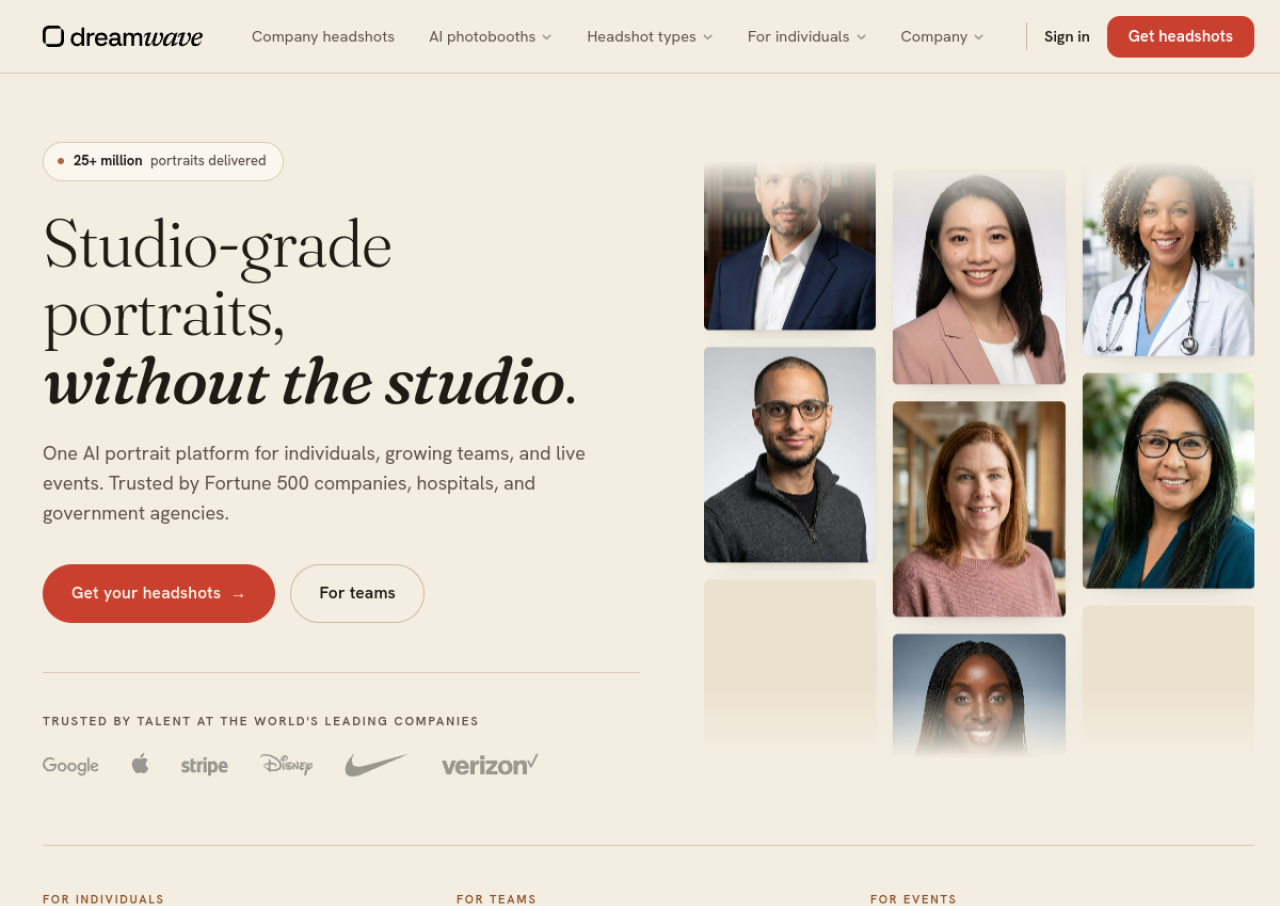
Dreamwave AI is an AI-powered headshot and avatar generator that turns a single selfie or a handful of personal photos into studio-quality professional portraits. Users select styles such as business formal, business casual, or smart casual, and the platform generates images across multiple outfits, backdrops, and scenes without needing a camera, studio, or photographer. Beyond individual headshots, Dreamwave offers an AI avatar maker for custom photos in different outfits, hairstyles, and settings using text prompts or inspiration images.
The platform also serves teams and events. Company plans provide consistent, on-brand headshots across an organization with integrations into HR systems like Workday, ADP, and BambooHR, plus syncing to tools like Slack and Okta for ID badges. For live events, Dreamwave offers an AI photobooth with branded slideshow walls. The company was founded by researchers with backgrounds at MIT, Google DeepMind, OpenAI, Meta, and SpaceX, and states it has generated more than 25 million portraits while not selling user data or training models on customer likenesses.
Key Features of Dreamwave AI
Dreamwave AI lists 10 documented features, including AI headshot generation from a single selfie or a few uploaded photos, Multiple professional styles including business formal, business casual, and smart casual and AI avatar maker for custom photos in various outfits, hairstyles, and scenes. The list below covers what the product does rather than how it is marketed.
- AI headshot generation from a single selfie or a few uploaded photos
- Multiple professional styles including business formal, business casual, and smart casual
- AI avatar maker for custom photos in various outfits, hairstyles, and scenes
- Text-prompt and inspiration-photo driven image direction
- Outfit swapping and background changes via text prompt after generation
- Team/company plans with consistent on-brand headshots across an organization
- HRIS integrations (Workday, ADP, Rippling, Gusto, BambooHR)
- Syncing to downstream apps like Slack, Outlook, and Okta for ID badges
- 4K print-ready assets for security badges
- AI photobooth with live branded slideshow wall for events
Dreamwave AI Pricing
Dreamwave AI lists 4 plans. Three carry a published figure, from $35 to $99; the rest are quoted on request.
Starter
$35
75 photos
8 outfits, 8 backdrops, no redos, no human touchups, one-time purchase (regular price $55)
Standard
$59
150 photos
10 outfits, 10 backdrops, 1 free redo, no human touchups, one-time purchase (regular price $79); marked Most Popular
Premium
$99
300 photos
15 outfits, 10 backdrops, 2 free redos, unlimited human touchups, one-time purchase (regular price $119); marked Best Value
Teams/Company
Custom
150 photos per user
Bulk automations and invitations, HRIS integrations, dedicated account manager, 2-hour turnaround, priority support; contact sales@dreamwave.ai for a quote
Dreamwave AI Specifications
Dreamwave AI is available on web app.
- Deployment
- Cloud Based
- Billing cycle
- Onetime
- Desktop
- Web App
- Languages
- English
- Built for
- Freelancers
- Startups
- SMEs
- Agencies
- Enterprises
- Support
- Integrations
- Workday, ADP, Rippling, Gusto, BambooHR, Slack, Outlook, Okta, and physical badging systems
- Public API
- No
- Free trial
- No
- Free plan
- No
- Runs in browser
- Yes
- Customisable
- Yes
- Website
- dreamwave.ai
Dreamwave AI Videos
Dreamwave AI Screenshots
Dreamwave AI Comparisons
Side by side comparisons of Dreamwave AI against 3 other AI Headshot Generator options listed here.


Dreamwave AI Reviews
No reviews yet
Used Dreamwave AI? Share your experience and help other buyers decide.
Dreamwave AI FAQs
Alternatives to Dreamwave AI
Other AI Headshot Generator recorded on the same fields.