
Domo AI
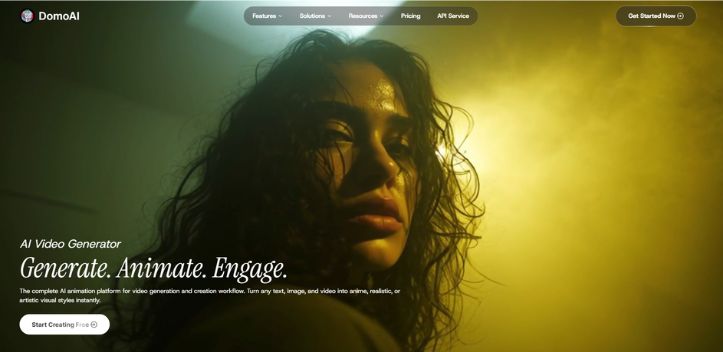
VerifiedGenerate. Animate. Engage.
 See all screenshots
 - Deployment Cloud Based
- Starting price $6.99
- Free trial Available
- Best for Freelancers, Startups, SMEs
What is Domo AI?
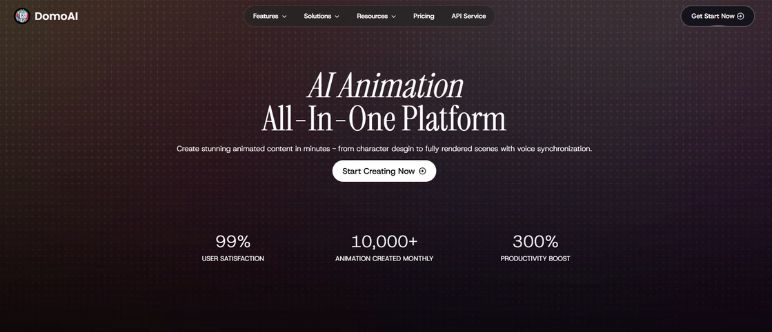
Domo AI is an AI video generator and creative automation platform built for creators, marketers, filmmakers, anime artists, and social media teams that want to turn ideas into engaging visuals fast. With Domo AI, you can generate videos from text, animate still images, transform existing footage, and apply anime, realistic, cartoon, or artistic styles without a complex editing workflow. The platform supports popular use cases like text to video, image to video, video to video, character animation, talking avatars, lip sync, background removal, and AI upscaling, making it useful for both content creation and post-production. It also offers templates, quick apps, and a community remix workflow so users can start from proven styles and customize them with their own assets. Backed by a large user base and a broad set of AI models, domo ai is especially attractive for anyone who wants fast, stylized, high-impact video content with minimal setup.
Key Features of Domo AI
Domo AI lists 6 documented features, including AI Video Generation, Editing & Enhancement and Style Transfer & Creative Effects. The list below covers what the product does rather than how it is marketed.
- AI Video Generation
- Editing & Enhancement
- Style Transfer & Creative Effects
- Templates & Workflow
- Platform & Developer Tools
- Creative Partner Program
Domo AI Pricing
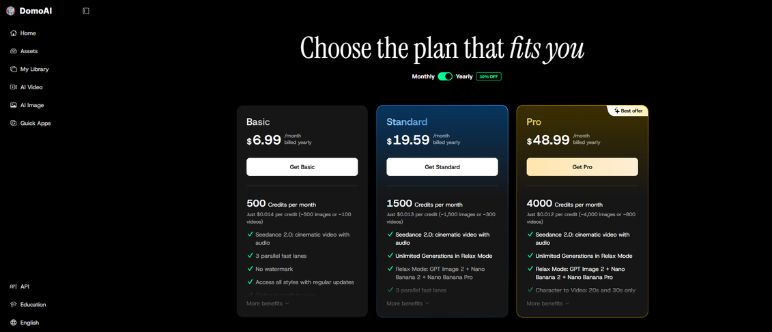
Domo AI lists 4 plans, from $6.99 to $99.
Basic
$6.99
per month, billed yearly
500 credits per month with no watermark and access to all styles; the page only shows yearly billed rates, so those are used for every tier.
Standard
$19.59
per month, billed yearly
1500 credits per month with all styles and optional credit top ups, listed on its own plan card.
Pro
$48.99
per month, billed yearly
4000 credits per month, marked as the best offer on the plan card.
Team
$99
per seat / month, billed yearly
24,000 credits per month for a team, shown at $99 per seat against a regular $142 per seat.
Domo AI Specifications
Domo AI is available on web app, Windows and macOS and has iOS and macOS apps. It offers an API, has a free trial and has a free plan.
- Deployment
- Cloud Based
- Billing cycle
- Yearly
- Desktop
- Web App
- Windows
- macOS
- Mobile
- iOS
- macOS
- Languages
- English
- Built for
- Freelancers
- Startups
- SMEs
- Agencies
- Enterprises
- Support
- Live Support
- Training
- Integrations
- Via REST API, supporting Text to Video, Image to Video, Video to Video, Talking Avatar, and Template to Video endpoints.
- Public API
- Yes
- Free trial
- Yes
- Free plan
- Yes
- Runs in browser
- Yes
- Customisable
- Yes
- Website
- domoai.app
Domo AI Videos
Domo AI Screenshots
Domo AI Comparisons
Side by side comparisons of Domo AI against 2 other AI Avatar Generators options listed here.


Domo AI Reviews
No reviews yet
Used Domo AI? Share your experience and help other buyers decide.
Domo AI FAQs
Alternatives to Domo AI
Other AI Avatar Generators recorded on the same fields.