
Contents
- 1 Here are the Steps for Downloading Your Snapchat Data
- 2 FAQs:
- 2.1 How much time does it take to retrieve your Snapchat data?
- 2.2 Does Snapchat data show deleted messages?
- 2.3 Where is Snapchat data stored?
- 2.4 What does “no name” signify in Snapchat data?
- 2.5 How long does it take for a Snapchat data request to process?
- 2.6 Why is the Snapchat data download not working?
Downloading your Snapchat data provides you with a comprehensive record of your account activity. This data includes elements such as your snaps, stories, chat logs, and account details. It’s a valuable resource for archiving memories and gaining insights into your usage patterns. Additionally, having your Snapchat data on hand enables a deeper understanding of your digital footprint and helps you maintain control over your personal information. Always handle this data with care, adhering to privacy guidelines to safeguard your online presence.
Here are the Steps for Downloading Your Snapchat Data
Access Your Snapchat Profile
To do this, tap your profile icon in the top-left corner of the screen.

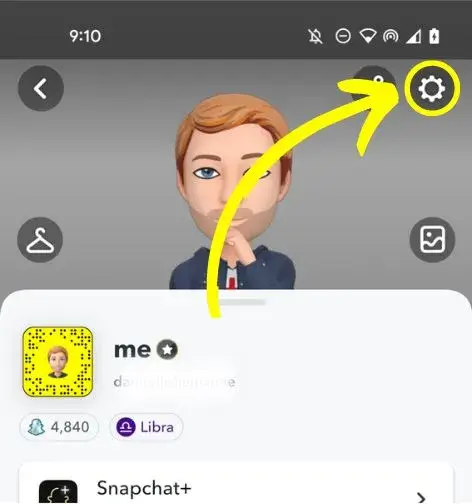
Select the Settings Icon
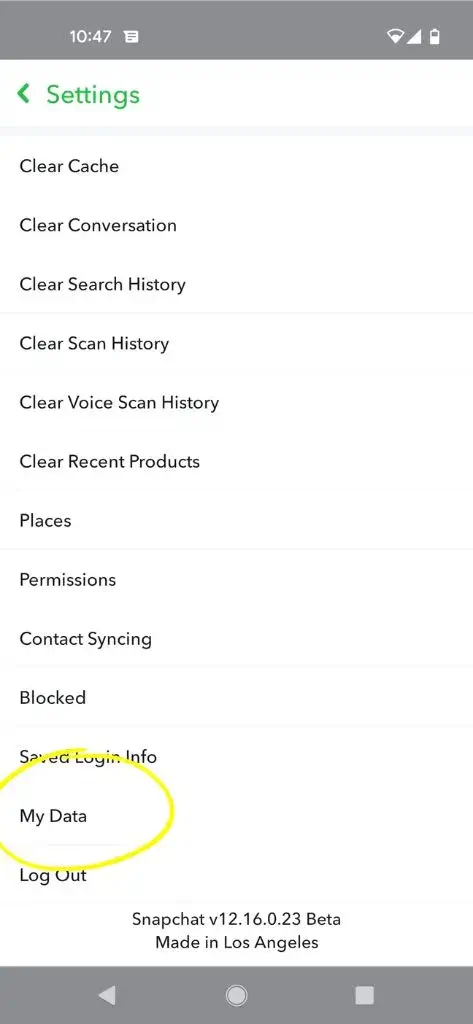
Select ‘My Data’
Scroll to the end of the settings list. ‘My Data’ will be the second-to-last option, positioned just above ‘Log Out’.
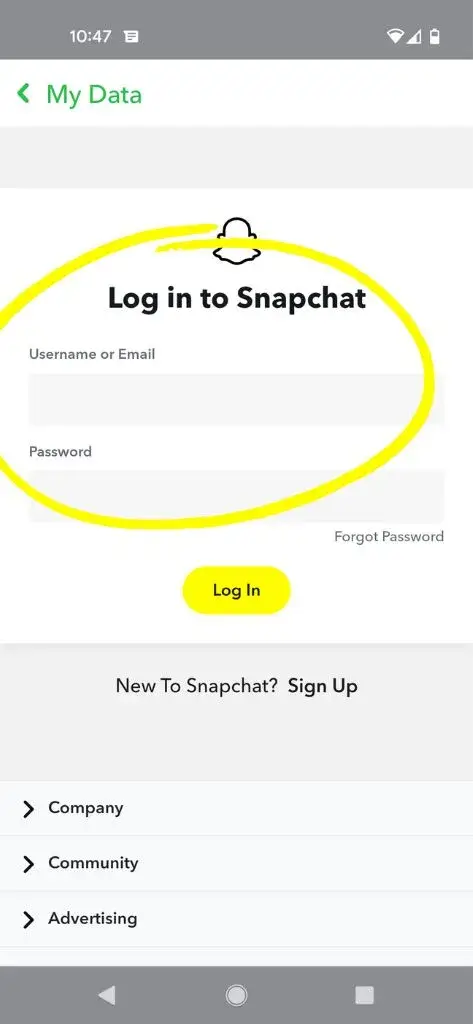
Log into Your Snapchat Account
Before granting access to your data request, Snapchat will require you to log in again. This is a security measure to confirm that your phone is not being accessed by someone else attempting to steal your data.
Complete the Form and Tap ‘Submit Request’
Enter the email address where you want your data to be sent. You can also specify a date range if desired. If you prefer to receive all your lifetime data, simply switch off the slider next to ‘Filter your export by date range’.
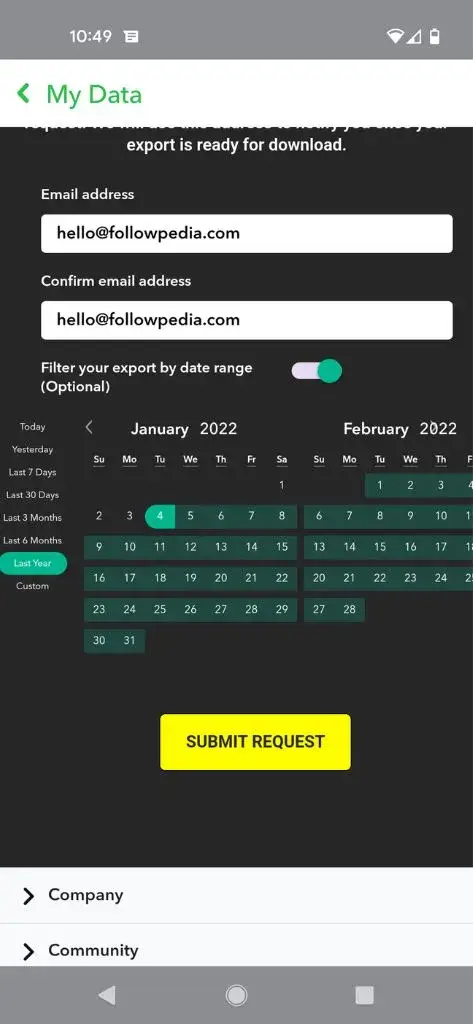
Once you’re satisfied, tap ‘Submit Request’.
Check Your Email
You should receive an email almost instantly. Click the link in the email to log into your Snapchat account.
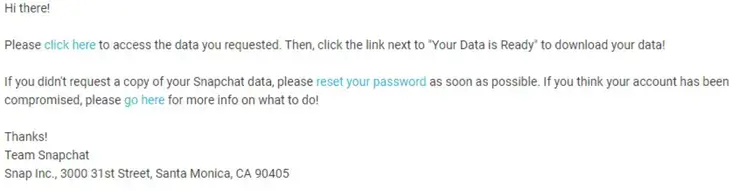
This will lead you to the following page:
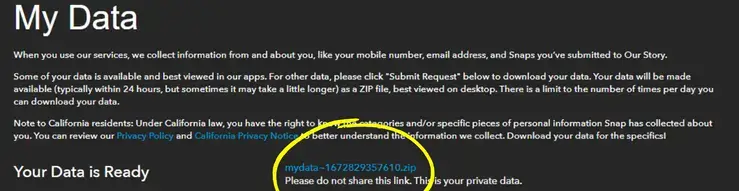
Click on the link labeled “mydata~XXXXXXX.zip” located next to the message that says ‘Your Data Is Ready’.
Also Read: How to Unlock the Butterflies Lens on Snapchat
Now, you can Access Your Data
You now possess a .zip file containing all your Snapchat data. When you open the file, you’ll find four folders:
- chat_media
- Html
- json
- memories
The “chat_media” and “memories” folders store all your images.
The “html” folder contains various data such as your messaging history, Bitmoji information, profile details, and more.
The “json” folder contains the same data as the “html” folder, but in a different file format.
Also Read: How to Recover Snapchat Account
FAQs:
How much time does it take to retrieve your Snapchat data?
The time it takes to download Snapchat data can vary. It may be available instantly, but in some cases, it could take up to 6 hours.
Does Snapchat data show deleted messages?
No, Snapchat data does not display deleted messages.
Where is Snapchat data stored?
Some of the Snapchat data is stored within the app, while the majority of it is stored on Snapchat’s servers.
What does “no name” signify in Snapchat data?
“No name” on Snapchat indicates that the account was created without using a real name. It can also signify that a person has either permanently deleted their Snapchat account or has blocked you.
How long does it take for a Snapchat data request to process?
Typically, a Snapchat data request takes approximately 6 hours. You’ll receive an email notification when the data is prepared for download.
Why is the Snapchat data download not working?
If the Snapchat data download is not functioning properly, ensure that the Snapchat app is up to date. You can upgrade the app through the Play Store or the App Store.

May 29, 2026

May 29, 2026

May 29, 2026

May 29, 2026

May 29, 2026