
Built for people who want to configure everything, with mail and calendar included
Best Browser Software
A browser is a software application that allows users to access and interact with information on the World Wide Web. Commonly known as web browsers, these programs provide a graphical user interface for users to navigate websites, view multimedia content, and interact with various online services. Browsers interpret and render HTML (Hypertext Markup Language) and other web technologies to display web pages.
More about Browser Software
Browser Software, on the other hand, refers to the specific applications or programs that fall into the category of browsers. Examples of browser software include Google Chrome, Mozilla Firefox, Microsoft Edge, Safari, and others. Browser software plays a crucial role in facilitating the user’s interaction with the internet by providing a platform to request, retrieve, and display web content. It also incorporates features such as bookmarks, history, and extensions to enhance the browsing experience. Browser software continually evolves to incorporate new technologies, improve performance, and address security concerns, offering users a gateway to explore the vast array of information and services available on the internet.
Browser Software Compared
Compare the 9 most relevant Browser Software options on price, free trial and deployment.
| Product | Starting price | Free trial | Free plan | API | Deployment |
|---|---|---|---|---|---|
 Vivaldi Built for people who want to configure everything, with mail… Vivaldi Built for people who want to configure everything, with mail… | Free | ✓ | – | – | On Premise |
 Firefox The last major browser not built on Chromium, funded to… Firefox The last major browser not built on Chromium, funded to… | Free | ✓ | – | ✓ | On Premise |
 Google Chrome The default browser for most of the web, built around… Google Chrome The default browser for most of the web, built around… | Free | ✓ | – | ✓ | On Premise |
 Safari The browser that decides what the web can do on… Safari The browser that decides what the web can do on… | Free | ✓ | – | ✓ | On Premise |
 Arc A rethought browser interface, now in maintenance while its maker… Arc A rethought browser interface, now in maintenance while its maker… | Free | ✓ | – | – | On Premise |
 Microsoft Edge Chromium with Copilot attached and Windows tuning underneath Microsoft Edge Chromium with Copilot attached and Windows tuning underneath | Free | ✓ | – | ✓ | On Premise |
 Zen Browser A Firefox-based browser for a calmer internet, funded by donations Zen Browser A Firefox-based browser for a calmer internet, funded by donations | Free | ✓ | – | – | On Premise |
 Opera A browser family split by audience, with a VPN and… Opera A browser family split by audience, with a VPN and… | Free | ✓ | – | – | On Premise |
 Tor Browser Anonymity against tracking, surveillance and censorship, in about thirty languages Tor Browser Anonymity against tracking, surveillance and censorship, in about thirty languages | Free | ✓ | – | – | On Premise |
All Software
9 Best Browser Software Options
Showing 1 - 9 of 9 products
Vivaldi is a browser for desktop, Android, iOS and automotive, with built-in mail, calendar and feed reader, a VPN, ad and tracker blocking, device sync, extensive customisation and an enterprise edition, funded partly by donations.
Including a mail client and calendar inside the browser is the decision that defines Vivaldi and it is deliberately contrarian. The industry moved email into web applications a decade ago, and Vivaldi's argument is that a local client with real folders, offline access and no vendor reading the contents is a better tool for people who want one, even though most people no longer do.
Configurability is the actual product rather than a feature list, and it targets a specific user honestly. Someone who wants tabs on the left, keyboard shortcuts for everything and a custom start page is poorly served by browsers converging on minimal interfaces, and Vivaldi builds for them rather than for the average.
The automotive edition is the unexpected line and a commercially sensible one, since car manufacturers need a browser in the dashboard and have no interest in building one, and it is a market where the major vendors' data practices are a purchasing obstacle rather than a neutral fact. Vivaldi asks for donations and is free to use.
Read Vivaldi Reviews Explore additional details
Explore various Keka features, compare the pricing plans, and unlock the potential of seamless operations by selecting the right software for your business.
Features
View all Vivaldi Features- Free to download and use
- Chromium rendering engine
- Built-in mail client
- Built-in calendar
- Built-in feed reader
- Ad and tracker blocking
- Built-in VPN
- Extensive interface customisation
- Desktop-style tabs on Android
- Encrypted sync between devices
- Enterprise edition
- Automotive edition for vehicle dashboards
Pricing
Vivaldi Caters to
- StartUps
- SMEs
- Agencies
- Enterprises
The last major browser not built on Chromium, funded to stay that way
Firefox is a free browser from Mozilla built around protection, control and focus, with data protection features, an extension and theme ecosystem, enterprise deployment options and desktop and mobile versions.
Running its own Gecko engine rather than Chromium is the single most consequential fact about Firefox and it matters beyond the product. When every other significant browser renders pages the same way, whatever Google ships effectively becomes the web standard, and an independent engine is the practical mechanism by which that does not happen.
Mozilla's structure as a non-profit foundation with a commercial subsidiary is the reason the independence is sustainable, and it also explains the search deal that funds most of it, which is worth knowing rather than being surprised by. Firefox's privacy positioning is genuine in the product and the funding does not contradict it, but a reader should understand both.
The enterprise route is more capable than most people realise, with policy templates and extended support releases that let an organisation deploy and control it centrally, which matters for institutions that need a browser they can pin to a version. Firefox states it is no longer supported on Windows 8.1 and below. It is free and open source.
Read Firefox Reviews Explore additional details
Explore various Keka features, compare the pricing plans, and unlock the potential of seamless operations by selecting the right software for your business.
Features
View all Firefox Features- Free and open source
- Independent Gecko rendering engine
- Enhanced tracking protection
- Data protection features
- Extensions and themes
- Container tabs for separating identities
- Enterprise policy templates
- Extended support release channel
- Cross-device sync
- Desktop and mobile versions
- Developer tools
- Regular release notes published
Pricing
Firefox Caters to
- StartUps
- SMEs
- Agencies
- Enterprises
The default browser for most of the web, built around performance and Google's services
Google Chrome is a free web browser built around performance, safety, AI features and personalisation, with Energy Saver and Memory Saver, tab grouping with labels and colours, an extension ecosystem, and versions across desktop and mobile platforms.
Memory Saver is the feature that acknowledges Chrome's oldest criticism directly. The browser's process per tab architecture is what makes one misbehaving page unable to crash the others, and it is also why Chrome consumes memory in a way that became a running joke, so reclaiming resources from tabs a user has not touched is fixing a consequence of a deliberate design rather than a bug.
Tab grouping with labels and colours is the honest response to how people actually browse, which is with far more tabs open than any interface was designed for. Treating that as normal behaviour to be organised rather than a habit to be corrected is the right call, and every competitor has since copied it.
The extension ecosystem is Chrome's deepest advantage and the hardest thing for a rival to overcome, because the same Chromium base now underlies Edge, Opera, Arc, Vivaldi and Brave, which means the compatibility argument for Chrome specifically has weakened even as its share has not. Chrome is free and distributed by Google across Windows, Mac, Linux, Android and iOS.
Read Google Chrome Reviews Explore additional details
Explore various Keka features, compare the pricing plans, and unlock the potential of seamless operations by selecting the right software for your business.
Features
View all Google Chrome Features- Free to download and use
- Chromium rendering engine
- Energy Saver and Memory Saver
- Tab groups with labels and colours
- Cross-device sync through a Google account
- Chrome Web Store extensions
- Built-in password manager
- Safe Browsing protections
- AI features integrated into the browser
- Desktop and mobile versions
- Developer tools
- Enterprise policy management
Pricing
Google Chrome Caters to
- StartUps
- SMEs
- Agencies
- Enterprises
The browser that decides what the web can do on an iPhone
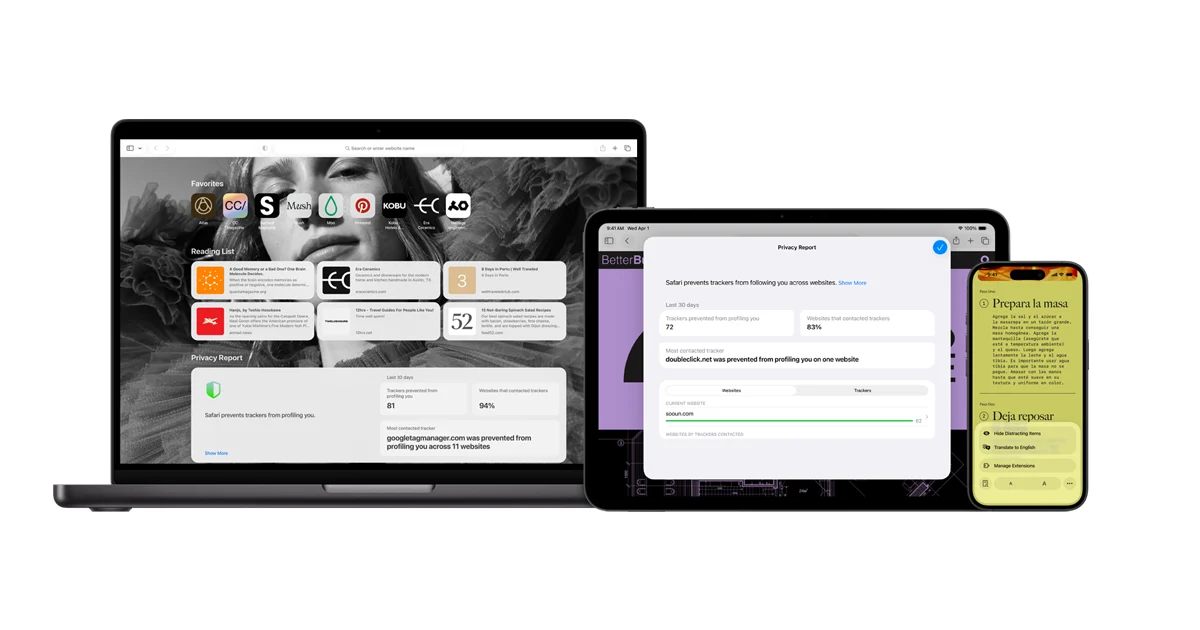
Safari is Apple's browser across Mac, iPhone, iPad and Vision, with Intelligent Tracking Prevention, Private Browsing that locks windows, customisation options and battery life optimisation, and Apple claims it is the world's fastest browser.
Battery life optimisation is the argument that carries the most weight in practice and it is one only Apple can make properly. Controlling the browser, the operating system and the silicon means Safari can be tuned against the specific hardware it runs on, which is why a laptop browsing in Safari genuinely lasts longer than the same laptop browsing in Chrome.
Intelligent Tracking Prevention was the change that reshaped the advertising industry more than any regulation did, because a default-on browser protection reaches everyone rather than the small share who would configure it, and Apple's willingness to ship it reflects that it does not sell advertising in the way its main rival does.
Safari's position on iOS is the part worth understanding before treating it as one browser among many: for most of its history every browser on iPhone rendered pages using Safari's engine, so what Safari supports has determined what web applications can do on the platform. Safari is free and included with Apple operating systems.
Read Safari Reviews Explore additional details
Explore various Keka features, compare the pricing plans, and unlock the potential of seamless operations by selecting the right software for your business.
Features
View all Safari Features- Included with Apple operating systems
- Intelligent Tracking Prevention
- Private Browsing with locked windows
- Battery life optimisation
- Hardware and operating system integration
- Customisation and start page options
- iCloud sync across Apple devices
- Tab groups
- Extensions from the App Store
- Reader and reading list
- Web Inspector developer tools
- Available on Mac, iPhone, iPad and Vision
Pricing
Safari Caters to
- StartUps
- SMEs
- Agencies
- Enterprises
A rethought browser interface, now in maintenance while its maker builds Dia
Arc is a browser from The Browser Company built around Spaces and Profiles for separating different areas of life, Split View, themes and a reshaped interface, available for Windows and Mac, with the company now directing new users to its successor Dia.
The status notice is the most important thing on the page and should shape any decision to adopt it. The Browser Company states plainly that Arc receives Chromium updates only, and directs users wanting active security patches and enterprise-grade protection to download Dia instead. That is unusually honest and it means Arc is in maintenance rather than development.
What Arc got right is worth recording regardless, because its influence outlasted its development. Moving tabs to a collapsible sidebar, treating Spaces as separate contexts with their own tabs and bookmarks, and letting the interface disappear entirely challenged an arrangement nobody had questioned since tabs arrived.
Spaces and Profiles together are the idea most worth borrowing, since a person's work browsing and personal browsing have different accounts, different sites and different mental modes, and every other browser makes switching between them awkward. Arc is free to download for Windows and Mac.
Read Arc Reviews Explore additional details
Explore various Keka features, compare the pricing plans, and unlock the potential of seamless operations by selecting the right software for your business.
Features
View all Arc Features- Free to download
- Chromium rendering engine
- Spaces for separating contexts
- Profiles with separate accounts
- Collapsible sidebar instead of a tab bar
- Split View
- Themes and interface customisation
- Windows and Mac versions
- Mobile companion application
- Developer-oriented features
- Chromium security updates only
- Succeeded by Dia
Pricing
Arc Caters to
- StartUps
- SMEs
- Agencies
- Enterprises
Chromium with Copilot attached and Windows tuning underneath
Microsoft Edge is a free Chromium-based browser with Copilot integrated across tabs, performance optimisation for Windows, built-in security features and advanced controls, plus mobile versions and business deployment options.
Copilot working across open tabs is the differentiator Microsoft leads with, and it is a more interesting use of an assistant than a chat sidebar. Comparing options across several open pages is a task people genuinely do by hand, tab by tab, and an assistant that can read all of them at once is doing something the user cannot easily do themselves.
Being optimised for Windows is a real advantage rather than marketing, since Microsoft controls both sides and can tune startup, sleeping tabs and resource handling against the operating system's own scheduler in a way a third-party browser cannot.
The enterprise story is where Edge is strongest and least discussed. Group policy management, Internet Explorer mode for legacy internal applications, and integration with Entra identity and Defender make it the path of least resistance for organisations already running Microsoft everything, which is how it reached its share rather than by winning consumers from Chrome. Edge is free.
Read Microsoft Edge Reviews Explore additional details
Explore various Keka features, compare the pricing plans, and unlock the potential of seamless operations by selecting the right software for your business.
Features
View all Microsoft Edge Features- Free to download and use
- Chromium rendering engine
- Copilot working across open tabs
- Performance optimisation for Windows
- Sleeping tabs and startup boost
- Built-in security and advanced controls
- Internet Explorer mode for legacy applications
- Group policy management
- Integration with Microsoft identity and security
- Chrome Web Store extension compatibility
- Mobile versions for iOS and Android
- Business and enterprise deployment
Pricing
Microsoft Edge Caters to
- StartUps
- SMEs
- Agencies
- Enterprises
A Firefox-based browser for a calmer internet, funded by donations
Zen Browser is a community-built browser described as beautifully designed, privacy-focused and packed with features, with Zen Mods for customisation, published release notes, a Discord community, GitHub development and funding through donations.
Being built on Firefox rather than Chromium is the choice that gives Zen its reason to exist, since a project aiming at privacy and a calmer experience would undercut itself by building on the engine of the company whose business is advertising. It also means Zen inherits Gecko's independence and its compatibility trade-offs.
Zen Mods as a first-class concept is the most interesting design decision, because it makes customisation something the community produces and shares rather than something the maintainers must anticipate, which is how a small project can offer more configurability than a funded one.
The funding model deserves a clear reading before adopting it for anything important. Zen states plainly that it cares about the user's experience rather than their data, which is credible precisely because there is no advertising relationship, and it also means the project depends on donations and volunteer time. Zen Browser is free and open source, and is currently in beta.
Read Zen Browser Reviews Explore additional details
Explore various Keka features, compare the pricing plans, and unlock the potential of seamless operations by selecting the right software for your business.
Features
View all Zen Browser Features- Free and open source
- Built on Firefox and the Gecko engine
- Zen Mods for community customisation
- Privacy-focused defaults
- No data collection business model
- Split view and workspaces
- Published release notes
- Documentation for users
- Discord community
- GitHub development and contribution
- Funded by donations
- Beta releases available
Pricing
Zen Browser Caters to
- StartUps
- SMEs
- Agencies
- Enterprises
A browser family split by audience, with a VPN and an AI in the sidebar
Opera is a browser family comprising the main Opera browser, Opera Air, Opera GX for gamers, Opera Neon and Opera Mini, with Tab Islands, a free and Pro VPN, an ad blocker, messaging in the sidebar and a built-in AI assistant.
Splitting into distinct browsers for distinct audiences rather than shipping one product with modes is Opera's real strategy, and Opera GX is the clearest success of it. Targeting gamers with CPU and memory limiters is a genuine need rather than a theme, because a browser competing with a game for resources is a real problem and no other vendor treated it as one.
Bundling a free VPN is the feature that gets attention and it deserves a precise reading. A browser VPN protects browser traffic rather than the whole device, which is enough for avoiding a network operator seeing which sites are visited and not enough for the threat models people often assume, so it is genuinely useful within stated limits.
Opera Mini remains the most consequential product in the range even though it gets the least coverage in Western markets, because compressing pages on a server before sending them makes browsing affordable on expensive metered data, which is why it has a large user base in markets where that constraint is the deciding one. Opera is free with a paid VPN Pro tier.
Read Opera Reviews Explore additional details
Explore various Keka features, compare the pricing plans, and unlock the potential of seamless operations by selecting the right software for your business.
Features
View all Opera Features- Free to download and use
- Chromium rendering engine
- Tab Islands for contextual grouping
- Free built-in VPN with a Pro tier
- Built-in ad blocker
- Opera AI assistant in the sidebar
- Messenger integrations in the sidebar
- Opera GX with CPU and memory limiters
- Opera Air and Opera Neon variants
- Opera Mini with server-side compression
- Android and iOS versions
- Free VPN on mobile
Pricing
Opera Caters to
- StartUps
- SMEs
- Agencies
- Enterprises
Anonymity against tracking, surveillance and censorship, in about thirty languages
Tor Browser is a free browser from the Tor Project that protects against tracking, surveillance and censorship by routing traffic through the Tor network, available for Windows, macOS, Linux and Android, published in around thirty languages with signed downloads and an alpha channel.
Publishing a cryptographic signature beside every download is a detail most software skips and it matters enormously here. A user in a country that censors the internet is exactly the person an attacker would target with a modified build, so being able to verify that the file came from the Tor Project is part of the protection rather than an extra.
Translation into around thirty languages including Persian, Arabic, Belarusian, Ukrainian, Turkish and Vietnamese is not a localisation exercise, it is the product working. Circumvention software that only exists in English fails the people who most need it, and the language list reads as a map of where censorship is a daily condition.
What Tor Browser trades for its protection should be stated clearly: routing through several relays makes browsing slower, some sites block Tor traffic outright, and the anonymity depends on using the browser as shipped rather than customising it. It is free, open source and funded by donations.
Read Tor Browser Reviews Explore additional details
Explore various Keka features, compare the pricing plans, and unlock the potential of seamless operations by selecting the right software for your business.
Features
View all Tor Browser Features- Free and open source
- Traffic routed through the Tor network
- Protection against tracking and surveillance
- Censorship circumvention
- Signed downloads for verification
- Built on Firefox
- Around thirty language translations
- Windows, macOS, Linux and Android versions
- Alpha build channel
- Bridges for blocked networks
- Published manual and support
- Funded by donations
Pricing
Tor Browser Caters to
- StartUps
- SMEs
- Agencies
- Enterprises
Browser Software Buyer's Guide
Comparing Browser Software is easier once you stop ranking features and start checking which product assumes your workflow. Below are the core capabilities, who benefits most, typical pricing, and what to test before committing.
What is Browser Software?
Browser Software helps teams provision, manage, monitor, and control the cost of cloud infrastructure and the workloads running on it. The real return is usually less rekeying and fewer version disputes rather than any single headline feature. Most products handle the easy cases; the useful test is what happens at the edges of your process.
Key features to look for in Browser Software
Which of these matter depends on your process, but they are worth checking against any Browser Software shortlist.
- Resource provisioning and lifecycle management
- Cost visibility broken down by team, tag, or service
- Autoscaling and rightsizing recommendations
- Policy and guardrail enforcement
- Multi account and multi cloud visibility
- Infrastructure as code support
- Performance and availability monitoring
- Alerting on spend anomalies and failures
Benefits of using Browser Software
Organisations running Browser Software that genuinely fits their workflow tend to see:
- Lower cloud bills through rightsizing and waste removal
- Clear accountability for which team spends what
- Consistent configuration through policy instead of manual setup
- Faster provisioning without raising a ticket
- Fewer outages from resource limits and misconfiguration
Who uses Browser Software?
Browser Software is used by cloud and platform engineers, DevOps teams, FinOps analysts, and infrastructure architects. What matters more than headcount is whether the product’s assumptions about your process are correct.
How to choose the right Browser Software
Worth weighing before you commit to any Browser Software option:
- Which cloud providers and services it genuinely covers
- Whether cost data is near real time or delayed
- How it handles tagging and untagged resources
- Integration with your infrastructure as code workflow
- Whether recommendations can be applied automatically or only reported
Narrow to a few options and test on your own data. The eventual daily users should run the trial, because their friction determines whether a rollout sticks.
How much does Browser Software cost?
Often priced as a percentage of managed cloud spend, or per resource or per user each month. Some tools are free at low volume and charge once spend passes a threshold. Budget against where you expect to be, and read carefully which capabilities are gated above the tier you are quoted.
FAQs of Browser Software
Browser Software covers the operational side of cloud infrastructure work, holding records, scheduling and invoicing together instead of across separate tools.
Generic software leaves you building the cloud infrastructure specifics yourself, whereas Browser Software ships with them at a higher price.
Fit depends on the scale Browser Software was designed for, so check whether the vendor’s typical cloud infrastructure customer resembles your own operation.
Migration support varies across Browser Software, so ask what the vendor imports as standard from your current cloud infrastructure records and what needs manual work.
Browser Software is usually billed per seat or per site each month, and specialist cloud infrastructure tooling generally prices above generic software.
Test Browser Software on genuine cloud infrastructure tasks with the people who will actually use it rather than on a scripted scenario.